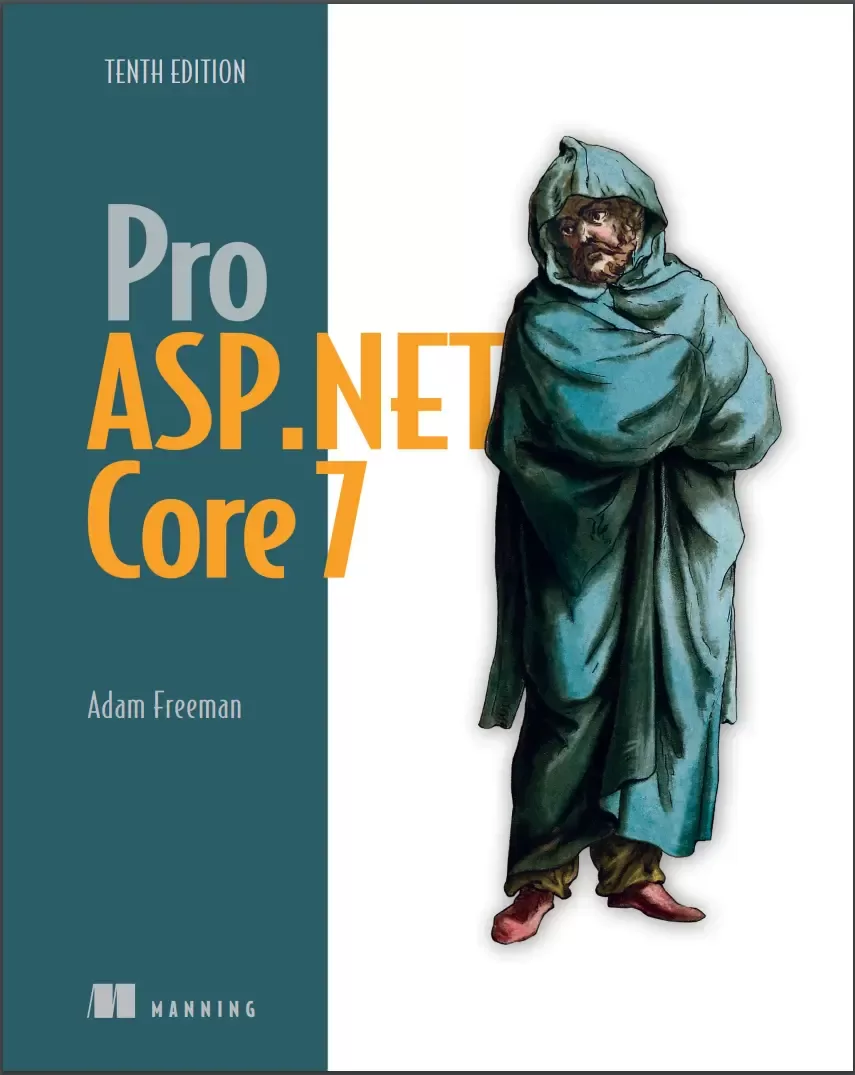
Pro ASP.NET Core 7. 10 Ed
Оглавление⌄
Pro ASP.NET Core 7, Tenth Edition....1 Praises from reviewers of Pro ASP.NET Core 7, Tenth Edition....2 dedication....6 contents....8 preface....28 about this book....30 Who should read this book....30 How this book is organized: a roadmap....30 About the code....31 liveBook discussion forum....31 about the author....32 about the cover illustration....33 1 Putting ASP.NET Core in context....34 1.1 Understanding the application frameworks ....36 1.1.1 Understanding the MVC Framework ....36 1.1.2 Understanding Razor Pages....37 1.1.3 Understanding Blazor ....37 1.1.4 Understanding the utility frameworks ....38 1.1.5 Understanding the ASP.NET Core platform ....38 1.2 Understanding this book....39 1.2.1 What software do I need to follow the examples?....39 1.2.2 What platform do I need to follow the examples?....39 1.2.3 What if I have problems following the examples?....39 1.2.4 What if I find an error in the book?....40 1.2.5 What does this book cover?....40 1.2.6 What doesn’t this book cover?....41 1.2.7 How do I contact the author?....41 1.2.8 What if I really enjoyed this book?....42 1.2.9 What if this book has made me angry and I want to complain?....42 Summary....42 Part 1....44 2 Getting started....46 2.1 Choosing a code editor....46 2.1.1 Installing Visual Studio....47 2.1.2 Installing Visual Studio Code ....49 2.2 Creating an ASP.NET Core project....52 2.2.1 Opening the project using Visual Studio....53 2.2.2 Opening the project with Visual Studio Code ....54 2.3 Running the ASP.NET Core application....55 2.3.1 Understanding endpoints....56 2.3.2 Understanding routes....58 2.3.3 Understanding HTML rendering ....58 2.3.4 Putting the pieces together....63 Summary....63 3 Your first ASP.NET Core application....64 3.1 Setting the scene....64 3.2 Creating the project ....65 3.2.1 Preparing the project ....65 3.2.2 Adding a data model....67 3.2.3 Creating a second action and view....68 3.2.4 Linking action methods....70 3.2.5 Building the form....71 3.2.6 Receiving form data....72 3.2.7 Adding the thanks view....75 3.2.8 Displaying responses....77 3.2.9 Adding validation....79 3.2.10 Styling the content....84 Summary....90 4 Using the development tools....91 4.1 Creating ASP.NET Core projects....92 4.1.1 Creating a project using the command line....92 4.2 Adding code and content to projects....95 4.2.1 Understanding item scaffolding....97 4.3 Building and running projects....97 4.3.1 Using the hot reload feature ....99 4.4 Managing packages....101 4.4.1 Managing NuGet packages....101 4.4.2 Managing tool packages ....102 4.4.3 Managing client-side packages ....102 4.5 Debugging projects ....104 Summary....105 5 Essential C# features....106 5.1 Preparing for this chapter....107 5.1.1 Opening the project ....108 5.1.2 Enabling the MVC Framework....108 5.1.3 Creating the application components ....108 5.1.4 Selecting the HTTP port....110 5.1.5 Running the example application ....111 5.2 Understanding top-level statements....111 5.3 Understanding global using statements....112 5.3.1 Understanding implicit using statements....113 5.4 Understanding null state analysis....114 5.4.1 Ensuring fields and properties are assigned values....115 5.4.2 Providing a default value for non-nullable types ....117 5.4.3 Using nullable types ....117 5.4.4 Checking for null values ....119 5.4.5 Overriding null state analysis ....122 5.4.6 Disabling null state analysis warnings ....122 5.5 Using string interpolation ....123 5.6 Using object and collection initializers....123 5.6.1 Using an index initializer ....125 5.7 Using target-typed new expressions....126 5.8 Pattern Matching....127 5.8.1 Pattern matching in switch statements ....127 5.9 Using extension methods....128 5.9.1 Applying extension methods to an interface....130 5.9.2 Creating filtering extension methods....132 5.10 Using lambda expressions....133 5.10.1 Defining functions....135 5.10.2 Using lambda expression methods and properties ....138 5.11 Using type inference and anonymous types....140 5.11.1 Using anonymous types....140 5.12 Using default implementations in interfaces....142 5.13 Using asynchronous methods....144 5.13.1 Working with tasks directly ....144 5.13.2 Applying the async and await keywords....145 5.13.3 Using an asynchronous enumerable....147 5.14 Getting names....150 Summary....151 6 Testing ASP.NET Core applications....152 6.1 Preparing for this chapter....153 6.1.1 Opening the project ....154 6.1.2 Selecting the HTTP port....154 6.1.3 Enabling the MVC Framework ....155 6.1.4 Creating the application components ....155 6.1.5 Running the example application ....157 6.2 Creating a unit test project....157 6.3 Writing and running unit tests....158 6.3.1 Running tests with the Visual Studio Test Explorer....160 6.3.2 Running tests with Visual Studio Code ....161 6.3.3 Running tests from the command line ....161 6.3.4 Correcting the unit test ....162 6.3.5 Isolating components for unit testing ....163 6.3.6 Using a mocking package ....168 6.3.7 Creating a mock object....168 Summary....170 7 SportsStore: A real application....171 7.1 Creating the projects....172 7.1.1 Creating the unit test project....173 7.1.2 Opening the projects....173 7.1.3 Configuring the HTTP port ....173 7.1.4 Creating the application project folders....174 7.1.5 Preparing the services and the request pipeline....175 7.1.6 Configuring the Razor view engine....176 7.1.7 Creating the controller and view ....177 7.1.8 Starting the data model....177 7.1.9 Checking and running the application ....178 7.2 Adding data to the application ....178 7.2.1 Installing the Entity Framework Core packages ....179 7.2.2 Defining the connection string....179 7.2.3 Creating the database context class....180 7.2.4 Configuring Entity Framework Core ....181 7.2.5 Creating a repository....181 7.2.6 Creating the database migration ....184 7.2.7 Creating seed data....184 7.3 Displaying a list of products....187 7.3.1 Preparing the controller ....187 7.3.2 Updating the view....189 7.3.3 Running the application....190 7.4 Adding pagination....190 7.4.1 Displaying page links....192 7.4.2 Improving the URLs....200 7.5 Styling the content....202 7.5.1 Installing the Bootstrap package....202 7.5.2 Applying Bootstrap styles....202 7.5.3 Creating a partial view....205 Summary....207 8 SportsStore: Navigation and cart....208 8.1 Adding navigation controls....208 8.1.1 Filtering the product list....209 8.1.2 Refining the URL scheme....213 8.1.3 Building a category navigation menu....217 8.1.4 Correcting the page count....224 8.2 Building the shopping cart....227 8.2.1 Configuring Razor Pages....227 8.2.2 Creating a Razor Page ....229 8.2.3 Creating the Add to Cart buttons....230 8.2.4 Enabling sessions....232 8.2.5 Implementing the cart feature....233 Summary....243 9 SportsStore: Completing the cart....244 9.1 Refining the cart model with a service....244 9.1.1 Creating a storage-aware cart class....245 9.1.2 Registering the service....247 9.1.3 Simplifying the cart Razor Page....248 9.2 Completing the cart functionality....250 9.2.1 Removing items from the cart....250 9.2.2 Adding the cart summary widget....253 9.3 Submitting orders....256 9.3.1 Creating the model class....256 9.3.2 Adding the checkout process....257 9.3.3 Creating the controller and view....258 9.3.4 Implementing order processing....260 9.3.5 Completing the order controller....263 9.3.6 Displaying validation errors....267 9.3.7 Displaying a summary page....269 Summary....270 10 SportsStore: Administration....271 10.1 Preparing Blazor Server....272 10.1.1 Creating the imports file....273 10.1.2 Creating the startup Razor Page....273 10.1.3 Creating the routing and layout components ....274 10.1.4 Creating the Razor Components ....275 10.1.5 Checking the Blazor setup....275 10.2 Managing orders....276 10.2.1 Enhancing the model....277 10.2.2 Displaying orders to the administrator....278 10.3 Adding catalog management ....282 10.3.1 Expanding the repository ....282 10.3.2 Applying validation attributes to the data model....283 10.3.3 Creating the list component ....284 10.3.4 Creating the detail component ....286 10.3.5 Creating the editor component ....287 10.3.6 Deleting products....290 Summary....292 11 SportsStore: Security and deployment....293 11.1 Creating the Identity database....294 11.1.1 Installing the Identity package for Entity Framework Core ....294 11.1.2 Creating the context class ....294 11.1.3 Defining the connection string....295 11.1.4 Configuring the application ....295 11.1.5 Creating and applying the database migration....297 11.1.6 Defining the seed data ....297 11.2 Adding a conventional administration feature....300 11.3 Applying a basic authorization policy ....301 11.4 Creating the account controller and views....302 11.5 Testing the security policy ....306 11.6 Preparing ASP.NET Core for deployment ....307 11.6.1 Configuring error handling....307 11.6.2 Creating the production configuration settings....309 11.6.3 Creating the Docker image ....310 11.6.4 Running the containerized application ....313 Summary....314 Part 2....316 12 Understanding the ASP.NET Core platform ....318 12.1 Preparing for this chapter....319 12.1.1 Running the example application ....321 12.2 Understanding the ASP.NET Core platform....321 12.2.1 Understanding middleware and the request pipeline....321 12.2.2 Understanding services....322 12.3 Understanding the ASP.NET Core project....322 12.3.1 Understanding the entry point....324 12.3.2 Understanding the project file....325 12.4 Creating custom middleware ....326 12.4.1 Defining middleware using a class ....330 12.4.2 Understanding the return pipeline path ....332 12.4.3 Short-Circuiting the request pipeline ....333 12.4.4 Creating pipeline branches....335 12.4.5 Creating terminal middleware ....337 12.5 Configuring middleware....339 12.5.1 Using the options pattern with class-based middleware ....341 Summary....343 13 Using URL routing....344 13.1 Preparing for this chapter....345 13.1.1 Understanding URL routing ....348 13.1.2 Adding the routing middleware and defining an endpoint ....349 13.1.3 Simplifying the pipeline configuration ....352 13.1.4 Understanding URL patterns....354 13.1.5 Using segment variables in URL patterns....355 13.1.6 Generating URLs from routes....359 13.2 Managing URL matching ....363 13.2.1 Matching multiple values from a single URL segment ....363 13.2.2 Using default values for segment variables....364 13.2.3 Using optional segments in a URL Pattern....366 13.2.4 Using a catchall segment variable ....367 13.2.5 Constraining segment matching ....369 13.2.6 Defining fallback routes....373 13.3 Advanced routing features ....374 13.3.1 Creating custom constraints....374 13.3.2 Avoiding ambiguous route exceptions....375 13.3.3 Accessing the endpoint in a middleware component ....377 Summary....380 14 Using dependency injection....381 14.1 Preparing for this chapter....383 14.1.1 Creating a middleware component and an endpoint....383 14.1.2 Configuring the request pipeline ....384 14.2 Understanding service location and tight coupling ....385 14.2.1 Understanding the service location problem....386 14.2.2 Understanding the tightly coupled components problem....388 14.3 Using dependency injection....390 14.3.1 Using a Service with a Constructor Dependency ....392 14.3.2 Getting services from the HttpContext object ....393 14.4 Using Service Lifecycles....397 14.4.1 Creating transient services....398 14.4.2 Avoiding the transient service reuse pitfall....399 14.4.3 Using scoped services....402 14.5 Other dependency injection features....407 14.5.1 Creating dependency chains ....407 14.5.2 Accessing services in the Program.cs file ....409 14.5.3 Using service factory functions....410 14.5.4 Creating services with multiple implementations ....412 14.5.5 Using unbound types in services ....414 Summary....416 15 Using the platform features, part 1....417 15.1 Preparing for this chapter....418 15.2 Using the configuration service....420 15.2.1 Understanding the environment configuration file....420 15.2.2 Accessing configuration settings....421 15.2.3 Using the configuration data in the Program.cs file ....423 15.2.4 Using configuration data with the options pattern ....423 15.2.5 Understanding the launch settings file ....425 15.2.6 Using the environment service....430 15.2.7 Storing user secrets....431 15.3 Using the logging service ....434 15.3.1 Generating logging messages ....434 15.3.2 Logging messages with attributes ....438 15.3.3 Configuring minimum logging levels....440 15.3.4 Logging HTTP requests and responses....442 15.4 Using static content and client-side packages ....444 15.4.1 Adding the static content middleware ....445 15.4.2 Using client-side packages ....448 Summary....450 16 Using the platform features, part 2....451 16.1 Preparing for this chapter....452 16.2 Using cookies....453 16.2.1 Enabling cookie consent checking....455 16.2.2 Managing cookie consent ....457 16.3 Using sessions ....459 16.3.1 Configuring the session service and middleware ....459 16.3.2 Using session data ....462 16.4 Working with HTTPS connections....464 16.4.1 Enabling HTTPS connections ....464 16.4.2 Detecting HTTPS requests....466 16.4.3 Enforcing HTTPS requests....467 16.4.4 Enabling HTTP strict transport security....468 16.5 Using rate limits....470 16.6 Handling exceptions and errors....474 16.6.1 Returning an HTML error response....475 16.6.2 Enriching status code responses....477 16.7 Filtering requests using the host header....479 Summary....482 17 Working with data....483 17.1 Preparing for this chapter....485 17.2 Caching data....485 17.2.1 Caching data values ....487 17.2.2 Using a shared and persistent data cache....490 17.3 Caching responses ....494 17.4 Caching output....497 17.4.1 Defining a custom cache policy....500 17.5 Using Entity Framework Core ....502 17.5.1 Installing Entity Framework Core....502 17.5.2 Creating the data model ....503 17.5.3 Configuring the database service....504 17.5.4 Creating and applying the database migration ....506 17.5.5 Seeding the database....506 17.5.6 Using data in an endpoint....509 Summary....512 Part 3....514 18 Creating the example project....516 18.1 Creating the project....517 18.2 Adding a data model....518 18.2.1 Adding NuGet packages to the project ....518 18.2.2 Creating the data model....518 18.2.3 Preparing the seed data....520 18.2.4 Configuring EF Core services and middleware ....521 18.2.5 Creating and applying the migration ....522 18.3 Adding the CSS framework ....523 18.4 Configuring the request pipeline....523 18.5 Running the example application ....524 19 Creating RESTful web services....525 19.1 Preparing for this chapter....526 19.2 Understanding RESTful web services....527 19.2.1 Understanding request URLs and methods....527 19.2.2 Understanding JSON ....528 19.3 Creating a web service using the minimal API....529 19.4 Creating a web service using a controller ....531 19.4.1 Enabling the MVC Framework ....532 19.4.2 Creating a controller ....533 19.5 Improving the web service ....543 19.5.1 Using asynchronous actions....544 19.5.2 Preventing over-binding....545 19.5.3 Using action results....547 19.5.4 Validating data ....552 19.5.5 Applying the API controller attribute ....554 19.5.6 Omitting Null properties ....556 19.5.7 Applying a rate limit ....559 Summary....562 20 Advanced web service features....563 20.1 Preparing for this chapter....564 20.1.1 Dropping the database....565 20.1.2 Running the example application ....565 20.2 Dealing with related data ....566 20.2.1 Breaking circular references in related data ....568 20.3 Supporting the HTTP PATCH method....569 20.3.1 Understanding JSON Patch ....569 20.3.2 Installing and configuring the JSON Patch package ....570 20.3.3 Defining the action method ....571 20.4 Understanding content formatting....573 20.4.1 Understanding the default content policy ....573 20.4.2 Understanding content negotiation....575 20.4.3 Specifying an action result format....580 20.4.4 Requesting a format in the URL ....581 20.4.5 Restricting the formats received by an action method....582 20.4.6 Caching output ....584 20.5 Documenting and exploring web services....586 20.5.1 Resolving action conflicts ....586 20.5.2 Installing and configuring the Swashbuckle package ....587 20.5.3 Fine-Tuning the API description....589 Summary....593 21 Using controllers with views, part I....594 21.1 Preparing for this chapter....595 21.1.1 Dropping the database....596 21.1.2 Running the example application ....596 21.2 Getting started with views....597 21.2.1 Configuring the application ....597 21.2.2 Creating an HTML controller ....598 21.2.3 Creating a Razor View....601 21.2.4 Selecting a View by name....604 21.3 Working with Razor Views....608 21.3.1 Setting the view model type ....611 21.3.2 Understanding the view model type pitfall....617 21.4 Understanding the Razor syntax....620 21.4.1 Understanding directives ....620 21.4.2 Understanding content expressions....621 21.4.3 Setting element content ....622 21.4.4 Setting attribute values....623 21.4.5 Using conditional expressions....624 21.4.6 Enumerating sequences....627 21.4.7 Using Razor code blocks ....629 Summary....631 22 Using controllers with views, part II....632 22.1 Preparing for this chapter....633 22.1.1 Dropping the database....634 22.1.2 Running the example application ....634 22.2 Using the view bag....635 22.3 Using temp data ....637 22.4 Working with layouts....640 22.4.1 Configuring layouts using the view bag....642 22.4.2 Using a view start file ....643 22.4.3 Overriding the default layout ....645 22.4.4 Using layout sections....648 22.5 Using partial views....655 22.5.1 Enabling partial views....655 22.5.2 Creating a partial view....655 22.5.3 Applying a partial view ....656 22.6 Understanding content-encoding....658 22.6.1 Understanding HTML encoding ....659 22.6.2 Understanding JSON encoding....661 Summary....662 23 Using Razor Pages....663 23.1 Preparing for this chapter....665 23.1.1 Running the example application ....665 23.2 Understanding Razor Pages....666 23.2.1 Configuring Razor Pages....666 23.2.2 Creating a Razor Page ....667 23.3 Understanding Razor Pages routing....672 23.3.1 Specifying a routing pattern in a Razor Page ....673 23.3.2 Adding routes for a Razor Page ....675 23.4 Understanding the Page model class....677 23.4.1 Using a code-behind class file ....677 23.4.2 Understanding action results in Razor Pages ....680 23.4.3 Handling multiple HTTP methods....684 23.4.4 Selecting a handler method....686 23.5 Understanding the Razor Page view ....689 23.5.1 Creating a layout for Razor Pages....689 23.5.2 Using partial views in Razor Pages....691 23.5.3 Creating Razor Pages without page models....692 Summary....694 24 Using view components....695 24.1 Preparing for this chapter....696 24.1.1 Dropping the database....699 24.1.2 Running the example application ....699 24.2 Understanding view components....700 24.3 Creating and using a view component ....700 24.3.1 Applying a view component ....701 24.4 Understanding view component results....704 24.4.1 Returning a partial view ....705 24.4.2 Returning HTML fragments....708 24.5 Getting context data ....711 24.5.1 Providing context from the parent view using arguments ....712 24.5.2 Creating asynchronous view components....716 24.6 Creating view components classes....718 24.6.1 Creating a hybrid controller class....721 Summary....723 25 Using tag helpers....724 25.1 Preparing for this chapter....725 25.1.1 Dropping the database....727 25.1.2 Running the example application ....727 25.2 Creating a tag helper....728 25.2.1 Defining the tag helper class....728 25.2.2 Registering tag helpers....731 25.2.3 Using a tag helper....731 25.2.4 Narrowing the scope of a tag helper....733 25.2.5 Widening the scope of a tag helper ....734 25.3 Advanced tag helper features....736 25.3.1 Creating shorthand elements ....736 25.3.2 Creating elements programmatically ....739 25.3.3 Prepending and appending content and elements....740 25.3.4 Getting view context data....743 25.3.5 Working with model expressions....745 25.3.6 Coordinating between tag helpers....751 25.3.7 Suppressing the output element ....753 25.4 Using tag helper components ....754 25.4.1 Creating a tag helper component ....754 25.4.2 Expanding tag helper component element selection ....756 Summary....758 26 Using the built-in tag helpers....759 26.1 Preparing for this chapter....760 26.1.1 Adding an image file....762 26.1.2 Installing a client-side package....762 26.1.3 Dropping the database....763 26.1.4 Running the example application ....763 26.2 Enabling the built-in tag helpers....763 26.3 Transforming anchor elements....764 26.3.1 Using anchor elements for Razor Pages ....766 26.4 Using the JavaScript and CSS tag helpers....768 26.4.1 Managing JavaScript files....768 26.4.2 Managing CSS stylesheets....776 26.5 Working with image elements ....779 26.6 Using the data cache ....781 26.6.1 Setting cache expiry....783 26.7 Using the hosting environment tag helper....786 Summary....787 27 Using the forms tag helpers....788 27.1 Preparing for this chapter....789 27.1.1 Dropping the database....791 27.1.2 Running the example application ....791 27.2 Understanding the form handling pattern....791 27.2.1 Creating a controller to handle forms ....792 27.2.2 Creating a Razor Page to handle forms....794 27.3 Using tag helpers to improve HTML forms....797 27.3.1 Working with form elements ....797 27.3.2 Transforming form buttons ....799 27.4 Working with input elements....800 27.4.1 Transforming the input element type attribute ....802 27.4.2 Formatting input element values ....804 27.4.3 Displaying values from related data in input elements....808 27.5 Working with label elements ....812 27.6 Working with select and option elements....814 27.6.1 Populating a select element ....816 27.7 Working with text areas....818 27.8 Using the anti-forgery feature ....820 27.8.1 Enabling the anti-forgery feature in a controller ....822 27.8.2 Enabling the anti-forgery feature in a Razor Page....823 27.8.3 Using anti-forgery tokens with JavaScript clients....823 28 Using model binding....827 28.1 Preparing for this chapter....829 28.1.1 Dropping the database....830 28.1.2 Running the example application ....830 28.2 Understanding model binding....830 28.3 Binding simple data types....832 28.3.1 Binding simple data types in Razor Pages ....833 28.3.2 Understanding default binding values....835 28.4 Binding complex types....838 28.4.1 Binding to a property ....840 28.4.2 Binding nested complex types ....842 28.4.3 Selectively binding properties....846 28.5 Binding to arrays and collections....849 28.5.1 Binding to arrays....849 28.5.2 Binding to simple collections....853 28.5.3 Binding to dictionaries....853 28.5.4 Binding to collections of complex types....855 28.6 Specifying a model binding source....857 28.6.1 Selecting a binding source for a property ....860 28.6.2 Using headers for model binding ....860 28.6.3 Using request bodies as binding sources ....862 28.7 Manual model binding....863 29 Using model validation....866 29.1 Preparing for this chapter....868 29.1.1 Dropping the database....869 29.1.2 Running the example application ....869 29.2 Understanding the need for model validation ....870 29.3 Validating data....870 29.3.1 Displaying validation messages....874 29.3.2 Understanding the implicit validation checks ....876 29.3.3 Performing explicit validation ....877 29.3.4 Configuring the default validation error messages ....880 29.3.5 Displaying property-level validation messages....883 29.3.6 Displaying model-level messages....884 29.4 Explicitly validating data in a Razor Page ....887 29.5 Specifying validation rules using metadata....890 29.5.1 Creating a custom property validation attribute....894 29.5.2 Creating a custom model validation attribute ....895 29.6 Performing client-side validation....899 29.7 Performing remote validation....902 29.7.1 Performing remote validation in Razor Pages ....905 30 Using filters....908 30.1 Preparing for this chapter....909 30.1.1 Enabling HTTPS Connections....911 30.1.2 Dropping the database....912 30.1.3 Running the example application ....913 30.2 Using filters....913 30.3 Understanding filters....918 30.4 Creating custom filters....920 30.4.1 Understanding authorization filters....920 30.4.2 Understanding resource filters....923 30.4.3 Understanding action filters....927 30.4.4 Understanding page filters....932 30.4.5 Understanding result filters....936 30.4.6 Understanding exception filters....941 30.4.7 Creating an exception filter ....942 30.5 Managing the filter lifecycle....944 30.5.1 Creating filter factories....946 30.5.2 Using dependency injection scopes to manage filter lifecycles....948 30.6 Creating global filters....949 30.7 Understanding and changing filter order....951 31 Creating form applications....957 31.1 Preparing for this chapter....957 31.1.1 Dropping the database....961 31.1.2 Running the example application ....961 31.2 Creating an MVC forms application ....961 31.2.1 Preparing the view model and the view....961 31.2.2 Reading data....964 31.2.3 Creating data....966 31.2.4 Editing data....969 31.2.5 Deleting data ....972 31.3 Creating a Razor Pages forms application ....973 31.3.1 Creating common functionality ....975 31.3.2 Defining pages for the CRUD operations....978 31.4 Creating new related data objects....981 31.4.1 Providing the related data in the same request....981 31.4.2 Breaking out to create new data....985 Part 4....992 32 Creating the example project....994 32.1 Creating the project....995 32.1.1 Adding NuGet packages to the project ....996 32.2 Adding a data model....996 32.2.1 Preparing the seed data....998 32.2.2 Configuring Entity Framework Core ....999 32.2.3 Creating and applying the migration ....1000 32.3 Adding the Bootstrap CSS framework ....1000 32.4 Configuring the services and middleware....1001 32.5 Creating a controller and view....1002 32.6 Creating a Razor Page....1004 32.7 Running the example application ....1006 33 Using Blazor Server, part 1....1007 33.1 Preparing for this chapter....1009 33.2 Understanding Blazor Server....1009 33.2.1 Understanding the Blazor Server advantages ....1011 33.2.2 Understanding the Blazor Server disadvantages ....1011 33.2.3 Choosing between Blazor Server and Angular/React/Vue.js....1011 33.3 Getting started with Blazor ....1011 33.3.1 Configuring ASP.NET Core for Blazor Server....1012 33.3.2 Creating a Razor Component ....1014 33.4 Understanding the basic Razor Component features....1019 33.4.1 Understanding Blazor events and data bindings....1019 33.4.2 Working with data bindings....1027 33.5 Using class files to define components....1033 33.5.1 Using a code-behind class....1033 33.5.2 Defining a Razor Component class....1035 34 Using Blazor Server, part 2....1037 34.1 Preparing for this chapter....1038 34.2 Combining components ....1039 34.2.1 Configuring components with attributes....1041 34.2.2 Creating custom events and bindings....1045 34.3 Displaying child content in a component ....1050 34.3.1 Creating template components....1052 34.3.2 Using generic type parameters in template components....1055 34.3.3 Cascading parameters....1061 34.4 Handling errors....1064 34.4.1 Handling connection errors....1064 34.4.2 Handling uncaught application errors....1067 34.4.3 Using error boundaries....1069 35 Advanced Blazor features....1075 35.1 Preparing for this chapter....1077 35.2 Using component routing....1077 35.2.1 Preparing the Razor Page....1078 35.2.2 Adding routes to components....1080 35.2.3 Navigating between routed components....1083 35.2.4 Receiving routing data....1086 35.2.5 Defining common content using layouts....1088 35.3 Understanding the component lifecycle methods....1090 35.3.1 Using the lifecycle methods for asynchronous tasks....1093 35.4 Managing component interaction....1095 35.4.1 Using references to child components ....1095 35.4.2 Interacting with components from other code....1098 35.4.3 Interacting with components using JavaScript....1103 36 Blazor forms and data....1113 36.1 Preparing for this chapter....1114 36.1.1 Dropping the database and running the application ....1118 36.2 Using the Blazor form components....1118 36.2.1 Creating custom form components....1121 36.2.2 Validating form data....1125 36.2.3 Handling form events....1129 36.3 Using Entity Framework Core with Blazor....1131 36.3.1 Understanding the EF Core context scope issue....1131 36.3.2 Understanding the repeated query issue ....1136 36.4 Performing CRUD operations ....1142 36.4.1 Creating the list component ....1143 36.4.2 Creating the details component ....1144 36.4.3 Creating the editor component....1146 36.5 Extending the Blazor form features....1148 36.5.1 Creating a custom validation constraint....1149 36.5.2 Creating a valid-only submit button component ....1152 37 Using Blazor WebAssembly....1155 37.1 Preparing for this chapter....1156 37.1.1 Dropping the database and running the application ....1158 37.2 Setting Up Blazor WebAssembly....1159 37.2.1 Creating the shared project ....1159 37.2.2 Creating the Blazor WebAssembly project ....1159 37.2.3 Preparing the ASP.NET Core project....1160 37.2.4 Adding the solution references....1160 37.2.5 Opening the projects ....1160 37.2.6 Completing the Blazor WebAssembly configuration....1161 37.2.7 Testing the placeholder components ....1163 37.3 Creating a Blazor WebAssembly component....1164 37.3.1 Importing the data model namespace ....1164 37.3.2 Creating a component....1164 37.3.3 Creating a layout....1169 37.3.4 Defining CSS styles....1170 37.4 Completing the Blazor WebAssembly Form application ....1171 37.4.1 Creating the details component ....1171 37.4.2 Creating the editor component ....1172 38 Using ASP.NET Core Identity....1176 38.1 Preparing for this chapter....1177 38.2 Preparing the project for ASP.NET Core Identity ....1178 38.2.1 Preparing the ASP.NET Core Identity database....1179 38.2.2 Configuring the application ....1180 38.2.3 Creating and applying the Identity database migration ....1181 38.3 Creating user management tools....1181 38.3.1 Preparing for user management tools....1183 38.3.2 Enumerating user accounts....1184 38.3.3 Creating users....1185 38.3.4 Editing users....1193 38.3.5 Deleting users....1195 38.4 Creating role management tools....1196 38.4.1 Preparing for role management tools....1198 38.4.2 Enumerating and deleting roles....1198 38.4.3 Creating roles....1200 38.4.4 Assigning role membership....1201 39 Applying ASP.NET Core Identity....1205 39.1 Preparing for this chapter....1206 39.2 Authenticating users....1207 39.2.1 Creating the login feature....1208 39.2.2 Inspecting the ASP.NET Core Identity cookie....1210 39.2.3 Creating a Sign-Out page ....1211 39.2.4 Testing the authentication feature ....1212 39.2.5 Enabling the Identity authentication middleware ....1212 39.3 Authorizing access to endpoints....1216 39.3.1 Applying the authorization attribute ....1216 39.3.2 Enabling the authorization middleware ....1217 39.3.3 Creating the access denied endpoint ....1217 39.3.4 Creating the seed data....1218 39.3.5 Testing the authentication sequence....1220 39.4 Authorizing access to Blazor applications....1221 39.4.1 Performing authorization in Blazor components ....1223 39.4.2 Displaying content to authorized users....1225 39.5 Authenticating and authorizing web services....1227 39.5.1 Building a simple JavaScript client ....1229 39.5.2 Restricting access to the web service ....1231 39.5.3 Using cookie authentication ....1232 39.5.4 Using bearer token authentication ....1235 39.5.5 Creating tokens....1236 39.5.6 Authenticating with tokens ....1239 39.5.7 Restricting access with tokens ....1241 39.5.8 Using tokens to request data ....1241 index....1244
Описание
Ниже — практический обзор по теме «core».
Now in its tenth edition, this industry-leading guide to ASP.NET Core teaches everything you need to know to create easy, extensible, and cloud-native web applications.
Tens of thousands of readers have benefited from its comprehensive coverage of ASP.NET’s key tools and techniques. Inside Pro ASP.NET Core 7 you will learn how to:Configure the ASP.NET Core request pipeline to handle requestsCreate RESTful web services with MVC controllersCreate HTML responses with Razor and Razor PagesCreate richly interactive web applications with BlazorAccess data using Entity Framework CoreAuthenticate requests using ASP.NET Core IdentityPro ASP.NET Core is an acclaimed bestseller, and a bible for .NET web developers. Now in its tenth edition, this revised guide has been fully updated to .NET 7, with extensive chapters on Razor Pages, Blazor, and the MVC framework. It maintains the style and structure of popular previous editions, with content updated for ASP.NET Core’s latest evolution.
About the technologyASP.NET Core 7 gives you everything you need to create awesome web apps in C#. This powerful framework handles anything you throw at it, from high-volume HTTP requests and RESTful web services, to efficient HTML and CSS round trips and WebAssembly for rich user interactions.
In it, you’ll build a realistic online store as you learn about web services, authentication and authorization, container deployment, and more. About the bookPro ASP.NET Core 7 is the industry-leading guide to building web applications with ASP.NET Core. Author Adam Freeman’s comfortable style mentors you through advanced topics like RESTful web services, Razor Pages for HTML responses, and data access with Entity Framework Core. Engaging hands-on examples show you how each tool works in action.
What’s insideThe ASP.NET Core request pipelineRESTful web services with MVC controllersRich interactive applications with BlazorAuthenticate requests using ASP.NET Core IdentityAbout the readerFor web developers experienced with C# and the basics of .NET.
He has held numerous senior IT positions, most recently as CTO and COO of a global bank. About the authorAdam Freeman has written over a dozen bestselling books on software development. The technical editor on this book is Fabio Claudio Ferracchiati.
Файл доступен для загрузки ниже.
Поделиться
Частые вопросы
Можно ли скачать «Pro ASP.NET Core 7. 10 Ed» бесплатно?
Да, «Pro ASP.NET Core 7. 10 Ed» доступна для бесплатного скачивания на нашем сайте в формате PDF. Ссылка на файл находится на этой странице.
В каком формате и какого размера файл?
Книга предоставляется в формате PDF, размер файла 10,4 МБ.
Кто автор и когда вышла книга?
автор — Freeman Adam, издательство Manning Publications Co., год выпуска 2023, 1256 страниц.
О чём книга «Pro ASP.NET Core 7. 10 Ed»?
Now in its tenth edition, this industry-leading guide to ASP.NET Core teaches everything you need to know to create easy, extensible, and cloud-native web applications.Inside Pro ASP.NET Core 7 you will learn how to:Configure the ASP.NET Co
Похожие материалы
 Introduction to the Development of Web Applications Using ASP .Net (Core) MVC
 ASP.NET 8 Best Practices: Explore techniques, patterns, and practices to develop effective large-scale .NET web apps
 Tools and Skills for .NET 8: Get the career you want with good practices and patterns to design, debug, and test your solutions
 Apps and Services with .NET 8: Build practical projects with Blazor, .NET MAUI, gRPC, GraphQL, and other enterprise technologies. 2 Ed
 Event-Driven Architecture for Beginners using RabbitMQ and .NET: A comprehensive guide to distributed solutions with RabbitMQ and .NET
 ASP.NET Core 9.0 Essentials: Explore the .NET Core web stack, including Razor Pages, Blazor, and MVC, to build cloud-ready apps
 .NET MAUI Cross-Platform Application Development: Build high-performance apps for Android, iOS, macOS, and Windows using XAML and Blazor with .NET 8. 2 Ed
 Building Web APIs with ASP.NET Core