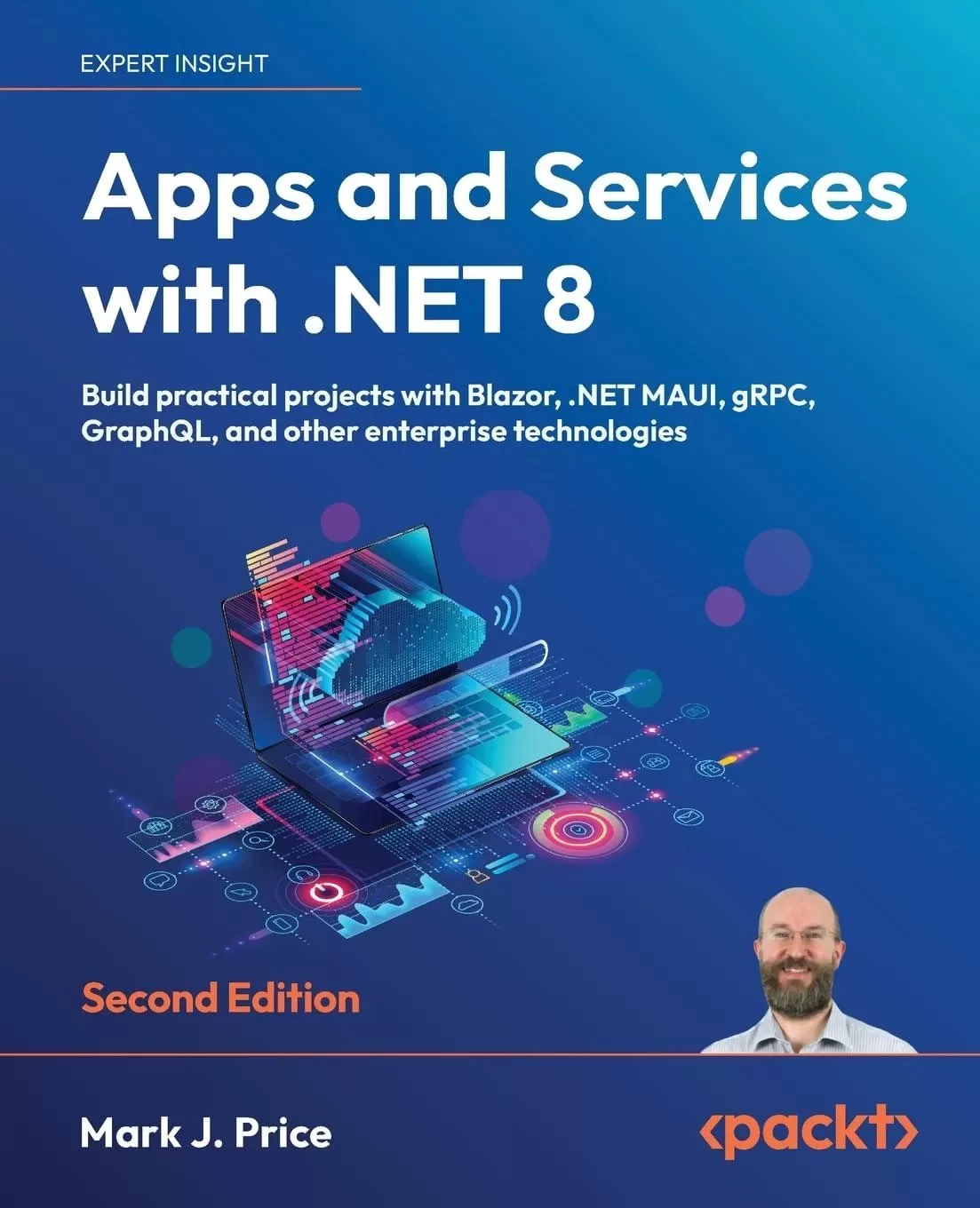
Apps and Services with .NET 8: Build practical projects with Blazor, .NET MAUI, gRPC, GraphQL, and other enterprise technologies. 2 Ed
Оглавление⌄
Preface....9 Where to find the code solutions....10 What this book covers....11 What you need for this book....16 Get in touch....18 Introducing Apps and Services with .NET....22 Introducing this book and its contents....24 Companion books to continue your learning journey....24 What you will learn in this book....26 My learning philosophy....27 Fixing my mistakes....27 Finding the solution code on GitHub....28 Project naming and port numbering conventions....28 Treating warnings as errors....31 App and service technologies....33 Understanding .NET....33 Building websites and apps using ASP.NET Core....34 Building web and other services....35 Windows Communication Foundation....37 Common service principles....38 Summary of choices for services....38 Building Windows-only apps....41 Understanding legacy Windows application platforms....41 Understanding modern .NET support for legacy Windows platforms....43 Building cross-platform mobile and desktop apps....44 .NET MAUI alternatives....45 Understanding the Uno platform....45 Understanding Avalonia....46 Setting up your development environment....46 Choosing the appropriate tool and application type for learning....48 Using Visual Studio 2022 for general development....48 Using Visual Studio Code for cross-platform development....49 Using GitHub Codespaces for development in the cloud....50 What I used....50 JetBrains Rider and its warnings about boxing....51 Deploying cross-platform....52 Downloading and installing Visual Studio 2022....53 Visual Studio 2022 keyboard shortcuts....54 Downloading and installing Visual Studio Code....55 Installing other extensions....57 Managing Visual Studio Code extensions at the command prompt....60 Understanding Microsoft Visual Studio Code versions....61 Visual Studio Code keyboard shortcuts....61 Consuming Azure resources....62 Using other project templates....64 Installing additional template packs....66 Exploring top-level programs, functions, and namespaces....67 What is automatically generated for a local function?....68 Writing static functions in a separate Program class file....69 What is automatically generated for a static function?....70 Making good use of the GitHub repository for this book....72 Raising issues with the book....72 Giving me feedback....73 Downloading solution code from the GitHub repository....74 Where to go for help....75 Reading documentation on Microsoft Learn....75 Getting help for the dotnet tool....75 AI tools like ChatGPT and GitHub Copilot....78 ChatGPT....78 GitHub Copilot....81 Subscribing to the official .NET blog and announcements....82 Practicing and exploring....82 Exercise 1.1 – Test your knowledge....82 Exercise 1.2 – Review the online-only sections....83 Exercise 1.3 – Explore topics....84 Summary....84 Managing Relational Data Using SQL Server....86 Understanding modern databases....86 Using a sample relational database....87 Connecting to a SQL Server database....89 Installing and setting up SQL Server locally....91 Installing SQL Server Developer Edition for Windows....92 Visual Studio Code extension for working with SQL Server....94 Creating the Northwind sample database locally....95 Setting up Azure SQL Database....97 JetBrains Rider tool window for working with SQL Server....102 Creating the Northwind sample database in the cloud....102 Managing data with Transact-SQL....104 T-SQL data types....105 Documenting with comments....106 Declaring variables....106 Specifying data types....106 Controlling flow....107 Operators....107 Data Manipulation Language (DML)....107 DML for adding, updating, and deleting data....114 Data Definition Language (DDL)....115 Managing data with low-level APIs....117 Understanding the types in ADO.NET....118 Understanding the types in ADO.NET....118 Creating a console app for working with ADO.NET....121 Executing queries and working with data readers using ADO.NET....128 Outputting statistics....131 Working with ADO.NET asynchronously....133 Executing stored procedures using ADO.NET....134 Outputting streams with a data reader....139 Generating objects with a data reader....141 Managing data with Dapper....143 Dapper connection extension methods....143 Querying using Dapper....145 Cleaning up data resources....148 Removing Azure resources....149 Practicing and exploring....149 Exercise 2.1 – Test your knowledge....149 Exercise 2.2 – Explore topics....149 Exercise 2.3 – Alternatives for storing secrets....150 Summary....150 Building Entity Models for SQL Server Using EF Core....152 Managing data with EF Core....152 Understanding Entity Framework Core....154 Scaffolding models using an existing database....154 Setting up the dotnet-ef tool....155 Defining EF Core models....157 Using EF Core conventions to define the model....157 Using EF Core annotation attributes to define the model....158 Using the EF Core Fluent API to define the model....161 Understanding data seeding with the Fluent API....162 Defining the Northwind database model....162 Querying the Northwind model....171 Controlling the tracking of entities....174 A scenario using default tracking....177 The same scenario using no tracking....178 The same scenario using no tracking with identity resolution....179 Summary of tracking....180 Mapping inheritance hierarchies with EF Core....181 Table-per-hierarchy (TPH) mapping strategy....182 Table-per-type (TPT) mapping strategy....183 Table-per-concrete-type (TPC) mapping strategy....185 Configuring inheritance hierarchy mapping strategies....186 Example of hierarchy mapping strategies....188 Building a reusable entity data model....198 Creating a class library for entity models using SQL Server....198 Creating a class library for the data context using SQL Server....201 Calculated properties on entity creation....204 Creating a test project to check the integration of the class libraries....207 Writing unit tests for entity models....208 Running unit tests using Visual Studio 2022....210 Running unit tests using Visual Studio Code....211 Practicing and exploring....212 Exercise 3.1 – Test your knowledge....212 Exercise 3.2 – Practice benchmarking ADO.NET against EF Core....213 Exercise 3.3 – Review performance choices....213 Exercise 3.4 – Explore topics....213 Summary....214 Managing NoSQL Data Using Azure Cosmos DB....216 Understanding NoSQL databases....216 Cosmos DB and its APIs....217 Document modeling....218 Consistency levels....221 Hierarchy of components....223 Throughput provisioning....224 Partition strategies....226 Data storage design....226 Migrating data to Cosmos DB....227 Creating Cosmos DB resources....227 Using an emulator on Windows to create Azure Cosmos DB resources....228 Using the Azure portal to create Azure Cosmos DB resources....235 Using a .NET app to create Azure Cosmos DB resources....239 Manipulating data with the Core (SQL) API....245 Performing CRUD operations with the Cosmos SQL API....246 Understanding SQL queries....257 Exploring other SQL queries with Cosmos DB....260 Exploring server-side programming....261 Implementing user-defined functions....261 Implementing stored procedures....263 Cleaning up Azure resources....267 Practicing and exploring....267 Exercise 4.1 – Test your knowledge....268 Exercise 4.2 – Practice data modeling and partitioning....268 Exercise 4.3 – Explore topics....268 Exercise 4.4 – Download cheat sheets....269 Exercise 4.5 – Explore the Gremlin API for Cosmos DB....269 Exercise 4.6 – Explore NoSQL databases....269 Summary....270 Multitasking and Concurrency....271 Understanding processes, threads, and tasks....271 Running tasks asynchronously....273 Running multiple actions synchronously....274 Running multiple actions asynchronously using tasks....277 Starting tasks....278 Waiting for tasks....279 Using wait methods with tasks....280 Continuing with another task....281 Nested and child tasks....283 Wrapping tasks around other objects....286 Synchronizing access to shared resources....288 Accessing a resource from multiple threads....289 Applying a mutually exclusive lock to a conch....292 Understanding the lock statement....293 Avoiding deadlocks....294 Synchronizing events....297 Making CPU operations atomic....298 Applying other types of synchronization....300 Understanding async and await....301 Improving responsiveness for console apps....302 Working with async streams....303 Improving responsiveness for GUI apps....305 Improving scalability for web applications and web services....313 Common types that support multitasking....313 Using await in catch blocks....314 Practicing and exploring....315 Exercise 5.1 – Test your knowledge....315 Exercise 5.2 – Explore topics....315 Exercise 5.3 – Read more about parallel programming....316 Summary....316 Using Popular Third-Party Libraries....317 Which third-party libraries are most popular?....317 What is covered in my books....319 Working with images....320 Generating grayscale thumbnails....321 ImageSharp packages for drawing and the web....326 Working with text and numbers using Humanizer....326 Working with text....327 Humanizer case transformations....327 Humanizer spacing conversions....329 Humanizer’s Singularize and Pluralize methods....329 Exploring text manipulations with a console app....330 Working with numbers....335 Working with dates and times....338 Logging with Serilog....340 Structured event data....340 Serilog sinks....341 Logging to the console and a rolling file with Serilog....342 Mapping between objects....344 Defining models for an AutoMapper configuration....346 Defining mappers for an AutoMapper configuration....348 Performing tests for an AutoMapper configuration....349 Performing live mappings between models....352 Making fluent assertions in unit testing....354 Making assertions about strings....354 Making assertions about collections and arrays....356 Making assertions about dates and times....357 Validating data....358 Understanding the built-in validators....358 Performing custom validation....359 Customizing validation messages....359 Defining a model and validator....360 Testing the validator....362 Validating data with ASP.NET Core....366 Generating PDFs....366 Using QuestPDF on Apple silicon Macs....367 Creating class libraries to generate PDF documents....367 Creating a console app to generate PDF documents....370 Practicing and exploring....373 Exercise 6.1 – Test your knowledge....374 Exercise 6.2 – Explore topics....374 Summary....375 Handling Dates, Times, and Internationalization....376 Working with dates and times....377 Specifying date and time values....377 Formatting date and time values....382 Date and time calculations....387 Microseconds and nanoseconds....388 Globalization with dates and times....389 Complexities of Daylight Saving Time (DST)....392 Localizing the DayOfWeek enum....393 Working with only a date or a time....395 Getting date/time formatting information....396 Unit testing with a time provider....397 Working with time zones....403 Understanding DateTime and TimeZoneInfo....403 Exploring DateTime and TimeZoneInfo....406 Working with cultures....412 Detecting and changing the current culture....413 Temporarily using the invariant culture....420 Localizing your user interface....422 Defining and loading resources....423 Testing globalization and localization....427 Working with Noda Time....436 Important concepts and defaults in Noda Time....437 Converting between Noda Time date/time types....441 Exploring Node Time in a console app....442 Unit testing and JSON serialization with Noda Time....446 Practicing and exploring....446 Exercise 7.1 – Test your knowledge....446 Exercise 7.2 – Explore topics....447 Exercise 7.3 – Learn from expert Jon Skeet....447 Summary....447 Building and Securing Web Services Using Minimal APIs....449 Building web services using ASP.NET Core Minimal APIs....449 Benefits of Minimal API-based web services....450 Understanding Minimal API route mappings....451 Understanding parameter mapping....452 Understanding return values....453 Documenting a Minimal APIs service....454 Setting up an ASP.NET Core Web API project....455 Testing web services using Swagger....464 Testing web services with code editor tools....467 Excluding paths from OpenAPI documentation....472 Visual Studio 2022 scaffolding for Minimal APIs....473 Relaxing the same origin security policy using CORS....474 Configuring HTTP logging for the web service....475 Creating a web page JavaScript client....477 Creating a .NET client....482 Understanding CORS....486 Enabling CORS for specific endpoints....488 Understanding other CORS policy options....489 Preventing denial of service attacks using rate limiting....490 Rate limiting using the AspNetCoreRateLimit package....491 Creating a rate-limited console client....496 Rate limiting using ASP.NET Core middleware....501 Improving startup time and resources using native AOT....502 Limitations of native AOT....503 Reflection and native AOT....504 Native AOT for ASP.NET Core....504 Requirements for native AOT....506 Enabling native AOT for a project....506 Enabling JSON serialization with native AOT....506 Building a native AOT project....507 Publishing a native AOT project....514 Understanding identity services....518 JWT bearer authorization....518 Authenticating service clients using JWT bearer authentication....519 Practicing and exploring....523 Exercise 8.1 – Test your knowledge....523 Exercise 8.2 – Review Microsoft HTTP API design policy....524 Exercise 8.3 – Explore topics....524 Exercise 8.4 – Exposing data via the web using OData services....525 Exercise 8.5 – Auth0 project templates....525 Summary....525 Caching, Queuing, and Resilient Background Services....527 Understanding service architecture....527 What parts of a system are slowest?....528 Numbers every (developer) should know....528 Caching with ASP.NET Core....530 General caching guidelines....530 Building a controller-based Web API service....531 Caching objects using in-memory caching....538 Caching objects using distributed caching....542 A new abstraction for distributed caching....547 Caching web responses using HTTP caching....548 Fault tolerance with Polly....554 Understanding retry and circuit breaker patterns....554 Defining and executing policies....555 Defining wait intervals between retries....556 Applying policies to HTTP clients....557 Adding random faults to the web service....558 Building an MVC project to call the faulty web service....558 Implementing the Retry pattern for transient fault handling....565 Queuing with RabbitMQ....568 Setting up RabbitMQ using Docker....570 Sending messages to a queue using an MVC website....573 Consuming message from a queue using a console app....578 Implementing long-running background services....584 Building a worker service....584 Processing queued message using a worker service....587 Executing code on a timed schedule....590 Building a website to host Hangfire....593 Scheduling jobs using Hangfire....599 Practicing and exploring....602 Exercise 9.1 – Test your knowledge....603 Exercise 9.2 – Explore topics....603 Exercise 9.3 – Replace the Distributed Memory Cache with another distributed cache implementation....604 Exercise 9.4 – Replace Hangfire with Quartz.NET....605 Exercise 9.5 – Review the Reliable Web App pattern....605 Summary....605 Building Serverless Nanoservices Using Azure Functions....607 Understanding Azure Functions....607 Azure Functions triggers and bindings....609 NCRONTAB expressions....610 Azure Functions versions and languages....616 Azure Functions worker models....618 Azure Functions hosting plans....619 Azure Storage requirements....620 Testing locally with Azurite....620 Azure Functions authorization levels....621 Azure Functions support for dependency injection....622 Installing Azure Functions Core Tools....622 Building an Azure Functions project....623 Using Visual Studio 2022....623 Using Visual Studio Code....624 Using the func CLI....625 Reviewing the Azure Functions project....626 Implementing a simple function....628 Testing a simple function....630 Responding to timer and resource triggers....632 Implementing a Timer triggered function....632 Testing the Timer triggered function....636 Implementing a function that works with queues and BLOBs....640 Testing the function that works with queues and BLOBs....646 Publishing an Azure Functions project to the cloud....649 Using Visual Studio 2022 to publish....649 Using Visual Studio Code to publish....652 Cleaning up Azure Functions resources....653 Practicing and exploring....653 Exercise 10.1 – Test your knowledge....653 Exercise 10.2 – Explore topics....654 Summary....654 Broadcasting Real-Time Communication Using SignalR....655 Understanding SignalR....655 The history of real-time communication on the web....656 AJAX....656 WebSocket....657 Introducing SignalR....658 Azure SignalR Service....659 Designing method signatures....659 Building a live communication service using SignalR....660 Defining some shared models....661 Enabling a server-side SignalR hub....663 Building a web client using the SignalR JavaScript library....668 Adding a chat page to the MVC website....669 Testing the chat feature....674 Building a .NET console app client....679 Creating a .NET client for SignalR....679 Testing the .NET console app client....681 Streaming data using SignalR....682 Defining a hub for streaming....683 Creating a .NET console app client for streaming....685 Testing the streaming service and client....687 Practicing and exploring....689 Exercise 11.1 – Test your knowledge....690 Exercise 11.2 – Explore topics....690 Summary....690 Combining Data Sources Using GraphQL....692 Understanding GraphQL....692 GraphQL query document format....693 Requesting fields....694 Specifying filters and arguments....695 Understanding other GraphQL capabilities....696 Understanding the ChilliCream GraphQL platform....696 Building a service that supports GraphQL....698 Defining the GraphQL schema for Hello World....700 Writing and executing GraphQL queries....703 Naming GraphQL queries aka operations....704 Understanding field conventions....705 Defining GraphQL queries for EF Core models....707 Adding support for EF Core....707 Exploring GraphQL queries with Northwind....709 Implementing paging support....719 Implementing filtering support....723 Implementing sorting support....727 Building .NET clients for a GraphQL service....729 Choosing GraphQL request formats....729 Understanding the GraphQL response format....729 Using REST Client as a GraphQL client....730 Using an ASP.NET Core MVC project as a GraphQL client....733 Testing the .NET client....742 Creating a console app client using Strawberry Shake....744 Implementing GraphQL mutations....750 Adding mutations to the GraphQL service....751 Exploring the add product mutation....753 Implementing updates and deletes as mutations....756 Implementing GraphQL subscriptions....763 Adding a subscription and topic to the GraphQL service....764 Exploring subscribing to a topic....766 Practicing and exploring....769 Exercise 12.1 – Test your knowledge....770 Exercise 12.2 – Explore topics....770 Exercise 12.3 – Practice building .NET clients....770 Summary....771 Building Efficient Microservices Using gRPC....772 Understanding gRPC....774 How gRPC works....774 Defining gRPC contracts with .proto files....774 gRPC benefits....778 gRPC limitations....778 Types of gRPC methods....779 Microsoft’s gRPC packages....780 Building a gRPC service and client....780 Building a Hello World gRPC service....781 Project file item configuration....786 Building a Hello World gRPC client....787 Testing a gRPC service and client....793 Implementing gRPC for an EF Core model....794 Implementing the gRPC service....794 Implementing the gRPC client....797 Taking gRPC further....802 Improving a gRPC service with native AOT publish....802 Getting request and response metadata....807 Adding a deadline for higher reliability....809 Handling dates, times, and decimal numbers....813 Defining a custom decimal type and using date/time types....814 Implementing the product and employee gRPC services....819 Adding product and employee gRPC clients....820 Testing decimal, date, and bytes handling....824 Implementing interceptors and handling faults....825 Adding a client-side interceptor....825 Exception and transient fault handling....828 Implementing gRPC JSON transcoding....831 Enabling gRPC JSON transcoding....831 Testing gRPC JSON transcoding....834 Comparing with gRPC-Web....835 Practicing and exploring....836 Exercise 13.1 – Test your knowledge....836 Exercise 13.2 – Compare gRPC services with HTTP APIs....836 Exercise 13.3 – Explore topics....836 Summary....837 Building Web User Interfaces Using ASP.NET Core....838 Setting up an ASP.NET Core MVC website....838 Creating an ASP.NET Core MVC website....841 Exploring the default ASP.NET Core MVC website....842 Understanding visitor registration....844 Reviewing an MVC website project structure....845 Referencing an EF Core class library and registering a data context....848 Defining web user interfaces with Razor views....849 Understanding Razor views....849 Prototyping with Bootstrap....854 Understanding Razor syntax and expressions....855 Understanding HTML Helper methods....856 Defining a strongly-typed Razor view....858 Localizing and globalizing with ASP.NET Core....861 Creating resource files....862 If you are using Visual Studio 2022....863 If you are using Visual Studio Code....864 Localizing Razor views with an injected view localizer....866 Understanding the Accept-Language header....870 Defining web user interfaces with Tag Helpers....870 Comparing HTML Helpers and Tag Helpers....871 Exploring the Anchor Tag Helper....872 Exploring the Cache Tag Helpers....879 Exploring the Environment Tag Helper....881 Understanding how cache busting with Tag Helpers works....884 Exploring Forms-related Tag Helpers....884 Output caching....887 Output caching endpoints....888 Output caching MVC views....890 Practicing and exploring....892 Exercise 14.1 – Test your knowledge....892 Exercise 14.2 – Practice building user interfaces with Boostrap....893 Exercise 14.3 – Explore topics....894 Summary....894 Building Web Components Using Blazor....895 Understanding Blazor....896 Blazor hosting models....896 Blazor components....898 Blazor routing to page components....900 How to pass route parameters....902 Setting parameters from a query string....902 Route constraints for parameters....903 Base component classes....904 Blazor layouts....906 How to navigate Blazor routes to page components....907 CSS and JavaScript isolation....908 Building Blazor components....908 Reviewing the new Blazor project template....909 Using Bootstrap icons....915 Referencing an EF Core class library and registering a data context....916 Building a static server rendered component for data....918 Building a component with server interactivity....920 Building a Blazor progress bar component....922 Building a Blazor dialog box component....924 Building a Blazor alert component....929 Building a Blazor data component....932 Making the component....932 Making the component a routable page component....933 Getting entities into a component by building a web service....935 Getting entities into a component by calling the web service....939 Practicing and exploring....943 Exercise 15.1 – Test your knowledge....943 Exercise 15.2 – Practice building Blazor components....944 Exercise 15.3 – Practice building an IndexedDB interop service....944 Exercise 15.4 – Explore topics....944 Exercise 15.5 – Explore Blazor WebAssembly topics....945 Exercise 15.6 – Explore Progressive Web Apps with Blazor....945 Exercise 15.7 – Leveraging Open Source Blazor Component Libraries....945 Summary....946 Building Mobile and Desktop Apps Using .NET MAUI....947 Understanding XAML....948 Simplifying code using XAML....949 .NET MAUI namespaces....950 Type converters....952 Choosing between .NET MAUI controls....952 Markup extensions....954 Understanding .NET MAUI....955 .NET MAUI and Xamarin support....957 Development tools for mobile first, cloud first....957 Installing .NET MAUI workloads manually....958 .NET MAUI user interface component categories....961 Shell control....961 ListView control....962 Entry and Editor controls....962 .NET MAUI handlers....962 Writing platform-specific code....963 Building mobile and desktop apps using .NET MAUI....964 Creating a virtual Android device for local app testing....964 Enabling Windows developer mode....967 Creating a .NET MAUI project....967 Adding shell navigation and more content pages....971 Implementing more content pages....979 Using shared resources....982 Defining resources to share across an app....983 Referencing shared resources....984 Changing shared resources dynamically....985 Using data binding....994 Binding to elements....994 Practicing and exploring....996 Exercise 16.1 – Test your knowledge....996 Exercise 16.2 – Explore topics....996 Exercise 16.3 – Implementing Model-View-ViewModel for .NET MAUI....997 Exercise 16.4 – Integrating .NET MAUI apps with Blazor and native platforms....997 Summary....997 Epilogue....999 Cloud-native development using .NET Aspire....999 Introducing the Survey Project Challenge....1001 Third edition coming in December 2025....1001 Next steps on your C# and .NET learning journey....1002 Companion books to continue your learning journey....1002 Other books to take your learning further....1004 Good luck!....1005 Index....1007
Описание
Ниже — практический обзор по теме «services».
Bestselling author Mark Price is back to guide you through the latest and most common technologies a .NET developer should know: Blazor Full Stack, ASP.NET Core MVC, ASP.NET Core Minimal APIs, .NET MAUI, gRPC, GraphQL, SQL Server, Cosmos DB, SignalR, Azure Functions, and more!
Key FeaturesUse specialized libraries to improve all aspects of your apps, including performance, security, and localizationHarness the full potential of .NET using cloud-native data stores like Cosmos DB, and unlock scalability, performance, and resilience in your service implementationsUnleash the capabilities of Blazor Full Stack and.NET MAUI to develop stunning, truly cross-platform apps for web and mobileBook DescriptionElevate your practical C# and .NET skills to the next level with this new edition of Apps and Services with .NET 8.
With chapters that put a variety of technologies into practice, including Web API, gRPC, GraphQL, and SignalR, this book will give you a broader scope of knowledge than other books that often focus on only a handful of .NET technologies. You'll dive into the new unified model for Blazor Full Stack and leverage .NET MAUI to develop mobile and desktop apps.
Popular library coverage now includes Humanizer and Noda Time. This new edition introduces the latest enhancements, including the seamless implementation of web services with ADO.NET SqlClient's native Ahead-of-Time (AOT) support. There's also a brand-new chapter that delves into service architecture, caching, queuing, and robust background services.
By the end of this book, you'll have a wide range of best practices and deep insights under your belt to help you build rich apps and efficient services.
What you will learnFamiliarize yourself with a variety of technologies to implement services, such as gRPC and GraphQLStore and manage data locally and cloud-natively with SQL Server and Cosmos DBUse ADO.NET SqlClient to implement web services with native AOT publish supportLeverage Dapper for improved performance over EF CoreImplement popular third-party libraries such as Serilog, FluentValidation, Humanizer, and Noda TimeExplore the new unified hosting model of Blazor Full StackWho this book is forThis book is for .NET developers interested in exploring more specialized libraries and implementation fundamentals behind building services and apps.
You'll need to know your way around .NET and C# quite well before you can dive in, so if you want to work your way up to this book, you can pick up Mark's other .NET book, C# 12 and .NET 8 - Modern Cross-Platform Development Fundamentals, first.
На этом основные моменты по теме закрыты.
Поделиться
Частые вопросы
Можно ли скачать «Apps and Services with .NET 8: Build practical projects with Blazor, .NET MAUI, gRPC, GraphQL, and other enterprise technologies. 2 Ed» бесплатно?
Да, «Apps and Services with .NET 8: Build practical projects with Blazor, .NET MAUI, gRPC, GraphQL, and other enterprise technologies. 2 Ed» доступна для бесплатного скачивания на нашем сайте в формате PDF. Ссылка на файл находится на этой странице.
В каком формате и какого размера файл?
Книга предоставляется в формате PDF, размер файла 8,2 МБ.
Кто автор и когда вышла книга?
автор — Price Mark J., издательство Packt Publishing Limited, год выпуска 2022, 1053 страниц.
О чём книга «Apps and Services with .NET 8: Build practical projects with Blazor, .NET MAUI, gRPC, GraphQL, and other enterprise technologies. 2 Ed»?
Bestselling author Mark Price is back to guide you through the latest and most common technologies a .NET developer should know: Blazor Full Stack, ASP.NET Core MVC, ASP.NET Core Minimal APIs, .NET MAUI, gRPC, GraphQL, SQL Server, Cosmos DB
Похожие материалы
 Introduction to the Development of Web Applications Using ASP .Net (Core) MVC
 ASP.NET 8 Best Practices: Explore techniques, patterns, and practices to develop effective large-scale .NET web apps
 Pro ASP.NET Core 7. 10 Ed
 Tools and Skills for .NET 8: Get the career you want with good practices and patterns to design, debug, and test your solutions
 Event-Driven Architecture for Beginners using RabbitMQ and .NET: A comprehensive guide to distributed solutions with RabbitMQ and .NET
 ASP.NET Core 9.0 Essentials: Explore the .NET Core web stack, including Razor Pages, Blazor, and MVC, to build cloud-ready apps
 .NET MAUI Cross-Platform Application Development: Build high-performance apps for Android, iOS, macOS, and Windows using XAML and Blazor with .NET 8. 2 Ed
 Building Web APIs with ASP.NET Core