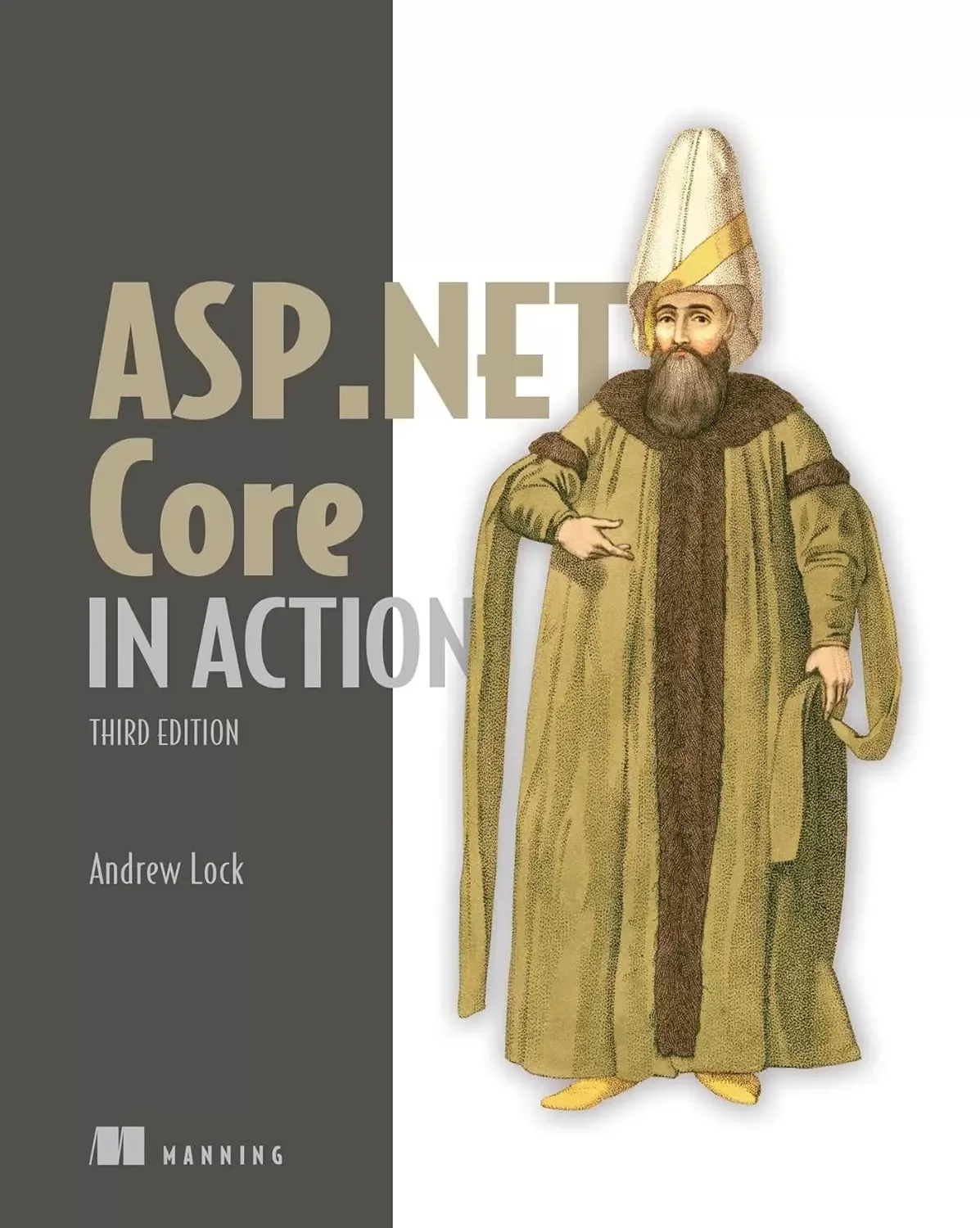
ASP.NET Core in Action. 3 Ed
Оглавление⌄
CopyrightPraise for the Second Editioncontentsfront matterprefaceacknowledgmentsabout this bookWho should read this bookHow this book is organizedAbout the codeliveBook discussion forumabout the authorabout the cover illustration1 Getting started with ASP.NET Core1.1 What is ASP.NET Core?1.2 What types of applications can you build?1.3 Choosing ASP.NET Core1.4 How does ASP.NET Core work?1.4.1 How does an HTTP web request work?1.4.2 How does ASP.NET Core process a request?1.5 What you’ll learn in this bookSummaryPart 1 Getting started with minimal APIs2 Understanding ASP.NET Core2.1 Using a web framework2.2 Why ASP.NET Core was created2.3 Understanding the many paradigms of ASP.NET Core2.4 When to choose ASP.NET Core2.4.1 If you’re new to .NET development2.4.2 If you’re a .NET Framework developer creating a new application2.4.3 Converting an existing ASP.NET application to ASP.NET CoreSummary3 Your first application3.1 A brief overview of an ASP.NET Core application3.2 Creating your first ASP.NET Core application3.2.1 Using a template to get started3.2.2 Building the application3.3 Running the web application3.4 Understanding the project layout3.5 The .csproj project file: Declaring your dependencies3.6 Program.cs file: Defining your application3.7 Adding functionality to your application3.7.1 Adding and configuring services3.7.2 Defining how requests are handled with middleware and endpointsSummary4 Handling requests with the middleware pipeline4.1 Defining middleware4.2 Combining middleware in a pipeline4.2.1 Simple pipeline scenario 1: A holding page4.2.2 Simple pipeline scenario 2: Handling static files4.2.3 Simple pipeline scenario 3: A minimal API application4.3 Handling errors using middleware4.3.1 Viewing exceptions in development: DeveloperExceptionPage4.3.2 Handling exceptions in production: ExceptionHandlerMiddlewareSummary5 Creating a JSON API with minimal APIs5.1 What is an HTTP API, and when should you use one?5.2 Defining minimal API endpoints5.2.1 Extracting values from the URL with routing5.2.2 Mapping verbs to endpoints5.2.3 Defining route handlers with functions5.3 Generating responses with IResult5.3.1 Returning status codes with Results and TypedResults5.3.2 Returning useful errors with Problem Details5.3.3 Converting all your responses to Problem Details5.3.4 Returning other data types5.4 Running common code with endpoint filters5.4.1 Adding multiple filters to an endpoint5.4.2 Filters or middleware: Which should you choose?5.4.3 Generalizing your endpoint filters5.4.4 Implementing the IEndpointFilter interface5.5 Organizing your APIs with route groupsSummary6 Mapping URLs to endpoints using routing6.1 What is routing?6.2 Endpoint routing in ASP.NET Core6.3 Exploring the route template syntax6.3.1 Working with parameters and literal segments6.3.2 Using optional and default values6.3.3 Adding additional constraints to route parameters6.3.4 Matching arbitrary URLs with the catch-all parameter6.4 Generating URLs from route parameters6.4.1 Generating URLs for a minimal API endpoint with LinkGenerator6.4.2 Generating URLs with IResults6.4.3 Controlling your generated URLs with RouteOptionsSummary7 Model binding and validation in minimal APIs7.1 Extracting values from a request with model binding7.2 Binding simple types to a request7.3 Binding complex types to the JSON body7.4 Arrays: Simple types or complex types?7.5 Making parameters optional with nullables7.6 Binding services and special types7.6.1 Injecting well-known types7.6.2 Injecting services7.6.3 Binding file uploads with IFormFile and IFormFileCollection7.7 Custom binding with BindAsync7.8 Choosing a binding source7.9 Simplifying handlers with AsParameters7.10 Handling user input with model validation7.10.1 The need for validation7.10.2 Using DataAnnotations attributes for validation7.10.3 Adding a validation filter to your minimal APIsSummaryPart 2 Building complete applications8 An introduction to dependency injection8.1 Understanding the benefits of dependency injection8.2 Creating loosely coupled code8.3 Using dependency injection in ASP.NET Core8.4 Adding ASP.NET Core framework services to the container8.5 Using services from the DI containerSummary9 Registering services with dependency injection9.1 Registering custom services with the DI container9.2 Registering services using objects and lambdas9.3 Registering a service in the container multiple times9.3.1 Injecting multiple implementations of an interface9.3.2 Injecting a single implementation when multiple services are registered9.3.3 Conditionally registering services using TryAdd9.4 Understanding lifetimes: When are services created?9.4.1 Transient: Everyone is unique9.4.2 Scoped: Let’s stick together9.4.3 Singleton: There can be only one9.4.4 Keeping an eye out for captive dependencies9.5 Resolving scoped services outside a requestSummary10 Configuring an ASP.NET Core application10.1 Introducing the ASP.NET Core configuration model10.2 Building a configuration object for your app10.2.1 Adding a configuration provider in Program.cs10.2.2 Using multiple providers to override configuration values10.2.3 Storing configuration secrets safely10.2.4 Reloading configuration values when they change10.3 Using strongly typed settings with the options pattern10.3.1 Introducing the IOptions interface10.3.2 Reloading strongly typed options with IOptionsSnapshot10.3.3 Designing your options classes for automatic binding10.3.4 Binding strongly typed settings without the IOptions interface10.4 Configuring an application for multiple environments10.4.1 Identifying the hosting environment10.4.2 Loading environment-specific configuration files10.4.3 Setting the hosting environmentSummary11 Documenting APIs with OpenAPI11.1 Adding an OpenAPI description to your app11.2 Testing your APIs with Swagger UI11.3 Adding metadata to your minimal APIs11.4 Generating strongly typed clients with NSwag11.4.1 Generating a client using Visual Studio11.4.2 Generating a client using the .NET Global tool11.4.3 Using a generated client to call your API11.4.4 Customizing the generated code11.4.5 Refreshing the OpenAPI description11.5 Adding descriptions and summaries to your endpoints11.5.1 Using fluent methods to add descriptions11.5.2 Using attributes to add metadata11.5.3 Using XML documentation comments to add metadata11.6 Knowing the limitations of OpenAPI11.6.1 Not all APIs can be described by OpenAPI11.6.2 Generated code is opinionated11.6.3 Tooling often lags the specificationSummary12 Saving data with Entity Framework Core12.1 Introducing Entity Framework Core12.1.1 What is EF Core?12.1.2 Why use an object-relational mapper?12.1.3 When should you choose EF Core?12.1.4 Mapping a database to your application code12.2 Adding EF Core to an application12.2.1 Choosing a database provider and installing EF Core12.2.2 Building a data model12.2.3 Registering a data context12.3 Managing changes with migrations12.3.1 Creating your first migration12.3.2 Adding a second migration12.4 Querying data from and saving data to the database12.4.1 Creating a record12.4.2 Loading a list of records12.4.3 Loading a single record12.4.4 Updating a model with changes12.5 Using EF Core in production applicationsSummaryPart 3 Generating HTML with Razor Pages and MVC13 Creating a website with Razor Pages13.1 Your first Razor Pages application13.2 Exploring a typical Razor Page13.3 Understanding the MVC design pattern13.4 Applying the MVC design pattern to Razor Pages13.4.1 Directing a request to a Razor Page and building a binding model13.4.2 Executing a handler using the application model13.4.3 Building HTML using the view model13.4.4 Putting it all together: A complete Razor Page requestSummary14 Mapping URLs to Razor Pages using routing14.1 Routing in ASP.NET Core14.2 Convention-based routing vs. explicit routing14.3 Routing requests to Razor Pages14.4 Customizing Razor Page route templates14.4.1 Adding a segment to a Razor Page route template14.4.2 Replacing a Razor Page route template completely14.5 Generating URLs for Razor Pages14.5.1 Generating URLs for a Razor Page14.5.2 Generating URLs for an MVC controller14.5.3 Generating URLs with LinkGenerator14.6 Customizing conventions with Razor PagesSummary15 Generating responses with page handlers in Razor Pages15.1 Razor Pages and page handlers15.2 Selecting a page handler to invoke15.3 Accepting parameters to page handlers15.4 Returning IActionResult responses15.4.1 PageResult and RedirectToPageResult15.4.2 NotFoundResult and StatusCodeResult15.5 Handler status codes with StatusCodePagesMiddlewareSummary16 Binding and validating requests with Razor Pages16.1 Understanding the models in Razor Pages and MVC16.2 From request to binding model: Making the request useful16.2.1 Binding simple types16.2.2 Binding complex types16.2.3 Choosing a binding source16.3 Validating binding models16.3.1 Validation in Razor Pages16.3.2 Validating on the server for safety16.3.3 Validating on the client for user experience16.4 Organizing your binding models in Razor PagesSummary17 Rendering HTML using Razor views17.1 Views: Rendering the user interface17.2 Creating Razor views17.2.1 Razor views and code-behind17.2.2 Introducing Razor templates17.2.3 Passing data to views17.3 Creating dynamic web pages with Razor17.3.1 Using C# in Razor templates17.3.2 Adding loops and conditionals to Razor templates17.3.3 Rendering HTML with Raw17.4 Layouts, partial views, and _ViewStart17.4.1 Using layouts for shared markup17.4.2 Overriding parent layouts using sections17.4.3 Using partial views to encapsulate markup17.4.4 Running code on every view with _ViewStart and _ViewImportsSummary18 Building forms with Tag Helpers18.1 Catering to editors with Tag Helpers18.2 Creating forms using Tag Helpers18.2.1 The Form Tag Helper18.2.2 The Label Tag Helper18.2.3 The Input and Textarea Tag Helpers18.2.4 The Select Tag Helper18.2.5 The Validation Message and Validation Summary Tag Helpers18.3 Generating links with the Anchor Tag Helper18.4 Cache-busting with the Append Version Tag Helper18.5 Using conditional markup with the Environment Tag HelperSummary19 Creating a website with MVC controllers19.1 Razor Pages vs. MVC in ASP.NET Core19.2 Your first MVC web application19.3 Comparing an MVC controller with a Razor Page PageModel19.4 Selecting a view from an MVC controller19.5 Choosing between Razor Pages and MVC controllers19.5.1 The benefits of Razor Pages19.5.2 When to choose MVC controllers over Razor PagesSummary20 Creating an HTTP API using web API controllers20.1 Creating your first web API project20.2 Applying the MVC design pattern to a web API20.3 Attribute routing: Linking action methods to URLs20.3.1 Combining route attributes to keep your route templates DRY20.3.2 Using token replacement to reduce duplication in attribute routing20.3.3 Handling HTTP verbs with attribute routing20.4 Using common conventions with [ApiController]20.5 Generating a response from a model20.5.1 Customizing the default formatters: Adding XML support20.5.2 Choosing a response format with content negotiation20.6 Choosing between web API controllers and minimal APIsSummary21 The MVC and Razor Pages filter pipeline21.1 Understanding the MVC filter pipeline21.2 The Razor Pages filter pipeline21.3 Filters or middleware: Which should you choose?21.4 Creating a simple filter21.5 Adding filters to your actions and Razor Pages21.6 Understanding the order of filter execution21.6.1 The default scope execution order21.6.2 Overriding the default order of filter execution with IOrderedFilterSummary22 Creating custom MVC and Razor Page filters22.1 Creating custom filters for your application22.1.1 Authorization filters: Protecting your APIs22.1.2 Resource filters: Short-circuiting your action methods22.1.3 Action filters: Customizing model binding and action results22.1.4 Exception filters: Custom exception handling for your action methods22.1.5 Result filters: Customizing action results before they execute22.1.6 Page filters: Customizing model binding for Razor Pages22.2 Understanding pipeline short-circuiting22.3 Using dependency injection with filter attributesSummaryPart 4 Securing and deploying your applications23 Authentication: Adding users to your application with Identity23.1 Introducing authentication and authorization23.1.1 Understanding users and claims in ASP.NET Core23.1.2 Authentication in ASP.NET Core: Services and middleware23.2 What is ASP.NET Core Identity?23.3 Creating a project that uses ASP.NET Core Identity23.3.1 Creating the project from a template23.3.2 Exploring the template in Solution Explorer23.3.3 The ASP.NET Core Identity data model23.3.4 Interacting with ASP.NET Core Identity23.4 Adding ASP.NET Core Identity to an existing project23.4.1 Configuring the ASP.NET Core Identity services23.4.2 Updating the EF Core data model to support Identity23.4.3 Updating the Razor views to link to the Identity UI23.5 Customizing a page in ASP.NET Core Identity’s default UI23.6 Managing users: Adding custom data to usersSummary24 Authorization: Securing your application24.1 Introduction to authorization24.2 Authorization in ASP.NET Core24.2.1 Preventing anonymous users from accessing your application24.2.2 Handling unauthorized requests24.3 Using policies for claims-based authorization24.4 Creating custom policies for authorization24.4.1 Requirements and handlers: The building blocks of a policy24.4.2 Creating a policy with a custom requirement and handler24.5 Controlling access with resource-based authorization24.5.1 Manually authorizing requests with IAuthorizationService24.5.2 Creating a resource-based AuthorizationHandler24.6 Hiding HTML elements from unauthorized usersSummary25 Authentication and authorization for APIs25.1 Authentication for APIs and distributed applications25.1.1 Extending authentication to multiple apps25.1.2 Centralizing authentication in an identity provider25.1.3 OpenID Connect and OAuth 2.025.2 Understanding bearer token authentication25.3 Adding JWT bearer authentication to minimal APIs25.4 Using the user-jwts tool for local JWT testing25.4.1 Creating JWTs with the user-jwts tool25.4.2 Customizing your JWTs25.4.3 Managing your local JWTs25.5 Describing your authentication requirements to OpenAPI25.6 Applying authorization policies to minimal API endpointsSummary26 Monitoring and troubleshooting errors with logging26.1 Using logging effectively in a production app26.1.1 Highlighting problems using custom log messages26.1.2 The ASP.NET Core logging abstractions26.2 Adding log messages to your application26.2.1 Log level: How important is the log message?26.2.2 Log category: Which component created the log?26.2.3 Formatting messages and capturing parameter values26.3 Controlling where logs are written using logging providers26.4 Changing log verbosity with filtering26.5 Structured logging: Creating searchable, useful logs26.5.1 Adding a structured logging provider to your app26.5.2 Using scopes to add properties to your logsSummary27 Publishing and deploying your application27.1 Understanding the ASP.NET Core hosting model27.1.1 Running vs. publishing an ASP.NET Core app27.1.2 Choosing a deployment method for your application27.2 Publishing your app to IIS27.2.1 Configuring IIS for ASP.NET Core27.2.2 Preparing and publishing your application to IIS27.3 Hosting an application in Linux27.3.1 Running an ASP.NET Core app behind a reverse proxy in Linux27.3.2 Preparing your app for deployment to Linux27.4 Configuring the URLs for your applicationSummary28 Adding HTTPS to an application28.1 Why do I need HTTPS?28.2 Using the ASP.NET Core HTTPS development certificates28.3 Configuring Kestrel with a production HTTPS certificate28.4 Enforcing HTTPS for your whole app28.4.1 Enforcing HTTPS with HTTP Strict Transport Security headers28.4.2 Redirecting from HTTP to HTTPS with HTTPS redirection middleware28.4.3 Rejecting HTTP requests in API applicationsSummary29 Improving your application’s security29.1 Defending against cross-site scripting (XSS) attacks29.2 Protecting from cross-site request forgery (CSRF) attacks29.3 Calling your web APIs from other domains using CORS29.3.1 Understanding CORS and how it works29.3.2 Adding a global CORS policy to your whole app29.3.3 Adding CORS to specific endpoints with EnableCors metadata29.3.4 Configuring CORS policies29.4 Exploring other attack vectors29.4.1 Detecting and avoiding open redirect attacks29.4.2 Avoiding SQL injection attacks with EF Core and parameterization29.4.3 Preventing insecure direct object references29.4.4 Protecting your users’ passwords and dataSummaryPart 5 Going further with ASP.NET Core30 Building ASP.NET Core apps with the generic host and Startup30.1 Separating concerns between two files30.2 The Program class: Building a Web Host30.3 The Startup class: Configuring your application30.4 Creating a custom IHostBuilder30.5 Understanding the complexity of the generic host30.6 Choosing between the generic host and minimal hostingSummary31 Advanced configuration of ASP.NET Core31.1 Customizing your middleware pipeline31.1.1 Creating simple apps with the Run extension31.1.2 Branching middleware pipelines with the Map extension31.1.3 Adding to the pipeline with the Use extension31.1.4 Building a custom middleware component31.1.5 Converting middleware into endpoint routing endpoints31.2 Using DI with OptionsBuilder and IConfigureOptions31.3 Using a third-party dependency injection containerSummary32 Building custom MVC and Razor Pages components32.1 Creating a custom Razor Tag Helper32.1.1 Printing environment information with a custom Tag Helper32.1.2 Creating a custom Tag Helper to conditionally hide elements32.1.3 Creating a Tag Helper to convert Markdown to HTML32.2 View components: Adding logic to partial views32.3 Building a custom validation attribute32.4 Replacing the validation framework with FluentValidation32.4.1 Comparing FluentValidation with DataAnnotations attributes32.4.2 Adding FluentValidation to your applicationSummary33 Calling remote APIs with IHttpClientFactory33.1 Calling HTTP APIs: The problem with HttpClient33.2 Creating HttpClients with IHttpClientFactory33.2.1 Using IHttpClientFactory to manage HttpClientHandler lifetime33.2.2 Configuring named clients at registration time33.2.3 Using typed clients to encapsulate HTTP calls33.3 Handling transient HTTP errors with Polly33.4 Creating a custom HttpMessageHandlerSummary34 Building background tasks and ser vices34.1 Running background tasks with IHostedService34.1.1 Running background tasks on a timer34.1.2 Using scoped services in background tasks34.2 Creating headless worker services using IHost34.2.1 Creating a worker service from a template34.2.2 Running worker services in production34.3 Coordinating background tasks using Quartz.NET34.3.1 Installing Quartz.NET in an ASP.NET Core application34.3.2 Configuring a job to run on a schedule with Quartz.NET34.3.3 Using clustering to add redundancy to your background tasksSummary35 Testing applications with xUnit35.1 An introduction to testing in ASP.NET Core35.2 Creating your first test project with xUnit35.3 Running tests with dotnet test35.4 Referencing your app from your test project35.5 Adding Fact and Theory unit tests35.6 Testing failure conditionsSummary36 Testing ASP.NET Core applications36.1 Unit testing custom middleware36.2 Unit testing API controllers and minimal API endpoints36.3 Integration testing: Testing your whole app in-memory36.3.1 Creating a TestServer using the Test Host package36.3.2 Testing your application with WebApplicationFactory36.3.3 Replacing dependencies in WebApplicationFactory36.3.4 Reducing duplication by creating a custom WebApplicationFactory36.4 Isolating the database with an in-memory EF Core providerSummaryappendix A. Preparing your development environmentA.1 Installing the .NET SDKA.2 Choosing an IDE or editorA.2.1 Visual Studio (Windows)A.2.2 JetBrains Rider (Windows, Linux, macOS)A.2.3 Visual Studio for Mac (macOS)A.2.4 Visual Studio Code (Windows, Linux, macOS)Appendix B. Useful referencesB.1 Relevant booksB.2 Announcement blog postsB.3 Microsoft documentationB.4 Security-related linksB.5 ASP.NET Core GitHub repositoriesB.6 Tooling and servicesB.7 ASP.NET Core blogsB.8 Video linksindexinside back cover
Описание
В этом материале разберём тему: core.
In ASP.NET Core in Action, Third Edition Microsoft MVP Andrew Lock teaches you how you can use your C# and .NET skills to build amazing cross-platform web applications. Fully updated to ASP.NET Core 7.0! This revised bestseller reveals the latest .NET patterns, including minimal APIs and minimal hosting. Illustrations and annotated code make learning visual and easy. Even if you've never worked with ASP.NET, you'll start creating productive cross-platform web apps fast.
With productivity-boosting libraries for server-side rendering, secure APIs, easy data access and more, you’ll spend your time implementing features instead of researching syntax and tracking down bugs. About the technologyThe ASP.NET Core web framework delivers everything you need to build professional-quality web applications. This book is your guide.
You’ll learn from hands-on examples, insightful illustrations, and nicely explained code. About the bookASP.NET Core in Action, Third Edition shows you how to create production-grade web applications with ASP.NET Core 7.0. Updated coverage in this Third Edition includes creating minimal APIs, securing APIs with bearer tokens, WebApplicationBuilder, and more.
About the readerFor beginning to intermediate web developers. Examples are in C#.
Файл доступен для загрузки ниже.
Поделиться
Частые вопросы
Можно ли скачать «ASP.NET Core in Action. 3 Ed» бесплатно?
Да, «ASP.NET Core in Action. 3 Ed» доступна для бесплатного скачивания на нашем сайте в формате PDF. Ссылка на файл находится на этой странице.
В каком формате и какого размера файл?
Книга предоставляется в формате PDF, размер файла 18,6 МБ.
Кто автор и когда вышла книга?
автор — Lock Andrew, издательство Manning Publications Co., год выпуска 2023, 1863 страниц.
О чём книга «ASP.NET Core in Action. 3 Ed»?
Fully updated to ASP.NET Core 7.0!
Похожие материалы
 Introduction to the Development of Web Applications Using ASP .Net (Core) MVC
 ASP.NET 8 Best Practices: Explore techniques, patterns, and practices to develop effective large-scale .NET web apps
 Pro ASP.NET Core 7. 10 Ed
 Tools and Skills for .NET 8: Get the career you want with good practices and patterns to design, debug, and test your solutions
 Apps and Services with .NET 8: Build practical projects with Blazor, .NET MAUI, gRPC, GraphQL, and other enterprise technologies. 2 Ed
 Event-Driven Architecture for Beginners using RabbitMQ and .NET: A comprehensive guide to distributed solutions with RabbitMQ and .NET
 ASP.NET Core 9.0 Essentials: Explore the .NET Core web stack, including Razor Pages, Blazor, and MVC, to build cloud-ready apps
 .NET MAUI Cross-Platform Application Development: Build high-performance apps for Android, iOS, macOS, and Windows using XAML and Blazor with .NET 8. 2 Ed