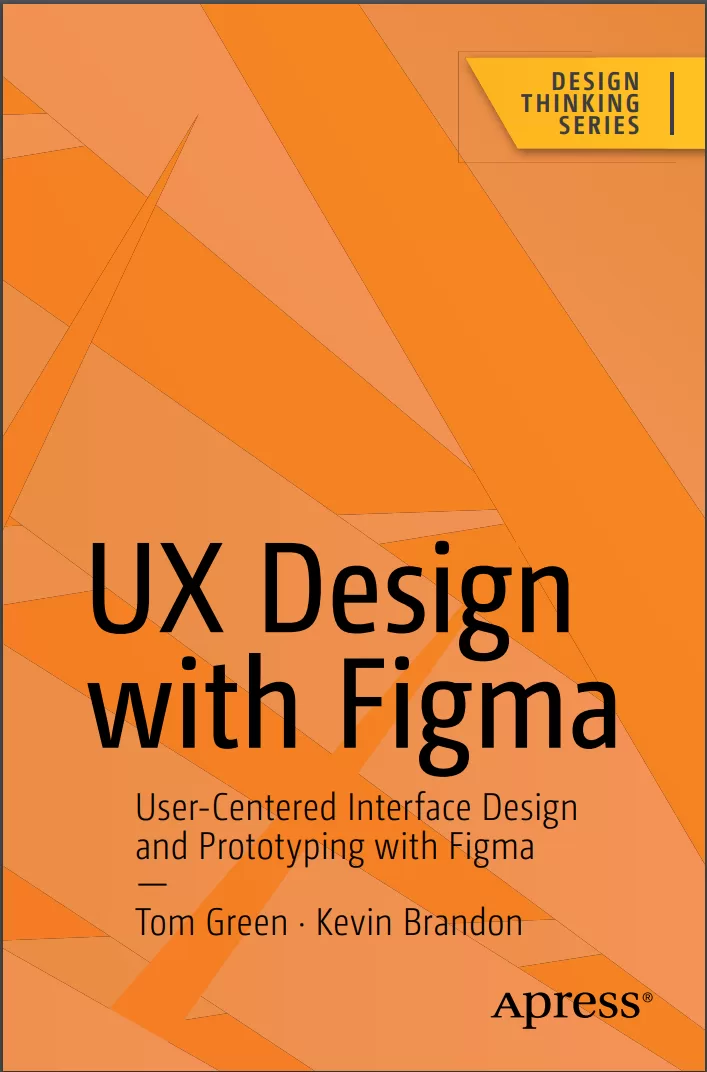
UX Design with Figma: User-Centered Interface Design and Prototyping with Figma
Оглавление⌄
Table of Contents....7 About the Authors....16 About the Technical Reviewer....18 Acknowledgments....19 Introduction....20 Chapter 1: Learning the Figma Interface....24 Figma and the UX Process....26 The Figma Dashboard....27 Creating a Team in Figma....31 Access the Figma Community....35 Getting Help....37 The Figma Workspace....39 Adding Frames....42 Changing Frame Properties....46 Using the Properties Panel....47 Using the Color Picker....49 Gradients....52 Strokes....54 Using the Polygon Tool....55 Using the Layers Panel....58 Testing Your Work....62 Community Resources and Templates....63 Obtaining the iOS and Android UI Kits....67 Sharing....69 Dev Mode....73 Conclusion....74 Chapter 2: Adding Content to Figma Screens....76 Vectors and Bitmaps....77 Bitmaps and Figma....79 Scaling Factors....84 SVG Images and Figma....87 Figma and Video....89 Preparing Video for Figma....91 Typography and Figma....96 Text Properties....101 Font Pairing....102 Adding and Formatting Text in Figma....104 Your Turn....107 Adding a Grid....109 Adding the Header....110 Create the Hero Image....112 Creating the Explore Section of the Site....115 Adding Cards to the Design....117 Adding a Text File in Figma....120 Creating the Social Media Section....120 Adding the Images....122 Finishing the Web Page....125 You Have Learned....127 Chapter 3: Figma and the UX Process....129 What Exactly Is a Prototype....130 Determining the Platform....135 Building a Team in Figma....137 Creating a Team Project....140 Sharing and Collaboration....143 Figma and User Testing....148 Usability Testing vs. User Testing....149 Usability Testing Requires Context....151 Iteration and the “Messy” UX Design Process....154 Accessibility and Inclusion in Figma....158 Adding Plug-ins in Figma....160 Using the Accessibility Plug-ins....165 Using the Adee Color Contrast Tool....170 Explore Inclusion with Cards for Humanity....173 You Have Learned....175 Chapter 4: Creating UX Design Documentation....177 Using the Figma Presentation Mode....179 Brainstorming with FigJam....181 How to Use FigJam AI....185 Using the FigJam Drawing Tools....187 Using the Connector Tool....188 Adding Text to FigJam Objects....190 Adding Comments to a FigJam File....191 How to Add a FigJam File to Figma....193 Creating Personas....194 Create a Persona Using a Template....196 Editing a Persona Template....198 Creating a User Journey Map....202 Adding Touchpoints....207 Creating a User Flow Diagram....210 Feedback and Iteration....217 Your Turn: Create a User Flow Diagram in FigJam....219 Build the Chart in Figma....223 Add the Chart to Figma....223 You Have Learned....225 Chapter 5: Building Low-Fidelity Prototypes....227 What Is a Low-Fidelity Wireframe?....228 The Case for and Against Wireframing....230 Creating Wireframes....231 Wireframing and the UX Design Process....234 What Is a Content Wireframe?....235 From Content Wireframe to Lo-Fi Wireframe....241 Creating a Low-Fidelity Wireframe in Figma....243 Creating a Team Library....246 A Quick Word About Shared Libraries....250 Build the Wireframe Using a Shared Library....251 Create Wireframes Using a Wireframing Kit....254 Use the Wireframer Library....256 The Interactive Wireframe....263 Add Interactivity to a Wireframe....265 Testing an Interactive Wireframe....270 Your Turn: Wireframe a Login Sequence Using FigJam....272 You Have Learned....278 Chapter 6: Building Medium- Fidelity Prototypes....279 Lean UX....280 Agile....281 Straight to Code....281 What Is a Medium-Fidelity Prototype....281 Choosing a Platform....284 Graphics and Figma....288 Installing and Using Imaging Plug-ins in Figma....295 Color Correcting Images in Figma....298 Manipulating Image Content in Figma....299 Crop an Image in Figma....299 Scale an Image in Figma....301 Masking in Figma....305 Fonts and Figma....307 Color and Figma....309 Create a Scrim Using a Gradient....312 Adding Effects to Graphics....319 Apply a Drop Shadow....319 Apply an Inner Shadow to Create a 3D Effect....321 Applying Blur Effects....323 Applying a Blend Mode to a Layer....324 Create a Mesh Gradient in Figma....326 Using Auto Layout in Figma....328 Your Turn: Create a Medium-Fidelity Mobile App Location Card....336 Create the Top Search Bar....339 Creating the Location Card....340 You Have Learned....347 Chapter 7: Interactivity Fundamentals....349 The Basics of Adding Interactivity in Figma....353 Create a Drag Interaction....357 Create a Hover Interaction....358 Create a While Pressing Interaction....359 Create a Component in Figma....360 Add States by Creating Variants....363 Adding Interactivity to a Component....366 Create Interactivity Using a Component....368 Your Turn: Create Interactivity Using Components and Variants....372 Create a Component for the Home Button and Create a Text Property....373 Create the Variant States for the Main Navigation Button....375 Design Each of the Three States for the Main Navigation Home Button....376 Apply Interactions to Each of the Three Button States....377 Add the Main Navigation Button to the Header of the Swiss - Home Page....379 Creating the Main Navigation Buttons....380 Adding the Header Navigation to the Adventures Page....382 You Have Learned....384 Chapter 8: Microinteractions in Figma....385 Interactivity and Motion....387 Playing with Time and Motion in Figma....393 Microinteractions Overview....394 The Principles of UX in Motion....395 Easing and Smart Animate....396 The Eases Available in Figma....398 Editing an Ease....400 Applying the Transformation Principle in Figma....403 Create a Dissolve Transformation....404 Create a Move Transition....406 Create a Complex Interaction Using Smart Animate....408 Create a Scrolling Behavior....411 Create Scrolling Content....412 Create a Scrolling Loop Animation....414 Create a Scroll Control....417 Applying the Obscuration Principle....419 Using a Blur to Obscure the Image....422 Your Turn....424 Create an Overlay Side Menu Interaction....425 Style the Overlay Side Menu Interaction....426 Create a Card Template Area Using Auto Layout....429 Create the Card Component Variants....430 Apply an Accordion Microinteraction to the Card Component....432 Add Content to the Card Instance....433 Add a Second Card....435 You Have Learned....437 Chapter 9: Design System Fundamentals....439 The Single Source of Truth....440 Where Do You Start?....443 Take Stock of What You Have....444 The Pattern Inventory....450 The Color Inventory....452 The Typography Inventory....454 The Asset Inventory....456 Figma Design Tokens....458 Creating a Component Token....462 Figma Design Tokens and Variables....464 Organize the Variables....468 Applying Variables....471 You Have Learned....473 Chapter 10: Building Stuff....474 Building an Image Carousel....476 Create a Complex Carousel....481 Create a Spinning Carousel....486 Using the To Path Plug-in....487 Rotating the Carousel....488 Create Video Controls....491 Create Interactive Video Controls....497 Swap Component Icons....500 Adding Interactivity to the Buttons....501 Create a Progress Bar....502 Create a Shopping Cart with Local Variables, Conditions, and Expressions....506 Adding Variable Modes....508 Linking Local Variables with Component Instances....510 Using Expressions in the Prototype....512 Creating an Expression....513 Create a Conditional Expression....515 Adding Variables to the Shopping Cart....517 Calculating Multiples Using Variables....518 Bonus Round: Create a Boolean Variable....521 Animations Using LottieFiles....524 Using Aninix to Create a Lottie Animation Using Figma....528 Converting an Aninix Animation to a Lottie File....533 Add Diversity with the Humaaans for Figma Plug-in....535 You Have Learned....539 Chapter 11: Developer Handoff....540 Handoff Starts with User Testing....541 Device Preview Using the Figma Mobile App....543 Using the Figma Presentation Mode for Sign-Off....549 What Is a Handoff?....553 Preparing Assets for Handoff....556 The X Factor of Raster Images....563 Code Introspection....565 The Design/Build Iteration Cycle....572 You Have Learned....574 Conclusion....574 Index....576
Описание
В этом материале разберём тему: figma.
Maximize Figma’s arsenal of tools and plugins within a team-based collaborative environment and accelerate your company’s decision making. This book will show you where Figma fits into the user experience (UX) design process from documentation to developer handoff.
As you move through the book you will learn where Figma fits in the UX process. Since its release as a browser-based design tool in 2016, Figma has fast become the de facto UX Design tool for the industry mainly due to its accessibility and ease of use. For example, using FigJam (an online whiteboard) for brainstorming, and creating interactive prototypes for mobile devices, tablets, and web sites. You’ll also see how Figma is used to create and integrate with design systems, and how variables, when applied to design system components, can accelerate the design and development workflow.
With the help of step-by-step examples, and using Figma’s tools and templates, you’ll create artifacts such as Flow and Journey diagrams, Personas, and wireframes. From there you will explore other design and interactivity features, and how to prepare a Figma file for handoff to a development team.
This book is your roadmap to utilizing Figma, the industry’s fastest growing collaborative design tool for building meaningful products.
What You Will LearnCreate interactive prototypesTest and submit designs for team reviewUnderstand the collaborative workflow involved in an UX projectPrepare common UX documentationWho This Book Is ForDesigners, developers, and UX specialists with little-to-no Figma experience who are looking to integrate it within their workflows, and intermediate Figma users who are just starting to become involved in the collaborative UX workflow.
Если материал оказался полезен — сохраните страницу.
Поделиться
Частые вопросы
Можно ли скачать «UX Design with Figma: User-Centered Interface Design and Prototyping with Figma» бесплатно?
Да, «UX Design with Figma: User-Centered Interface Design and Prototyping with Figma» доступна для бесплатного скачивания на нашем сайте в формате PDF. Ссылка на файл находится на этой странице.
В каком формате и какого размера файл?
Книга предоставляется в формате PDF, размер файла 17,3 МБ.
Кто автор и когда вышла книга?
автор — Brandon Kevin , Green Tom, издательство Apress Media, LLC., год выпуска 2024, 585 страниц.
О чём книга «UX Design with Figma: User-Centered Interface Design and Prototyping with Figma»?
Maximize Figma’s arsenal of tools and plugins within a team-based collaborative environment and accelerate your company’s decision making.
Похожие материалы
 Здесь должен быть текст: Профессиональный UX-райтинг
 Unleashing the Power of UX Analytics: Proven techniques and strategies for uncovering user insights to deliver a delightful user experience
 Usability and User Experience Design: The Comprehensive Guide to Data-Driven UX Design
 Настольная книга веб-дизайнера. Практический курс по веб-дизайну и проектированию сайтов
 UX/UI дизайн для создания идеального продукта. Полный и исчерпывающий гид
 Стратегия создания UX-текстов. Вовлекаем пользователей, повышаем конверсию и удерживаем аудиторию с каждым новым словом
 Дизайн и поведение пользователей. Применение психологии и поведенческой экономики в разработке и UX. 2 изд
 Figma: проектирование и прототипирование интерфейсов в соответствии с принципами UX/UI