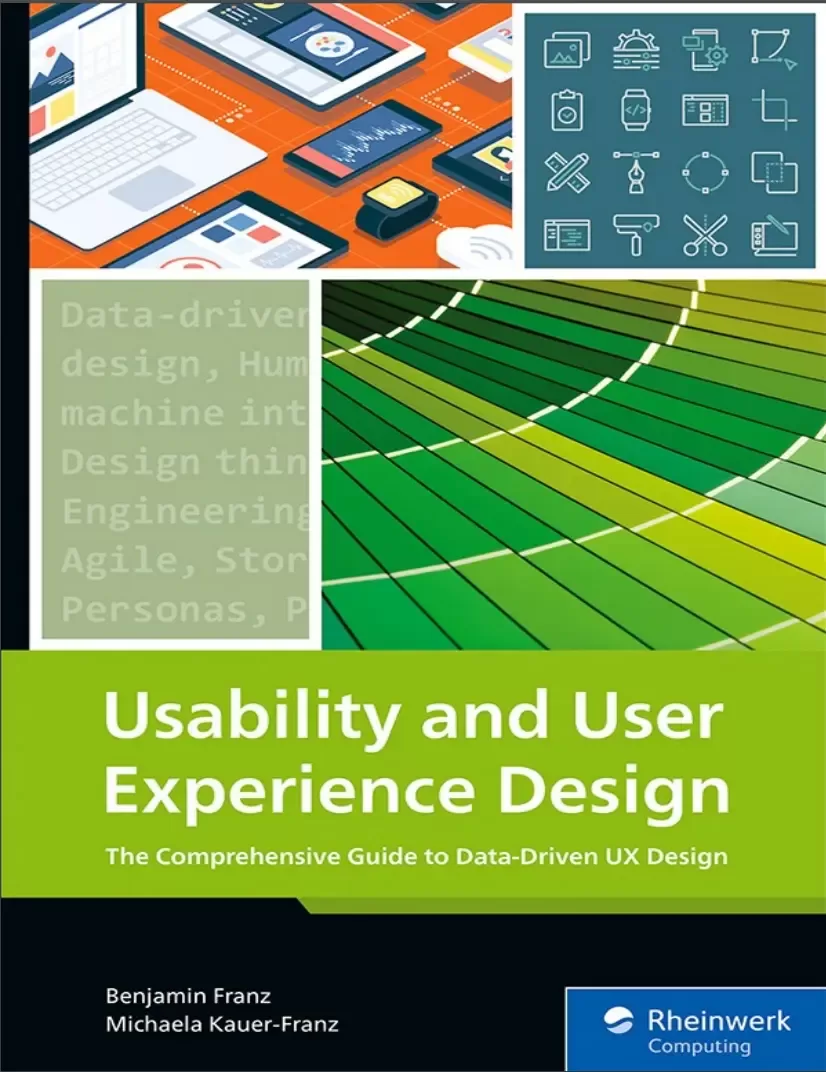
Usability and User Experience Design: The Comprehensive Guide to Data-Driven UX Design
Оглавление⌄
Notes on Usage....4 Table of Contents....6 Foreword....26 1 Introduction....27 1.1 Who Is This Book Written For?....28 1.2 Why Should You Read This Book?....30 1.3 How Should You Read This Book?....36 1.4 Your Constant Companions: Our Three Examples....38 1.4.1 moveHUB: The Mobility App for Every Occasion....39 1.4.2 BusinessBooster: The CRM BI Tool for Small and Medium-Sized Enterprises....40 1.4.3 Healthyfy: The Platform for Connecting Patients and Healthcare Professionals....43 2 The Most Important Terms and Their History....45 2.1 The (Pre-)History of Usability and UX....45 2.1.1 Ancient Greece and Hippocrates of Kos....46 2.1.2 The Renaissance and Leonardo da Vinci....46 2.1.3 The Industrial Revolution....47 2.1.4 Work Science....47 2.1.5 Ergonomics....49 2.1.6 Human Factors....50 2.1.7 Software Ergonomics....51 2.1.8 Human-Machine Interaction....51 2.1.9 Human-Computer Interaction....52 2.1.10 Conclusion....53 2.2 Usability and UX Design: The Core Concepts....54 2.2.1 Usability....54 2.2.2 User Experience....57 2.2.3 Design....58 2.2.4 Users....59 2.2.5 Context of Use....67 2.3 The Interplay of Ergonomics, Usability, and UX....69 2.3.1 The Tree Metaphor....69 2.3.2 The Kano Model....74 2.3.3 Ergonomics versus Usability versus UX at moveHUB....77 2.3.4 Ergonomics versus Usability versus UX at BusinessBooster....79 2.3.5 Ergonomics versus Usability versus UX at Healthyfy....82 3 Usability and UX as Key Factors for Outstanding Products....85 3.1 What Is Return on Investment?....86 3.2 Metrics for Business Success....87 3.2.1 Metrics Related to Systems, Products, or Services....88 3.2.2 User- and Customer-Related Measures....90 3.2.3 Service-Related Metrics....92 3.2.4 Choosing the Appropriate Metrics....93 3.3 Planning instead of Discovering ROI....96 3.4 Metrics for Business Success: B2C versus B2B Sectors....99 3.5 What ROI Is Achievable through Usability and UX Design?....102 3.5.1 Studies on the ROI of Usability and UX Design....102 3.5.2 Feedback from Our Customers on the ROI of Usability and UX Design....104 3.6 Case Study: Measuring ROI at moveHUB....107 3.7 Case Study: Measuring ROI at BusinessBooster....109 3.8 Case Study: Measuring ROI at Healthyfy....111 4 How to “Do” Usability and UX Design....113 4.1 The ISO 9241-210 Standard: Human-Centered Design for Interactive Systems....114 4.1.1 Step 1: Plan the Human-Centered Design Process....116 4.1.2 Step 2: Understand and Specify the Context of Use....118 4.1.3 Step 3: Specify the User Requirements....119 4.1.4 Step 4: Producing Design Solutions....120 4.1.5 Step 5: Evaluating the Design....121 4.1.6 Conclusion....123 4.2 Design Thinking....124 4.2.1 Step 1: Understand....126 4.2.2 Step 2: Observe....127 4.2.3 Step 3: Define Point of View....128 4.2.4 Step 4: Ideate....129 4.2.5 Step 5: Prototype....137 4.2.6 Step 6: Test....138 4.2.7 Conclusion....139 4.3 Minimum Viable Product....140 4.3.1 Step 1: Build....141 4.3.2 Step 2: Measure....142 4.3.3 Step 3: Learn....143 4.3.4 Conclusion....144 4.4 Double Diamond....146 4.4.1 Phase 1: Discover....147 4.4.2 Phase 2: Define....148 4.4.3 Phase 3: Develop....149 4.4.4 Phase 4: Deliver....149 4.4.5 Key Principles....149 4.4.6 Conclusion....150 4.5 Usability Engineering for Medical Devices According to the IEC 62366-1 Standard....151 4.5.1 Conclusion....153 4.6 Commonalities among Methods....155 4.6.1 Analysis of Customer Needs....155 4.6.2 Iterative Optimization of the Solution....156 4.6.3 Learning from Direct User/Customer Feedback....157 4.6.4 Speed as an Objective....158 4.6.5 Success through Collaboration....159 4.6.6 Visualization as a Means of Choice....159 5 Data-Driven UX Design....161 5.1 The Goal of the Data-Driven UX Design Process....162 5.2 The Data-Driven UX Design Process....164 5.2.1 How to Get the Most Value from the Process....165 5.2.2 Brief Overview of the Data-Driven UX Design Process....167 5.2.3 Context of Use Analysis, Including Risk Assessment and Documentation....168 5.2.4 Deriving and Documenting Usage Requirements....170 5.2.5 Developing Design Solutions Based on Risk and Usage....172 5.2.6 Evaluation of Design Solutions Prioritized by Risk and Frequency of Use....175 5.3 The Flexibility and Risk Matrix: How Much Data Do You Really Need?....179 5.3.1 The Flexibility of Your Solution....180 5.3.2 The Risk of Your Solution....182 5.3.3 Working with the Flexibility and Risk Matrix....185 5.4 Objective versus Subjective Data....188 5.5 Quantitative versus Qualitative Data....192 5.6 Critically Evaluating Data....195 5.6.1 Where Does the Data Come From?....195 5.6.2 Objective Data or Interpretation....196 5.6.3 Is the Frame of Reference Correct?....197 5.6.4 Have You Had Value Judgments or Statements Explained?....199 5.6.5 Is the Data Complete and Meaningful?....200 5.7 Quick Help for Categorization....202 5.7.1 Do You Need Data during Development?....202 5.7.2 How Much Data Do You Need?....203 5.7.3 What Type of Data Do You Need?....203 5.7.4 Conclusion....204 6 A Helpful Mindset for Usability and UX Design....206 6.1 Assumptions versus Knowledge....207 6.1.1 Clearly Revealing One’s Own Assumptions....208 6.1.2 Distinguishing Assumptions from Knowledge....209 6.1.3 Why Do I Need Data for This?....212 6.1.4 Examples of Mostly-False-and-Seldom-True Assumptions....217 6.2 Users Don’t Know What They Want!....228 6.2.1 Task and Goal Expertise versus Design Expertise....228 6.2.2 Bringing Together the Expertise....233 6.2.3 Creating Outstanding Solutions with Users....236 6.3 Key Skills for User Researchers: Observe, Ask Questions, and Listen....237 6.3.1 Observing....238 6.3.2 Asking Questions....244 6.3.3 Listening....250 6.3.4 Your Mindset as a User Researcher....254 6.4 Design as a Learnable Process....257 6.4.1 The Role of Creativity....257 6.4.2 The Role of Talent, Practice, Experience, and Knowledge....258 6.4.3 What Do I Need to Learn to Become a Usability and UX Designer?....260 6.5 Testing and Corporate Culture....262 7 Foundations....265 7.1 Psychological Foundations: Don’t Worry, It’s about People....265 7.2 Perception: The Human Sensory System....267 7.2.1 The Eye....269 7.2.2 The Ear....285 7.2.3 The Skin....294 7.2.4 The Tongue....303 7.2.5 The Nose....306 7.2.6 Conclusion....311 7.3 Human Information Processing....313 7.3.1 Basics of the Model....314 7.3.2 Stimulus....315 7.3.3 Discover....315 7.3.4 Recognize....319 7.3.5 Decide....323 7.3.6 Act....327 7.3.7 Reaction....329 7.3.8 Memory....329 7.3.9 Conclusion....336 7.4 Design Basics....339 7.4.1 Impact of Design....339 7.4.2 Basic Elements of Visual Design....345 7.4.3 Gestalt Principles....375 7.4.4 Interaction Principles....385 8 Data-Driven UX Design in Detail: Preparation....419 8.1 Planning the Data-Driven UX Design Process....420 8.1.1 Who Should Participate in the Stakeholder Workshop?....421 8.1.2 The Agenda of the Stakeholder Workshop....423 8.2 Integrating Data-Driven UX Design into Agile Development Projects....432 8.3 Plan for the Appropriate Amount of Effort....438 9 Data-Driven UX Design in Detail: Context of Use Analysis....442 9.1 What Questions Should the Context of Use Analysis Answer?....443 9.2 What Is the Context of Use Anyway?....447 9.2.1 The Users....447 9.2.2 The Patients (Medical Devices)....449 9.2.3 The Task....452 9.2.4 The Goals....453 9.2.5 The Resources....455 9.2.6 The Environment....458 9.2.7 Risk, Frequency, and Conclusion....460 9.3 Methods of Context of Use Analysis....462 9.3.1 Secondary Research/Desk Research....463 9.3.2 Field Observation....469 9.3.3 Interview/Jobs-to-Be-Done....475 9.3.4 Group Discussions/Focus Groups....486 9.3.5 Quantitative Survey/Questionnaires....492 9.3.6 Contextual Inquiry....500 9.3.7 Analysis of Quantitative Usage Data....505 9.3.8 Web Tracking/Click Analysis....510 9.3.9 Ticket and Feedback Analysis....514 9.4 Analytical Methods of the Context of Use Analysis....521 9.4.1 Task Analysis....521 9.4.2 User or Customer Journey Mapping/Touchpoint Analysis....529 9.4.3 Personas and Empathy Maps....535 9.5 Practical Examples for Context Analysis....545 9.5.1 Context Analysis at moveHUB....545 9.5.2 Context Analysis at BusinessBooster....548 9.5.3 Context Analysis at Healthyfy....552 10 Data-Driven UX Design in Detail: Specifying Usage Requirements....556 10.1 Consider Your Personas or Empathy Maps....558 10.2 Use Cases and User Stories: How Not to Do It and How to Do It Anyway....561 10.2.1 Use Cases....561 10.2.2 User Stories....562 10.3 From User Stories to Requirements....570 10.3.1 Fixed Requirements....570 10.3.2 Range Requirements....572 10.3.3 Requirement versus Wish....577 10.3.4 Documenting and Formulating Requirements....577 10.3.5 Where Do the Values in the Requirements Come From?....580 10.4 Formulating Requirements for moveHUB....583 10.5 Formulating Requirements for BusinessBooster....585 10.6 Formulating Requirements for Healthyfy....588 11 Data-Driven UX Design in Detail: Developing Design Solutions....590 11.1 Reminder: What Is the Goal of Design, and How Do We Go About It?....590 11.2 Design Research....593 11.3 From Coarse to Fine....598 11.4 Developing Basic Solution Options....600 11.4.1 How to Turn a 2 into a 3....602 11.4.2 How to Deal with Too Many 3-Point Ideas....602 11.4.3 Conclusion....604 11.5 Working with Prototypes....605 11.5.1 Horizontal and Vertical Prototypes....605 11.5.2 High- and Low-Fidelity Prototypes....606 11.5.3 Which Prototype Should Be Used and When?....609 11.6 Wireframes....612 11.6.1 Buttons....619 11.6.2 Dropdowns....622 11.6.3 Radio Buttons....626 11.6.4 Input Fields or Text Fields....628 11.6.5 Combo Boxes....633 11.6.6 Checkboxes....635 11.6.7 Accordions....637 11.6.8 Toggle Buttons....639 11.6.9 Sliders....642 11.6.10 Calendars....643 11.6.11 Time Pickers....649 11.6.12 Color Selection....652 11.6.13 Information Buttons, Info Buttons, and Tool Tips....656 11.6.14 Popups....658 11.6.15 Menu Bars....662 11.6.16 Carousels....665 11.6.17 Webpage Sliders....667 11.6.18 Labels and Text Blocks....668 11.6.19 Images, Icons, and Placeholders....669 11.6.20 Special Case: Warnings....671 11.6.21 Conclusion....672 11.7 User Interface Quality Check: The Design Grid....673 11.8 Screen Flows....677 11.9 Click Dummies....680 11.9.1 Tools for Creating Click Dummies....681 11.9.2 Making the Design Testable....686 11.10 Desktop, Mobile, or Smartwatch First?....687 11.11 Responsive Design....693 11.12 Visual Design....695 11.12.1 Visual Design Research....695 11.12.2 The Association Space....699 11.12.3 Proto-Mood Boards....702 11.12.4 Closing Gaps in the Proto-Mood Board....704 11.12.5 From Proto-Mood Boards to Mood Boards....705 11.12.6 The Visual Design Concept....706 11.12.7 Creating Visual Prototypes (Click Dummies)....707 11.12.8 The Style Guide....708 11.13 Excursion: Low-Code and No-Code....710 11.14 Example: Possible Design Steps for moveHUB....712 11.15 Example: Possible Design Steps for BusinessBooster....715 11.16 Example: Possible Design Steps for Healthyfy....717 12 Data-Driven UX Design in Detail: Evaluating Design Solutions....720 12.1 Formative versus Summative Testing....720 12.2 Identifying Knowledge Gaps....727 12.3 User Evaluation versus Expert Evaluation....729 12.4 Remote versus On-Site....731 12.4.1 Dependence on Technical Infrastructure....731 12.4.2 Loss of Important Information....732 12.4.3 Less Control over Confidentiality....733 12.4.4 Non-Digital Products Cannot Be Tested without Bias....733 12.4.5 Conclusion....735 12.5 Designing Test Cases....737 12.5.1 Preconditions....737 12.5.2 Instructions for the User....739 12.5.3 Correct Execution of the Task....741 12.5.4 Postcondition after Correct Execution....742 12.5.5 Determine the Number of Test Cases....742 12.6 The Methods Presented....743 12.7 The Usability and UX Test....745 12.7.1 How Does It Work?....745 12.7.2 When Is It Used?....752 12.7.3 What Do You Need?....753 12.7.4 What Are the Advantages?....755 12.7.5 What Are the Disadvantages?....756 12.7.6 What Are the Alternatives?....757 12.8 Usability and UX Sprint....759 12.8.1 How Does It Work?....759 12.8.2 When Is It Used?....762 12.8.3 What Do You Need?....763 12.8.4 What Are the Advantages?....763 12.8.5 What Are the Disadvantages?....764 12.8.6 What Are the Alternatives?....765 12.9 Rapid User Tests....767 12.9.1 How Does It Work?....767 12.9.2 When Is It Used?....768 12.9.3 What Do You Need?....769 12.9.4 What Are the Advantages?....769 12.9.5 What Are the Disadvantages?....770 12.9.6 What Are the Alternatives?....771 12.10 A/B Testing....773 12.10.1 How Does It Work?....773 12.10.2 When Is It Used?....776 12.10.3 What Do You Need?....776 12.10.4 What Are the Advantages?....776 12.10.5 What Are the Disadvantages?....777 12.10.6 What Are the Alternatives?....778 12.11 UX Benchmarking....780 12.11.1 How Does It Work?....780 12.11.2 When Is It Used?....781 12.11.3 What Do You Need?....783 12.11.4 What Are the Advantages?....784 12.11.5 What Are the Disadvantages?....785 12.11.6 What Are the Alternatives?....785 12.12 5-Second Test....788 12.12.1 How Does It Work?....788 12.12.2 When Is It Used?....789 12.12.3 What Do You Need?....790 12.12.4 What Are the Advantages?....791 12.12.5 What Are the Disadvantages?....791 12.12.6 What Are the Alternatives?....792 12.13 Standardized Questionnaires....794 12.13.1 How Does It Work?....794 12.13.2 When Is It Used?....806 12.13.3 What Do You Need?....806 12.13.4 What Are the Advantages?....807 12.13.5 What Are the Disadvantages?....808 12.13.6 What Are the Alternatives?....808 12.14 Analysis of Quantitative Usage Data....810 12.14.1 How Does It Work?....810 12.14.2 When Is It Used?....811 12.14.3 What Do You Need?....811 12.14.4 What Are the Advantages?....812 12.14.5 What Are the Disadvantages?....812 12.14.6 What Are the Alternatives?....813 12.15 Web Tracking/Click Analysis....816 12.16 Diary Study....818 12.16.1 How Does It Work?....818 12.16.2 When Is It Used?....822 12.16.3 What Do You Need?....823 12.16.4 What Are the Advantages?....823 12.16.5 What Are the Disadvantages?....824 12.16.6 What Are the Alternatives?....824 12.17 Card Sorting....826 12.17.1 How Does It Work?....826 12.17.2 When Is It Used?....829 12.17.3 What Do You Need?....829 12.17.4 What Are the Advantages?....830 12.17.5 What Are the Disadvantages?....830 12.17.6 What Are the Alternatives?....831 12.18 Expert Review....833 12.18.1 How Does It Work?....833 12.18.2 When Is It Used?....835 12.18.3 What Do You Need?....836 12.18.4 What Are the Advantages?....836 12.18.5 What Are the Disadvantages?....837 12.18.6 What Are the Alternatives?....837 12.19 Association Space Test....839 12.19.1 How Does It Work?....839 12.19.2 When Is It Used?....840 12.19.3 What Do You Need?....841 12.19.4 What Are the Advantages?....841 12.19.5 What Are the Disadvantages?....842 12.19.6 What Are the Alternatives?....842 12.20 Eye Tracking....844 12.20.1 How Does It Work?....844 12.20.2 When Is It Used?....847 12.20.3 What Do You Need?....847 12.20.4 What Are the Advantages?....848 12.20.5 What Are the Disadvantages?....848 12.20.6 What Are the Alternatives?....849 12.21 Physiological Measurement Methods....851 12.21.1 How Does It Work?....851 12.21.2 When Is It Used?....852 12.21.3 What Do You Need?....853 12.21.4 What Are the Advantages?....853 12.21.5 What Are the Disadvantages?....853 12.21.6 What Are the Alternatives?....854 12.22 Analyzing Errors Using Root Cause Analysis....856 12.23 Learning from the Data and Making Informed Decisions....864 12.23.1 Implementing Feedback....864 12.23.2 Documenting Decisions....866 12.24 Evaluations in Medical Device Development....867 12.25 Example: Evaluation Methods for moveHUB....869 12.26 Example: Evaluation Methods for BusinessBooster....871 12.27 Example: Evaluation Methods for Healthyfy....874 13 Design, Get Data, Repeat: When Is It Enough?....876 13.1 Determining the Transition Based on Quality....877 13.2 Determining the Transition Based on Time....880 13.3 Should You Readjust? The Flexibility and Risk Matrix as an Aid....882 13.4 Choosing the Right Approach....884 13.5 What’s Next for moveHUB....886 13.6 What’s Next for BusinessBooster....887 13.7 What’s Next for Healthyfy....888 14 Decision Matrix for Method Selection....889 15 Wrap-Up and Conclusion....900 15.1 It’s All about the Users....900 15.2 Usability and UX Design Is Interdisciplinary....902 15.3 UX Is Not Designed, It Is Experienced....903 15.4 The Path to an Outstanding Product Is Iterative....904 15.5 Once You Start with Usability and UX Design, You Never Stop....905 15.6 Design Based on Data....906 15.7 Closing Words and Call for Participation....907 A Glossary....908 B Bibliography....932 C The Authors....948 Index....949 Service Pages....988 Legal Notes....991
Описание
Коротко и по делу о том, что важно знать про design.
This is your all-in-one guide to UX and usability design for digital products. Calling all designers and developers! See how an effective user experience incorporates insights from psychology, design principles, and practical data. Learn from example case studies and full-color illustrations to take your design to the next level! Follow a proven approach for selecting your design methods, and then walk through the data-driven UX design process in detail: perform context analysis, specify requirements, develop solution prototypes, and test your products.
Design digital products for B2C, B2B, and medical applications that provide outstanding user experiencePlan your design, perform context of use analyses, and identify requirementsDevelop and evaluate design solutions, from the prototyping phase to the testing and review stageTheory of DesignWhat makes design effective? Get to know the building blocks that create an incredible user experience: ergonomics and usability, data evaluation, user research, human information processing, design principles, and more.
Explore methods to analyze the context of use for your design project. UX Design ProcessMaster data-driven UX design. Use techniques such as prototypes and wireframes to develop a design solution, and then refine it through usability and UX testing.
Design in ActionSee examples of design come to life! Follow three case studies that illustrate the design process for digital products: a B2C mobility application, a B2B customer relationship management application, and a B2C/B2B medical appointment portal.
На этом основные моменты по теме закрыты.
Поделиться
Частые вопросы
Можно ли скачать «Usability and User Experience Design: The Comprehensive Guide to Data-Driven UX Design» бесплатно?
Да, «Usability and User Experience Design: The Comprehensive Guide to Data-Driven UX Design» доступна для бесплатного скачивания на нашем сайте в формате PDF. Ссылка на файл находится на этой странице.
В каком формате и какого размера файл?
Книга предоставляется в формате PDF, размер файла 17,0 МБ.
Кто автор и когда вышла книга?
автор — Franz Benjamin , Kauer-Franz Michaela, издательство Rheinwerk Computing, год выпуска 2024, 1377 страниц.
О чём книга «Usability and User Experience Design: The Comprehensive Guide to Data-Driven UX Design»?
Calling all designers and developers!
Похожие материалы
 UX Design with Figma: User-Centered Interface Design and Prototyping with Figma
 Здесь должен быть текст: Профессиональный UX-райтинг
 Unleashing the Power of UX Analytics: Proven techniques and strategies for uncovering user insights to deliver a delightful user experience
 Настольная книга веб-дизайнера. Практический курс по веб-дизайну и проектированию сайтов
 UX/UI дизайн для создания идеального продукта. Полный и исчерпывающий гид
 Стратегия создания UX-текстов. Вовлекаем пользователей, повышаем конверсию и удерживаем аудиторию с каждым новым словом
 Дизайн и поведение пользователей. Применение психологии и поведенческой экономики в разработке и UX. 2 изд
 Figma: проектирование и прототипирование интерфейсов в соответствии с принципами UX/UI