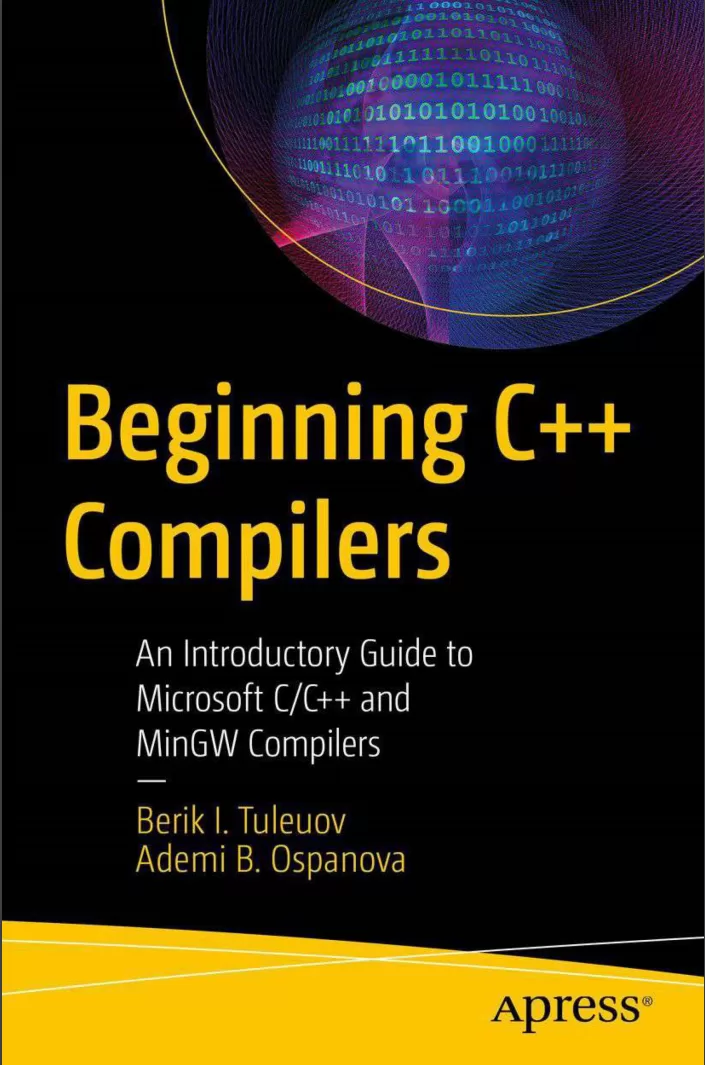
Beginning C++ Compilers: An Introductory Guide to Microsoft C/C++ and MinGW Compilers
Оглавление⌄
Contents....6 About the Authors....10 About the Technical Reviewer....11 Acknowledgments....12 Introduction....13 1 Files and Devices....16 1.1 File Types and Formats....16 1.2 Executable and Batch Files....17 1.3 System Commands....20 1.4 Mounting Devices....20 1.5 Virtual Devices....21 1.6 Conclusion....22 2 Software Installation....23 2.1 Overview of Installation Methods....23 2.2 Installation Packages (msi)....24 2.3 Installing with Archives....24 2.4 Installing from Sources....25 2.5 Portable Installation....25 2.6 Best Software Installation Practices for Windows Systems....25 2.7 Conclusion....28 3 Programming Languages and Software....31 3.1 Programming Languages....31 3.2 C/C++....31 3.3 Fortran....32 3.4 Assembly....33 3.5 C#....34 3.6 Conclusion....36 4 General Build Information....37 4.1 Unix Systems....37 4.1.1 GNU Autotools (GNU Build System)....38 4.2 Windows Systems....39 4.2.1 nmake Utility....39 4.2.2 Visual Studio .vcxproj and .sln Files....40 4.2.3 MSBuild Build System....41 4.3 Cygwin....46 4.4 Cross-Platform Topics....46 4.5 Conclusion....47 5 Some Useful Open Source Utilities....48 5.1 Far Manager....48 5.1.1 Default Installation....50 5.1.2 Easy Installation....50 5.1.3 Usage....51 5.2 7z....55 5.2.1 Default Installation....55 5.2.2 Easy Installation....56 5.2.3 Usage....56 5.3 Notepad++....57 5.3.1 Default Installation....59 5.3.2 Easy Installation....59 5.4 lessmsi....60 5.4.1 Easy Installation....60 5.4.2 Usage....60 5.5 WinCDEmu....62 5.5.1 Easy Installation....62 5.5.2 Usage....62 5.6 Conclusion....62 6 Command-Line Interface....63 6.1 Command Interpreter....63 6.1.1 Launching and Executing Commands in the Command Line (Terminal, Console)....65 6.1.2 Path Separator....67 6.1.3 Windows Standard Command Line....67 6.2 Environment Variables....69 6.2.1 Modification of the 1.10plus1.10minus1.10101.10!PATH! SystemEnvironment Variable....70 6.3 Access Management....72 6.4 ConEmu....73 6.5 Conclusion....74 7 Integrated Development Environments and Editors....75 7.1 Microsoft Visual Studio....75 7.2 Qt Creator....78 7.3 Code::Blocks....80 7.4 Geany....83 7.5 Kate....84 7.6 Conclusion....86 8 Minimal Systems....87 8.1 MSYS....87 8.2 Default Installation....88 8.3 Easy Installation....90 8.4 Some Tips....91 8.5 MSYS2....91 8.6 Default Installation....91 8.7 Easy Installation....92 8.8 CMake....93 8.9 Default Installation....93 8.10 Easy Installation....94 8.11 Conclusion....95 9 Compilers....96 9.1 GCC/MinGW....97 9.1.1 Default Installation....98 9.1.2 Building from the Sources....98 9.1.3 Easy Installation....98 9.2 Microsoft C/C++ Optimizing Compiler....103 9.2.1 Default Installation....104 9.2.2 Easy Installation (Without Visual Studio)with EWDK....106 9.2.3 Using Microsoft C/C++ Compiler with EWDK....112 9.2.4 Microsoft C/C++ Compiler Options....113 9.2.5 Using MSBuild with EWDK....115 9.3 Intel C/C++ Optimizing Compiler....117 9.4 Conclusion....119 10 Libraries....120 10.1 Dynamic and Static Libraries....120 10.2 Building Libraries....122 10.3 Creating User Libraries....123 10.4 Conclusion....129 11 Using Libraries....130 11.1 Linking with Static Libraries....130 11.2 Linking with Dynamic Libraries....131 11.3 Using Libraries from Source Code....133 11.4 Universal CRT Deployment....139 11.5 Conclusion....141 12 GMP (GNU Multiprecision Library)....142 12.1 Building....143 12.1.1 GNU MPFR Library....156 12.2 Example: Computation of 10 000 000!....157 12.3 Conclusion....159 13 Crypto++....160 13.1 Building with MinGW....162 13.2 Building with Microsoft C/C++ Compiler....163 13.3 Example: AES Implementation....164 13.4 Conclusion....167 14 OpenSSL....168 14.1 Building with MinGW....168 14.2 Building with Microsoft C/C++ Compiler....170 14.3 Conclusion....174 15 Process Hacker....175 15.1 Building with Microsoft C/C++ Compiler....177 15.1.1 Building Driver....177 15.1.2 Building Utility....177 15.2 Conclusion....179 A Appendix....180 Visual Studio Version and Discrimination Macros....180 CL Task....180 Parameters....180 Microsoft C/C++ Compiler Options Listed by Category....198 Optimization....198 Code Generation....198 Output Files....201 Preprocessor....202 Header Units/Modules....202 Language....203 Linking....205 Miscellaneous....206 Diagnostics....207 Experimental Options....207 Deprecated and Removed Compiler Options....208 Bibliography....209 Index....211
Описание
Ниже — практический обзор по теме «compilers».
Installing C/C++ compilers, especially Microsoft compilers, typically takes quite a lot of time because it comes with Microsoft Visual Studio for the vast majority of users. This book focuses on how to install C/C++ compilers on Linux and Windows platforms in a timely and efficient way. Installing Visual Studio requires usually about 40 GB of disk space and a large amount of RAM, so it is impossible to use weak hardware.
The authors provide an easy way to deploy Microsoft C/C++ compiler: with no disk space headache and hardware resources lack. The method described saves significant time since software can even be deployed on removable devices, such as flash sticks, in an easy and portable way.
EWDK contains everything from Visual Studio except IDE. It is achieved by using Enterprise Windows Driver Kit (EWDK), single big ISO image, which can be mounted as virtual device and used directly without any installation. EWDK also allows to use MASM64 (Microsoft Macro-Assembly) and C# compilers.
Similarly, MinGW compilers can be deployed from 7z/zip archives, simply by unpacking into appropriate location. With the aid of the MSBuild System, one can compile Visual Studio Projects (.vcxproj) and Solutions (.sln) without even using Visual Studio! Both Microsoft C/C++ and MinGW compilers can be used as portable software—an approach that does not require administrative privileges at all.
What you’ll learnRapid installation of modern Microsoft C/C++ and MinGW compilers.How to prepare reusable and portable Microsoft C/C++ and MinGW compilers suite on removable media (flash stick, CD/DVD).How to use Microsoft C/C++ and MinGW compilers even on old/slow computers without standard installation.How to build under Windows the libraries originally designed for Unix-systems.Learn to run multiple versions of these compilers at the same time.Who This Book Is ForReader of all skills who wants to save time and efforts to start to work with C++. Also useful for scientists who are not familiar with software installation.
Если материал оказался полезен — сохраните страницу.
Поделиться
Частые вопросы
Можно ли скачать «Beginning C++ Compilers: An Introductory Guide to Microsoft C/C++ and MinGW Compilers» бесплатно?
Да, «Beginning C++ Compilers: An Introductory Guide to Microsoft C/C++ and MinGW Compilers» доступна для бесплатного скачивания на нашем сайте в формате PDF. Ссылка на файл находится на этой странице.
В каком формате и какого размера файл?
Книга предоставляется в формате PDF, размер файла 2,7 МБ.
Кто автор и когда вышла книга?
автор — Ospanova Ademi B. , Tuleuov Berik I., издательство Apress Media, LLC., год выпуска 2024, 219 страниц.
О чём книга «Beginning C++ Compilers: An Introductory Guide to Microsoft C/C++ and MinGW Compilers»?
This book focuses on how to install C/C++ compilers on Linux and Windows platforms in a timely and efficient way.
Похожие материалы
 C/C++ в задачах и примерах. 3 изд
 Язык Си. Кратко и ясно: Учебное пособие
 Основы программирования на языке C: Учебное пособие
 Memory Thinking for C and C++: Windows Diagnostics
 Learn Programming with C: An Easy Step-by-Step Self-Practice Book for Learning C
 Методы программирования в задачах и примерах на C/C++
 Modern C Programming: Including Standards C99, C11, C17, C23
 Memory Thinking for C & C++ Linux Diagnostics: Slides with Descriptions Only