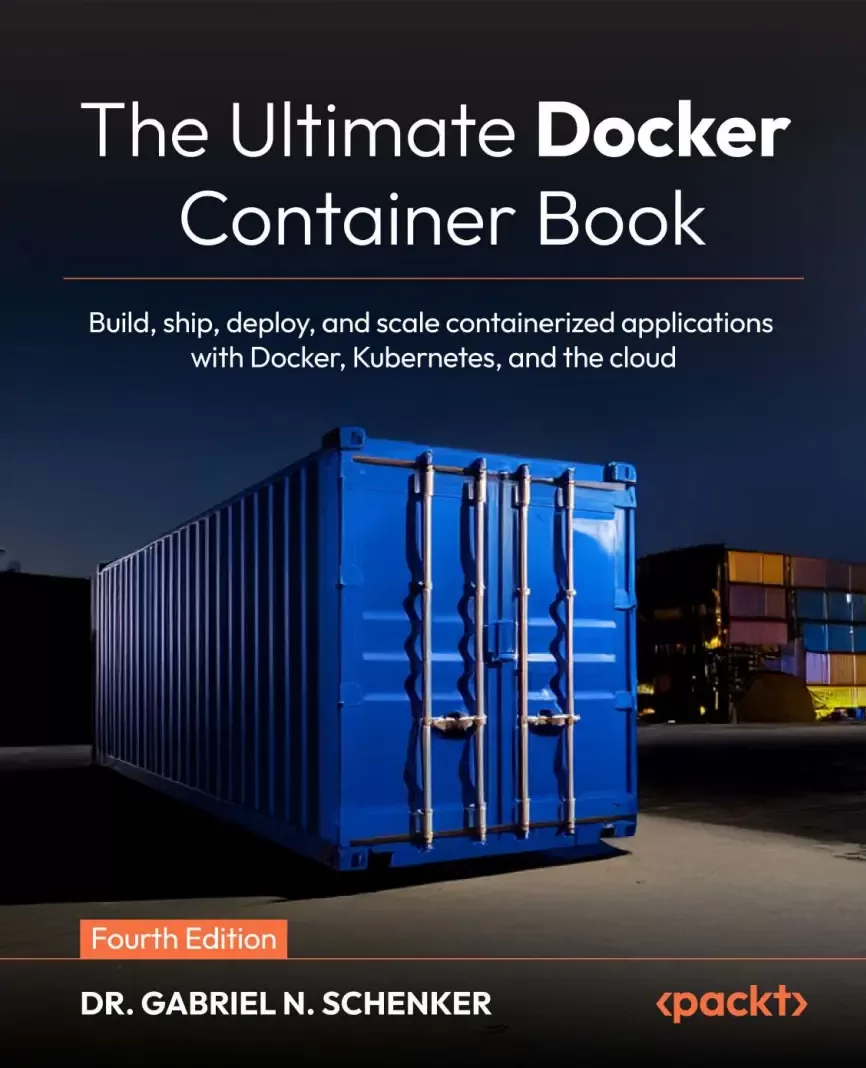
The Ultimate Docker Container Book: Build, ship, deploy, and scale containerized applications with Docker, Kubernetes, and the cloud. 4 Ed
Оглавление⌄
Cover....1 The Ultimate Docker Container Book....2 Fourth Edition....2 Build, ship, deploy, and scale containerized applications with Docker, Kubernetes, and the cloud....2 The Ultimate Docker Container Book....3 Contributors....4 About the author....4 About the reviewers....5 Table of Contents....6 Preface....28 Who this book is for....28 What this book covers....29 To get the most out of this book....30 Download the example code files....31 Conventions used....31 Get in touch....32 Free benefits with your book....33 How to Unlock....34 Stay Sharp in Cloud and DevOps – Join 44,000 Subscribers of CloudPro....35 Share your thoughts....36 Part 1....38 Introduction....38 Chapter 1: What Are Containers and Why Should I Use Them?....40 What are containers?....41 Why are containers important?....44 What is the benefit of using containers for me or my company?....45 The Moby project....45 Docker products....46 Docker Desktop....46 Docker Hub....47 Docker EE....47 Container architecture....47 What's new in containerization....49 Enhanced supply chain security....49 Debugging and operations in Kubernetes....49 Docker Desktop extensions....50 Evolving resource management....50 Where do we go from here?....50 Summary....51 Further reading....51 Questions....51 Answers....52 Get this book's PDF version and more....54 Chapter 2: Setting Up a Working Environment....56 Technical requirements....57 Distinguishing the major operating systems....57 macOS....57 Windows....57 Linux....57 The Linux command shell....58 PowerShell for Windows....58 Installing and using a package manager....58 Installing Homebrew on macOS....59 Installing Chocolatey on Windows....59 Installing Git and cloning the code repository....60 Choosing and installing a code editor....61 Installing VS Code on macOS....62 Installing VS Code on Windows....62 Installing VS Code on Linux....63 Installing VS Code extensions....63 Installing cursor.ai....64 Installing Docker Desktop on macOS, Windows, or Linux....64 Testing Docker Engine....66 Testing Docker Desktop....69 Using Docker with WSL 2 on Windows....71 Installing Docker Toolbox....72 Enabling Kubernetes on Docker Desktop....72 Installing Podman....73 Installing Podman on MacOS....74 Installing Podman on Windows....74 Installing Podman on Linux....75 Installing minikube....76 Installing minikube on Linux, macOS, and Windows....76 Installing minikube on macOS using Homebrew....78 Testing minikube and kubectl....79 Working with a multi-node minikube cluster....82 Installing kind....83 Testing kind and minikube....85 Summary....87 Further reading....87 Questions....88 Answers....88 Join us on Discord....90 Part 2: Containerization Fundamentals....92 Chapter 3: Mastering Containers....94 Technical requirements....95 Running the first container....95 Starting, stopping, and removing containers....96 Running a random trivia question container....99 Listing containers....101 Stopping and starting containers....103 Removing containers....105 Inspecting containers....105 Executing commands in a running container....107 Attaching to a running container....109 Retrieving container logs....112 Logging drivers....114 Using a container-specific logging driver....115 Advanced topic – changing the default logging driver....115 The anatomy of containers....120 Architecture....120 Namespaces....121 Control groups....122 Union filesystem....122 Container plumbing....123 runc....123 Containerd....123 Summary....123 Further reading....123 Questions....124 Answers....124 Get this book's PDF version and more....126 Chapter 4: Creating and Managing Container Images....128 What are images?....129 The layered filesystem....129 The writable container layer....130 Copy-on-write....132 Graph drivers....132 Creating Docker images....132 Interactive image creation....133 Using Dockerfiles....136 The FROM keyword....138 The RUN keyword....138 The COPY and ADD keywords....139 The WORKDIR keyword....140 The CMD and ENTRYPOINT keywords....141 A complex Dockerfile....143 Building an image....144 Working with multi-stage builds....146 Dockerfile best practices....149 Containers are ephemeral....149 Leverage the immutability of container image layers....149 Minimize the number of layers....150 Keeping container image sizes minimal....151 Saving and loading images....152 Containerizing a legacy app using the lift and shift approach....152 Analyzing external dependencies....153 Preparing source code and build instructions....153 Configuration....154 Secrets....154 Authoring the Dockerfile....154 The base image....155 Assembling the sources....155 Building the application....155 Defining the start command....156 Why bother?....156 Sharing or shipping images....157 Tagging an image....157 Demystifying image namespaces....157 Explaining official images....159 Pushing images to a registry....159 Supply chain security practices....160 Summary....161 Questions....161 Answers....162 Join us on Discord....164 Chapter 5: Data Volumes and Configuration....166 Technical requirements....167 Creating and mounting data volumes....167 Modifying the container layer....167 Creating volumes....168 Mounting a volume....171 Removing volumes....173 Accessing Docker volumes....174 Sharing data between containers....178 Using host volumes....180 Defining volumes in images....183 Configuring containers....186 Defining environment variables for containers....187 Using configuration files....189 Defining environment variables in container images....190 Environment variables at build time....192 Persistent storage and stateful container patterns....193 Understanding persistent storage in Docker....193 Patterns for managing stateful containers....193 Best practices for persistent storage....193 Summary....194 Further reading....194 Questions....195 Answers....195 Get this book's PDF version and more....199 Chapter 6: Debugging Code Running in Containers....200 Technical requirements....201 Evolving and testing code running in a container....201 Mounting evolving code in the running container....206 Auto-restarting code upon changes....208 Auto-restarting for Node.js....209 Auto-restarting for Java and Spring Boot....211 Installing JDK 21 on macOS....211 Installing JDK 21 on Windows....212 Installing Java Extensions for VS Code....212 Auto-restarting for Python....217 Prerequisites....217 Auto-restarting for .NET....222 Prerequisites....223 Line-by-line code debugging inside a container....229 Debugging a Node.js application....229 Debugging a .NET application....234 Instrumenting your code to produce meaningful logging information....236 Instrumenting a Python application....237 Instrumenting a .NET C application....240 Using OpenTelemetry and Jaeger to monitor and troubleshoot....242 Instrumenting a .NET application....242 Instrumenting a Java application....246 Summary....250 Questions....250 Answers....251 Join us on Discord....253 Chapter 7: Testing Applications Running in Containers....254 Technical requirements....255 Benefits of testing in containers....255 Why do we test?....255 Manual versus automated testing....255 Why do we test in containers?....257 Types of tests for containerized apps....257 Unit tests....257 Integration tests....258 Acceptance tests....258 Tools, frameworks, and test environments....259 Implementing a sample component....260 Implementing and running unit and integration tests....268 Implementing and running black-box tests....271 Best practices for setting up a testing environment....276 Tips for debugging and troubleshooting issues....277 Challenges and considerations when testing applications running in containers....278 Case studies....278 Summary....279 Questions....279 Answers....279 Get this book's PDF version and more....281 Chapter 8: Increasing Productivity with Docker Tips and Tricks....282 Technical requirements....283 Keeping your Docker environment clean....283 Using a .dockerignore file....284 Executing simple admin tasks in a container....285 Running a Perl script....285 Running a Python script....287 Limiting the resource usage of a container....289 Limiting memory resources....289 Limiting CPU resources....290 Limiting block IO (disk IO) resources....290 Limiting process IDs....291 Avoiding running a container as root....291 Step 1: Running the container as root (default)....291 Step 2: Running the container as non-root....292 Running Docker CLI commands from within Docker....292 Special case: Docker-in-Docker....293 Automating a pipeline....294 Optimizing your build process....296 Scanning for vulnerabilities and secrets....297 Using Snyk to scan a Docker image....298 Using Docker Scout to scan a Docker image for vulnerabilities....299 Running your development environment in a container....302 Summary....306 Questions....306 Answers....306 Join us on Discord....307 Part 3....308 Orchestration Fundamentals....308 Chapter 9: Learning about Distributed Application Architecture....310 What is a distributed application architecture?....310 Defining the terminology....311 Patterns and best practices....313 Loosely coupled components....314 Stateful versus stateless....314 Service discovery....314 Routing....316 Load balancing....316 Defensive programming....316 Retries....317 Logging....317 Error handling....317 Redundancy....317 Health checks....318 Circuit breaker pattern....318 Rate limiter....319 Bulkhead....319 Running in production....320 Logging....320 Tracing....321 Monitoring....321 Application updates....321 Rolling updates....321 Blue-green deployments....321 Canary releases....322 Irreversible data changes....322 Changing the data structure at scale....323 Rollback and roll forward....323 Modern microservice patterns....324 Summary....324 Further reading....325 Questions....325 Answers....326 Get this book's PDF version and more....328 Chapter 10: Using Single-Host Networking....330 Technical requirements....331 Dissecting the container network model....331 Network firewalling....333 IPv4, IPv6, and dual-stack networking....334 nftables versus iptables....335 Best practice: Least-privilege networking....335 Working with the bridge network....335 Creating a custom bridge network....339 IPv6 and dual-stack bridge networks....339 Configuring the MTU and other options....340 Attaching containers to custom bridge networks....340 The host and null network types....348 The host network....348 The null (none) network....350 Running in an existing network namespace....351 How Kubernetes uses this concept....354 Practical debugging use case....354 Managing container ports....354 What actually happens under the hood....357 Platform specifics and common pitfalls....357 Advanced publishing patterns....358 Multiple services and avoiding collisions....358 Security checklist....359 HTTP-level routing using a reverse proxy....359 Containerizing the monolith....359 Extracting the first microservice....364 Using Traefik to reroute traffic....365 Summary....367 Further reading....368 Questions....368 Answers....369 Join us on Discord....372 Chapter 11: Managing Containers with Docker Compose....374 Technical requirements....375 Demystifying declarative versus imperative orchestration of containers....375 What has changed since the last edition of the book....376 Running a multi-service app....377 Building images with Docker Compose....383 Running an application with Docker Compose....392 Scaling a service....394 Building and pushing an application....397 Using Docker Compose overrides....399 Modularizing applications with include....402 When to use Docker Compose versus a full orchestration system....406 Summary....407 Further reading....408 Questions....408 Answers....409 Get this book's PDF version and more....413 Chapter 12: Shipping Logs and Monitoring Containers....414 Technical requirements....415 Platform differences....415 Why logging and monitoring matter....416 Shipping container logs....417 Configuring log rotation and retention policies....417 Configuring the logging driver....417 Globally setting the log driver....417 Locally setting the log driver....419 Setting log rotation and retention policies....419 Using a log management system....420 Step 1a – Setting up the ELK Stack on Linux....420 Step 1b – Installing and configuring Filebeat....421 Running the sample on a Linux computer....421 Running the sample on a Mac or Windows computer....422 Shipping Docker daemon logs....428 Docker daemon logs on Mac....429 Docker daemon logs on a Windows computer....429 Querying a centralized log with Kibana....430 Step 1 – Preparing your project folder....430 Step 2 – Creating the Node.js API....431 Step 3 – Creating the Ruby worker....432 Step 4 – Filebeat configuration (macOSWindows pattern)....432 Step 5 – Creating the Docker Compose file....433 Step 5 – Running the stack....435 Step 6 – Generating some logs....435 Step 7 – Accessing Kibana....436 Step 8 – Creating a data view in Kibana....436 Step 9 – Exploring your logs....437 Step 10 – Filtering and searching....438 Step 11 – Visualizing and saving....438 Step 12 – Cleaning up....439 What you learned....439 Collecting and scraping metrics with Prometheus....439 Step 1 – Preparing the project structure....439 Step 2 – Implementing the Go service....440 Step 3 – Implementing the Python service....441 Step 4 – Implementing the C (.NET) service....442 Step 5 – Configuring Prometheus....443 Step 6 – Creating the Docker Compose stack....443 Step 7 – Verifying Prometheus targets....444 Step 8 – Exploring metrics....445 Step 9 – Cleaning up....445 What you learned....445 Monitoring a containerized application....445 Step 1 – Preparing the folder structure....445 Step 2 – Creating a simple sample application....446 Step 3 – Configuring Prometheus....447 Step 4 – Writing the Docker Compose file....447 Step 5 – Verifying Prometheus targets....448 Step 6 – Accessing Grafana and connect Prometheus....448 Step 7 – Creating a dashboard....449 Step 8 – (Optionally) Adding alerts....449 Step 9 – Exploring further metrics....449 Step 10 – Cleaning up....449 What you learned....449 Observability and security monitoring....450 Summary....450 Questions....451 Answers....452 Join us on Discord....453 Chapter 13: Securing Containers....454 Technical requirements....454 Installing Ruby on macOS....455 Installing Ruby on Windows....456 Installing Trivy and Cosign on macOS....456 Installing Trivy and Cosign on Windows....457 Supply chain security....457 Understanding what makes up your image....458 Generating an SBOM....458 Verifying image provenance....459 Building a sample application....459 Implementing the application....459 Building and running the image....462 Generating a BOM and scanning the image....462 Scanning the image....462 Verifying and signing the image....462 Securing the pipeline....463 Image vulnerability scanning and content trust....463 Why scan container images?....464 Scanning with Trivy....464 Content trust: cryptographic guarantees via Cosign....465 Signing and verifying with Cosign....466 Enforcing signing and verifying in CICD pipelines and at runtime....466 Container hardening practices....467 Principle of least privilege: run as non-root and drop capabilities....467 Adding a non-root user in your Dockerfile....467 Dropping unnecessary Linux capabilities....468 Using --no-new-privileges....469 Read-only filesystems, immutable layers, and minimal mounts....469 Mounting your container rootfs as read-only....469 Mounting specific directories as writable volumes....469 Using minimal images (scratch or distroless)....470 Kernel-level security: seccomp, AppArmor, SELinux, and user namespaces....470 Resource limits and cgroups....471 Health checks, monitoring, and defense in depth....471 Adding a HEALTHCHECK statement to your Dockerfile....471 Logging and monitoring agent....472 Immutable infrastructure mindset....472 Putting it all together: hardened example for hello-ruby....472 Trade-offs to understand when hardening containers....473 Secrets management....474 Why not bake secrets into your image or env vars?....475 Runtime secret injection....475 Docker Swarm and Docker secrets (for services)....475 Docker Compose and secrets....476 Build-time secrets....477 External secret management (vault, cloud, and sidecars)....477 Trade-offs and caveats....478 Secrets injection in our Ruby app....478 Runtime security tools....479 Why runtime security matters....480 Introducing Falco....480 Deploying Falco in a Docker environment....481 Customizing detection rules....481 Integrating alerts into response workflows....482 Deployment considerations and trade-offs....482 Summary....483 References....483 Questions....483 Answers....484 Get this book's PDF version and more....485 Chapter 14: Introducing Container Orchestration....486 What are orchestrators, and why do we need them?....487 The tasks of an orchestrator....487 Reconciling the desired state....487 Replicated and global services....488 Service discovery....489 Routing....489 Load balancing....490 Scaling....490 Intelligent autoscaling and cost-aware scheduling....491 Self-healing....491 Data persistence and storage management....492 Zero-downtime deployments....492 Affinity and location awareness....493 Security....494 Secure communication and cryptographic node identity....494 Secure networks and network policies....495 Role-based access control (RBAC)....495 Secrets....495 Content trust....496 Reverse uptime....496 Introspection....497 The tasks of an orchestrator summary....498 Overview of popular orchestrators....498 Kubernetes – the de facto standard....499 Docker Swarm – simplicity over features....500 Amazon Elastic Kubernetes Service (EKS)....500 Azure Kubernetes Service (AKS)....501 Google Kubernetes Engine (GKE)....502 HashiCorp Nomad a lightweight alternative....503 Historical note – Mesos and classic ECS....504 When to use which orchestrator....504 Emerging orchestration trends....505 Serverless containers....505 GitOps and declarative management....506 Multi-cluster and edge orchestration....506 AI-driven scheduling and optimization....506 Security and policy as code....506 Abstracted platforms and developer experience....507 Summary....507 Further reading....507 Questions....508 Answers....508 Join us on Discord....509 Part 4: Docker, Kubernetes, and the Cloud....510 Chapter 15: Introducing Kubernetes....512 Technical requirements....513 Understanding Kubernetes architecture....514 Kubernetes master nodes....516 Cluster nodes....518 Introduction to local Kubernetes....519 Docker Desktop with Kubernetes....519 Running Kubernetes with minikube....521 Running Kubernetes with kind....522 Choosing the right local environment....523 Introduction to Pods....524 Comparing Docker container networking and Kubernetes Pod networking....525 Sharing the network namespace....526 Pod life cycle....529 Pod specifications....529 Pods and volumes....533 Kubernetes ReplicaSet....536 ReplicaSet specification....536 Self-healing....538 Kubernetes Deployments....539 Kubernetes Services....540 Hands-on exercise using Kubernetes Services....542 Context-based routing....547 Hands-on exercise for context-based routing....549 Popular tools: GitOps, Helm 3, and Kustomize....554 GitOps: Declarative delivery through version control....554 Helm 3: The package manager for Kubernetes....555 Kustomize: Native configuration customization....556 Bringing it all together....556 Popular tools summary....557 Summary....557 Further reading....557 Questions....558 Answers....559 Get this book's PDF version and more....560 Chapter 16: Deploying, Updating, and Securing an Application with Kubernetes....562 Technical requirements....563 Deploying our first application....564 Key takeaways – Deploying our first application....570 Defining liveness, readiness, and startup probes....571 Key takeaways – Defining liveness, readiness, and startup probes....575 Zero-downtime deployments....575 How rolling updates work....576 Hands-on rolling update....576 Step 1 – Verifying current setup....576 Step 2 – Introducing a new version of the API....576 Step 3 – Triggering a rolling update....577 Step 4 – Observing what happens....578 Step 5 – Testing the new version....578 Step 6 – Rolling back if needed....579 Step 7 – Controlling the rollout speed....579 Hands-on blue-green (red-green) deployments....579 Step 1 – Rolling back to API version 1.0.0....580 Step 2 – Labeling the existing Deployment as "blue"....580 Step 3 – Deploying the "green" version (1.1.0)....580 Step 4 – Verifying the "green" version....582 Step 5 – Switching the Service to the green Deployment....582 Step 6 – Validating and cleaning up....583 Step 7 – Rolling back (if needed)....583 Key takeaways – Zero-downtime deployments....584 Security best practices....584 Step 1 – Running as non-root (and read-only filesystem)....585 1.1 – Updating the images (TaskBoard)....585 1.2 – Enforcing at the Pod level (securityContext)....586 1.3 – Testing a non-root user....588 Step 2 – Least privilege with ServiceAccount and RBAC....589 Step 3 – Enforcing Pod security at the namespace level....590 Step 4 – Isolating traffic with NetworkPolicy....591 4.1 – Default denying (Ingress and Egress)....591 4.2 – Allowing frontend api (Ingress to API Pods)....592 4.3 – Allowing api db (Egress from API Pods)....593 4.4 – Allowing DNS Egress for all Pods (so that name resolution works)....593 Step 5 – Secrets: safer handling and rolling changes....595 5.1 – Mounting Secrets as files (prefer files over env for long-lived Secrets)....596 5.2 – Rolling Secret changes safely....597 Key takeaways – Security best practices....598 Summary....598 Further reading....599 Questions....599 Answers....600 Join us on Discord....601 Chapter 17: Running a Containerized Application in the Cloud....602 Technical requirements....603 Preparing multiplatform images....604 Rebuilding and pushing an amd64 or multi-arch image....604 Why choose a hosted Kubernetes service?....604 Other notable managed Kubernetes providers....605 Cost and responsibility....606 Overview of the managed Kubernetes services covered in this chapter....606 Running a containerized application on Amazon EKS....606 Step 1: Prerequisites....607 Step 2: Creating a cluster....607 Step 3: Preparing the namespace, config, and secrets....608 Step 4: Deploying PostgreSQL (as a StatefulSet)....609 Step 5: Deploying the TaskBoard API....612 Step 6: Deploying the frontend....614 Step 7: Cleaning up....616 What we did....616 Running a containerized application on Microsoft Azure AKS....617 Step 1: Prerequisites....617 Step 2: Creating an AKS cluster....617 Step 3: Preparing the namespace, config, and secrets....620 Step 4: Deploying PostgreSQL as a StatefulSet with PVC....620 Step 5: Deploying the TaskBoard API....620 Step 6: Deploying the frontend....621 Step 7: Cleaning up....622 Recap....622 Running a containerized application on GKE....623 Step 1: Prerequisites....623 Step 2: Creating a GKE cluster....624 Step 3: Preparing the namespace, config, and secrets....624 Step 4: Deploying PostgreSQL as a StatefulSet with PVC....625 Step 5: TaskBoard API (Deployment and Service)....625 Step 6: Deploying the frontend....625 Step 7: Cleaning up....627 Autopilot (optional alternative)....627 Wrapping up....627 Serverless containers and the future of cloud-native architectures....627 AWS Fargate....628 Google Cloud Run....628 Azure Container Apps....628 Where it's all heading....629 Key takeaways....629 Summary....629 Questions....630 Answers....630 Get this book's PDF version and more....631 Chapter 18: Monitoring and Troubleshooting an Application Running in Production....634 Technical requirements....635 Instrumenting services with OpenTelemetry....635 Understanding distributed tracing....636 Hands-on lab: Adding OpenTelemetry instrumentation....636 Step 1: Setting the stage....638 Step 2: Creating an orders service in Python and Flask....638 Step 3: Creating a payments service in Node.js and Express....641 Step 4: Defining a Kubernetes namespace....643 Step 5: Deploying the OpenTelemetry Collector....644 Step 6: Deploying Jaeger....647 Step 7: Deploying the orders and payments services....650 Step 8: Generating traces....654 Optional: Deploying Jaeger using Helm....654 Step 9: Cleaning up....655 Best practices for instrumentation....655 Wrapping it up....655 Collecting and visualizing metrics with Prometheus and Grafana....655 Understanding Prometheus and Grafana....655 Hands-on lab: Deploying Prometheus and Grafana....656 Step 1: Preparing the stage....656 Step 2: Instrumenting the orders service....657 Step 3: Instrumenting the payments service....660 Step 4: Building and pushing the orders and payments images....663 Step 5: Deploying the namespace, Jaeger, and the OpenTelemetry Collector....663 Step 6: Deploying the orders and payments services....664 Step 7: Configuring and deploying Prometheus....664 Step 8: Configuring and deploying Grafana....667 A pre-defined Grafana dashboard....667 Grafana Deployment and Service....668 Step 9: Accessing the Prometheus and Grafana UIs....670 Step 10: Generating some traffic....670 Step 11: Troubleshooting....671 Step 12: Cleaning up....672 Key points of this section....672 Defining alerts and runbooks....672 Understanding the purpose of alerts....673 Defining alert rules in Prometheus....673 Connecting Prometheus to Alertmanager....676 Creating practical runbooks....679 Example runbook 1: High error rate in orders-service....680 Example runbook 2: High latency in payments-service....680 Integrating alerts into Grafana....681 Prometheus versus Grafana alerts....683 Operational readiness and continuous improvement....683 Summary....684 Questions....685 Answers....685 Join us on Discord....686 Chapter 19: AI and Automation in DevOps....688 Technical requirements....688 Why AI for DevOps?....688 AI use cases and patterns in DevOps....689 Tooling and frameworks....689 Kubeflow – machine learning the Kubernetes way....690 KServe – simplifying model serving at scale....690 Argo Workflows and Argo Events – declarative automation for everything....690 Learning from your metrics: turning Prometheus data into predictions....691 PyCaret and MLflow – streamlined experimentation and model governance....691 Ansible Lightspeed and GitHub Copilot CI – AI-assisted automation....691 Bringing it all together....692 Practical implementation steps....692 Lab A: Building an AI-driven predictive autoscaler....692 Prerequisites....693 Project overview....694 Step 1: Generating synthetic data....695 Step 2: Training the ML model....695 Step 3: Building the Predictor API....697 Step 4: Building the autoscaler....698 Step 5: Setting up the Kubernetes cluster....699 Step 6: Deploying the sample app....699 Step 7: Deploying the predictor....700 Step 8: Deploying the autoscaler....701 Step 9: Observing the autoscaler in action....702 Step 10: Cleaning up....703 Using the helper scripts....703 Experiments to try....704 From lab to production....704 Lab B: Automatic model refresh with Argo Workflows....705 What you'll build....706 Why Argo Workflows?....706 Step 1: Creating namespaces....707 Step 2: Building the trainer image....707 Step 3: Setting up the artifact store (PVC)....709 Step 4: Initializing the PVC....709 Step 5: Creating the Autoscaler API....711 Step 6: Installing Argo Workflows (minimal)....712 Step 7: Defining the Argo WorkflowTemplates (building blocks)....713 7.1: Trainer step using the trainer image....713 7.2: Restart step: restarting the serving deployment....714 Step 8: One-shot workflow to run the full refresh once....715 RBAC consideration....715 Step 9: CronWorkflow to schedule model refresh automatically....717 Step 10: How to observe that Lab B works....718 What you learned....719 Summary....720 Questions....720 Answers....721 Get this book's PDF version and more....722 Chapter 20: Real-World Containerization Patterns....724 Modernizing legacy systems: Transforming monoliths into containers....725 Context....725 Solution....725 Phase 1: Lift and shift....726 Phase 2: Refactor....726 Phase 3: Rearchitect....726 Key learnings....726 Microservices in action: Breaking down and scaling complex applications....727 Context....727 Solution....727 Key learnings....729 CICD in practice: Accelerating software delivery with containers....729 Context....729 Solution....730 Define the pipeline as code....730 Automate tests in containers....731 Promote through environments....731 Incorporate security and compliance....732 Enable rollbacks and progressive delivery....732 Key learnings....732 Cloud migration stories: Deploying containerized apps on AWS, Azure, and GCP....733 Context....733 Solution....733 AWS: EKS with eksctl....733 Azure: AKS with the az CLI....734 GCP: GKE with gcloud....734 Build once, deploy everywhere....735 Key learnings....735 Production orchestration: Lessons learned from Kubernetes....736 Context....736 Solution....736 Treat the cluster as a platform....736 Automate everything, but observe everything too....737 Embrace declarative operations....737 Build for failure....738 Scale responsibly....738 Standardize observability and incident response....738 Key learnings....739 Securing the container: Real-world approaches to application security....739 Context....739 Solution....740 Secure the build stage....740 Sign and verify images....740 Protect secrets....741 Enforce least privilege....741 Runtime monitoring and admission control....742 Continuous verification....742 Key learnings....743 Summary....743 Epilogue: Closing thoughts....743 Next steps....744 Author's note....744 Join us on Discord....745 Chapter 21: Unlock Your Exclusive Benefits....746 Unlock this Book's Free Benefits in three Easy Steps....747 Step 1....747 Step 2....747 Step 3....748 Need Help....748 Why subscribe?....750 Other Books You May Enjoy....751 Packt is searching for authors like you....753 Share your thoughts....753 Index....754
Описание
Коротко и по делу о том, что важно знать про container.
Master Docker, Kubernetes, and cloud-native container deployment with this hands-on guide. Learn image creation, orchestration, security, monitoring, and real-world production patterns for scalable applications
Key FeaturesLearn Docker and Kubernetes from first principles through hands-on, production-focused examplesBuild secure, scalable container platforms with orchestration, governance, and cloud best practicesApply modern DevOps and AI-driven automation patterns in real-world enterprise scenariosBook DescriptionContainers have become the foundation of modern software platforms, transforming how applications are built, shipped, secured, and operated. However, as systems grow more distributed and regulated, using containers effectively requires more than basic commands; it requires architectural understanding, security awareness, and operational discipline.
Starting from first principles, the book explains how containers reduce friction in the software supply chain and progressively introduces images, networking, state management, testing, and debugging. The Ultimate Docker Container Book, Fourth Edition, takes you from container fundamentals to running production-grade platforms. You will learn how to design and operate distributed applications, manage multi-service systems, and apply orchestration using Kubernetes. It also explores AI and automation in DevOps, showing how modern teams can enhance delivery and operations responsibly. This fourth edition places a stronger emphasis on security, governance, and compliance, reflecting real-world enterprise requirements.
Whether you are a developer, DevOps engineer, platform engineer, or software architect, this book equips you with the skills and understanding needed to build secure, scalable, and future-ready container platforms.
A basic understanding of Docker is useful, but no prior Kubernetes experience is required. What you will learnUnderstand containers and their role in the modern software supply chainBuild, run, debug, and test containerized applications effectivelyCreate optimized and secure container imagesManage state, configuration, and networking for containersDesign and operate distributed applications using orchestrationDeploy and secure applications with Kubernetes in productionRun container platforms on major cloud providersApply security, governance, and AI-driven automation best practicesWho this book is forThis book is for Linux professionals, system administrators, DevOps engineers, operations engineers, software architects, and developers looking to master Docker, Kubernetes, and cloud-native containerization. Familiarity with Bash or PowerShell helps but is not mandatory.
Если материал оказался полезен — сохраните страницу.
Поделиться
Частые вопросы
Можно ли скачать «The Ultimate Docker Container Book: Build, ship, deploy, and scale containerized applications with Docker, Kubernetes, and the cloud. 4 Ed» бесплатно?
Да, «The Ultimate Docker Container Book: Build, ship, deploy, and scale containerized applications with Docker, Kubernetes, and the cloud. 4 Ed» доступна для бесплатного скачивания на нашем сайте в формате PDF. Ссылка на файл находится на этой странице.
В каком формате и какого размера файл?
Книга предоставляется в формате PDF, размер файла 9,4 МБ.
Кто автор и когда вышла книга?
автор — Schenker Gabriel N., издательство Packt Publishing Limited, год выпуска 2026, 768 страниц.
О чём книга «The Ultimate Docker Container Book: Build, ship, deploy, and scale containerized applications with Docker, Kubernetes, and the cloud. 4 Ed»?
Master Docker, Kubernetes, and cloud-native container deployment with this hands-on guide.
Похожие материалы
 Head First Networking: A Brain-Friendly Guide
 Компьютерные сети. 6 изд
 Компьютерные сети. Принципы, технологии, протоколы. 6 юбилейное изд
 Networking All-in-One For Dummies. 9 Ed
 Handbook of Computer Architecture
 Kubernetes и сети. Многоуровневый подход
 Docker Deep Dive: Zero to Docker in a single book
 Самоучитель системного администратора. 7 изд