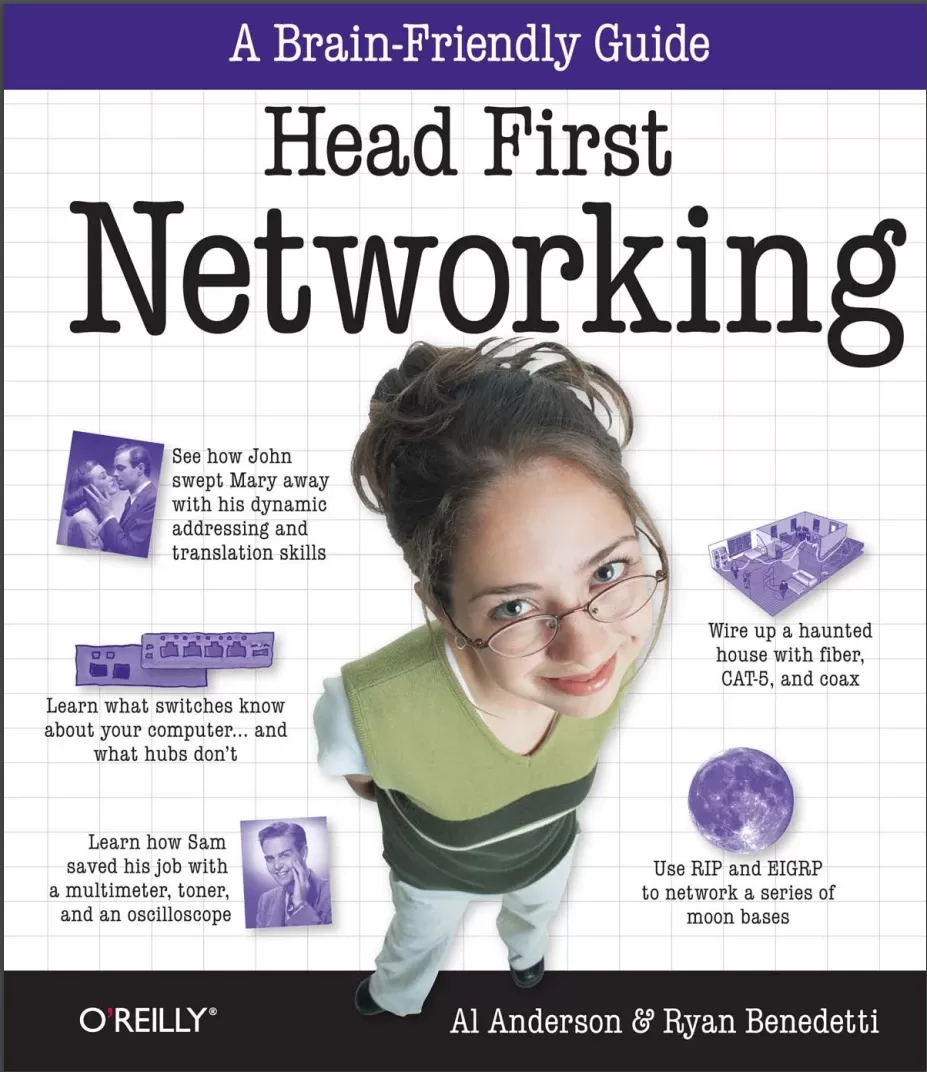
Head First Networking: A Brain-Friendly Guide
Оглавление⌄
Authors of Head First Networking....10 Table of Contents (Summary)....11 Table of Contents (the real thing)....11 Intro....27 Who is this book for?....28 We know what you’re thinking....29 We know what your brain is thinking....29 Metacognition: thinking about thinking....31 Here’s what WE did:....32 Here’s what YOU can do to bendyour brain into submission....33 Read Me....34 The technical review team....36 Acknowledgments....37 Safari® Books Online....38 Chapter 1. Walking on Wires....39 Coconut Airways has a network problem....40 The booking system network cable is busted....42 How do we fix the cable?....43 But how do we do this?....43 Introducing the CAT-5 cable....44 The CAT-5 cable dissected....45 So why are the pairs twisted?....45 So what’s with all the colors?....46 Test Drive....47 Let’s fix the broken CAT-5 cable....49 Where you put each wire is important.....49 A closer look at the RJ-45 connector....50 So which wire goes where?....50 So what are the physical steps?....55 You fixed the CAT-5 cable....57 Coconut Airways has more than one network....58 Introducing the coaxial cable....61 Coaxial networks are bus networks....62 So can we fix the cable?....63 The network’s still not working....64 So what goes on inside a coaxial cable?....66 But what if there’s a break in the conductor?....66 What about connectors and terminators?....67 Use toner-tracer sets to listen to electrons....68 No sound means no electrons....69 So how do we find the continuity break?....69 Cablecross....74 You’ve fixed the coaxial cable....75 Introducing fiber-optic cables....76 Fiber-optics have connectors too....76 The Coconut Airways cable’s over-bent....77 So what’s a fusion splicer?....77 How to fix fiber-optics with afusion splicer....78 A fiber-optic connector needs fitting too....80 We’re nearly ready to fix the connector....82 There are two types of fiber....83 Single mode fiber....83 Multimode fiber....83 Which mode fiber should you use?....84 Let’s fit the connector on the fiber-optic....85 Coconut Airways is sky high....87 Chapter 2. Networking in the Dark....89 Ghost Watch needs your help!....90 Every good network needs a good plan....91 So how does the device list help usplan a network?....92 How to plan a network layout....93 Let’s plan the cabling with a floorplan....94 Ready to plot some network cables?....98 So where have we got to?....101 We need to decide on the cable management hardware....102 Uh oh! The cabling is a mess....103 Ghost Watch needs cable management hardware....104 Things that go bump.......106 You’ve really cleaned up that noise and straightened out MOST of the cables!....111 Let’s start by labeling the cables....112 But there are still lots of cables....113 So what’s a patch panel?....114 Behind the scenes of a patch panel....115 The wires go into a punch down block....116 Roll the cameras!....121 Chapter 3. Into the Wire....123 Mighty Gumball won the Super Bowl contract....124 A toner and tracer can check for a signal.......126 ...but can’t check for signal quality....126 Introducing the multimeter....130 Use a multimeter to measure resistance....130 So what’s resistance?....131 When resistance is low....131 When resistance is high....131 So how well did the multimeter do?....137 An oscilloscope shows voltage changes....139 Voltage is really electrical pressure....140 Where does noise on network cables come from?....141 So how well did the oscilloscope perform for Mighty Gumball?....146 A logical analyzer uses voltage too....148 When is a logical analyzer useful?....153 So which tool is best?....153 The Mighty Gumball bonus went to Jill....155 A LAN analyzer combines the functions of all the other tools....156 A LAN analyzer understands thenetwork traffic in the signal....157 So which tool is best?....158 The Mighty Gumball problems are fixed!....161 Chapter 4. You’ve Been Framed....163 What’s the secret message?....164 So how do we extract a message from a signal?....164 Network cards handle encoding....168 So how does the NIC encode the data?....168 To get the message, reverse the encoding....169 So how do we decode the signal?....169 The Ethernet standard tells hardwarehow to encode the data....170 A quick guide to binary....174 So how do we convert a binary to decimal?....174 Computers read numbers, humans read letters....180 But isn’t there an easier way?....180 Hexadecimal to the rescue....182 So how do we convert a hexadecimal to decimal?....182 We can convert to ASCII using hex....183 Back at the spy agency.......190 Protocols define the structure of a message....191 Frames and Packets Up Close....192 Network frames have lots of layers....199 Your friendly packet field guide....200 UDP Packet - Protocol Type 17....200 ICMP Packet - Protocol Type 1....200 TCP Packet - Protocol Type 6....201 So can we decode the secret message?....206 We’ve got all the right packets...but not necessarily in the right order....207 The packet tells you the correct order....208 Networkcross....211 Chapter 5. How Smart is Your Network?....213 You’ve decoded the secret message.......214 ...but how do we know who sent it?....214 The packet information tells us where the packet came from....217 So who’s the mole?....218 There’s more to networks than computers....219 Hubs are dumb....220 Hubs don’t change the MAC address....221 So which device sent the packet to the hub?....221 A hub sends signals, and sends them everywhere....222 Hubs think in terms of electricity....222 So what passed the signal to the hub?....223 A switch sends frames, and only sends them where they need to go....224 Switches think in terms of frames....224 Switches are smart....225 Switches store MAC addresses in a lookup table to keep the frames flowing smoothly....226 The switch has the information.......230 We can use software to monitor packets....232 Let’s hook Wireshark up to the switch....233 Wireshark gives us traffic information....234 Routers have MAC addresses too....237 Network ports Routers are really smart....238 We’re closing in!....239 You’ve found the mole!....241 Chapter 6. Bringing Things Together....243 Networking on the moon....244 We need to connect two networks together....247 The light’s on, but nobody’s home....248 What do you think the flashing LEDs have to do with traffic on the network?....248 Let’s see what traffic is on our network!....250 MAC address versus IP address....252 IP addresses give our networks a sense of location, and network nodes a sense of belonging to that location....253 We retrieve IP addresses using the MAC address and the Address Resolution Protocol (ARP)....254 So what’s the problem with the Moonbase?....259 How do we get network traffic to move between networks?....260 How the router moves data across networks....262 Back to the Moonbase problem....264 The secret of IP numbers is.......265 Routers connect networks by doing the math.......266 The Router Exposed....269 Back at the Moonbase.......273 Are you ready to program the router?....274 You just created this router config file!....276 Let the router tell us what’s wrong.......278 Chapter 7. It’s a Matter of Protocol....281 Houston, we have a problem.......282 Routing tables tell routers where to send packets....283 We can see routes in the table using the show command....283 Each line represents a different route....284 So how do we enter routes?....286 Routes help routers figure out where to send network traffic....287 So are the moonbases now connected?....291 Back on the moon.......293 So how do we troubleshoot bad routes?....294 We can start with the ping command....294 The traceroute command is useful too....295 So what’s the problem with the network connection?....299 The network address changes keepon coming.......300 Use RIP to get routes to update themselves....302 So what does this mean for Moonbase 1?....303 So how do we set up RIP?....308 But there’s still a problem.......309 There are too many hops....310 RIP can only use the hop count to find the best route.....310 There are other routing protocols.....313 The routing protocol zoo....314 EIGRP Up Close....318 EIGRP uses the Diffusing Update Algorithm....319 EIGRP uses the Reliable Transport Protocol to send its information....319 EIGRP only sends route updates when there are changes....319 So how do we setup EIGRP?....320 We have lift off!....326 Chapter 8. Names to Numbers....329 The Head First Health Club needs a website....330 Hello, my domain name is.......331 So how do we get a domain name?....331 Let’s go buy a domain name....332 Uh-oh! We’re in trouble....334 And she’s not the only one....334 Introducing the DNS....336 The DNS relies on name servers....336 How the DNS sees your domain....337 So how does this affect the Health Club?....342 First install a DNS name server.......344 ...then configure the name server....345 The Nameserver Exposed....351 The anatomy of a DNS zone file....352 Here’s what the DNS zone file tells us about the Health Club servers....353 Name Servers....353 Mail Server....353 Other Servers....353 The Health Club can’t send emails....355 So what’s the problem?....356 Email servers use RDNS to fight SPAM....356 Check your sources with reverse DNS....357 The dig command can do a reverse DNS lookup....358 Your name server has another important zone file.......360 The emails are working!....365 Chapter 9. Listen to Your Network's Troubles....367 Pajama Death are back on tour....368 So here’s your challenge.......368 So where would you start troubleshooting a misfiring network?....369 Start troubleshooting your network problems by checking in with your network devices....371 Troubleshoot network connectivity with the ping command....372 If you can ping, you get timings....372 But what if you can’t ping?....372 If the ping fails, check the cables....373 Get started with the show interface command....379 The interface’s network statistics are a goldmine of troubleshooting information....379 Cisco Show Command Exposed....380 The ticket network’s still not fixed....383 How can we quickly troubleshoot networks without SSH or telnet?....383 SNMP to the rescue!....384 SNMP is a network admininistrator’s communication tool....385 SNMP does allow some access control....385 How to configure SNMP on a Cisco device....386 One hour to go.......391 SNMP gets most of the information, but not all of it.....391 Get devices to send you their problems....392 How to configure syslogd on a Cisco device....393 How do you tell what’s in the logs?....394 syslogd lets you fix problems before they’re problems....394 Too much information can be just as bad as not enough....397 What you need is relevant information....397 How do you know which events are important?....398 Pajama Death’s a sell-out!....399 Chapter 10. Working Without Wires....401 Your new gig at Starbuzz Coffee....402 Starbuzz Coffee needs a wireless hotspot....402 Wireless access points create networks using radio waves....403 Let’s fit the wireless access point....404 What about the network configuration?....411 Maybe she has a point.....411 So what’s DHCP?....412 DHCP allocates IP addresses....413 First make sure the client has DHCP turned on.......414 Second, make the wireless access point a DHCP server.......414 ...and then specify an acceptable range of IP addresses....415 The DHCP Server Exposed....416 So has setting up DHCP solved the problem?....416 This time it’s personal....417 We’ve run out of IP addresses....418 We can get around the IP address problem by implementing NAT.....418 NAT works by reallocating IP addresses....419 So how do we configure NAT?....420 So has this fixed the problem?....423 There’s more than one wireless protocol....424 Most newer access point support multiple protocols....424 The central Starbuzz server needs to access the cash register....428 Port mapping to the rescue!....430 So port mapping is a bit like NAT in reverse....431 Let’s set up port mapping on the Starbuzz access point....432 Wireless Security Up Close....435 The wireless access point is a success!....436 Chapter 11. Get Defensive....437 The bad guys are everywhere....438 And it’s not just the NETWORK that gets hurt.......439 The big four in network security....440 Defend your network against MAC address spoofing....443 So how do we defend against MAC address spoofing?....448 Defend your network against ARP poisoning attacks....449 So what can we do about ARP poisoning attacks?....450 It’s all about the access, baby!....452 If an attacker can get past your router, then he’s on your network!....452 Set up your router’s Access Control Lists to keep attackers out....453 So how do we configure the Access Control List?....455 Firewalls filter packets between networks....458 Packet-filtering rules!....459 Get smart with stateful packet-filters....464 Master the static packet filter....460 Humans are the weakest link in your security chain....467 So how do social engineers operate?....468 Smash social engineering with a clear and concise security policy....470 You’ve hardened your network....473 Chapter 12. You Gotta Have a Plan!....475 Now you have to plan a network from scratch!....476 You have to know what the needs are before you can plan....479 So you’ve developed your questions, now what?....481 Look at your action plan....482 So you have a physical layout, what’s next?....485 Blueprints show everything in a building’s design....486 You may have to modify your network design based on what you see in the blueprints!....487 So you’ve got your physical network layout, what’s next?....494 You have got several options to segment this into two networks....497 Finally, you need an implementation plan....502 Congratulations, you’ve designed an awesome network from scratch.....505 It’s been great having you here in Networkville!....506 appendix i: leftovers....507 #1 Network topologies....508 Star topology....508 Bus topology....509 Token Ring topology....509 #2 Installing Wireshark....510 Windows Install....510 Mac OS X Install....511 Linux Install (Ubuntu)....511 #3 How to get to the console or terminal....512 Windows....512 Linux....512 Mac OS X....512 #4 The TCP Stack....513 #5 VLANS....514 #6 Cisco IOS Simulators....514 #7 BGP....515 #8 VPN....515 #9 Intrusion Detection Systems....516 #10 Cisco Certification....516 appendix ii: ascii tables....517 ASCII tables 0-31....518 ASCII code tables 32-63....519 ASCII code tables 64-95....520 ASCII code tables 96-127....521 appendix iii: installing bind....523 #1 Installing BIND on Windows (XP, 2000, Vista)....524 #2 Installing BIND Mac OS X Server....525 #3 Installing BIND Mac OS X Client & Linux....525 Index....527 Numbers....527 A....527 B....527 C....527 D....528 E....529 F....529 G....530 H....530 I....531 J....531 L....531 M....531 N....532 O....533 P....533 R....534 S....535 T....536 U....537 V....537 W....537
Описание
Ниже — практический обзор по теме «networking».
Head First Networking's unique, visually rich format provides a task-based approach to computer networking that makes it easy to get your brain engaged. Frustrated with networking books so chock-full of acronyms that your brain goes into sleep mode? You'll learn the concepts by tying them to on-the-job tasks, blending practice and theory in a way that only Head First can.With this book, you'll learn skills through a variety of genuine scenarios, from fixing a malfunctioning office network to planning a network for a high-technology haunted house. You'll learn exactly what you need to know, rather than a laundry list of acronyms and diagrams.
This book will help you:Master the functionality, protocols, and packets that make up real-world networkingLearn networking concepts through examples in the fieldTackle tasks such as planning and diagramming networks, running cables, and configuring network devices such as routers and switchesMonitor networks for performance and problems, and learn troubleshooting techniquesPractice what you've learned with nearly one hundred exercises, questions, sample problems, and projectsHead First's popular format is proven to stimulate learning and retention by engaging you with images, puzzles, stories, and more. Whether you're a network professional with a CCNA/CCNP or a student taking your first college networking course, Head First Networking will help you become a network guru.
Если материал оказался полезен — сохраните страницу.
Поделиться
Частые вопросы
Можно ли скачать «Head First Networking: A Brain-Friendly Guide» бесплатно?
Да, «Head First Networking: A Brain-Friendly Guide» доступна для бесплатного скачивания на нашем сайте в формате PDF. Ссылка на файл находится на этой странице.
В каком формате и какого размера файл?
Книга предоставляется в формате PDF, размер файла 12,9 МБ.
Кто автор и когда вышла книга?
автор — Anderson Al , Benedetti Ryan, издательство O’Reilly Media, Inc., год выпуска 2009, 538 страниц.
О чём книга «Head First Networking: A Brain-Friendly Guide»?
Frustrated with networking books so chock-full of acronyms that your brain goes into sleep mode?
Похожие материалы
 Компьютерные сети. 6 изд
 Компьютерные сети. Принципы, технологии, протоколы. 6 юбилейное изд
 Networking All-in-One For Dummies. 9 Ed
 Handbook of Computer Architecture
 Kubernetes и сети. Многоуровневый подход
 Docker Deep Dive: Zero to Docker in a single book
 Самоучитель системного администратора. 7 изд
 Создай свой VPN. Безопасное использование интернета