Data Analysis with Python and PySpark
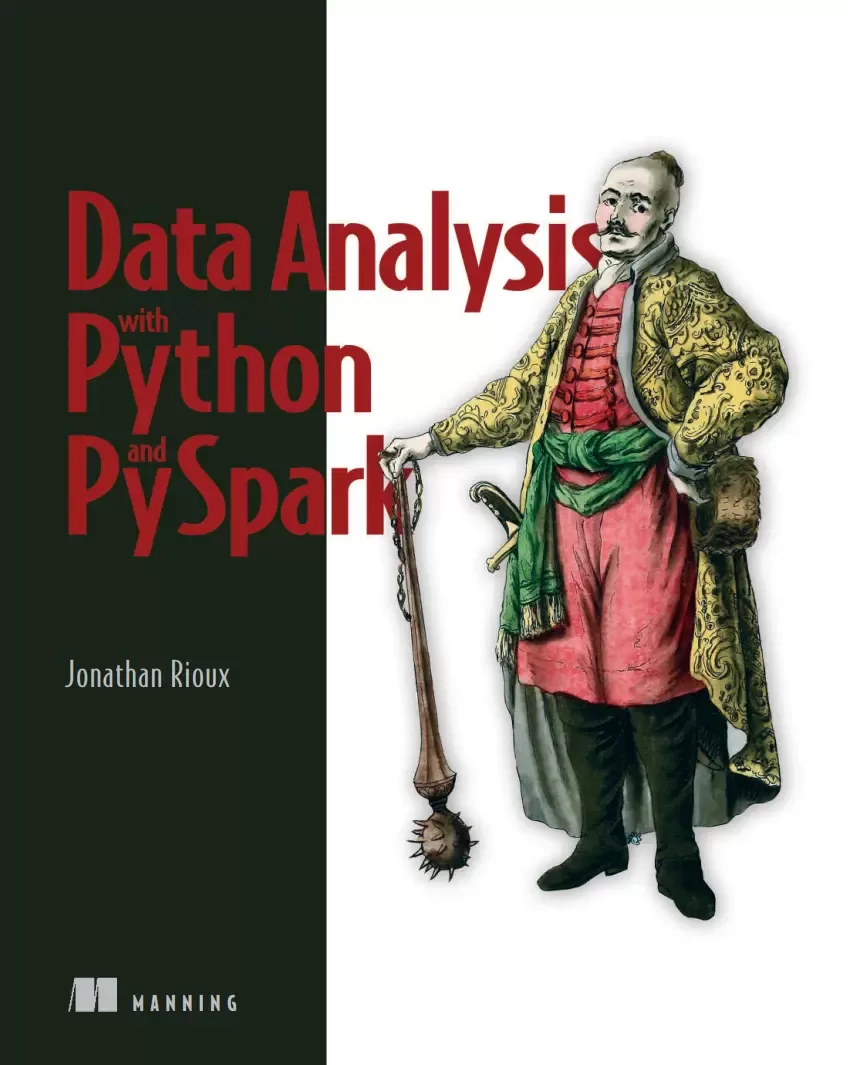
Оглавление⌄
Data Analysis with Python and PySpark....1 contents....5 preface....13 acknowledgments....15 about this book....17 Who should read this book....17 How this book is organized: A road map....18 About the code....18 liveBook discussion forum....19 about the author....20 about the cover illustration....21 1 Introduction....23 1.1 What is PySpark?....24 1.1.1 Taking it from the start: What is Spark?....24 1.1.2 PySpark = Spark + Python....25 1.1.3 Why PySpark?....26 1.2 Your very own factory: How PySpark works....28 1.2.1 Some physical planning with the cluster manager....29 1.2.2 A factory made efficient through a lazy leader....32 1.3 What will you learn in this book?....35 1.4 What do I need to get started?....36 Summary....36 Part 1—Get acquainted: First steps in PySpark....37 2 Your first data program in PySpark....39 2.1 Setting up the PySpark shell....40 2.1.1 The SparkSession entry point....42 2.1.2 Configuring how chatty spark is: The log level....44 2.2 Mapping our program....45 2.3 Ingest and explore: Setting the stage for data transformation....46 2.3.1 Reading data into a data frame with spark.read....47 2.3.2 From structure to content: Exploring our data frame with show()....50 2.4 Simple column transformations: Moving from a sentence to a list of words....53 2.4.1 Selecting specific columns using select()....54 2.4.2 Transforming columns: Splitting a string into a list of words....55 2.4.3 Renaming columns: alias and withColumnRenamed....57 2.4.4 Reshaping your data: Exploding a list into rows....58 2.4.5 Working with words: Changing case and removing punctuation....59 2.5 Filtering rows....62 Summary....64 Additional exercises....64 Exercise 2.2....64 Exercise 2.3....65 Exercise 2.4....65 Exercise 2.5....65 Exercise 2.6....66 Exercise 2.7....66 3 Submitting and scaling your first PySpark program....67 3.1 Grouping records: Counting word frequencies....68 3.2 Ordering the results on the screen using orderBy....70 3.3 Writing data from a data frame....72 3.4 Putting it all together: Counting....74 3.4.1 Simplifying your dependencies with PySpark’s import conventions....75 3.4.2 Simplifying our program via method chaining....76 3.5 Using spark-submit to launch your program in batch mode....78 3.6 What didn’t happen in this chapter....80 3.7 Scaling up our word frequency program....80 Summary....82 Additional Exercises....82 Exercise 3.3....82 Exercise 3.4....82 Exercise 3.5....83 Exercise 3.6....83 4 Analyzing tabular data with pyspark.sql....84 4.1 What is tabular data?....85 4.1.1 How does PySpark represent tabular data?....86 4.2 PySpark for analyzing and processing tabular data....87 4.3 Reading and assessing delimited data in PySpark....89 4.3.1 A first pass at the SparkReader specialized for CSV files....89 4.3.2 Customizing the SparkReader object to read CSV data files....91 4.3.3 Exploring the shape of our data universe....94 4.4 The basics of data manipulation: Selecting, dropping, renaming, ordering, diagnosing....95 4.4.1 Knowing what we want: Selecting columns....95 4.4.2 Keeping what we need: Deleting columns....98 4.4.3 Creating what’s not there: New columns with withColumn()....100 4.4.4 Tidying our data frame: Renaming and reordering columns....103 4.4.5 Diagnosing a data frame with describe() and summary()....105 Summary....107 Additional exercises....108 Exercise 4.3....108 Exercise 4.4....108 5 Data frame gymnastics: Joining and grouping....109 5.1 From many to one: Joining data....110 5.1.1 What’s what in the world of joins....110 5.1.2 Knowing our left from our right....111 5.1.3 The rules to a successful join: The predicates....112 5.1.4 How do you do it: The join method....114 5.1.5 Naming conventions in the joining world....118 5.2 Summarizing the data via groupby and GroupedData....122 5.2.1 A simple groupby blueprint....123 5.2.2 A column is a column: Using agg() with custom column definitions....127 5.3 Taking care of null values: Drop and fill....128 5.3.1 Dropping it like it’s hot: Using dropna() to remove records with null values....129 5.3.2 Filling values to our heart’s content using fillna()....130 5.4 What was our question again? Our end-to-end program....131 Summary....134 Additional exercises....134 Exercise 5.4....134 Exercise 5.5....134 Exercise 5.6....135 Exercise 5.7....135 Part 2—Get proficient: Translate your ideas into code....137 6 Multidimensional data frames: Using PySpark with JSON data....139 6.1 Reading JSON data: Getting ready for the schemapocalypse....140 6.1.1 Starting small: JSON data as a limited Python dictionary....141 6.1.2 Going bigger: Reading JSON data in PySpark....143 6.2 Breaking the second dimension with complex data types....145 6.2.1 When you have more than one value: The array....147 6.2.2 The map type: Keys and values within a column....151 6.3 The struct: Nesting columns within columns....153 6.3.1 Navigating structs as if they were nested columns....154 6.4 Building and using the data frame schema....157 6.4.1 Using Spark types as the base blocks of a schema....157 6.4.2 Reading a JSON document with a strict schema in place....160 6.4.3 Going full circle: Specifying your schemas in JSON....163 6.5 Putting it all together: Reducing duplicate data with complex data types....166 6.5.1 Getting to the “just right” data frame: Explode and collect....168 6.5.2 Building your own hierarchies: Struct as a function....170 Summary....171 Additional exercises....172 Exercise 6.4....172 Exercise 6.5....172 Exercise 6.6....172 Exercise 6.7....172 Exercise 6.8....172 7 Bilingual PySpark: Blending Python and SQL code....173 7.1 Banking on what we know: pyspark.sql vs. plain SQL....174 7.2 Preparing a data frame for SQL....176 7.2.1 Promoting a data frame to a Spark table....176 7.2.2 Using the Spark catalog....178 7.3 SQL and PySpark....179 7.4 Using SQL-like syntax within data frame methods....181 7.4.1 Get the rows and columns you want: select and where....181 7.4.2 Grouping similar records together: group by and order by....182 7.4.3 Filtering after grouping using having....183 7.4.4 Creating new tables/views using the CREATE keyword....185 7.4.5 Adding data to our table using UNION and JOIN....186 7.4.6 Organizing your SQL code better through subqueries and common table expressions....188 7.4.7 A quick summary of PySpark vs. SQL syntax....190 7.5 Simplifying our code: Blending SQL and Python....191 7.5.1 Using Python to increase the resiliency and simplifying the data reading stage....191 7.5.2 Using SQL-style expressions in PySpark....192 7.6 Conclusion....194 Summary....195 Additional exercises....195 Exercise 7.2....195 Exercise 7.3....196 Exercise 7.4....196 Exercise 7.5....196 8 Extending PySpark with Python: RDD and UDFs....197 8.1 PySpark, freestyle: The RDD....198 8.1.1 Manipulating data the RDD way: map(), filter(), and reduce()....199 8.2 Using Python to extend PySpark via UDFs....207 8.2.1 It all starts with plain Python: Using typed Python functions....208 8.2.2 From Python function to UDFs using udf()....210 Summary....213 Additional exercises....213 Exercise 8.3....213 Exercise 8.4....213 Exercise 8.5....213 Exercise 8.6....213 9 Big data is just a lot of small data: Using pandas UDFs....214 9.1 Column transformations with pandas: Using Series UDF....216 9.1.1 Connecting Spark to Google’s BigQuery....216 9.1.2 Series to Series UDF: Column functions, but with pandas....221 9.1.3 Scalar UDF + cold start = Iterator of Series UDF....224 9.2 UDFs on grouped data: Aggregate and apply....227 9.2.1 Group aggregate UDFs....229 9.2.2 Group map UDF....230 9.3 What to use, when....232 Summary....235 Additional exercises....235 Exercise 9.2....235 Exercise 9.3....235 Exercise 9.4....235 Exercise 9.5....236 10 Your data under a different lens: Window functions....237 10.1 Growing and using a simple window function....238 10.1.1 Identifying the coldest day of each year, the long way....239 10.1.2 Creating and using a simple window function to get the coldest days....241 10.1.3 Comparing both approaches....245 10.2 Beyond summarizing: Using ranking and analytical functions....246 10.2.1 Ranking functions: Quick, who’s first?....247 10.2.2 Analytic functions: Looking back and ahead....252 10.3 Flex those windows! Using row and range boundaries....254 10.3.1 Counting, window style: Static, growing, unbounded....255 10.3.2 What you are vs. where you are: Range vs. rows....257 10.4 Going full circle: Using UDFs within windows....261 10.5 Look in the window: The main steps to a successful window function....262 Summary....263 Additional Exercises....263 Exercise 10.4....263 Exercise 10.5....263 Exercise 10.6....264 Exercise 10.7....264 11 Faster PySpark: Understanding Spark’s query planning....266 11.1 Open sesame: Navigating the Spark UI to understand the environment....267 11.1.1 Reviewing the configuration: The environment tab....269 11.1.2 Greater than the sum of its parts: The Executors tab and resource management....271 11.1.3 Look at what you’ve done: Diagnosing a completed job via the Spark UI....276 11.1.4 Mapping the operations via Spark query plans: The SQL tab....279 11.1.5 The core of Spark: The parsed, analyzed, optimized, and physical plans....282 11.2 Thinking about performance: Operations and memory....285 11.2.1 Narrow vs. wide operations....286 11.2.2 Caching a data frame: Powerful, but often deadly (for perf)....291 Summary....295 Part 3—Get confident: Using machine learning with PySpark....297 12 Setting the stage: Preparing features for machine learning....299 12.1 Reading, exploring, and preparing our machine learning data set....300 12.1.1 Standardizing column names using toDF()....301 12.1.2 Exploring our data and getting our first feature columns....303 12.1.3 Addressing data mishaps and building our first feature set....305 12.1.4 Weeding out useless records and imputing binary features....308 12.1.5 Taking care of extreme values: Cleaning continuous columns....309 12.1.6 Weeding out the rare binary occurrence columns....312 12.2 Feature creation and refinement....313 12.2.1 Creating custom features....314 12.2.2 Removing highly correlated features....315 12.3 Feature preparation with transformers and estimators....318 12.3.1 Imputing continuous features using the Imputer estimator....320 12.3.2 Scaling our features using the MinMaxScaler estimator....322 Summary....324 13 Robust machine learning with ML Pipelines....325 13.1 Transformers and estimators: The building blocks of ML in Spark....326 13.1.1 Data comes in, data comes out: The Transformer....327 13.1.2 Data comes in, transformer comes out: The Estimator....332 13.2 Building a (complete) machine learning pipeline....334 13.2.1 Assembling the final data set with the vector column type....336 13.2.2 Training an ML model using a LogisticRegression classifier....338 13.3 Evaluating and optimizing our model....341 13.3.1 Assessing model accuracy: Confusion matrix and evaluator object....342 13.3.2 True positives vs. false positives: The ROC curve....345 13.3.3 Optimizing hyperparameters with cross-validation....347 13.4 Getting the biggest drivers from our model: Extracting the coefficients....350 Summary....352 14 Building custom ML transformers and estimators....353 14.1 Creating your own transformer....354 14.1.1 Designing a transformer: Thinking in terms of Params and transformation....355 14.1.2 Creating the Params of a transformer....357 14.1.3 Getters and setters: Being a nice PySpark citizen....359 14.1.4 Creating a custom transformer’s initialization function....362 14.1.5 Creating our transformation function....363 14.1.6 Using our transformer....365 14.2 Creating your own estimator....366 14.2.1 Designing our estimator: From model to params....367 14.2.2 Implementing the companion model: Creating our own Mixin....369 14.2.3 Creating the ExtremeValueCapper estimator....372 14.2.4 Trying out our custom estimator....374 14.3 Using our transformer and estimator in an ML pipeline....375 14.3.1 Dealing with multiple inputCols....375 14.3.2 In practice: Inserting custom components into an ML pipeline....378 Summary....381 Conclusion: Have data, am happy!....381 Appendix A—Solutions to the exercises....383 Chapter 2....383 Exercise 2.1....383 Exercise 2.2....384 Exercise 2.3....384 Exercise 2.4....384 Exercise 2.5....384 Exercise 2.6....385 Exercise 2.7....385 Chapter 3....385 Exercise 3.1....385 Exercise 3.2....385 Exercise 3.3....386 Exercise 3.4....387 Exercise 3.5....387 Exercise 3.6....388 Chapter 4....388 Exercise 4.1....388 Exercise 4.2....389 Exercise 4.3....389 Exercise 4.4....389 Chapter 5....390 Exercise 5.1....390 Exercise 5.2....390 Exercise 5.3....390 Exercise 5.4....390 Exercise 5.5....390 Exercise 5.6....391 Exercise 5.7....392 Chapter 6....392 Exercise 6.1....392 Exercise 6.2....393 Exercise 6.3....393 Exercise 6.4....393 Exercise 6.5....394 Exercise 6.6....395 Exercise 6.7....395 Exercise 6.8....395 Chapter 7....395 Exercise 7.1....395 Exercise 7.2....396 Exercise 7.3....396 Exercise 7.4....397 Exercise 7.5....398 Chapter 8....399 Exercise 8.1....399 Exercise 8.2....400 Exercise 8.3....400 Exercise 8.4....401 Exercise 8.5....401 Exercise 8.6....402 Chapter 9....402 Exercise 9.1....402 Exercise 9.2....402 Exercise 9.3....403 Exercise 9.4....404 Exercise 9.5....404 Chapter 10....405 Exercise 10.1....405 Exercise 10.2....405 Exercise 10.3....407 Exercise 10.4....407 Exercise 10.5....408 Exercise 10.6....408 Exercise 10.7....409 Chapter 11....409 Exercise 11.1....409 Exercise 11.2....410 Exercise 11.3....410 Chapter 13....410 Exercise 13.1....410 Appendix B—Installing PySpark....411 B.1 Installing PySpark on your local machine....411 B.2 Windows....412 B.2.1 Install Java....412 B.2.2 Install 7-zip....412 B.2.3 Download and install Apache Spark....412 B.2.4 Configure Spark to work seamlessly with Python....414 B.2.5 Install Python....414 B.2.6 Launching an IPython REPL and starting PySpark....414 B.2.7 (Optional) Install and run Jupyter to use a Jupyter notebook....415 B.3 macOS....415 B.3.1 Install Homebrew....415 B.3.2 Install Java and Spark....416 B.3.3 Configure Spark to work seamlessly with Python....416 B.3.4 Install Anaconda/Python....417 B.3.5 Launching an IPython REPL and starting PySpark....417 B.3.6 (Optional) Install and run Jupyter to use Jupyter notebook....417 B.4 GNU/Linux and WSL....418 B.4.1 Install Java....418 B.4.2 Installing Spark....418 B.4.3 Configure Spark to work seamlessly with Python....419 B.4.4 Install Python 3, IPython, and the PySpark package....419 B.4.5 Launch PySpark with IPython....419 B.4.6 (Optional) Install and run Jupyter to use Jupyter notebook....420 B.5 PySpark in the cloud....420 B.6 AWS....421 B.7 Azure....421 B.8 GCP....421 B.9 Databricks....422 Appendix C—Some useful Python concepts....430 C.1 List comprehensions....430 C.2 Packing and unpacking arguments (*args and **kwargs)....432 C.2.1 Argument unpacking....434 C.2.2 Argument packing....434 C.2.3 Packing and unpacking keyword arguments....435 C.3 Python’s typing and mypy/pyright....435 C.4 Python closures and the PySpark transform() method....439 C.5 Python decorators: Wrapping a function to change its behavior....442 index....445 Symbols....445 Numerics....445 A....445 B....445 C....446 D....447 E....447 F....448 G....448 H....449 I....449 J....449 K....449 L....449 M....450 N....451 O....451 P....451 Q....453 R....453 S....453 T....455 U....455 V....456 W....456
Описание
Ниже — практический обзор по теме «data».
Packed with relevant examples and essential techniques, this practical book teaches you to build pipelines for reporting, machine learning, and other data-centric tasks. In Data Analysis with Python and PySpark you will learn how to:Manage your data as it scales across multiple machinesScale up your data programs with full confidenceRead and write data to and from a variety of sources and formatsDeal with messy data with PySpark’s data manipulation functionalityDiscover new data sets and perform exploratory data analysisBuild automated data pipelines that transform, summarize, and get insights from dataTroubleshoot common PySpark errorsCreating reliable long-running jobsData Analysis with Python and PySpark is your guide to delivering successful Python-driven data projects. Quick exercises in every chapter help you practice what you’ve learned, and rapidly start implementing PySpark into your data systems. No previous knowledge of Spark is required.
PySpark wraps Spark’s core engine with a Python-based API. About the technologyThe Spark data processing engine is an amazing analytics factory: raw data comes in, insight comes out. It helps simplify Spark’s steep learning curve and makes this powerful tool available to anyone working in the Python data ecosystem.
You’ll learn how to scale your processing capabilities across multiple machines while ingesting data from any source—whether that’s Hadoop clusters, cloud data storage, or local data files. About the bookData Analysis with Python and PySpark helps you solve the daily challenges of data science with PySpark. Once you’ve covered the fundamentals, you’ll explore the full versatility of PySpark by building machine learning pipelines, and blending Python, pandas, and PySpark code.
What's insideOrganizing your PySpark codeManaging your data, no matter the sizeScale up your data programs with full confidenceTroubleshooting common data pipeline problemsCreating reliable long-running jobsAbout the readerWritten for data scientists and data engineers comfortable with Python.
На этом основные моменты по теме закрыты.
Поделиться
Частые вопросы
Можно ли скачать «Data Analysis with Python and PySpark» бесплатно?
Да, «Data Analysis with Python and PySpark» доступна для бесплатного скачивания на нашем сайте в формате PDF. Ссылка на файл находится на этой странице.
В каком формате и какого размера файл?
Книга предоставляется в формате PDF, размер файла 4,3 МБ.
Кто автор и когда вышла книга?
автор — Rioux Jonathan, издательство Manning Publications Co., год выпуска 2022, 458 страниц.
О чём книга «Data Analysis with Python and PySpark»?
In Data Analysis with Python and PySpark you will learn how to:Manage your data as it scales across multiple machinesScale up your data programs with full confidenceRead and write data to and from a variety of sources and formatsDeal with m
Похожие материалы
 Big Data Analytics
 Exploratory Data Analysis with Python Cookbook: Over 50 recipes to analyze, visualize, and extract insights from structured and unstructured data
 Наука о данных: Базовый курс
 Learning Spark: Lightning-Fast Data Analytics. 2 Ed
 Data Science. Наука о данных с нуля. 2 изд
 Mathematical Statistics with Applications in R. 3 Ed
 Рекомендательные системы на практике
 Анализ данных в науке и технике