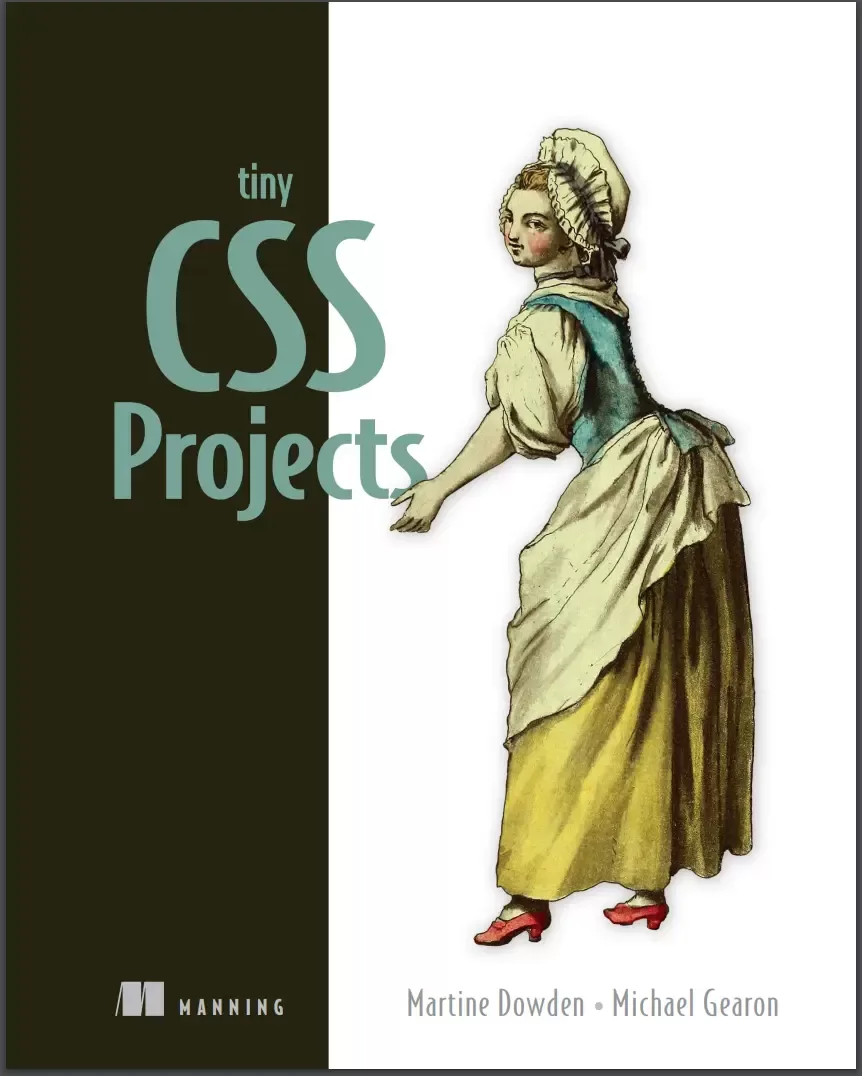
Tiny CSS Projects
Оглавление⌄
Tiny CSS Projects....1 brief contents....7 preface....14 acknowledgments....15 about this book....17 Who should read this book?....17 How this book is organized: A roadmap....17 About the code....18 liveBook discussion forum....19 Other online resources....19 about the authors....20 about the cover illustration....21 1 CSS introduction....23 1.1 Overview of CSS....23 1.1.1 Separation of Concerns....24 1.1.2 What is CSS?....25 1.2 Getting started with CSS by creating an article layout....26 1.3 Adding CSS to our HTML....30 1.3.1 Inline CSS....30 1.3.2 Embedded CSS....32 1.3.3 External CSS....34 1.4 The cascade of CSS....35 1.4.1 User-agent stylesheets....35 1.4.2 Author stylesheets....35 1.4.3 User stylesheets....35 1.4.4 CSS reset....36 1.4.5 Normalizer....37 1.4.6 The !important annotation....39 1.5 Specificity in CSS....39 1.6 CSS selectors....41 1.6.1 Basic selectors....41 1.6.2 Combinators....44 1.6.3 Pseudo-class and pseudo-element selectors....49 1.6.4 Attribute value selectors....53 1.6.5 Universal selector....54 1.7 Different ways to write CSS....54 1.7.1 Shorthand....54 1.7.2 Formatting....56 Summary....57 2 Designing a layout using CSS Grid....59 2.1 CSS Grid....60 2.2 Display grid....64 2.3 Grid tracks and lines....65 2.3.1 Repeating columns....66 2.3.2 The minmax() function....67 2.3.3 The auto keyword....67 2.3.4 The fractions (fr) unit....67 2.4 Grid template areas....70 2.4.1 The grid-area property....73 2.4.2 The gap property....75 2.5 Media queries....76 2.6 Accessibility considerations....78 Summary....80 3 Creating a responsive animated loading screen....82 3.1 Setup....83 3.2 SVG basics....83 3.2.1 Positions of SVG elements....85 3.2.2 Viewport....86 3.2.3 Viewbox....88 3.2.4 Shapes in SVG....89 3.3 Applying styles to SVGs....90 3.4 Animating elements in CSS....93 3.4.1 Keyframe and animation-name....93 3.4.2 The duration property....97 3.4.3 The iteration-count property....98 3.4.4 The animation shorthand property....99 3.4.5 The animation-delay property....99 3.4.6 The transform-origin property....101 3.5 Accessibility and the prefers-reduced-motion media query....103 3.6 Styling an HTML progress bar....105 3.6.1 Styling the progress bar....105 3.6.2 Styling the progress bar for -webkit- browsers....107 3.6.3 Styling the progress bar for -moz- browsers....109 Summary....111 4 Creating a responsive web newspaper layout....113 4.1 Setting up our theme....115 4.1.1 Fonts....116 4.1.2 The font-weight property....119 4.1.3 The font shorthand property....120 4.1.4 Visual hierarchy....120 4.1.5 Inline versus block elements....121 4.1.6 Quotes....123 4.2 Using CSS counters....124 4.2.1 The symbols descriptor....125 4.2.2 The system descriptor....125 4.2.3 The suffix descriptor....125 4.2.4 Putting everything together....126 4.2.5 @counter versus list-style-image....126 4.3 Styling images....126 4.3.1 Using the filter property....127 4.3.2 Handling broken images....128 4.3.3 Formatting captions....130 4.4 Using the CSS Multi-column Layout Module....132 4.4.1 Creating media queries....132 4.4.2 Defining and styling columns....132 4.4.3 Using the column-rule property....134 4.4.4 Adjusting spacing with the column-gap property....135 4.4.5 Making content span multiple columns....136 4.4.6 Controlling content breaks....137 4.5 Adding the finishing touches....137 4.5.1 Justifying and hyphenating text....138 4.5.2 Wrapping the text around the image....140 4.5.3 Using max-width and a margin value of auto....141 Summary....142 5 Summary cards with hover interactions....143 5.1 Getting started....145 5.2 Laying out the page using grid....146 5.2.1 Layout using grid....147 5.2.2 Media queries....149 5.3 Styling the header using the background-clip property....152 5.3.1 Setting the font....152 5.3.2 Using background-clip....153 5.4 Styling the cards....155 5.4.1 Outer card container....155 5.4.2 Inner container and content....157 5.5 Using transitions to animate content on hover and focus-within....161 Summary....167 6 Creating a profile card....168 6.1 Starting the project....169 6.2 Setting CSS custom properties....171 6.3 Creating full-height backgrounds....172 6.4 Styling and centering the card using Flexbox....173 6.5 Styling and positioning the profile picture....176 6.5.1 The object-fit property....177 6.5.2 Negative margins....178 6.6 Setting the background size and position....182 6.7 Styling the content....185 6.7.1 Name and job title....185 6.7.2 The space-around and gap properties....187 6.7.3 The flex-basis and flex-shrink properties....189 6.7.4 The flex-direction property....190 6.7.5 Paragraph....191 6.7.6 The flex-wrap property....192 6.8 Styling the actions....194 Summary....196 7 Harnessing the full power of float....198 7.1 Adding a drop cap....202 7.1.1 Leading....202 7.1.2 Justification....202 7.1.3 First letter....203 7.2 Styling the quote....205 7.3 Curving text around the compass....206 7.3.1 Adding shape-outside: circle....207 7.3.2 Adding a clip-path....209 7.3.3 Creating a shape using border-radius....210 7.4 Wrapping text around the dog....212 7.4.1 Using path() . . . or not yet....212 7.4.2 Floating the image....213 7.4.3 Adding shape-margin....214 Summary....217 8 Designing a checkout cart....218 8.1 Getting started....219 8.2 Theming....222 8.2.1 Typography....222 8.2.2 Links and buttons....224 8.2.3 Input fields....228 8.2.4 Table....229 8.2.5 Description list....234 8.2.6 Cards....235 8.3 Mobile layout....237 8.3.1 Table mobile view....237 8.3.2 Description list....243 8.3.3 Call-to-action links....245 8.3.4 Padding, margin, and margin collapse....246 8.4 Medium screen layout....247 8.4.1 Right-justified numbers....247 8.4.2 Left-justifying the first two columns....250 8.4.3 Right-justifying numbers in the input fields....251 8.4.4 Cell padding and margin....251 8.5 Wide screens....252 Summary....256 9 Creating a virtual credit card....258 9.1 Getting started....259 9.2 Creating the layout....261 9.2.1 Sizing the card....262 9.2.2 Styling the front of the card....263 9.2.3 Laying out the back of the card....267 9.3 Working with background images....270 9.3.1 Background property shorthand....270 9.3.2 Text color....272 9.4 Typography....274 9.4.1 @font-face....275 9.4.2 Creating fallbacks using @supports....277 9.4.3 Font sizing and typography improvements....279 9.5 Creating the flipping-over effect....281 9.5.1 Position....281 9.5.2 Transitions and backface-visibility....283 9.5.3 The transition property....285 9.5.4 The cubic-bezier() function....285 9.6 Border radius....288 9.7 Box and text shadows....289 9.7.1 The drop-shadow function versus the box-shadow property....289 9.7.2 Text shadows....290 9.8 Wrapping up....291 Summary....292 10 Styling forms....293 10.1 Setting up....294 10.2 Resetting fieldset styles....297 10.3 Styling input fields....298 10.3.1 Styling text and email inputs....298 10.3.2 Making selects and textareas match the input styles....300 10.3.3 Styling radio inputs and check boxes....302 10.3.4 Using the :where() and :is() pseudo-classes....306 10.3.5 Styling selected radio and checkbox inputs....306 10.3.6 Using the :checked pseudo-class....308 10.3.7 Shaping the selected radio buttons’ inner disk....309 10.3.8 Using CSS shapes to create the check mark....310 10.3.9 Calculating specificity with :is() and :where()....312 10.4 Styling drop-down menus....312 10.5 Styling labels and legends....315 10.6 Styling the placeholder text....316 10.7 Styling the Send button....317 10.8 Error handling....318 10.9 Adding hover and focus styles to form elements....322 10.9.1 Using :focus versus :focus-visible....323 10.9.2 Adding hover styles....325 10.10 Handling forced-colors mode....325 Summary....328 11 Animated social media share links....330 11.1 Working with CSS architecture....331 11.1.1 OOCSS....331 11.1.2 SMACSS....331 11.1.3 BEM....332 11.2 Setting up....332 11.3 Sourcing icons....334 11.3.1 Media icons....334 11.3.2 Icon libraries....335 11.4 Styling the block....335 11.5 Styling the elements....336 11.5.1 Share button....336 11.5.2 Share menu....337 11.5.3 Share links....338 11.5.4 scale()....339 11.5.5 The inherit property value....340 11.6 Animating the component....341 11.6.1 Creating a transition....341 11.6.2 Opening and closing the component....342 11.6.3 Animating the menu....348 Summary....351 12 Using preprocessors....352 12.1 Running the preprocessor....353 12.1.1 Setup instructions for npm....353 12.1.2 .sass versus .scss....355 12.1.3 Setup instructions for CodePen....356 12.1.4 Starting HTML and SCSS....356 12.2 Sass variables....360 12.2.1 @extend....363 12.3 @mixin and @include....364 12.3.1 object-fit property....365 12.3.2 Interpolation....366 12.3.3 Using mixins....366 12.3.4 border-radius shorthand....369 12.4 Nesting....369 12.5 @each....371 12.6 Color functions....375 12.7 @if and @else....377 12.8 Final thoughts....379 Summary....381 appendix....382 Working with vendor prefixes and feature flags....382 Using browser developer tools....383 index....385 Symbols....385 Numerics....385 A....385 B....385 C....386 D....386 E....386 F....387 G....387 H....387 I....387 J....387 K....387 L....388 M....388 N....388 O....388 P....388 Q....388 R....388 S....388 T....389 U....389 V....389 W....390 X....390 Y....390
Описание
Ниже — практический обзор по теме «projects».
Tiny CSS Projects teaches you how to make beautiful websites and applications by guiding you through a dozen fun coding challenges. The projects may be tiny, but the CSS skills you’ll learn are huge! You’ll learn important skills through hands-on practice as you tinker with your own code and make real creative decisions about the projects you’re building. You’ll rapidly master the basics and then press on into CSS’s exciting layout features including grid and flexbox, animations, transitions, and media queries.
With Cascading Style Sheets you can control color, layout, and typography to make your sites both functional and beautiful. About the TechnologyDon’t settle for boring web pages! CSS is an essential skill for web developers and designers. This book will help you get started the right way.
Each interesting challenge starts with a downloadable HTML skeleton. About the BookTiny CSS Projects builds your CSS skills by guiding you through 12 creative mini-projects. As you flesh it out with your own design ideas, you’ll master CSS concepts like transitions, layout, and styling forms, and explore powerful features including Flexbox and Grid. When you finish, you’ll have an exciting portfolio of designs ready to go for your next project. All the skills you’ll learn are easy to transfer to full-size applications.
What's InsideTransitions and animations using keyframesLayout techniques including Grid and FlexboxStyling form elements including radio buttonsEmbedding fonts and typography-related stylesConditional styling using pseudo-elements and media queriesAbout the readerFor readers who know the basics of HTML and frontend development. No previous experience with CSS is required.
На этом основные моменты по теме закрыты.
Поделиться
Частые вопросы
Можно ли скачать «Tiny CSS Projects» бесплатно?
Да, «Tiny CSS Projects» доступна для бесплатного скачивания на нашем сайте в формате PDF. Ссылка на файл находится на этой странице.
В каком формате и какого размера файл?
Книга предоставляется в формате PDF, размер файла 12,9 МБ.
Кто автор и когда вышла книга?
автор — Dowden Martine , Gearon Michael, издательство Manning Publications Co., год выпуска 2023, 392 страниц.
О чём книга «Tiny CSS Projects»?
The projects may be tiny, but the CSS skills you’ll learn are huge!
Похожие материалы
 HTML and CSS: Visual QuickStart Guide. 9 Ed
 HTML & CSS: Learn The Fundamentals In 7 days
 Шпаргалки для начинающего верстальщика HTML/CSS
 Веб-дизайн для начинающих. HTML, CSS, JavaScript и веб-графика. 5 изд
 HTML, CSS & JavaScript in easy steps. Special Edition
 The Absolute Beginner's Guide to HTML and CSS: A Step-by-Step Guide with Examples and Lab Exercises
 HTML5 + CSS3. Основы современного WEB-дизайна
 Responsive Web Design with HTML5 and CSS: Develop future-proof responsive websites using the latest HTML5 and CSS techniques. 3 Ed