The Quick Python Book. 4 Ed
Оглавление⌄
foreword xviiipreface xxacknowledgments xxiiabout this book xxivabout the author xxixabout the cover illustration xxxPart 1 Starting out 11 About Python 31.1 Why should I use Python? 41.2 What Python does well 4Python is easy to use 4 Python is expressive 5Python is readable 5Python is complete: “Batteries included” 6Python has a rich ecosystem of third-party libraries 7Python is cross-platform 7Python is free 71.3 What Python is improving 8Python is getting faster 8Python doesn’t enforce variable types at compile time 8Python is improving mobile support 9Python is improving support for multiple processors 92 Getting started 112.1 Paradox of choice: Which Python? 12Python versions 12Sources of Python 12Devices, platforms, and operating systems 13 Environments and tools 132.2 Colaboratory: Jupyter notebooks in the cloud 13Getting the source notebooks 14Getting started with Colaboratory 14Colaboratory’s Python version 162.3 Writing and running code in Colaboratory 17Hello, World 18Dealing with errors in Jupyter 182.4 Using help and dir to explore Python 192.5 Using AI tools to write Python code 22Benefits of AI tools 22Negatives of using AI tools 22AI options 233 The quick Python overview 243.1 Python synopsis 253.2 Built-in data types 25Numbers 25Lists 27Tuples 30Strings 30Dictionaries 31Sets, frozensets 32File objects 323.3 Type hints in Python 343.4 Control flow structures 34Boolean values and expressions 34The if-elif-else statement 34Structural pattern matching with match 35The while loop 35The for loop 36Function definition 36Exceptions 37Context handling using the with keyword 383.5 Module creation 383.6 Object-oriented programming 40Part 2 The essentials 434 The absolute basics 454.1 Indentation and block structuring 454.2 Differentiating comments 474.3 Variables and assignments 474.4 Optional type hints in Python 50Why use type hints? 51Why not use type hints? 51Progressive typing 514.5 Expressions 524.6 Strings 524.7 Numbers 53Built-in numeric functions 55Advanced numericfunctions 55Numeric computation 55Complex numbers 55Advanced complex-number functions 564.8 The None value 574.9 Getting input from the user 584.10 Built-in operators 584.11 Basic Python style 585 Lists, tuples, and sets 615.1 Lists are like arrays 625.2 List indices 635.3 Modifying lists 655.4 Sorting lists 68Custom sorting 69The sorted () function 705.5 Other common list operations 71List membership with the in operator 71List concatenation with the + operator 72List initialization with the * operator 72List minimum or maximum with min and max 72List search with index 73List matches with count 73Summary of list operations 745.6 Nested lists and deep copies 755.7 Tuples 77Tuple basics 77One-element tuples need a comma 79Packing and unpacking tuples 80Converting between lists and tuples 825.8 Sets 82Set operations 82Frozen sets 835.9 Lab: Examining a list 84Why solve it the old-fashioned way? 84Solving the problem with AI code generation 85Solutions and discussion 866 Strings 896.1 Strings as sequences of characters 896.2 Basic string operations 906.3 Special characters and escape sequences 91Basic escape sequences 91Numeric (octal and hexadecimal) and Unicode escape sequences 92Printing vs. evaluatingstrings with special characters 936.4 String methods 94The split and join string methods 94Converting strings to numbers 96Getting rid of extra whitespace 97String searching 99Modifying strings 101Modifying strings with list manipulations 102Useful methods and constants 1036.5 Converting objects to strings 1056.6 Using the format method 106The format method and positional parameters 106The format method and named parameters 107Format specifiers 1076.7 String interpolation with f-strings 1086.8 Formatting strings with % 109Using formatting sequences 110Named parameters and formatting sequences 1116.9 Bytes 1126.10 Preprocessing text 113Solving the problem with AI-generated code 114Solutions and discussion 1147 Dictionaries 1187.1 What is a dictionary? 1197.2 Other dictionary operations 1217.3 Word counting 1247.4 What can be used as a key? 1257.5 Sparse matrices 1267.6 Dictionaries as caches 1277.7 Efficiency of dictionaries 1287.8 Word counting 128Solving the problem with AI-generated code 129Solutions and discussion 1298 Control flow 1338.1 The if-elif-else statement 1338.2 Structural pattern matching with match 1358.3 The while loop 1358.4 The for loop 137The range function 1378.5 Controlling range with starting and stepping values 1388.6 The for loop and tuple unpacking 1398.7 The enumerate function 1398.8 The zip function 1408.9 List, set, and dictionary comprehensions 140Generator expressions 1428.10 Statements, blocks, and indentation 1428.11 Boolean values and expressions 145Most Python objects can be used as Booleans 146Comparison and Boolean operators 1468.12 Writing a simple program to analyze a text file 1488.13 Refactoring word_count 149Solving the problem with AI-generated code 149Solutions and discussion 1499 Functions 1539.1 Basic function definitions 1539.2 Function parameter options 155Positional parameters 155Passing arguments by parameter name 156Variable numbers of arguments 157Mixing argument-passing techniques 1589.3 Mutable objects as arguments 159Mutable objects as default values 1609.4 Local, nonlocal, and global variables 1619.5 Assigning functions to variables 1649.6 lambda expressions 1649.7 Generator functions 1659.8 Decorators 1679.9 Useful functions 168Solving the problem with AI-generated code 168Solutions and discussion 16810 Modules and scoping rules 17610.1 What is a module? 17710.2 A first module 17710.3 The import statement 18110.4 The module search path 182Where to place your own modules 18310.5 Private names in modules 18410.6 Library and third-party modules 18510.7 Python scoping rules and namespaces 186The built-in namespace 19010.8 Creating a module 193Solving the problem with AI-generated code 193Solutions and discussion 19411 Python programs 20311.1 Creating a very basic program 204Starting a script from a command line 204Command-line arguments 205Executing code only as main script 206Redirecting the input and output of a script 206The argparse module 208Using the fileinput module 20911.2 Running scripts in different operating systems 211Making a script directly executable on UNIX 211Scripts on macOS 212Script execution options in Windows 21211.3 Programs and modules 21311.4 Distributing Python applications 219Wheels packages 219zipapp and pex 219py2exe and py2app 220Creating executable programs with freeze 22011.5 Creating a program 220Solving the problem with AI-generated code 220Solutions and discussion 22112 Using the filesystem 22812.1 os and os.path vs. pathlib 22912.2 Paths and pathnames 229Absolute and relative paths 230The current working directory 231Accessing directories with pathlib 232Manipulating pathnames 232Manipulating pathnames with pathlib 235Useful constants and functions 23612.3 Getting information about files 237Getting information about files with scandir 23912.4 More filesystem operations 239More filesystem operations with pathlib 24112.5 Processing all files in a directory subtree 24412.6 More file operations 245Solving the problem with AI-generated code 245Solutions and discussion 24613 Reading and writing files 25613.1 Opening files and file objects 25713.2 Closing files 25713.3 Opening files in write or other modes 25813.4 Functions to read and write text or binary data 258Using binary mode 26013.5 Reading and writing with pathlib 26113.6 Terminal input/output and redirection 26213.7 Handling structured binary data with the struct module 26513.8 Pickling objects to files 267Reasons not to pickle 27113.9 Shelving objects 27113.10 Final fixes to wc 273Solving the problem with AI-generated code 274Solutions and discussion 27414 Exceptions 28114.1 Introduction to exceptions 282General philosophy of errors and exception handling 282A more formal definition of exceptions 284Handling different types of exceptions 28414.2 Exceptions in Python 285Types of Python exceptions 286Raising exceptions 288Catching and handling exceptions 289Defining new exceptions 290Exception groups 292Debugging programs with the assert statement 292The exception inheritance hierarchy 293Example: A disk-writing program in Python 294Example: Exceptions in normal evaluation 295Where to use exceptions 29614.3 Context managers using the with keyword 29614.4 Adding exceptions 298Solving the problem with AI-generated code 298Solutions and discussion 298Part 3 Advanced language features 30715 Classes and object-oriented programming 30915.1 Defining classes 310Using a class instance as a structure or record 31015.2 Instance variables 31115.3 Methods 31215.4 Class variables 314An oddity with class variables 31515.5 Static methods and class methods 316Static methods 316Class methods 31815.6 Inheritance 31915.7 Inheritance with class and instance variables 32115.8 Recap: Basics of Python classes 32215.9 Private variables and private methods 32515.10 Using @property for more flexible instance variables 32615.11 Scoping rules and namespaces for class instances 32815.12 Destructors and memory management 33215.13 Multiple inheritance 33215.14 HTML classes 334Solving the problem with AI-generated code 334Solutions and discussion 33416 Regular expressions 33916.1 What is a regular expression? 34016.2 Regular expressions with special characters 34016.3 Regular expressions and raw strings 341Raw strings to the rescue 34216.4 Extracting matched text from strings 34316.5 Substituting text with regular expressions 347Using a function with sub 34716.6 Phone number normalizer 348Solving the problem with AI-generated code 349Solutions and discussion 34917 Data types as objects 35517.1 Types are objects too 35617.2 Using types 35617.3 Types and user-defined classes 35717.4 Duck typing 35917.5 What is a special method attribute? 36017.6 Making an object behave like a list 36117.7 The __getitem__ special method attribute 362How it works 363Implementing full list functionality 36417.8 Giving an object full list capability 36417.9 Subclassing from built-in types 367Subclassing list 367Subclassing UserList 36817.10 When to use special method attributes 36917.11 Creating a string-only key-value dictionary 370Solving the problem with AI-generated code 370Solutions and discussion 37118 Packages 37518.1 What is a package? 37618.2 A first example: mathproj 37618.3 Implementing the mathproj package 377__init__.py files in packages 379Basic use of the mathproj package 380Loading subpackages and submodules 380import statements within packages 38118.4 The __all__ attribute 38218.5 Proper use of packages 38318.6 Creating a package 384Solving the problem with AI-generated code 384Solutions and discussion 38419 Using Python libraries 39719.1 “Batteries included”: The standard library 398Managing various data types 398Manipulating files and storage 400Accessing operating system services 400Using internet protocols and formats 401Development and debugging tools and runtime services 40219.2 Moving beyond the standard library 40319.3 Adding more Python libraries 40319.4 The Python Package Index 40319.5 Installing Python libraries using pip and venv 404Installing with the --user flag 405Virtual environments 405Other options 406Part 4 Working with data.................................... 40920 Basic file wrangling 41120.1 The problem: The never-ending flow of data files 41120.2 Scenario: The product feed from hell 41220.3 More organization 41420.4 Saving storage space: Compression and grooming 416Compressing files 416Grooming files 41821 Processing data files 42021.1 Welcome to ETL 42021.2 Reading text files 421Text encoding: ASCII, Unicode, and others 421Unstructured text 423Delimited flat files 425The csv module 427Reading a csv file as a list of dictionaries 43021.3 Excel files 43021.4 Data cleaning 432Cleaning 432Sorting 433Data cleaning problems and pitfalls 43521.5 Writing data files 435CSV and other delimited files 435Writing Excel files 437Packaging data files 43721.6 Weather observations 437Solving the problem with AI-generated code 438Solutions and discussion 43822 Data over the network 44322.1 Fetching files 443Using Python to fetch files from an FTP server 444Fetching files with SFTP 445Retrieving files over HTTP/HTTPS 44622.2 Fetching data via an API 44722.3 Structured data formats 450JSON data 450XML data 45422.4 Scraping web data 45722.5 Tracking the weather 461Solving the problem with AI-generated code 461Solutions and discussion 46123 Saving data 46623.1 Relational databases 467The Python database API 46723.2 SQLite: Using the sqlite3 database 46723.3 Using MySQL, PostgreSQL, and other relational databases 47023.4 Making database handling easier with an object relational mapper 470SQLAlchemy 471Using Alembic for database schema changes 47523.5 NoSQL databases 47823.6 Key-value stores with Redis 47823.7 Documents in MongoDB 48223.8 Creating a database 48624 Exploring data 48824.1 Python tools for data exploration 488Python’s advantages for exploring data 489Python can be better than a spreadsheet 48924.2 Python and pandas 489Why you might want to use pandas 489Installing pandas 490Data frames 49024.3 Data cleaning 492Loading and saving data with pandas 492Data cleaning with a data frame 49524.4 Data aggregation and manipulation 497Merging data frames 497Selecting data 498Grouping and aggregation 50024.5 Plotting data 50124.6 Why you might not want to use pandas 502Case study 504appendix A guide to Python’s documentation 521index 539
Описание
В этом материале разберём тему: python.
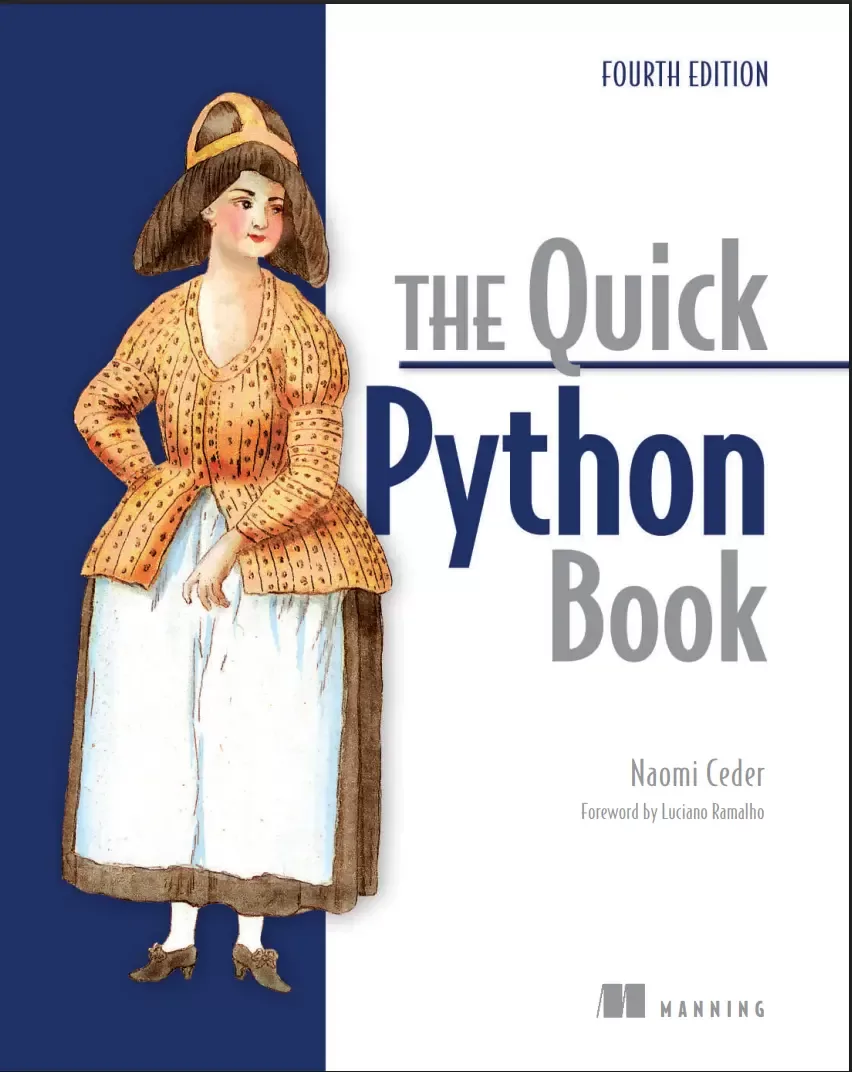
For over 25 years, The Quick Python Book has been one of the best Python books money can buy. A fast-paced introduction to Python for intermediate developers–now with coverage of generative AI! It concisely covers programming basics, while introducing Python's comprehensive standard library and unique features in depth and detail. In this fourth edition, you’ll find new coverage of AI coding tools like Copilot and Google's Colaboratory (Colab), and develop a mindset that can make the most of AI.
Python authority and former Chair of the Python Software Foundation Board or Directors Naomi Ceder has returned to author this extensively revised fourth edition. The Quick Python Book, Fourth Edition includes:Python syntax, data structures, and best practicesPython as an object oriented languageCommon Python librariesBasic data handling with PythonUsing AI code generation tools with PythonWhether you’re new to Python or looking to advance your basic skills, The Quick Python Book, Fourth Edition will get you writing effective Python code fast. With the personal touch of a skilled teacher, Naomi beautifully balances details of the language with the insights and advice you need to handle any task.
High-performance web apps. About the technologySystem automation. Cloud and back-end services. No matter what you’re building, it pays to know how to read and write Python! Cutting edge AI. The Quick Python Book has helped over 100,000 developers get up to speed with the Python programming language. This revised Fourth Edition, fully updated for Python 3.13, explores the latest features and libraries and shows you how to code smarter with AI tools like ChatGPT.
Written for developers comfortable with another programming language, it dives right into the good stuff. About the bookThe Quick Python Book, Fourth Edition teaches you the essential Python features and techniques you need for most common scripting, application programming, and data science tasks. New interactive notebooks, quick-check questions, and end-of-chapter labs all help practice and consolidate your new skills. Plus, you’ll find practical advice on writing prompts and using AI assistants to accelerate your day-to-day work.
What's insidePython syntax, data structures, and best practicesObject-oriented PythonMust-know Python librariesData handlingAbout the readerFor beginning-intermediate programmers. No prior experience with Python required.
Файл доступен для загрузки ниже.
Поделиться
Частые вопросы
Можно ли скачать «The Quick Python Book. 4 Ed» бесплатно?
Да, «The Quick Python Book. 4 Ed» доступна для бесплатного скачивания на нашем сайте в формате PDF. Ссылка на файл находится на этой странице.
В каком формате и какого размера файл?
Книга предоставляется в формате PDF, размер файла 2,4 МБ.
Кто автор и когда вышла книга?
автор — Ceder Naomi, издательство Manning Publications Co., год выпуска 2025, 584 страниц.
О чём книга «The Quick Python Book. 4 Ed»?
A fast-paced introduction to Python for intermediate developers–now with coverage of generative AI!For over 25 years, The Quick Python Book has been one of the best Python books money can buy.
Похожие материалы
 Основы программирования на Python
 Python для детей. Самоучитель по программированию
 Python. Сборник упражнений. Введение в язык Python с задачами и решениями
 Структуры данных в Python: начальный курс
 Python за 7 дней. Краткий курс для начинающих
 Python in a Nutshell: A Desktop Quick Reference. 4 Ed
 Python for Microcontrollers: Getting Started with MicroPython
 Programming with MicroPython