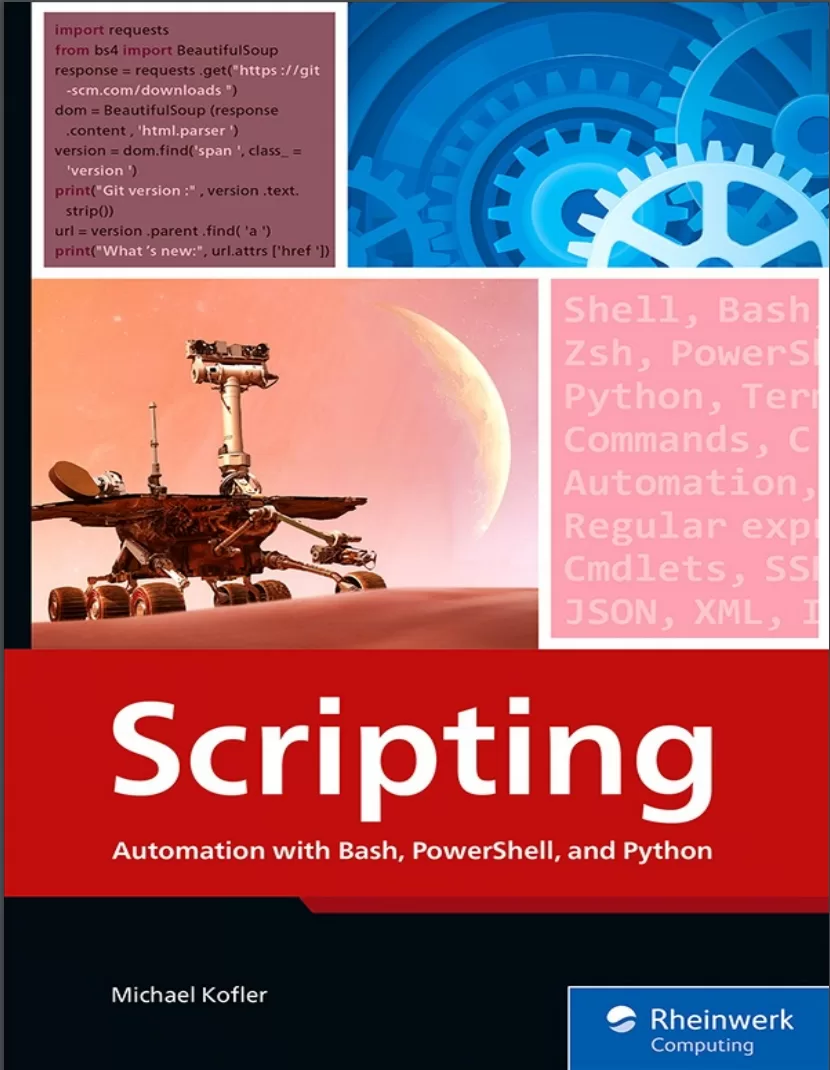
Scripting: Automation with Bash, PowerShell, and Python
Оглавление⌄
Notes on Usage....4 Table of Contents....6 Preface....31 Bash, PowerShell, or Python?....31 About This Book....32 Part I Scripting Languages....35 1 Scripting: Doing One Thing....36 1.1 What Does Scripting Mean?....36 1.1.1 Scripting versus Programming....37 1.1.2 Glue Languages and Glue Code....38 1.1.3 Do One Thing and Do It Well....39 1.2 Scripting Languages....41 1.2.1 Bash and Zsh....42 1.2.2 PowerShell....44 1.2.3 Python....45 1.2.4 Many Similarities, Even More Differences....46 1.3 The Agony of Choice....47 2 Ten Times Ten Lines....50 2.1 Markdown Spell Checker (Bash)....51 2.2 Sorting Images by Date (PowerShell)....53 2.3 Converting a JSON File to XML Format (Python)....54 2.4 Daily Server Backups (Bash)....56 2.5 Web Scraping (Python)....57 2.6 Logging Weather Data (Python)....59 2.7 Microsoft Hyper-V Cleanup (PowerShell)....60 2.8 Statistical Analysis of a Logging File (Bash)....61 2.9 Uploading Files to the Cloud (PowerShell)....62 2.10 Cloning Virtual Machines (Bash)....63 3 Bash and Zsh....64 3.1 Terminal, Shell, and Bash....64 3.1.1 Determining the Current Shell....65 3.2 Installation....67 3.2.1 Using Bash in a Virtual Machine....67 3.2.2 Windows Subsystem for Linux....68 3.2.3 Git Bash....70 3.2.4 Docker....70 3.2.5 Bash Configuration (/etc/profile and .bashrc)....70 3.3 Running Commands Interactively....72 3.3.1 Operating the Terminal....74 3.3.2 Online Help....75 3.3.3 Command Reference....75 3.4 Zsh as an Alternative to Bash....77 3.4.1 Installation....77 3.4.2 Zsh Configuration (/etc/zshrc and .zshrc)....78 3.4.3 Oh My Zsh....78 3.5 The First Bash Script....80 3.5.1 Hash Bang (Shebang)....80 3.5.2 Shebang Variants....80 3.5.3 Making the Script Executable (chmod +x)....81 3.5.4 Hello, World!....82 3.5.5 Elementary Syntax Rules....83 3.5.6 A “Real” Example: Backup Script....84 3.5.7 Running Scripts without ./....86 3.6 Running Commands....88 3.6.1 Serial Execution....88 3.6.2 Conditional Command Execution....88 3.6.3 Running Commands in the Background....90 3.6.4 Running Commands in a Subshell....90 3.7 Standard Input and Standard Output....92 3.7.1 Redirecting Input and Output....92 3.7.2 The Pipe Operator....94 3.7.3 Redirecting and Displaying Outputs at the Same Time....95 3.8 Globbing, Brace Extension, and Handling File and Directory Names....96 3.8.1 Recursive Globbing....98 3.8.2 Access to Important Directories....98 3.8.3 Brace Extension....98 3.8.4 Filenames and Directory Names with Spaces....99 3.9 Variables....101 3.9.1 Initializing and Deleting Variables....101 3.9.2 Declaring Variables....102 3.9.3 Performing Calculations in Bash....102 3.9.4 Arrays....103 3.9.5 Predefined Variables....105 3.9.6 Environment Variables....106 3.10 Strings....108 3.10.1 Single versus Double Quotation Marks....108 3.10.2 Outputting Strings (echo)....109 3.10.3 Colors....110 3.10.4 Entering or Reading Character Strings (read)....111 3.10.5 Substitution and Expansion Mechanisms....112 3.10.6 Parameter Substitution....113 3.10.7 Heredocs and Herestrings....116 3.10.8 The Backslash....117 3.11 Branches....119 3.11.1 if Short Notation with && or ||....119 3.11.2 Conditions....120 3.11.3 Branches with case....123 3.11.4 Parameter Analysis via case....124 3.12 Loops....127 3.12.1 Processing Filenames with Spaces....128 3.12.2 while and until....129 3.12.3 Loops over Text Files....130 3.13 Functions....132 3.13.1 Local Variables....132 3.14 Error Protection....134 3.14.1 Detecting Errors....134 3.14.2 Canceling in Case of Errors....134 3.14.3 exit....135 3.14.4 Responding to Signals (trap)....135 3.14.5 Timeout....136 4 PowerShell....138 4.1 Installation....139 4.1.1 Installation on Linux....141 4.1.2 Installation on macOS....142 4.1.3 Limitations of PowerShell on Windows versus Linux/macOS....142 4.1.4 Configuration....143 4.2 Windows Terminal....145 4.2.1 Configuration....146 4.2.2 Operation....147 4.3 Calling cmdlets and Functions....149 4.3.1 cmdlets....151 4.3.2 The Verb-Noun Terminology....151 4.3.3 Aliases....152 4.3.4 Parameters and Options....153 4.3.5 Splatting....153 4.3.6 Functions....154 4.3.7 Running Conventional Commands....154 4.3.8 Online Help....155 4.4 Combining Commands....157 4.4.1 Chains of Commands....158 4.4.2 Multiline Statements....159 4.4.3 Dealing with Special Characters....159 4.5 The First Script....161 4.5.1 Hello, World!....161 4.5.2 Trouble with the Execution Policy....162 4.5.3 Setting Up a Custom Script Directory....164 4.5.4 Running Scripts on Linux and macOS....165 4.5.5 Example: Cleaning Up the Downloads Directory....166 4.5.6 Differentiating Between PowerShell Versions....167 4.6 Variables, Strings, and Objects....169 4.6.1 Data Types....170 4.6.2 Calculating and Comparing....172 4.6.3 Strings....173 4.6.4 Command Substitution....176 4.6.5 Objects....177 4.6.6 Assembling Custom Objects....178 4.6.7 Predefined Variables....179 4.6.8 Environment Variables....180 4.7 Arrays and Hash Tables....182 4.7.1 Creating and Processing Custom Arrays....182 4.7.2 Hash Tables....184 4.8 Output Redirection....185 4.8.1 Streams....185 4.8.2 Output Redirection....186 4.8.3 Duplicating Output (Tee-Object)....188 4.8.4 (Not) Formatting the Output....188 4.8.5 No Input Redirection....189 4.9 Loops....191 4.9.1 ForEach-Object....191 4.9.2 for, while, do-while, and do-until....192 4.10 Branches....194 4.10.1 Case Distinctions Using switch....196 4.11 Functions and Parameters....197 4.11.1 Function Results....197 4.11.2 return....199 4.11.3 Parameters....199 4.11.4 Calling Functions....200 4.11.5 Processing Standard Input....201 4.11.6 Syntax Variants....202 4.12 Modules....204 4.12.1 Module Directories....205 4.12.2 Modules for Experts....206 4.13 Error Protection....208 4.13.1 Set-StrictMode....208 4.13.2 Aborting Scripts on Errors....209 4.13.3 Separating Error Messages from Other Output....209 4.13.4 Error Protection Using try/catch....209 4.13.5 Terminating the Script Execution Prematurely (Exit)....211 5 Python....212 5.1 Installing Python....213 5.1.1 Windows....213 5.1.2 macOS....215 5.2 Getting to Know Python in a Terminal Window....217 5.3 Programming Custom Scripts....219 5.3.1 Shebang....219 5.4 Elementary Syntax Rules....222 5.4.1 Block Elements....222 5.4.2 Comments....223 5.5 Numbers....225 5.5.1 Floats....226 5.5.2 Random Numbers....226 5.6 Strings....228 5.6.1 Raw Strings....229 5.6.2 Processing Strings....229 5.6.3 Slicing....231 5.6.4 print and input....232 5.6.5 Formatting Outputs....233 5.7 Lists....237 5.7.1 List Comprehension....238 5.7.2 map and filter....239 5.8 Tuples, Sets, and Dictionaries....240 5.8.1 Sets....240 5.8.2 Dictionaries....241 5.9 Variables....244 5.9.1 Assignments....245 5.9.2 Data Types....246 5.9.3 Mutable or Immutable?....247 5.10 Operators....250 5.10.1 Combining Assignment and Evaluation....252 5.11 Branches (if)....253 5.11.1 Conditions....253 5.11.2 Short Notation with if....254 5.12 Loops (for and while)....255 5.12.1 break, continue, and else....255 5.12.2 Loops over Number Ranges (range)....256 5.12.3 Loops over the Characters of a String....257 5.12.4 Loops over Lists, Tuples, and Sets....257 5.12.5 Loops over Dictionaries....258 5.12.6 Loops over the Parameters of a Script....259 5.12.7 Globbing on Windows....260 5.12.8 Loops over the Lines of a Text File....260 5.12.9 Loops over All Files in a Directory....261 5.13 Functions....262 5.13.1 Global and Local Variables....263 5.13.2 Parameters....264 5.13.3 Optional Parameters....264 5.13.4 Variable Number of Parameters....265 5.13.5 Lambda Functions....265 5.14 Processing Text Files....267 5.14.1 Example: Analyzing a CSV File....268 5.14.2 Example: Creating SQL Commands....269 5.15 Error Protection....271 5.15.1 try/except....271 5.16 System Functions....273 5.16.1 Access to the Program Parameters....273 5.16.2 Access to Standard Input and Standard Output....273 5.16.3 Exiting a Program....273 5.16.4 Calling Linux Commands....274 5.16.5 Processing Results....274 5.16.6 Running Commands through the Shell....275 5.16.7 Error during a Command Call....276 5.16.8 Waiting (sleep)....276 5.17 Modules....277 5.17.1 import....277 5.17.2 Distributing Custom Scripts across Multiple Files....278 5.18 Installing Additional Modules Using pip....279 5.18.1 Installing pip....279 5.18.2 Applying pip....279 5.18.3 pip Problems with Windows....280 5.18.4 pip Problems with Linux....281 5.18.5 requirements.txt....283 5.18.6 pipenv....284 Part II Work Techniques and Tools....287 6 Linux Toolbox....288 6.1 Directories and Files....289 6.1.1 Listing, Copying, Moving, and Deleting Files....290 6.2 Finding Files....292 6.2.1 Text Search Using grep....292 6.3 Compressing and Archiving Files....294 6.3.1 Archiving Files Using tar....294 6.3.2 ZIP Files....296 6.4 Using Root Privileges....297 6.4.1 sudo Privileges for Selected Accounts Only....297 6.4.2 Issues with Output Redirection....298 6.4.3 Access Rights....298 6.4.4 Managing Processes....300 6.4.5 Terminating Processes....301 6.4.6 Background Processes and System Services....301 6.4.7 Logging Files....302 6.4.8 Determining Free Memory....303 6.4.9 Determining Other System Information....304 6.5 Software Installation....305 6.5.1 Updating Software....305 6.5.2 Installing Additional Packages....306 6.6 Other Commands....308 7 cmdlets for PowerShell....311 7.1 Directories and Files....311 7.1.1 Listing, Copying, Moving, and Deleting Files....312 7.1.2 Reading and Writing Text....314 7.1.3 Inputting and Outputting Text....315 7.2 Finding Files....317 7.2.1 Searching Text Files....317 7.2.2 Text versus Objects....319 7.3 Compressing and Archiving Files....322 7.3.1 Compressing Search Results....322 7.4 Process Management....324 7.4.1 Launching Other PowerShell Scripts....325 7.4.2 Running Commands in the Background....325 7.4.3 Managing Services....326 7.4.4 Working on Other Computers....327 7.5 Registration Database and System Information....329 7.5.1 Determining System Information....330 7.5.2 Evaluating the Logging System....331 7.6 Processing cmdlet Results....332 7.6.1 Select-Object and Sort-Object....332 7.6.2 Where-Object....333 7.6.3 Group-Object....333 7.6.4 ForEach-Item....334 7.6.5 Measure-Object....334 7.6.6 Formatting and Exporting cmdlet Results....335 7.7 Other cmdlets....338 7.8 Installing Additional Modules....340 7.8.1 Listing Modules, Commands, and Package Sources....341 7.8.2 NuGet and winget....342 7.9 Standard Aliases....344 8 Analyzing Texts with Filters and Pipes....346 8.1 grep, sort, cut, and uniq....347 8.1.1 grep....348 8.1.2 wc....349 8.1.3 cut....350 8.1.4 sort....350 8.1.5 head and tail....351 8.1.6 uniq....352 8.1.7 tr....353 8.1.8 awk and sed....354 8.2 Example: Statistical Data Analysis....356 8.2.1 Data Extraction via Script....356 8.3 Example: ping Analysis....358 8.3.1 ping Call via Script....359 8.4 Example: Apache Log Analysis....360 8.4.1 Extracting IP Addresses....361 8.4.2 Identifying Popular Pages....362 8.5 CSV Files....364 8.5.1 Processing CSV Files Using Python....364 8.5.2 Processing CSV Files in PowerShell....366 9 Regular Expressions....368 9.1 Syntax Rules for Regular Expressions....369 9.1.1 Characters....370 9.2 Groups and Alternatives....373 9.2.1 Quantifiers....374 9.2.2 On Greed (Greedy versus Lazy)....375 9.2.3 Alpha and Omega....377 9.2.4 Exercise Pages and Cheat Sheets....378 9.2.5 Example: Recognizing a Date....379 9.2.6 Example: Recognizing IPv4 Addresses....380 9.2.7 Example: Recognizing Email Addresses....381 9.3 Regular Expressions in Bash (grep, sed)....382 9.3.1 Bash Comparison Operator for Regular Expressions....382 9.3.2 Filtering Text Using grep....383 9.3.3 The "sed" Stream Editor....384 9.3.4 Searching and Replacing Using sed....385 9.3.5 sed Example: Manipulating Paths of Image Files....386 9.4 Regular Expressions in PowerShell....388 9.4.1 The match and replace Operators....388 9.4.2 Select-String....389 9.4.3 Example: Input Validation....390 9.4.4 Example: List of Figures....390 9.5 Regular Expressions in Python (re Module)....393 9.5.1 Example: Verifying a MAC Address....394 9.5.2 Example: Anonymizing a Logging File....395 10 JSON, XML, and INI....397 10.1 JSON in PowerShell....397 10.1.1 Example: Saving Event Log Entries in JSON Format....398 10.1.2 Example: Analyzing Domain Queries....399 10.1.3 Example: Converting between CSV and JSON....400 10.2 JSON and Python....402 10.2.1 Example: Collecting Birthdays....403 10.2.2 Example: Determining Holidays....404 10.3 JSON in Bash....407 10.3.1 Viewing JSON Files Interactively Using fx....409 10.4 XML in PowerShell....411 10.4.1 XML Data Type....411 10.4.2 Select-Xml....412 10.4.3 ConvertTo-Xml, Export-Clixml, and Import-Clixml....414 10.5 XML and Python....416 10.5.1 Example: Creating a Dictionary for Country Codes....417 10.5.2 Example: Analyzing an RSS Feed....418 10.5.3 Example: Extracting MAC Addresses from Virtual Machine Files....419 10.6 XML in Bash....421 10.6.1 xmllint....421 10.6.2 XMLStarlet....422 10.7 INI Files....424 10.7.1 Python....424 10.7.2 PowerShell....424 10.7.3 Bash....425 11 Running Scripts Automatically....426 11.1 cron....426 11.1.1 /etc/crontab....427 11.1.2 Personal crontab Files....429 11.1.3 Hourly, Daily, Weekly, and Monthly Directories....430 11.1.4 Alternatives to cron....430 11.1.5 Starting Jobs Automatically on macOS....431 11.2 Example: Web Server Monitoring....432 11.2.1 Testing and Troubleshooting....433 11.2.2 Real Monitoring....434 11.3 Microsoft Windows Task Scheduler....435 11.3.1 Troubleshooting....438 11.3.2 Setting Up Tasks via cmdlets....438 11.4 Example: Saving Exchange Rates....441 11.5 Tracking File System Changes....443 11.5.1 inotify....444 11.5.2 Alternatives to inotify....445 12 SSH....447 12.1 Installing the SSH Client and Server....448 12.1.1 Linux....448 12.1.2 macOS....449 12.1.3 Windows....449 12.1.4 Using an Editor in an SSH Session....451 12.1.5 Securing an SSH Server....452 12.2 Working with SSH....453 12.2.1 Host Verification....454 12.2.2 Potential Issues and Their Cause....454 12.2.3 Running Linux and macOS Commands....455 12.2.4 Running Windows Commands....456 12.2.5 SSH Remoting in PowerShell....456 12.3 scp and rsync....459 12.3.1 Copy-Item with SSH Remoting....459 12.3.2 rsync....460 12.4 SSH Authentication with Keys....462 12.4.1 Generating a Key Pair....462 12.4.2 Storing the Public Component of the Key on the Server (macOS and Linux)....464 12.4.3 Storing the Public Component of the Key on the Server (Windows)....464 12.5 Example: Uploading Images to a Linux Web Server....466 12.5.1 Preparatory Measures....466 12.5.2 Bash Script....467 12.5.3 PowerShell Script....468 12.6 Example: Analyzing Virtual Machines....470 13 Visual Studio Code....472 13.1 Introduction....473 13.1.1 Comparing VS Code, VSCodium, and Visual Studio....473 13.1.2 Think in Terms of Directories, Not Files!....474 13.2 Language-Specific VS Code Extensions....476 13.2.1 PowerShell Extension....476 13.2.2 Python Extension....477 13.2.3 Bash/Shell Extensions....478 13.3 Remote – SSH Extension....479 13.3.1 Applying the Remote – SSH Extension....479 13.3.2 Limitations....480 14 Git....482 14.1 Git Crash Course....483 14.1.1 Preparation Tasks....483 14.1.2 The First Repository....484 14.1.3 The First Commit....486 14.1.4 Additional Commits....487 14.1.5 Setting Up the Repository on a Second Computer....488 14.1.6 Git Status....490 14.1.7 Excluding Files from Git (.gitignore)....491 14.1.8 Transferring Existing Code to a New Repository....491 14.2 Handling Settings and Passwords Correctly....493 14.2.1 What’s a Better Method?....493 14.2.2 Example....495 14.3 Git Automation....497 14.3.1 Controlling GitHub Remotely Using gh....499 14.4 Git Hooks....500 14.4.1 Example: Detecting Unversioned Files Before the Commit....501 Part III Applications and Examples....502 15 Backups....503 15.1 Synchronizing Directories to External Storage....504 15.1.1 PowerShell Script with robocopy....505 15.1.2 Ideas for Improvement....507 15.1.3 Bash Script with rsync....508 15.2 WordPress Backup....510 15.3 SQL Server Backup....513 15.3.1 Backing Up and Compressing all Databases via Script....514 16 Image Processing....516 16.1 Manipulating Image Files....516 16.1.1 Installing ImageMagick....517 16.1.2 Trying Out ImageMagick....518 16.1.3 Example: convert2eps (Bash Variant)....520 16.1.4 Example: convert2eps (PowerShell Variant)....521 16.2 Sorting Photos by Date Taken....523 16.2.1 Installing and Trying Out ExifTool....523 16.2.2 Bash Example....525 16.2.3 PowerShell Example....526 16.3 Converting Exif Metadata to SQL Commands....528 16.3.1 PyExifTool....528 16.3.2 EXIF2SQL....530 16.3.3 Options for Enhancement....532 17 Web Scraping....534 17.1 Limitations....535 17.2 Web Scraping, Web Crawling, and Data Mining....537 17.3 Downloading Websites Using wget....538 17.3.1 Example 1: Downloading Directly Linked Images....538 17.3.2 Example 2: Downloading all PDF Files Linked on the Website....539 17.3.3 Example 3: Creating a Local Copy of the Website....540 17.4 Web Scraping with Regular Expressions....542 17.5 Web Scraping with Beautiful Soup....544 17.5.1 Beautiful Soup and Requests....544 17.5.2 Hello, Beautiful Soup!....544 17.5.3 Example: Determining a List of Top Titles from Rheinwerk Publishing....546 17.6 Web Scraping with Requests-HTML....549 17.6.1 Example: Analyzing the GitHub Status....550 17.7 Web Scraping with PowerShell....553 17.7.1 PowerHTML Module....554 18 Using REST APIs....556 18.1 Tools....556 18.2 Sample APIs to Try Out....558 18.3 Implementing Custom REST APIs....559 18.4 curl and wget....560 18.4.1 curl....560 18.4.2 wget....563 18.4.3 Using REST APIs in Bash Scripts....564 18.5 Using REST APIs in PowerShell....566 18.5.1 Options....567 18.6 Example: Determining the Current Weather....569 18.7 Using REST APIs in Python....571 18.8 Example: Determining Electricity Prices and Displaying Them Graphically....573 18.8.1 aWATTar API....574 18.8.2 Analysis of the Data....575 18.8.3 Matplotlib....576 18.8.4 Controlling the Energy Consumption....577 19 Databases....578 19.1 Updating and Maintaining Databases....579 19.1.1 PowerShell and sqlcmd....580 19.2 Creating a New Customer Account....581 19.2.1 Account Data....581 19.2.2 Structure of the Script....582 19.3 Storing Exif Metadata in a Database....585 19.3.1 PyMySQL....585 19.3.2 Saving Exif Metadata....587 19.4 Importing JSON Data into a Table....589 20 Scripting in the Cloud....591 20.1 AWS CLI....592 20.1.1 Installation on Linux and macOS....592 20.1.2 Configuration....593 20.1.3 Getting Started....593 20.1.4 Encrypting Files....595 20.2 Example: Uploading Encrypted Backup Files to the Cloud....598 20.3 AWS PowerShell Module....600 20.3.1 Getting Started....600 20.3.2 Copying Files....602 20.4 Example: Offloading Large Files from a Website to the Cloud....604 20.4.1 Preparations....604 20.4.2 Script....605 20.4.3 Limitations....606 21 Virtual Machines....608 21.1 Setting Up and Running Virtual Machines (KVMs)....609 21.1.1 Cloning Virtual Machines....609 21.1.2 Starting and Shutting Down Virtual Machines....610 21.1.3 Running Scripts on Multiple Virtual Machines....611 21.2 Automating the Network Configuration (KVMs)....612 21.2.1 Starting Point....612 21.3 Controlling Hyper-V....616 21.3.1 Cloning Virtual Machines....618 The Author....621 Index....622 Service Pages....664 Legal Notes....667
Описание
Ниже — практический обзор по теме «scripting».
With this practical guide, use scripting to solve tedious IT problems with less effort and less code! Developers and admins, it’s time to simplify your workday. Learn about popular scripting languages: Bash, PowerShell, and Python. Use scripts to automate different scenarios, from backups and image processing to virtual machine management. Master important techniques such as working with Linux, cmdlets, regular expressions, JSON, SSH, Git, and more. Discover what’s possible with only 10 lines of code!
Learn to work with scripting languages such as Bash, PowerShell, and PythonGet to know your scripting toolbox: cmdlets, regular expressions, filters, pipes, and REST APIsAutomate key tasks, including backups, database updates, image processing, and web scrapingScripting LanguagesBeginners, get the crash course you need in Bash (and its alternative, Zsh), PowerShell, and Python syntax to perform scripting tasks.
Scripting TechniquesLearn to write successful scripts by following expert guidance and practical examples. Use commands for processing text files, functions for handling JSON and XML files, Cron for automating script execution, SSH for running code, and more.
Scripting ExamplesSee scripting in action! Walk through concrete applications of scripting: data backup, image processing, web scraping, REST APIs, database maintenance, cloud scenarios, and virtual machine administration.
На этом основные моменты по теме закрыты.
Поделиться
Частые вопросы
Можно ли скачать «Scripting: Automation with Bash, PowerShell, and Python» бесплатно?
Да, «Scripting: Automation with Bash, PowerShell, and Python» доступна для бесплатного скачивания на нашем сайте в формате PDF. Ссылка на файл находится на этой странице.
В каком формате и какого размера файл?
Книга предоставляется в формате PDF, размер файла 3,5 МБ.
Кто автор и когда вышла книга?
автор — Kofler Michael, издательство Rheinwerk Computing, год выпуска 2024, 695 страниц.
О чём книга «Scripting: Automation with Bash, PowerShell, and Python»?
Developers and admins, it’s time to simplify your workday.
Похожие материалы
 Основы программирования на Python
 Python для детей. Самоучитель по программированию
 Python. Сборник упражнений. Введение в язык Python с задачами и решениями
 Структуры данных в Python: начальный курс
 Python за 7 дней. Краткий курс для начинающих
 Python in a Nutshell: A Desktop Quick Reference. 4 Ed
 Python for Microcontrollers: Getting Started with MicroPython
 Programming with MicroPython