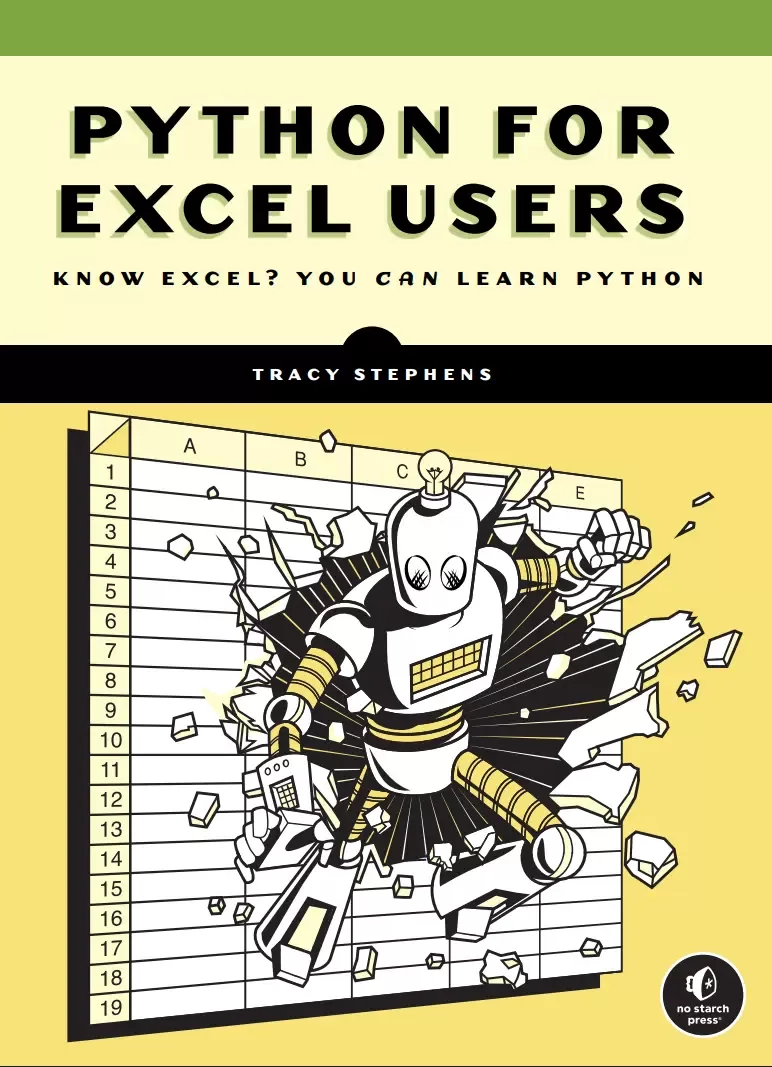
Python for Excel Users: Know Excel? You Can Learn Python
Оглавление⌄
About the Author....9 Brief Contents....11 Contents in Detail....13 Introduction....21 Who This Book Is For....22 How Spreadsheets Can Hold You Back....23 Detecting Errors....24 Documenting Your Work....25 Collaborating with Others....26 Integrating Modern AI Tools....27 The Benefits of Using Python vs. Excel....27 Speed....28 Modularity....30 Automation....30 Interoperability....32 Security....33 Alternatives to Python....34 VBA....34 Python in Excel....35 What's in This Book....36 PART I: GETTING STARTED WITH PYTHON....39 Chapter 1: Setting Up Your Coding Environment....41 Why a Well-Configured Installation Matters....41 Using the Command Line....42 Navigating Directories and Subdirectories....43 Manipulating Files....47 Customizing and Storing System Settings....48 Working Within Corporate IT Policies....51 Installing Python....52 Running the Installer....52 Verifying the Installation....54 Running Some Code....55 Getting Started with Python Libraries....56 Tools to Simplify Writing Code....57 Important Features....58 Popular Python Editors....59 VS Code Installation....59 Conclusion....61 Chapter 2: Coding Fundamentals Explained Through Excel....63 What Is Code?....64 Objects and Variables....65 Rules of Python Syntax....66 Case Sensitivity....66 Indentation....66 Comments....67 Statements and Assignments....67 Testing Examples in VS Code....68 Basic Data Types....69 Boolean Variables....69 Integers and Floats....69 Strings and Characters....70 None....72 Operators....72 Arithmetic Operators....72 Comparison Operators....73 Logical Operators....73 Composite Data Types....74 Lists....74 Tuples....75 Dictionaries....76 Functions and Methods....77 Common String Methods....78 Common List Methods....78 Common Dict Methods....79 Conditionals....79 if Statements....80 else Clauses....81 elif Clauses....81 Nested Conditionals....82 Representing Dates and Times....83 Internal Representation of Dates in Excel....83 The datetime Library....84 Conclusion....88 Chapter 3: Automating Tasks witih Python Scripts....89 What Are Scripts?....89 When to Use a Script....90 Parts of a Script....91 Loops....92 for Loops....92 List Comprehensions....94 Loop Controls....95 while Loops....97 User-Defined Functions....97 Arguments....98 Scope....100 Returns....100 Modifier Functions....102 Functionalizing Logic....103 Building and Running a Complete Script....104 Running a Script on the Command Line....107 Importing a Script as a Module....108 Using a Main Block....109 Passing System Arguments....110 Conclusion....111 Chapter 4: Tracking Changes with Version Control....113 Why Use Version Control?....114 What Is Git?....115 Why Git Works Best with Code....115 Git vs. GitHub....116 Working Within Git Repositories....116 Centralizing Your Work in a Single Folder....116 Navigating Local and Remote Repositories....118 Maintaining a .gitignore File....119 Setting Up a Git Repository....120 Installing Git....120 Configuring Git....120 Creating a New Git Repository....121 Tracking Changes to Files....122 Git's Staging Area....122 Commits....123 Syncing Local and Remote Repositories....124 fetch....124 pull....124 push....124 Managing Histories....125 The Main Branch....125 Feature Branches....125 Merges....126 Conflicts....126 Best Practices for Using Git....128 Troubleshooting with Status Messages....129 Integrating Git with VS Code....130 How Git Works....130 Directed Acyclic Graphs....130 Hashing....131 Conclusion....131 PART II: WORKING WITH DATA....133 Chapter 5: Data Analysis Made Interactive....135 What Are Jupyter Notebooks?....136 Code Cells....136 Markdown Cells....137 Raw Text Cells....138 The JupyterLab Code Editor....139 Installing JupyterLab....139 Launching JupyterLab....139 Creating a Jupyter Notebook....140 Closing a Jupyter Notebook....141 Building a Jupyter Notebook....141 Scripts and Notebooks Working Together....143 Version Control with Jupyter Notebooks....145 Conclusion....145 Chapter 6: Analyzing and Transforming Data....147 Efficient Data Analysis with pandas....148 Series and DataFrames....148 pandas and Jupyter Notebooks....149 Getting Started with pandas....149 Creating a DataFrame from Scratch....150 Reading Data from a File into a DataFrame....152 Working with pandas Data Types....153 Moving Between Excel and pandas....154 Using the Clipboard....155 Using openpyxl....156 Manipulating and Transforming Data....156 Accessing Values....156 Updating Values....158 Sorting Datasets....159 Manipulating Data....159 Handling Missing Data....162 Combining DataFrames....163 Aggregating Data....166 Easily Reshaping Data with pandas....167 Grouping....167 Pivoting....168 Conclusion....169 Chapter 7: Working with Databases....171 Why Use a Database?....172 How Databases Work....173 Incorporating Databases into Your Workflow....173 Where Databases Live....173 How to Access Corporate Databases....174 The Costs of a Database Connection....174 Relational Databases and SQL Workflows....175 Database Management Systems....175 Sandbox Environments....176 Creating a Practice Database....176 Installing PostgreSQL....176 Managing Users and Databases....178 Using PostgreSQL in VS Code....179 Creating and Editing Tables....180 Creating a Table....181 Altering a Table's Structure....182 Dropping a Table....183 Adding Rows....183 Updating Records....183 Deleting Data....184 Retrieving Database Data....184 Selections....184 Filters....186 Joins....188 Column Transformations....192 Aggregations....192 Groupings....193 Structuring Complex Queries....194 Automating Database Tasks with Python and SQL....195 Installing Psycopg 2....196 Connecting to PostgreSQL from Python....196 Running a Query from Python....197 Closing the Database Connection....198 Conclusion....198 Chapter 8: Retrieving Data from the Internet....199 What Is an API?....200 REST APIs....200 Other Types of APIs....201 Making Requests and Handling Responses....201 Internet Communication Protocols....201 Request Types....203 Response Types....204 Simplifying Requests with the Requests Library....207 Making an API Request....207 Adding Arguments....208 Building in Error Handling....209 try...except Blocks....210 Common Errors....211 Breaking Large Requests into Smaller Parts....212 Handling Authentication....214 API Keys....215 OAuth....217 Streamlining Your Requests with Reusable Functions....218 Conclusion....221 Chapter 9: Creating Charts and Visuals....223 Charting with Excel vs. Python....224 Integration into a Broader Workflow....224 Reusability....224 Version Control....225 Customization....225 Standardization....225 Charting Libraries in Python....226 Using Plotly in Jupyter Notebooks....227 Installing and Importing Plotly....227 Creating Simple Charts....227 An Example Dataset....228 A Basic Line Chart....229 A Multi-Trace Line Chart....231 A Basic Bar Chart....232 A Multi-Trace Bar Chart....234 Saving Charts as Images....236 Charting Multidimensional Data....236 Elevating Charts with Custom Styling....238 Layout Properties....239 Themes....243 Using Plotly's Interactivity Features....247 Conclusion....248 Chapter 10: Building Interactive Reports....249 Why Use Interactive Reports....249 Creating Interactive Reports with Dash....250 When Interactive Reports Make Sense....250 How to Choose the Right Framework....251 Dash Basics....252 Installing Dash....253 Setting Up a Dashboard....253 Deploying a Dashboard Locally....254 Web Development Concepts and Dash....254 HTML Basics....255 HTML in Dash....257 CSS Basics....259 CSS in Dash....260 Integrating Plotly and Dash....261 Functionalizing Plotly Charts....261 Embedding a Chart in a Dashboard....263 Enabling User Selections....264 Updating Charts with Callbacks....264 Putting It All Together....266 Sharing Your Reports with Others....268 Conclusion....269 PART III: WRITING BETTER CODE....271 Chapter 11: Organizing Your Code with Classes....273 From Rows and Columns to Classes....274 Examples of Classes in Common Python Libraries....275 Custom Classes....275 Programming with Objects to Stay Organized....277 Reusability....281 Extendability....282 Encapsulation....283 Inheritance....287 Conclusion....293 Chapter 12: Finding and Fixing Errors....295 The Art of Debugging....295 Debugging Inside the VS Code Editor....296 Breakpoints....297 The Debug Panel....298 The Debug Console....300 Debugging Code with Errors....301 The Step Out Command....301 The Step Into Command....302 Pausing Code at the Right Moment....303 Debugging with Different Inputs....304 The Process of Testing Code....305 Assertions....306 The unittest Module....307 Identifying Test Cases....309 Conclusion....310 Chapter 13: Three Good Coding Habits....311 Simpler Code Is Better Code....312 Too Many Conditions....312 Mixed Scopes....314 Inconsistency....315 Confusing Variable Names....315 Repetition....316 Making Code Manageable....317 The Right Amount of Modularization....318 Too Much Modularization....319 First Make It Run, Then Make It Better....320 Conclusion....321 Afterword....323 Index....325 Back cover....345
Описание
В этом материале разберём тему: excel.
When Excel isn’t enough, it’s time to learn Python.
If you’re comfortable in Excel, but you’ve hit a wall—slow files, broken formulas, hours spent on repetitive tasks—this book offers a way forward. It shows you how to take the work you already do in spreadsheets and make it faster, smarter, and more powerful with Python.
You’ll start by setting up your environment and getting comfortable with Python through short, Excel-inspired exercises. From there, you’ll gradually move into writing scripts that automate manual work, structure your data, and generate consistent results—no prior programming knowledge required.
You’ll use your preexisting Excel skills to learn how to:Translate spreadsheet logic into Python codeUse pandas to clean, reshape, and filter dataAutomate reports you’d normally build by handRead and write Excel files directly from PythonConnect to databases and APIsCreate professional visualizations with Plotly and DashOrganize code into sharable modules and write simple testsThroughout the book, you’ll find practical examples that show why and how to move your work out of spreadsheets and into scripts, and how to resolve issues along the way.
Author Tracy Stephens has extensive practical experience with both Excel and Python. Her approach is grounded in real workflows, and she introduces each concept through tasks you’ve likely handled in Excel.
This book won’t ask you to replace everything you do in spreadsheets, but it will help you use Python to work faster, more reliably, and with greater flexibility than you ever could with Excel.
Файл доступен для загрузки ниже.
Поделиться
Частые вопросы
Можно ли скачать «Python for Excel Users: Know Excel? You Can Learn Python» бесплатно?
Да, «Python for Excel Users: Know Excel? You Can Learn Python» доступна для бесплатного скачивания на нашем сайте в формате PDF. Ссылка на файл находится на этой странице.
В каком формате и какого размера файл?
Книга предоставляется в формате PDF, размер файла 2,3 МБ.
Кто автор и когда вышла книга?
автор — Stephens Tracy, издательство No Starch Press, Inc., год выпуска 2025, 345 страниц.
О чём книга «Python for Excel Users: Know Excel? You Can Learn Python»?
When Excel isn’t enough, it’s time to learn Python.If you’re comfortable in Excel, but you’ve hit a wall—slow files, broken formulas, hours spent on repetitive tasks—this book offers a way forward.
Похожие материалы
 Основы программирования на Python
 Python для детей. Самоучитель по программированию
 Python. Сборник упражнений. Введение в язык Python с задачами и решениями
 Структуры данных в Python: начальный курс
 Python за 7 дней. Краткий курс для начинающих
 Python in a Nutshell: A Desktop Quick Reference. 4 Ed
 Python for Microcontrollers: Getting Started with MicroPython
 Programming with MicroPython