Python Crash Course: A Hands-On, Project-Based Introduction to Programming. 3 Ed
Оглавление⌄
Cover....1 Praise for Python Crash Course....3 Copyright....6 Dedication....7 About the Author and Technical Reviewer....9 Brief Contents....11 Contents in Detail....13 Preface to the Third Edition....29 Acknowledgments....33 Introduction....35 Who Is This Book For?....36 What Can You Expect to Learn?....36 Online Resources....37 Why Python?....38 Part I: Basics....39 Chapter 1: Getting Started....41 Setting Up Your Programming Environment....41 Python Versions....42 Running Snippets of Python Code....42 About the VS Code Editor....42 Python on Different Operating Systems....43 Python on Windows....43 Python on macOS....45 Python on Linux....46 Running a Hello World Program....47 Installing the Python Extension for VS Code....47 Running hello_world.py....48 Troubleshooting....48 Running Python Programs from a Terminal....49 On Windows....50 On macOS and Linux....50 Exercise 1-1: python.org....51 Exercise 1-2: Hello World Typos....51 Exercise 1-3: Infinite Skills....51 Summary....51 Chapter 2: Variables and Simple Data Types....53 What Really Happens When You Run hello_world.py....53 Variables....54 Naming and Using Variables....55 Avoiding Name Errors When Using Variables....55 Variables Are Labels....56 Exercise 2-1: Simple Message....57 Exercise 2-2: Simple Messages....57 Strings....57 Changing Case in a String with Methods....58 Using Variables in Strings....58 Adding Whitespace to Strings with Tabs or Newlines....59 Stripping Whitespace....60 Removing Prefixes....61 Avoiding Syntax Errors with Strings....62 Exercise 2-3: Personal Message....63 Exercise 2-4: Name Cases....63 Exercise 2-5: Famous Quote....63 Exercise 2-6: Famous Quote 2....63 Exercise 2-7: Stripping Names....63 Exercise 2-8: File Extensions....63 Numbers....64 Integers....64 Floats....64 Integers and Floats....65 Underscores in Numbers....66 Multiple Assignment....66 Constants....66 Exercise 2-9: Number Eight....67 Exercise 2-10: Favorite Number....67 Comments....67 How Do You Write Comments?....67 What Kinds of Comments Should You Write?....67 Exercise 2-11: Adding Comments....68 The Zen of Python....68 Exercise 2-12: Zen of Python....69 Summary....70 Chapter 3: Introducing Lists....71 What Is a List?....71 Accessing Elements in a List....72 Index Positions Start at 0, Not 1....72 Using Individual Values from a List....73 Exercise 3-1: Names....74 Exercise 3-2: Greetings....74 Exercise 3-3: Your Own List....74 Modifying, Adding, and Removing Elements....74 Modifying Elements in a List....74 Adding Elements to a List....75 Removing Elements from a List....76 Exercise 3-4: Guest List....79 Exercise 3-5: Changing Guest List....80 Exercise 3-6: More Guests....80 Exercise 3-7: Shrinking Guest List....80 Organizing a List....80 Sorting a List Permanently with the sort() Method....81 Sorting a List Temporarily with the sorted() Function....81 Printing a List in Reverse Order....82 Finding the Length of a List....82 Exercise 3-8: Seeing the World....83 Exercise 3-9: Dinner Guests....83 Exercise 3-10: Every Function....83 Avoiding Index Errors When Working with Lists....84 Exercise 3-11: Intentional Error....85 Summary....85 Chapter 4: Working with Lists....87 Looping Through an Entire List....87 A Closer Look at Looping....88 Doing More Work Within a for Loop....89 Doing Something After a for Loop....90 Avoiding Indentation Errors....91 Forgetting to Indent....91 Forgetting to Indent Additional Lines....92 Indenting Unnecessarily....92 Indenting Unnecessarily After the Loop....93 Forgetting the Colon....93 Exercise 4-1: Pizzas....94 Exercise 4-2: Animals....94 Making Numerical Lists....94 Using the range() Function....95 Using range() to Make a List of Numbers....96 Simple Statistics with a List of Numbers....97 List Comprehensions....97 Exercise 4-3: Counting to Twenty....98 Exercise 4-4: One Million....98 Exercise 4-5: Summing a Million....98 Exercise 4-6: Odd Numbers....98 Exercise 4-7: Threes....98 Exercise 4-8: Cubes....98 Exercise 4-9: Cube Comprehension....98 Working with Part of a List....99 Slicing a List....99 Looping Through a Slice....100 Copying a List....101 Exercise 4-10: Slices....103 Exercise 4-11: My Pizzas, Your Pizzas....103 Exercise 4-12: More Loops....103 Tuples....103 Defining a Tuple....103 Looping Through All Values in a Tuple....104 Writing Over a Tuple....105 Exercise 4-13: Buffet....105 Styling Your Code....106 The Style Guide....106 Indentation....106 Line Length....107 Blank Lines....107 Other Style Guidelines....107 Exercise 4-14: PEP 8....108 Exercise 4-15: Code Review....108 Summary....108 Chapter 5: if Statements....109 A Simple Example....110 Conditional Tests....110 Checking for Equality....110 Ignoring Case When Checking for Equality....111 Checking for Inequality....112 Numerical Comparisons....112 Checking Multiple Conditions....113 Checking Whether a Value Is in a List....114 Checking Whether a Value Is Not in a List....114 Boolean Expressions....115 Exercise 5-1: Conditional Tests....115 Exercise 5-2: More Conditional Tests....116 if Statements....116 Simple if Statements....116 if-else Statements....117 The if-elif-else Chain....118 Using Multiple elif Blocks....119 Omitting the else Block....120 Testing Multiple Conditions....120 Exercise 5-3: Alien Colors #1....122 Exercise 5-4: Alien Colors #2....122 Exercise 5-5: Alien Colors #3....122 Exercise 5-6: Stages of Life....122 Exercise 5-7: Favorite Fruit....123 Using if Statements with Lists....123 Checking for Special Items....123 Checking That a List Is Not Empty....124 Using Multiple Lists....125 Exercise 5-8: Hello Admin....126 Exercise 5-9: No Users....126 Exercise 5-10: Checking Usernames....126 Exercise 5-11: Ordinal Numbers....126 Styling Your if Statements....127 Exercise 5-12: Styling if Statements....127 Exercise 5-13: Your Ideas....127 Summary....127 Chapter 6: Dictionaries....129 A Simple Dictionary....130 Working with Dictionaries....130 Accessing Values in a Dictionary....130 Adding New Key-Value Pairs....131 Starting with an Empty Dictionary....132 Modifying Values in a Dictionary....132 Removing Key-Value Pairs....134 A Dictionary of Similar Objects....134 Using get() to Access Values....135 Exercise 6-1: Person....136 Exercise 6-2: Favorite Numbers....136 Exercise 6-3: Glossary....137 Looping Through a Dictionary....137 Looping Through All Key-Value Pairs....137 Looping Through All the Keys in a Dictionary....139 Looping Through a Dictionary’s Keys in a Particular Order....140 Looping Through All Values in a Dictionary....141 Exercise 6-4: Glossary 2....142 Exercise 6-5: Rivers....143 Exercise 6-6: Polling....143 Nesting....143 A List of Dictionaries....143 A List in a Dictionary....146 A Dictionary in a Dictionary....148 Exercise 6-7: People....149 Exercise 6-8: Pets....149 Exercise 6-9: Favorite Places....149 Exercise 6-10: Favorite Numbers....149 Exercise 6-11: Cities....149 Exercise 6-12: Extensions....149 Summary....149 Chapter 7: User Input and while Loops....151 How the input() Function Works....152 Writing Clear Prompts....152 Using int() to Accept Numerical Input....153 The Modulo Operator....154 Exercise 7-1: Rental Car....155 Exercise 7-2: Restaurant Seating....155 Exercise 7-3: Multiples of Ten....155 Introducing while Loops....155 The while Loop in Action....155 Letting the User Choose When to Quit....156 Using a Flag....158 Using break to Exit a Loop....159 Using continue in a Loop....160 Avoiding Infinite Loops....160 Exercise 7-4: Pizza Toppings....161 Exercise 7-5: Movie Tickets....161 Exercise 7-6: Three Exits....161 Exercise 7-7: Infinity....161 Using a while Loop with Lists and Dictionaries....162 Moving Items from One List to Another....162 Removing All Instances of Specific Values from a List....163 Filling a Dictionary with User Input....163 Exercise 7-8: Deli....165 Exercise 7-9: No Pastrami....165 Exercise 7-10: Dream Vacation....165 Summary....165 Chapter 8: Functions....167 Defining a Function....168 Passing Information to a Function....168 Arguments and Parameters....169 Exercise 8-1: Message....169 Exercise 8-2: Favorite Book....169 Passing Arguments....169 Positional Arguments....170 Keyword Arguments....171 Default Values....172 Equivalent Function Calls....173 Avoiding Argument Errors....174 Exercise 8-3: T-Shirt....174 Exercise 8-4: Large Shirts....175 Exercise 8-5: Cities....175 Return Values....175 Returning a Simple Value....175 Making an Argument Optional....176 Returning a Dictionary....177 Using a Function with a while Loop....178 Exercise 8-6: City Names....179 Exercise 8-7: Album....180 Exercise 8-8: User Albums....180 Passing a List....180 Modifying a List in a Function....181 Preventing a Function from Modifying a List....183 Exercise 8-9: Messages....184 Exercise 8-10: Sending Messages....184 Exercise 8-11: Archived Messages....184 Passing an Arbitrary Number of Arguments....184 Mixing Positional and Arbitrary Arguments....185 Using Arbitrary Keyword Arguments....186 Exercise 8-12: Sandwiches....187 Exercise 8-13: User Profile....187 Exercise 8-14: Cars....187 Storing Your Functions in Modules....187 Importing an Entire Module....188 Importing Specific Functions....189 Using as to Give a Function an Alias....189 Using as to Give a Module an Alias....190 Importing All Functions in a Module....190 Styling Functions....191 Exercise 8-15: Printing Models....192 Exercise 8-16: Imports....192 Exercise 8-17: Styling Functions....192 Summary....192 Chapter 9: Classes....195 Creating and Using a Class....196 Creating the Dog Class....196 The __init__() Method....197 Making an Instance from a Class....197 Exercise 9-1: Restaurant....200 Exercise 9-2: Three Restaurants....200 Exercise 9-3: Users....200 Working with Classes and Instances....200 The Car Class....200 Setting a Default Value for an Attribute....201 Modifying Attribute Values....202 Exercise 9-4: Number Served....204 Exercise 9-5: Login Attempts....205 Inheritance....205 The __init__() Method for a Child Class....205 Defining Attributes and Methods for the Child Class....207 Overriding Methods from the Parent Class....208 Instances as Attributes....208 Modeling Real-World Objects....210 Exercise 9-6: Ice Cream Stand....211 Exercise 9-7: Admin....211 Exercise 9-8: Privileges....211 Exercise 9-9: Battery Upgrade....211 Importing Classes....211 Importing a Single Class....212 Storing Multiple Classes in a Module....213 Importing Multiple Classes from a Module....214 Importing an Entire Module....214 Importing All Classes from a Module....215 Importing a Module into a Module....215 Using Aliases....216 Finding Your Own Workflow....217 Exercise 9-10: Imported Restaurant....217 Exercise 9-11: Imported Admin....217 Exercise 9-12: Multiple Modules....217 The Python Standard Library....217 Exercise 9-13: Dice....218 Exercise 9-14: Lottery....218 Exercise 9-15: Lottery Analysis....218 Exercise 9-16: Python Module of the Week....218 Styling Classes....219 Summary....219 Chapter 10: Files and Exceptions....221 Reading from a File....222 Reading the Contents of a File....222 Relative and Absolute File Paths....224 Accessing a File’s Lines....224 Working with a File’s Contents....225 Large Files: One Million Digits....226 Is Your Birthday Contained in Pi?....227 Exercise 10-1: Learning Python....227 Exercise 10-2: Learning C....228 Exercise 10-3: Simpler Code....228 Writing to a File....228 Writing a Single Line....228 Writing Multiple Lines....229 Exercise 10-4: Guest....230 Exercise 10-5: Guest Book....230 Exceptions....230 Handling the ZeroDivisionError Exception....230 Using try-except Blocks....231 Using Exceptions to Prevent Crashes....231 The else Block....232 Handling the FileNotFoundError Exception....233 Analyzing Text....234 Working with Multiple Files....235 Failing Silently....236 Deciding Which Errors to Report....237 Exercise 10-6: Addition....238 Exercise 10-7: Addition Calculator....238 Exercise 10-8: Cats and Dogs....238 Exercise 10-9: Silent Cats and Dogs....238 Exercise 10-10: Common Words....238 Storing Data....239 Using json.dumps() and json.loads()....239 Saving and Reading User-Generated Data....240 Refactoring....242 Exercise 10-11: Favorite Number....244 Exercise 10-12: Favorite Number Remembered....244 Exercise 10-13: User Dictionary....244 Exercise 10-14: Verify User....244 Summary....245 Chapter 11: Testing Your Code....247 Installing pytest with pip....248 Updating pip....248 Installing pytest....249 Testing a Function....249 Unit Tests and Test Cases....250 A Passing Test....250 Running a Test....251 A Failing Test....252 Responding to a Failed Test....253 Adding New Tests....254 Exercise 11-1: City, Country....255 Exercise 11-2: Population....255 Testing a Class....255 A Variety of Assertions....255 A Class to Test....256 Testing the AnonymousSurvey Class....258 Using Fixtures....259 Exercise 11-3: Employee....261 Summary....261 Part II: Projects....263 Chapter 12: A Ship That Fires Bullets....265 Planning Your Project....266 Installing Pygame....266 Starting the Game Project....267 Creating a Pygame Window and Responding to User Input....267 Controlling the Frame Rate....268 Setting the Background Color....269 Creating a Settings Class....270 Adding the Ship Image....271 Creating the Ship Class....272 Drawing the Ship to the Screen....273 Refactoring: The _check_events() and _update_screen() Methods....275 The _check_events() Method....275 The _update_screen() Method....275 Exercise 12-1: Blue Sky....276 Exercise 12-2: Game Character....276 Piloting the Ship....276 Responding to a Keypress....276 Allowing Continuous Movement....277 Moving Both Left and Right....279 Adjusting the Ship’s Speed....280 Limiting the Ship’s Range....281 Refactoring _check_events()....282 Pressing Q to Quit....282 Running the Game in Fullscreen Mode....283 A Quick Recap....283 alien_invasion.py....284 settings.py....284 ship.py....284 Exercise 12-3: Pygame Documentation....284 Exercise 12-4: Rocket....284 Exercise 12-5: Keys....284 Shooting Bullets....285 Adding the Bullet Settings....285 Creating the Bullet Class....285 Storing Bullets in a Group....286 Firing Bullets....287 Deleting Old Bullets....288 Limiting the Number of Bullets....289 Creating the _update_bullets() Method....290 Exercise 12-6: Sideways Shooter....291 Summary....291 Chapter 13: Aliens!....293 Reviewing the Project....294 Creating the First Alien....294 Creating the Alien Class....295 Creating an Instance of the Alien....295 Building the Alien Fleet....297 Creating a Row of Aliens....297 Refactoring _create_fleet()....298 Adding Rows....299 Exercise 13-1: Stars....301 Exercise 13-2: Better Stars....301 Making the Fleet Move....301 Moving the Aliens Right....301 Creating Settings for Fleet Direction....302 Checking Whether an Alien Has Hit the Edge....303 Dropping the Fleet and Changing Direction....303 Exercise 13-3: Raindrops....304 Exercise 13-4: Steady Rain....304 Shooting Aliens....304 Detecting Bullet Collisions....305 Making Larger Bullets for Testing....306 Repopulating the Fleet....306 Speeding Up the Bullets....307 Refactoring _update_bullets()....307 Exercise 13-5: Sideways Shooter Part 2....308 Ending the Game....308 Detecting Alien-Ship Collisions....308 Responding to Alien-Ship Collisions....309 Aliens That Reach the Bottom of the Screen....311 Game Over!....312 Identifying When Parts of the Game Should Run....313 Exercise 13-6: Game Over....313 Summary....313 Chapter 14: Scoring....315 Adding the Play Button....316 Creating a Button Class....316 Drawing the Button to the Screen....317 Starting the Game....319 Resetting the Game....319 Deactivating the Play Button....320 Hiding the Mouse Cursor....320 Exercise 14-1: Press P to Play....321 Exercise 14-2: Target Practice....321 Leveling Up....321 Modifying the Speed Settings....321 Resetting the Speed....323 Exercise 14-3: Challenging Target Practice....324 Exercise 14-4: Difficulty Levels....324 Scoring....324 Displaying the Score....324 Making a Scoreboard....325 Updating the Score as Aliens Are Shot Down....327 Resetting the Score....327 Making Sure to Score All Hits....328 Increasing Point Values....328 Rounding the Score....329 High Scores....330 Displaying the Level....332 Displaying the Number of Ships....334 Exercise 14-5: All-Time High Score....337 Exercise 14-6: Refactoring....337 Exercise 14-7: Expanding the Game....337 Exercise 14-8: Sideways Shooter, Final Version....337 Summary....337 Chapter 15: Generating Data....339 Installing Matplotlib....340 Plotting a Simple Line Graph....340 Changing the Label Type and Line Thickness....341 Correcting the Plot....343 Using Built-in Styles....344 Plotting and Styling Individual Points with scatter()....344 Plotting a Series of Points with scatter()....346 Calculating Data Automatically....346 Customizing Tick Labels....347 Defining Custom Colors....348 Using a Colormap....348 Saving Your Plots Automatically....349 Exercise 15-1. Cubes....349 Exercise 15-2: Colored Cubes....349 Random Walks....350 Creating the RandomWalk Class....350 Choosing Directions....350 Plotting the Random Walk....351 Generating Multiple Random Walks....352 Styling the Walk....353 Exercise 15-3: Molecular Motion....357 Exercise 15-4: Modified Random Walks....357 Exercise 15-5: Refactoring....357 Rolling Dice with Plotly....357 Installing Plotly....358 Creating the Die Class....358 Rolling the Die....358 Analyzing the Results....359 Making a Histogram....360 Customizing the Plot....361 Rolling Two Dice....362 Further Customizations....363 Rolling Dice of Different Sizes....364 Saving Figures....365 Exercise 15-6: Two D8s....366 Exercise 15-7: Three Dice....366 Exercise 15-8: Multiplication....366 Exercise 15-9: Die Comprehensions....366 Exercise 15-10: Practicing with Both Libraries....366 Summary....366 Chapter 16: Downloading Data....367 The CSV File Format....368 Parsing the CSV File Headers....368 Printing the Headers and Their Positions....369 Extracting and Reading Data....370 Plotting Data in a Temperature Chart....370 The datetime Module....371 Plotting Dates....372 Plotting a Longer Timeframe....374 Plotting a Second Data Series....374 Shading an Area in the Chart....375 Error Checking....376 Downloading Your Own Data....379 Exercise 16-1: Sitka Rainfall....380 Exercise 16-2: Sitka–Death Valley Comparison....380 Exercise 16-3: San Francisco....380 Exercise 16-4: Automatic Indexes....380 Exercise 16-5: Explore....380 Mapping Global Datasets: GeoJSON Format....380 Downloading Earthquake Data....381 Examining GeoJSON Data....381 Making a List of All Earthquakes....383 Extracting Magnitudes....384 Extracting Location Data....384 Building a World Map....385 Representing Magnitudes....386 Customizing Marker Colors....387 Other Color Scales....388 Adding Hover Text....388 Exercise 16-6: Refactoring....390 Exercise 16-7: Automated Title....390 Exercise 16-8: Recent Earthquakes....390 Exercise 16-9: World Fires....390 Summary....390 Chapter 17: Working with APIs....393 Using an API....393 Git and GitHub....394 Requesting Data Using an API Call....394 Installing Requests....395 Processing an API Response....395 Working with the Response Dictionary....396 Summarizing the Top Repositories....399 Monitoring API Rate Limits....400 Visualizing Repositories Using Plotly....400 Styling the Chart....402 Adding Custom Tooltips....403 Adding Clickable Links....404 Customizing Marker Colors....405 More About Plotly and the GitHub API....406 The Hacker News API....406 Exercise 17-1: Other Languages....409 Exercise 17-2: Active Discussions....409 Exercise 17-3: Testing python_repos.py....410 Exercise 17-4: Further Exploration....410 Summary....410 Chapter 18: Getting Started with Django....411 Setting Up a Project....412 Writing a Spec....412 Creating a Virtual Environment....412 Activating the Virtual Environment....413 Installing Django....413 Creating a Project in Django....414 Creating the Database....414 Viewing the Project....415 Exercise 18-1: New Projects....416 Starting an App....417 Defining Models....417 Activating Models....418 The Django Admin Site....419 Defining the Entry Model....422 Migrating the Entry Model....423 Registering Entry with the Admin Site....423 The Django Shell....424 Exercise 18-2: Short Entries....425 Exercise 18-3: The Django API....426 Exercise 18-4: Pizzeria....426 Making Pages: The Learning Log Home Page....426 Mapping a URL....426 Writing a View....428 Writing a Template....428 Exercise 18-5: Meal Planner....430 Exercise 18-6: Pizzeria Home Page....430 Building Additional Pages....430 Template Inheritance....430 The Topics Page....432 Individual Topic Pages....435 Exercise 18-7: Template Documentation....438 Exercise 18-8: Pizzeria Pages....438 Summary....438 Chapter 19: User Accounts....441 Allowing Users to Enter Data....442 Adding New Topics....442 Adding New Entries....446 Editing Entries....450 Exercise 19-1: Blog....453 Setting Up User Accounts....453 The accounts App....453 The Login Page....454 Logging Out....457 The Registration Page....458 Exercise 19-2: Blog Accounts ....461 Allowing Users to Own Their Data....461 Restricting Access with @login_required....461 Connecting Data to Certain Users....463 Restricting Topics Access to Appropriate Users....465 Protecting a User’s Topics....466 Protecting the edit_entry Page....467 Associating New Topics with the Current User....467 Exercise 19-3: Refactoring....468 Exercise 19-4: Protecting new_entry....468 Exercise 19-5: Protected Blog....468 Summary....468 Chapter 20: Styling and Deploying an App....471 Styling Learning Log....472 The django-bootstrap5 App....472 Using Bootstrap to Style Learning Log....472 Modifying base.html....473 Styling the Home Page Using a Jumbotron....478 Styling the Login Page....479 Styling the Topics Page....480 Styling the Entries on the Topic Page....481 Exercise 20-1: Other Forms....483 Exercise 20-2: Stylish Blog....483 Deploying Learning Log....483 Making a Platform.sh Account....483 Installing the Platform.sh CLI....484 Installing platformshconfig....484 Creating a requirements.txt File....484 Additional Deployment Requirements....485 Adding Configuration Files....485 Modifying settings.py for Platform.sh....489 Using Git to Track the Project’s Files....489 Creating a Project on Platform.sh....491 Pushing to Platform.sh....493 Viewing the Live Project....494 Refining the Platform.sh Deployment....494 Creating Custom Error Pages....497 Ongoing Development....498 Deleting a Project on Platform.sh....499 Exercise 20-3: Live Blog....499 Exercise 20-4: Extended Learning Log....500 Summary....500 Appendix A: Installation and Troubleshooting....501 Python on Windows....501 Using py Instead of python....501 Rerunning the Installer....502 Python on macOS....502 Accidentally Installing Apple’s Version of Python....502 Python 2 on Older Versions of macOS....503 Python on Linux....503 Using the Default Python Installation....503 Installing the Latest Version of Python....503 Checking Which Version of Python You’re Using....504 Python Keywords and Built-in Functions....504 Python Keywords....504 Python Built-in Functions....505 Appendix B: Text Editors and IDEs....507 Working Efficiently with VS Code....508 Configuring VS Code....508 VS Code Shortcuts....511 Other Text Editors and IDEs....512 IDLE....512 Geany....512 Sublime Text....512 Emacs and Vim....513 PyCharm....513 Jupyter Notebooks....513 Appendix C: Getting Help....515 First Steps....515 Try It Again....516 Take a Break....516 Refer to This Book’s Resources....516 Searching Online....517 Stack Overflow....517 The Official Python Documentation....517 Official Library Documentation....518 r/learnpython....518 Blog Posts....518 Discord....518 Slack....519 Appendix D: Using Git for Version Control....521 Installing Git....522 Configuring Git....522 Making a Project....522 Ignoring Files....522 Initializing a Repository....523 Checking the Status....523 Adding Files to the Repository....524 Making a Commit....524 Checking the Log....525 The Second Commit....525 Abandoning Changes....526 Checking Out Previous Commits....527 Deleting the Repository....529 Appendix E: Troubleshooting Deployments....531 Understanding Deployments....532 Basic Troubleshooting....532 Follow Onscreen Suggestions....533 Read the Log Output....534 OS-Specific Troubleshooting....535 Deploying from Windows....535 Deploying from macOS....537 Deploying from Linux....537 Other Deployment Approaches....538 Index....541 Resources....553 Back Cover....554
Описание
Ниже — практический обзор по теме «python».
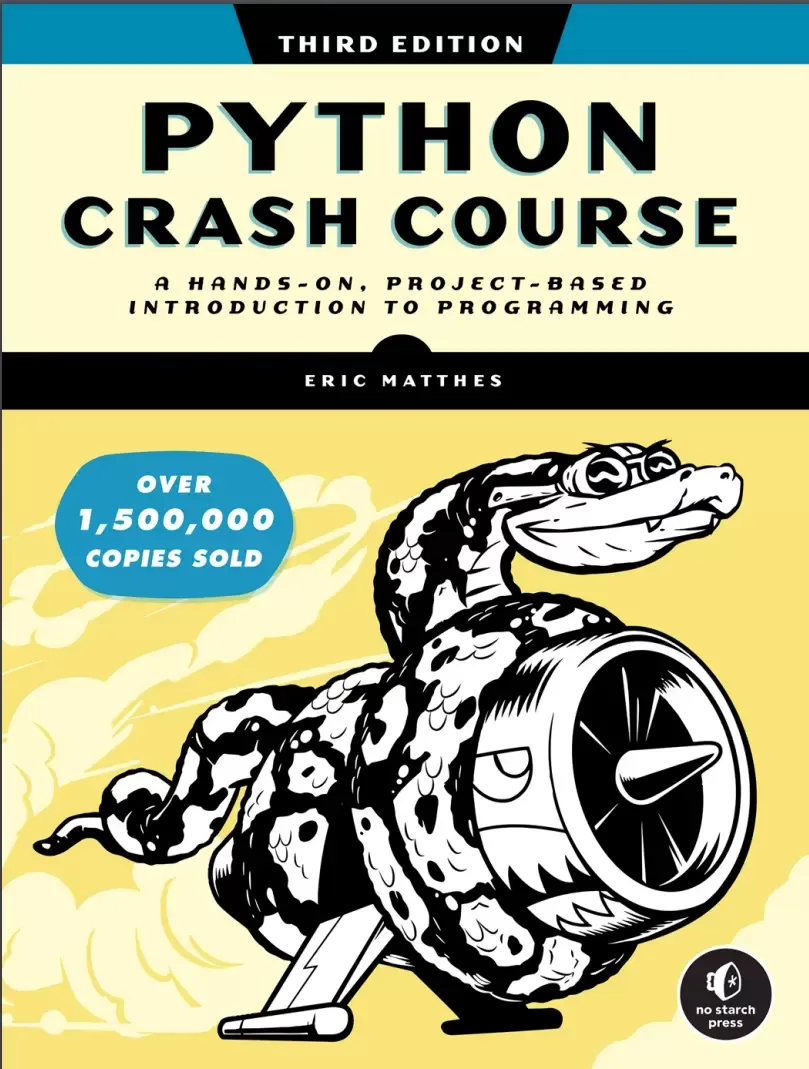
This fast-paced, thorough introduction will have you writing programs, solving problems, and developing functioning applications in no time.You’ll start by learning basic programming concepts, such as variables, lists, classes, and loops, and practice writing clean code with exercises for each topic. Python Crash Course is the world’s best-selling guide to the Python programming language. You’ll also learn how to make your programs interactive and test your code safely before adding it to a project. You’ll put your new knowledge into practice by creating a Space Invaders–inspired arcade game, building a set of data visualizations with Python’s handy libraries, and deploying a simple application online.
New and updated coverage includes VS Code for text editing, the pathlib module for file handling, pytest for testing your code, as well as the latest features of Matplotlib, Plotly, and Django.If you’ve been thinking about digging into programming, Python Crash Course will provide you with the skills to write real programs fast. As you work through the book, you’ll learn how to:Use powerful Python libraries and tools, including pytest, Pygame, Matplotlib, Plotly, and DjangoMake increasingly complex 2D games that respond to keypresses and mouse clicksGenerate interactive data visualizations using a variety of datasetsBuild apps that allow users to create accounts and manage their own data, and deploy your apps onlineTroubleshoot coding errors and solve common programming problemsNew to this edition: This third edition is completely revised to reflect the latest in Python code. Why wait any longer? Start your engines and code!
На этом основные моменты по теме закрыты.
Поделиться
Частые вопросы
Можно ли скачать «Python Crash Course: A Hands-On, Project-Based Introduction to Programming. 3 Ed» бесплатно?
Да, «Python Crash Course: A Hands-On, Project-Based Introduction to Programming. 3 Ed» доступна для бесплатного скачивания на нашем сайте в формате PDF. Ссылка на файл находится на этой странице.
В каком формате и какого размера файл?
Книга предоставляется в формате PDF, размер файла 5,4 МБ.
Кто автор и когда вышла книга?
автор — Matthes Eric, издательство No Starch Press, Inc., год выпуска 2023, 554 страниц.
О чём книга «Python Crash Course: A Hands-On, Project-Based Introduction to Programming. 3 Ed»?
Python Crash Course is the world’s best-selling guide to the Python programming language.
Похожие материалы
 Основы программирования на Python
 Python для детей. Самоучитель по программированию
 Python. Сборник упражнений. Введение в язык Python с задачами и решениями
 Структуры данных в Python: начальный курс
 Python за 7 дней. Краткий курс для начинающих
 Python in a Nutshell: A Desktop Quick Reference. 4 Ed
 Python for Microcontrollers: Getting Started with MicroPython
 Programming with MicroPython