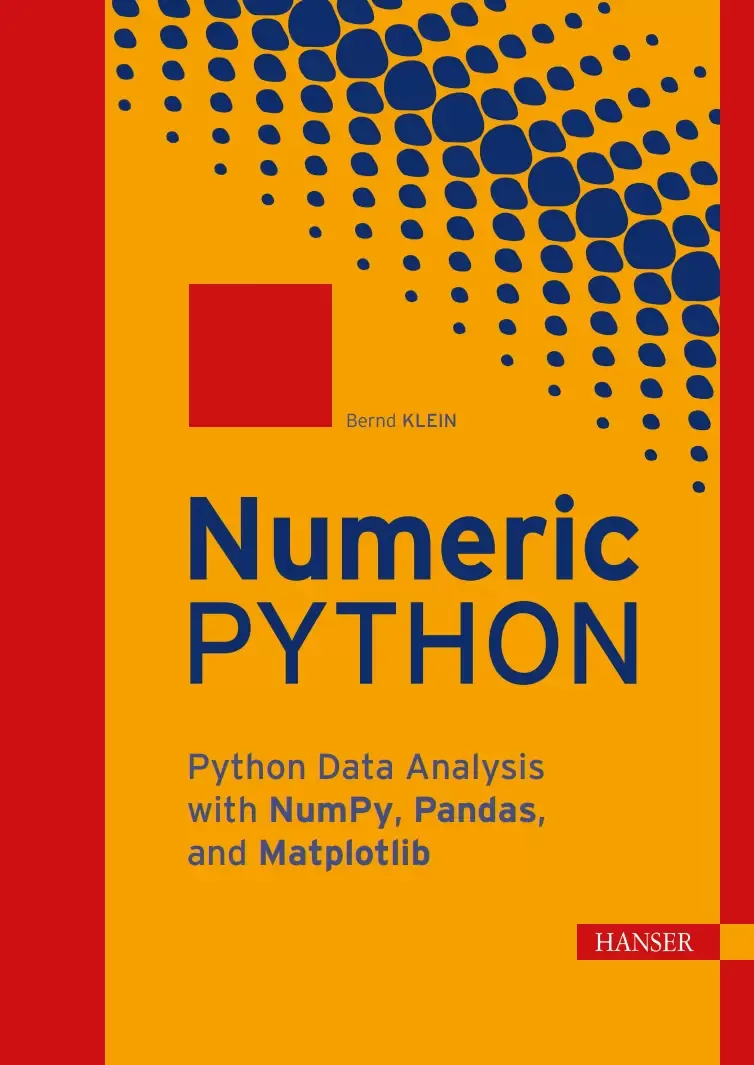
Numeric Python: Python Data Analysis with NumPy, Pandas, and Matplotlib
Оглавление⌄
Contents....7 Preface....19 1 Introduction....23 1.1 The Right Choice....23 1.2 Structure of the Book....24 1.3 This Book and the Tools Behind It....25 1.4 Download the Examples....25 1.5 About the Author....26 1.6 Suggestions and Feedback....26 2 Numerical Programming....27 2.1 Definition of Numerical Programming....27 2.2 Overview....27 2.3 The Relationship Between Python, NumPy, Matplotlib, SciPy, and Pandas....28 2.4 Python – An Alternative to MATLAB....29 3 Installation of NumPy, Matplotlib, Pandas, and JupyterLab....31 3.1 Introduction....31 3.2 Installation with conda and Miniconda....32 3.3 Installation with pip....33 3.4 Starting JupyterLab....33 3.5 Why JupyterLab?....34 Part I NumPy....35 4 NumPy Introduction....37 4.1 Overview....37 4.1.1 What is NumPy?....37 4.1.2 A simple example....38 4.2 Comparison of NumPy Data Structures and Lists....39 4.2.1 Key Differences....39 4.2.2 Memory Requirements....40 4.2.3 Time Comparison Between Lists and NumPy Arrays....43 5 Creation and Structure of Arrays....45 5.1 Dimensions....45 5.1.1 Zero-Dimensional Arrays in NumPy....45 5.1.2 One-Dimensional Array....46 5.1.3 Two- and Multi-Dimensional Arrays....46 5.2 Shape of an Array....47 5.3 Indexing and Slicing Operator....48 5.4 Three-Dimensional Arrays....54 5.5 Array Creation Functions....57 5.5.1 arange....57 5.5.2 linspace....59 5.6 Arrays with Zeros and Ones....60 5.7 Identity Matrix....62 5.7.1 The identity Function....62 5.7.2 The eye Function....63 5.8 Data Types....64 5.9 Copying Arrays....66 5.9.1 numpy.copy(A) and A.copy()....66 5.9.2 Contiguous Arrays....66 5.10 Exercises....69 6 Data Type Object: dtype....71 6.1 dtype....71 6.2 Structured Arrays....73 6.3 Input and Output of Structured Arrays....76 6.4 Unicode Strings in Arrays....78 6.5 Renaming Column Names....79 6.6 Replacing Column Values....79 6.7 More Complex Example....80 6.8 Exercises....82 7 Combining and Reshaping Arrays....83 7.1 Reduction and Reshaping of Arrays....83 7.1.1 flatten....84 7.1.2 ravel....84 7.1.3 Differences between ravel and flatten....85 7.1.4 reshape....86 7.2 Adding Dimensions....88 7.3 Concatenation and Stacking of Arrays....88 7.3.1 concatenate....89 7.3.2 stack....91 7.3.3 dstack....94 7.3.4 vstack....97 7.3.5 hstack....98 7.4 dsplit....100 7.5 Repeating Arrays with tile....101 7.6 Exercises....104 8 Numerical Operations on NumPy Arrays....105 8.1 Operations with Scalars....105 8.2 Operations between and on Arrays....107 8.3 Matrix Multiplication and Dot Product....108 8.3.1 Definition of the dot Function....108 8.3.2 Examples of the dot Function....109 8.3.3 The dot Product in the Three-Dimensional Case....110 8.4 Comparison Operators....116 8.5 Logical Operators....116 8.6 Broadcasting....117 8.6.1 Row-wise Broadcasting....118 8.6.2 Column-wise Broadcasting....121 8.6.3 Broadcasting with Two One-Dimensional Arrays....124 8.7 Distance Matrix....125 8.8 ufuncs....126 8.8.1 Application of ufuncs....127 8.8.2 Output Parameters in ufuncs....129 8.8.3 accumulate....131 8.8.4 reduce....133 8.8.5 outer....134 8.8.6 at....135 8.9 Exercises....135 9 Statistics and Probability....137 9.1 Introduction....137 9.2 Functions Based on the random Module....138 9.2.1 True Random Numbers....139 9.2.2 Generating a List of Random Numbers....139 9.2.3 Random Integers....141 9.2.4 Samples or Selections....141 9.2.5 Random Intervals....142 9.2.6 Seed or Initial Value....143 9.2.7 Weighted Random Selection....144 9.2.8 Sampling with Python....147 9.2.9 Cartesian Choice....149 9.2.10 Cartesian Product....149 9.2.11 Cartesian Choice: cartesian_choice....149 9.2.12 Gaussian Normal Distribution....152 9.2.13 Exercise with Binary Transmitter....155 9.3 The random Submodule of NumPy....158 9.3.1 Randomly generating integers and floats....158 9.3.2 numpy.random.choice....160 9.3.3 numpy.random.random_sample....162 9.4 Synthetic Sales Figures....163 9.5 Exercises....165 10 Boolean Masking and Indexing....167 10.1 Fancy Indexing....169 10.2 Indexing with an Integer Array....170 10.3 nonzero and where....170 10.4 Example Applications with np.where....171 10.5 Exercises....173 11 Reading and Writing Data Files....175 11.1 Saving text files with savetxt....176 11.2 Loading text files with loadtxt....177 11.2.1 loadtxt without parameters....177 11.2.2 Custom delimiters....178 11.2.3 Selective column reading....178 11.2.4 Data conversion during import....179 11.3 tofile....181 11.4 fromfile....181 11.5 Recommended methods....183 11.6 Another option: genfromtxt....183 Part II Matplotlib....185 12 Introduction....187 12.1 A first example....188 12.2 Format parameters of plot....189 12.3 Multiple data series with axis labels....191 13 Object-Oriented Plotting....193 13.1 Creating a Figure and Axes....195 13.2 Axis Labels and Title....196 13.3 The Plot Method....198 13.4 Axis Ranges....199 13.5 Plotting Multiple Functions....201 13.6 Scatter Plots....203 13.7 Filling Areas....206 13.8 Exercises....209 14 Multiple Plots and Dual Axes....211 14.1 Subplots with subplot....212 14.2 Flexible Layouts with GridSpec....219 14.3 Dual Axes....226 14.4 Exercises....228 15 Axes and Tick Marks....229 15.1 Axes and Spines....229 15.2 Changing Axis Labels....235 15.3 Adjustment of Tick Labels....236 16 Legends and Annotations....237 16.1 Adding a Legend....237 16.2 Annotations....241 16.3 Exercises....248 17 Contour Plots....249 17.1 Creating a Meshgrid....250 17.2 Functions on Meshgrids....251 17.3 Contour Without Meshgrid....253 17.4 Adjusting Line Styles and Colors....254 17.5 Filled Contours....256 17.6 Custom Colors....257 17.7 Levels....258 17.8 Other Grids....259 17.8.1 Meshgrid in More Detail....259 17.8.2 mgrid....261 17.8.3 ogrid....262 17.9 imshow....264 17.10 Exercises....265 18 Histograms and Diagrams....267 18.1 Histograms....268 18.2 Column Charts....272 18.3 Bar Charts....274 18.4 Grouped Bar Charts....275 18.5 xkcd Mode....278 18.6 Pie Charts....280 18.7 Stacked Charts....281 18.8 Exercises....282 Part III Pandas....285 19 Pandas:Series....287 19.1 Basics of the Series data structure....288 19.2 Access and indexing....291 19.3 Value manipulation with apply....293 19.4 Series from Dictionaries....294 19.5 NaN – Missing Data....295 19.5.1 Checking for missing values....296 19.5.2 Relation between NaN and None....296 19.5.3 Filtering missing data....297 19.5.4 Filling missing data....298 19.5.5 Comparison of different interpolation methods....301 19.6 Exercises....302 20 DataFrame....303 20.1 A first example....304 20.2 Relation to Series....305 20.3 Manipulating Column Names....306 20.4 DataFrames from Dictionaries....307 20.5 Accessing Columns....310 20.6 Row Selection....310 20.6.1 loc....310 20.6.2 query....312 20.7 Modification of DataFrames....314 20.7.1 Inserting Columns....315 20.7.2 Replacing Columns....319 20.7.3 Replacing Rows....320 20.7.4 Modifying Individual Values with at and iat....320 20.8 Changing the Index....321 20.8.1 Reordering Columns and Index....322 20.8.2 Renaming Columns....324 20.8.3 Using a Column as Index....324 20.9 Sums and Cumulative Sums....325 20.9.1 Empty Columns and Filling Them Later....327 20.10 Sorting....328 20.11 Exercises....330 21 Styling....333 21.1 Introduction....333 21.2 Separating Data and Presentation....334 21.3 The .style Property....334 21.3.1 Basic Formatting with .format....335 21.4 Maximum Values in Rows and Columns....335 21.5 Applying a Color Gradient....337 21.5.1 Applying Bar Charts Inside Cells....338 21.6 Exercises....339 22 File Processing....341 22.1 DSV CSV Files....341 22.1.1 Reading CSV and DSV Files....342 22.1.2 Writing CSV Files....343 22.1.3 Example with a Non-Standard CSV File....347 22.2 Reading and Writing JSON Files....350 22.3 Reading and Writing Excel Files....350 22.4 Exercises....351 23 Pandas: groupby....353 23.1 Groupby with Series....354 23.2 How groupby Works....356 23.3 GroupBy with DataFrames....357 23.3.1 GroupBy with Function....359 23.3.2 Example with File....362 23.4 Exercises....363 24 Pivot Tables....367 24.1 Pivot Function in Pandas....367 24.2 Pivot Call Without Values for values....370 24.3 The Function pivot_table in Pandas....371 24.4 Pivoting on the Titanic Data....372 24.5 Exercises....376 25 Handling NaN....377 25.1 nan in Python....377 25.2 NaN in Pandas....378 25.2.1 Example with NaNs....381 25.3 Using dropna()....384 25.4 Exercises....386 26 Binning....387 26.1 Introduction....387 26.2 Binning with Pandas....388 26.2.1 Binning with cut....388 26.2.2 Creating an IntervalIndex object....390 26.2.3 More about pd.cut....391 26.2.4 Memory optimization with Categorical....392 26.2.5 Binning with labels....392 26.3 Exercises....393 27 Multi-level Indexing....395 27.1 Introduction....395 27.2 Multi-level indexed Series objects....396 27.3 Multi-level indexing through list multiplication....397 27.4 Other ways of creating indices....398 27.5 Access methods....400 27.6 Three-level indices....403 27.7 Relation to DataFrames....405 27.7.1 Manual approach with pd.concat....405 27.7.2 unstack and stack....406 27.8 Swapping multi-level indices....410 27.9 Exercises....411 28 Data Visualization with Pandas....413 28.1 Introduction....413 28.2 Line Charts in Pandas....414 28.2.1 Series....414 28.2.2 DataFrames....416 28.2.3 Secondary Axes (Twin Axes)....419 28.2.4 Multiple Y-Axes....420 28.2.5 Converting String Columns to Floats....422 28.3 Bar Charts in Pandas....423 28.3.1 A Simple Example....423 28.3.2 Bar Chart for Programming Language Usage....424 28.3.3 Coloring a Bar Chart....426 28.4 Pie Charts in Pandas....427 28.4.1 A Simple Example....427 28.5 Area Plot with area....429 28.6 Exercises....430 29 Time and Date....431 29.1 Introduction....431 29.2 Python Standard Modules for Time Data....432 29.2.1 The date Class....432 29.2.2 The time Class....434 29.3 The datetime Class....435 29.4 Difference Between Times....437 29.4.1 Converting datetime Objects to Strings....438 29.4.2 Conversion with strftime....438 29.5 Output in Local Language....439 29.6 Creating datetime Objects from Strings....441 30 Time Series....443 30.1 Introduction....443 30.2 Time Series and Python....444 30.3 Creating Date Ranges....446 30.4 Date Ranges with Time Components....449 30.5 Exercises....450 Part IV Applications....451 31 Image Processing Techniques....453 31.1 Introduction....453 31.2 Loading and Displaying Images....454 31.3 Histograms of Color Values....456 31.4 Image Cropping....458 31.5 Geometric Transformations....458 31.6 Filtering....460 31.7 Lightening and Toning Images....465 31.8 Tiling....473 31.9 Watermarking with np.where....474 31.10 Another Example of Watermarking with np.where....476 31.11 Exercises....479 32 Financial Management with Pandas....481 32.1 Budget Book....481 32.1.1 Budget Book with CSV File....482 32.1.2 Excel budget book with Chart of Accounts....485 32.1.3 Analysis of the Excel budget book....487 32.2 Income and expenditure statement....489 32.2.1 Journal File....490 32.2.2 Analysis and Visualization of the Data....491 32.2.3 Tax Totals....496 Part V Solutions to the Exercises....499 33 Solutions to the Exercises....501 33.1 Solutions to Chapter 5 (Creation and Structure of Arrays)....501 33.2 Solutions to Chapter 6 (Data Type Object: dtype)....503 33.3 Solutions to Chapter 7 (Combining and Reshaping Arrays)....505 33.4 Solutions to Chapter 8 (Numerical Operations on NumPy Arrays)....508 33.5 Solutions to Chapter 9 (Statistics and Probability)....511 33.6 Solutions to Chapter 10 (Boolean Masking and Indexing)....516 33.7 Solutions to Chapter 13 (Object-Oriented Plotting)....518 33.8 Solutions to Chapter 14 (Multiple Plots and Dual Axes)....521 33.9 Solutions to Chapter 16 (Legends and Annotations)....523 33.10 Solutions to Chapter 17 (Contour Plots)....525 33.11 Solutions to Chapter 18 (Histograms and Diagrams)....529 33.12 Solutions to Chapter 19 (Pandas:Series)....533 33.13 Solutions to Chapter 20 (DataFrame)....537 33.14 Solutions to Chapter 21 (Styling)....542 33.15 Solutions to Chapter 22 (File Processing)....544 33.16 Solutions to Chapter 23 (Pandas: groupby)....549 33.17 Solutions to Chapter 24 (Pivot Tables)....554 33.18 Solutions to Chapter 25 (Handling NaN)....555 33.19 Solutions to Chapter 26 (Binning)....556 33.20 Solutions to Chapter 27 (Multi-level Indexing)....557 33.21 Solutions to Chapter 28 (Data Visualization with Pandas)....562 33.22 Solutions to Chapter 30 (Time Series)....564 33.23 Solutions to Chapter 31 (Image Processing Techniques)....565 Index....567
Описание
Ниже — практический обзор по теме «data».
Produktinformationen "Numeric Python"Numerical computing with NumPy arrays, dtypes, vectorized operationsData analysis using Pandas DataFrames, grouping, pivoting, and time seriesScientific visualization with Matplotlib plots, layouts, and contour graphicsReal-world data work: files, missing data, binning, and indexingApplied Python: image processing, probability, and practical projectsThis book teaches the Python fundamentals required to solve numerical problems in data science and machine learning.
The first part focuses on NumPy as the foundation of numerical programming, covering arrays as the core data type, numerical operations, broadcasting, and universal functions, as well as statistics, probability, Boolean masking, and file handling.
The second part is devoted to data visualization with Matplotlib, ranging from core concepts to line, bar, histogram, and contour plots. The third part introduces Pandas, including Series and DataFrames, importing and exporting Excel, CSV, and JSON files, handling missing data, and visualization directly within Pandas.
The fourth part presents practical applications, including a household budget project, an incomeexpenditure analysis, and an introduction to image processing.
The book concludes with a fifth part containing solutions to the numerous exercises that accompany almost every one of the 33 chapters.
WHAT‘S INSIDE Numerical operations on multidimensional arrays/Broadcasting and universal functions (ufuncs)/Discrete & continuous plots/Bar charts, histograms, and contour plots/Series and DataFrames/Working with Excel, CSV, and JSON files/Handling missing data (NaN)/Data visualization techniques/Image processing funda mentals/Budget tracking and incomeexpenditure analysis
На этом основные моменты по теме закрыты.
Поделиться
Частые вопросы
Можно ли скачать «Numeric Python: Python Data Analysis with NumPy, Pandas, and Matplotlib» бесплатно?
Да, «Numeric Python: Python Data Analysis with NumPy, Pandas, and Matplotlib» доступна для бесплатного скачивания на нашем сайте в формате PDF. Ссылка на файл находится на этой странице.
В каком формате и какого размера файл?
Книга предоставляется в формате PDF, размер файла 17,6 МБ.
Кто автор и когда вышла книга?
автор — Klein Bernd, издательство Carl Hanser Verlag GmbH & Co. KG, год выпуска 2026, 576 страниц.
О чём книга «Numeric Python: Python Data Analysis with NumPy, Pandas, and Matplotlib»?
Produktinformationen "Numeric Python"Numerical computing with NumPy arrays, dtypes, vectorized operationsData analysis using Pandas DataFrames, grouping, pivoting, and time seriesScientific visualization with Matplotlib plots, layouts, and
Похожие материалы
 Основы программирования на Python
 Python для детей. Самоучитель по программированию
 Python. Сборник упражнений. Введение в язык Python с задачами и решениями
 Структуры данных в Python: начальный курс
 Python за 7 дней. Краткий курс для начинающих
 Python in a Nutshell: A Desktop Quick Reference. 4 Ed
 Python for Microcontrollers: Getting Started with MicroPython
 Programming with MicroPython