Machine Learning with Python Cookbook: Practical Solutions from Preprocessing to Deep Learning. 2 Ed
Оглавление⌄
Preface....5 Conventions Used in This Book....5 Using Code Examples....6 O’Reilly Online Learning....7 How to Contact Us....7 Acknowledgments....8 1. Working with Vectors, Matrices, and Arrays in NumPy....10 1.0. Introduction....10 1.1. Creating a Vector....10 1.2. Creating a Matrix....11 1.3. Creating a Sparse Matrix....12 1.4. Preallocating NumPy Arrays....14 1.5. Selecting Elements....15 1.6. Describing a Matrix....17 1.7. Applying Functions over Each Element....17 1.8. Finding the Maximum and Minimum Values....19 1.9. Calculating the Average, Variance, and Standard Deviation....20 1.10. Reshaping Arrays....21 1.11. Transposing a Vector or Matrix....22 1.12. Flattening a Matrix....23 1.13. Finding the Rank of a Matrix....24 1.14. Getting the Diagonal of a Matrix....25 1.15. Calculating the Trace of a Matrix....26 1.16. Calculating Dot Products....27 1.17. Adding and Subtracting Matrices....28 1.18. Multiplying Matrices....29 1.19. Inverting a Matrix....30 1.20. Generating Random Values....31 2. Loading Data....34 2.0. Introduction....34 2.1. Loading a Sample Dataset....34 2.2. Creating a Simulated Dataset....36 2.3. Loading a CSV File....40 2.4. Loading an Excel File....41 2.5. Loading a JSON File....42 2.6. Loading a Parquet File....43 2.7. Loading an Avro File....44 2.8. Querying a SQLite Database....46 2.9. Querying a Remote SQL Database....47 2.10. Loading Data from a Google Sheet....49 2.11. Loading Data from an S3 Bucket....50 2.12. Loading Unstructured Data....51 3. Data Wrangling....53 3.0. Introduction....53 3.1. Creating a Dataframe....55 3.2. Getting Information about the Data....56 3.3. Slicing DataFrames....59 3.4. Selecting Rows Based on Conditionals....63 3.5. Sorting Values....65 3.6. Replacing Values....66 3.7. Renaming Columns....68 3.8. Finding the Minimum, Maximum, Sum, Average, and Count....71 3.9. Finding Unique Values....72 3.10. Handling Missing Values....74 3.11. Deleting a Column....76 3.12. Deleting a Row....79 3.13. Dropping Duplicate Rows....81 3.14. Grouping Rows by Values....84 3.15. Grouping Rows by Time....86 3.16. Aggregating Operations and Statistics....89 3.17. Looping over a Column....92 3.18. Applying a Function over All Elements in a Column....93 3.19. Applying a Function to Groups....94 3.20. Concatenating DataFrames....95 3.21. Merging DataFrames....97 4. Handling Numerical Data....102 4.0. Introduction....102 4.1. Rescaling a Feature....102 4.2. Standardizing a Feature....104 4.3. Normalizing Observations....106 4.4. Generating Polynomial and Interaction Features....108 4.5. Transforming Features....110 4.6. Detecting Outliers....112 4.7. Handling Outliers....114 4.8. Discretizating Features....117 4.9. Grouping Observations Using Clustering....119 4.10. Deleting Observations with Missing Values....121 4.11. Imputing Missing Values....123 5. Handling Categorical Data....127 5.0. Introduction....127 5.1. Encoding Nominal Categorical Features....128 5.2. Encoding Ordinal Categorical Features....131 5.3. Encoding Dictionaries of Features....134 5.4. Imputing Missing Class Values....137 5.5. Handling Imbalanced Classes....139 6. Handling Text....144 6.0. Introduction....144 6.1. Cleaning Text....144 6.2. Parsing and Cleaning HTML....147 6.3. Removing Punctuation....148 6.4. Tokenizing Text....149 6.5. Removing Stop Words....150 6.6. Stemming Words....152 6.7. Tagging Parts of Speech....153 6.8. Performing Named-Entity Recognition....155 6.9. Encoding Text as a Bag of Words....157 6.10. Weighting Word Importance....160 6.11. Using Text Vectors to Calculate Text Similarity in a Search Query....162 6.12. Using a Sentiment Analysis Classifier....164 7. Handling Dates and Times....166 7.0. Introduction....166 7.1. Converting Strings to Dates....166 7.2. Handling Time Zones....168 7.3. Selecting Dates and Times....170 7.4. Breaking Up Date Data into Multiple Features....171 7.5. Calculating the Difference Between Dates....173 7.6. Encoding Days of the Week....174 7.7. Creating a Lagged Feature....175 7.8. Using Rolling Time Windows....176 7.9. Handling Missing Data in Time Series....178 8. Handling Images....183 8.0. Introduction....183 8.1. Loading Images....183 8.2. Saving Images....186 8.3. Resizing Images....187 8.4. Cropping Images....188 8.5. Blurring Images....190 8.6. Sharpening Images....193 8.7. Enhancing Contrast....194 8.8. Isolating Colors....196 8.9. Binarizing Images....198 8.10. Removing Backgrounds....200 8.11. Detecting Edges....203 8.12. Detecting Corners....205 8.13. Creating Features for Machine Learning....209 8.14. Encoding Color Histograms as Features....212 8.15. Using Pretrained Embeddings as Features....216 8.16. Detecting Objects with OpenCV....218 8.17. Classifying Images with Pytorch....220 9. Dimensionality Reduction Using Feature Extraction....223 9.0. Introduction....223 9.1. Reducing Features Using Principal Components....224 9.2. Reducing Features When Data Is Linearly Inseparable....227 9.3. Reducing Features by Maximizing Class Separability....231 9.4. Reducing Features Using Matrix Factorization....234 9.5. Reducing Features on Sparse Data....235 10. Dimensionality Reduction Using Feature Selection....239 10.0. Introduction....239 10.1. Thresholding Numerical Feature Variance....240 10.2. Thresholding Binary Feature Variance....241 10.3. Handling Highly Correlated Features....243 10.4. Removing Irrelevant Features for Classification....245 10.5. Recursively Eliminating Features....248 11. Model Evaluation....252 11.0. Introduction....252 11.1. Cross-Validating Models....252 11.2. Creating a Baseline Regression Model....257 11.3. Creating a Baseline Classification Model....259 11.4. Evaluating Binary Classifier Predictions....261 11.5. Evaluating Binary Classifier Thresholds....265 11.6. Evaluating Multiclass Classifier Predictions....269 11.7. Visualizing a Classifier’s Performance....271 11.8. Evaluating Regression Models....274 11.9. Evaluating Clustering Models....276 11.10. Creating a Custom Evaluation Metric....278 11.11. Visualizing the Effect of Training Set Size....280 11.12. Creating a Text Report of Evaluation Metrics....283 11.13. Visualizing the Effect of Hyperparameter Values....284 12. Model Selection....288 12.0. Introduction....288 12.1. Selecting the Best Models Using Exhaustive Search....289 12.2. Selecting the Best Models Using Randomized Search....291 12.3. Selecting the Best Models from Multiple Learning Algorithms....294 12.4. Selecting the Best Models When Preprocessing....297 12.5. Speeding Up Model Selection with Parallelization....299 12.6. Speeding Up Model Selection Using Algorithm-Specific Methods....301 12.7. Evaluating Performance After Model Selection....303 13. Linear Regression....306 13.0. Introduction....306 13.1. Fitting a Line....306 13.2. Handling Interactive Effects....308 13.3. Fitting a Nonlinear Relationship....311 13.4. Reducing Variance with Regularization....314 13.5. Reducing Features with Lasso Regression....317 14. Trees and Forests....319 14.0. Introduction....319 14.1. Training a Decision Tree Classifier....319 14.2. Training a Decision Tree Regressor....321 14.3. Visualizing a Decision Tree Model....323 14.4. Training a Random Forest Classifier....325 14.5. Training a Random Forest Regressor....327 14.6. Evaluating Random Forests with Out-of-Bag Errors....329 14.7. Identifying Important Features in Random Forests....330 14.8. Selecting Important Features in Random Forests....333 14.9. Handling Imbalanced Classes....335 14.10. Controlling Tree Size....337 14.11. Improving Performance Through Boosting....339 14.12. Training an XGBoost Model....341 14.13. Improving Real-Time Performance with LightGBM....343 15. K-Nearest Neighbors....345 15.0. Introduction....345 15.1. Finding an Observation’s Nearest Neighbors....345 15.2. Creating a K-Nearest Neighbors Classifier....348 15.3. Identifying the Best Neighborhood Size....350 15.4. Creating a Radius-Based Nearest Neighbors Classifier....352 15.5. Finding Approximate Nearest Neighbors....353 15.6. Evaluating Approximate Nearest Neighbors....358 16. Logistic Regression....360 16.0. Introduction....360 16.1. Training a Binary Classifier....360 16.2. Training a Multiclass Classifier....362 16.3. Reducing Variance Through Regularization....363 16.4. Training a Classifier on Very Large Data....365 16.5. Handling Imbalanced Classes....366 17. Support Vector Machines....369 17.0. Introduction....369 17.1. Training a Linear Classifier....369 17.2. Handling Linearly Inseparable Classes Using Kernels....372 17.3. Creating Predicted Probabilities....377 17.4. Identifying Support Vectors....379 17.5. Handling Imbalanced Classes....381 18. Naive Bayes....383 18.0. Introduction....383 18.1. Training a Classifier for Continuous Features....384 18.2. Training a Classifier for Discrete and Count Features....386 18.3. Training a Naive Bayes Classifier for Binary Features....388 18.4. Calibrating Predicted Probabilities....389 19. Clustering....392 19.0. Introduction....392 19.1. Clustering Using K-Means....392 19.2. Speeding Up K-Means Clustering....396 19.3. Clustering Using Mean Shift....397 19.4. Clustering Using DBSCAN....398 19.5. Clustering Using Hierarchical Merging....401 20. Tensors with PyTorch....403 20.0. Introduction....403 20.1. Creating a Tensor....403 20.2. Creating a Tensor from NumPy....404 20.3. Creating a Sparse Tensor....405 20.4. Selecting Elements in a Tensor....406 20.5. Describing a Tensor....408 20.6. Applying Operations to Elements....409 20.7. Finding the Maximum and Minimum Values....410 20.8. Reshaping Tensors....411 20.9. Transposing a Tensor....412 20.10. Flattening a Tensor....413 20.11. Calculating Dot Products....414 20.12. Multiplying Tensors....415 21. Neural Networks....417 21.0. Introduction....417 21.1. Using Autograd with PyTorch....419 21.2. Preprocessing Data for Neural Networks....420 21.3. Designing a Neural Network....422 21.4. Training a Binary Classifier....427 21.5. Training a Multiclass Classifier....430 21.6. Training a Regressor....433 21.7. Making Predictions....436 21.8. Visualize Training History....438 21.9. Reducing Overfitting with Weight Regularization....441 21.10. Reducing Overfitting with Early Stopping....443 21.11. Reducing Overfitting with Dropout....447 21.12. Saving Model Training Progress....450 21.13. Tuning Neural Networks....452 21.14. Visualizing Neural Networks....455 22. Neural Networks for Unstructured Data....459 22.0. Introduction....459 22.1. Training a Neural Network for Image Classification....460 22.2. Training a Neural Network for Text Classification....463 22.3. Fine-Tuning a Pretrained Model for Image Classification....465 22.4. Fine-Tuning a Pretrained Model for Text Classification....468 23. Saving, Loading, and Serving Trained Models....472 23.0. Introduction....472 23.1. Saving and Loading a scikit-learn Model....472 23.2. Saving and Loading a TensorFlow Model....474 23.3. Saving and Loading a PyTorch Model....476 23.4. Serving scikit-learn Models....478 23.5. Serving TensorFlow Models....480 23.6. Serving PyTorch Models in Seldon....483 Index....488 About the Authors....534
Описание
В этом материале разберём тему: recipes.
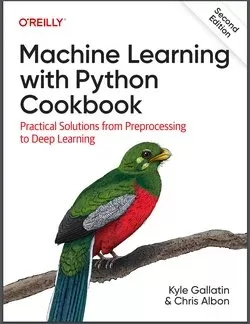
This practical guide provides more than 200 self-contained recipes to help you solve machine learning challenges you may encounter in your work. If you're comfortable with Python and its libraries, including pandas and scikit-learn, you'll be able to address specific problems, from loading data to training models and leveraging neural networks.
From there, you can adapt these recipes according to your use case or application. Each recipe in this updated edition includes code that you can copy, paste, and run with a toy dataset to ensure that it works. Recipes include a discussion that explains the solution and provides meaningful context.
Go beyond theory and concepts by learning the nuts and bolts you need to construct working machine learning applications.
You'll find recipes for:Vectors, matrices, and arraysWorking with data from CSV, JSON, SQL, databases, cloud storage, and other sourcesHandling numerical and categorical data, text, images, and dates and timesDimensionality reduction using feature extraction or feature selectionModel evaluation and selectionLinear and logical regression, trees and forests, and k-nearest neighborsSupporting vector machines (SVM), naäve Bayes, clustering, and tree-based modelsSaving, loading, and serving trained models from multiple frameworks
Если материал оказался полезен — сохраните страницу.
Поделиться
Частые вопросы
Можно ли скачать «Machine Learning with Python Cookbook: Practical Solutions from Preprocessing to Deep Learning. 2 Ed» бесплатно?
Да, «Machine Learning with Python Cookbook: Practical Solutions from Preprocessing to Deep Learning. 2 Ed» доступна для бесплатного скачивания на нашем сайте в формате PDF. Ссылка на файл находится на этой странице.
В каком формате и какого размера файл?
Книга предоставляется в формате PDF, размер файла 6,7 МБ.
Кто автор и когда вышла книга?
автор — Albon Chris , Gallatin Kyle, издательство O’Reilly Media, Inc., год выпуска 2023, 535 страниц.
О чём книга «Machine Learning with Python Cookbook: Practical Solutions from Preprocessing to Deep Learning. 2 Ed»?
This practical guide provides more than 200 self-contained recipes to help you solve machine learning challenges you may encounter in your work.
Похожие материалы
 Основы программирования на Python
 Python для детей. Самоучитель по программированию
 Python. Сборник упражнений. Введение в язык Python с задачами и решениями
 Структуры данных в Python: начальный курс
 Python за 7 дней. Краткий курс для начинающих
 Python in a Nutshell: A Desktop Quick Reference. 4 Ed
 Python for Microcontrollers: Getting Started with MicroPython
 Programming with MicroPython