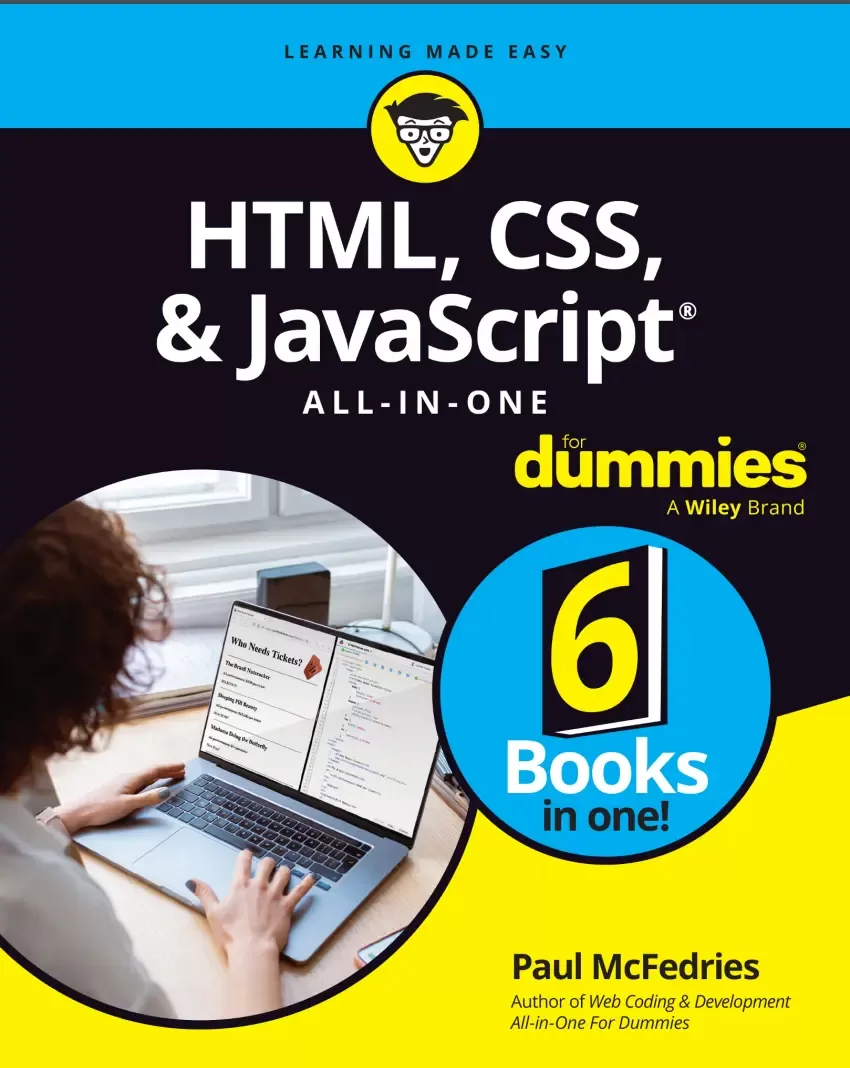
HTML, CSS, and JavaScript All-in-One For Dummies
Оглавление⌄
Title Page....3Copyright Page....4Table of Contents....7Introduction....23About This Book....24Getting started with the book....24My “No AI” guarantee....24Foolish Assumptions....25Icons Used in This Book....25Beyond the Book....26Book 1 Getting Started....27Chapter 1 Getting Acquainted with HTML, CSS, and JavaScript....29What Do HTML, CSS, and JavaScript Do, Exactly?....30Why Learn HTML, CSS, and JavaScript?....30Seeing How It All Works....32To get started, launch a new text file....33Notes about saving HTML files....33This book in four words: Edit. Save. Reload. Repeat.....34Adding Structure with HTML....36What is HTML?....37Getting the hang of HTML elements and tags....37Understanding tag attributes....39A barebones HTML page....40Giving your page a title....42Adding some text....43Some notes on structure versus style....45Adding Style with CSS....46Figuring out cascading style sheets....46Styles: Bundles of formatting options....46Sheets: Collections of styles....47Cascading: How styles propagate....48Getting the hang of CSS rules and declarations....48Adding styles to a page....50Inserting inline styles....50Embedding an internal style sheet....50Linking to an external style sheet....53Adding Dynamism with JavaScript....54What is JavaScript?....55Adding a script to a page....56The <script> tag....56Where do you put the <script> tag?....56Example #1: Displaying a message to the user....57Example #2: Writing text to the page....59Chapter 2 Getting Ready to Code....61Setting Up Your Test Browsers....62Creating Your Local Folders....62First, create the local root folder....63Now create the local subfolders, if any....63Choosing Your Text Editor....64What Else Do You Need?....66Using the WebDev Workbench....67Chapter 3 Finding and Setting Up a Web Host....69Understanding Web Hosting Providers....70Using your existing internet provider....70Finding a free hosting provider....70Signing up with a commercial hosting provider....71A Buyer’s Guide to Web Hosting....71Finding a Web Host....74Finding Your Way around Your New Web Home....75Your directory and your web address....76Making your hard disk mirror your web home....77Uploading your site files....78Making changes to your web files....79Chapter 4 Testing and Validating Your Code....81Cross-Browser Testing Your Code....82Taking a look at browser market share....82Your cross-browser testing suite....83Cross-browser testing online....83Understanding Validation....84Don’t Skip Validation!....86Validating Your HTML Code....87Validating HTML online....87Validating HTML in your text editor....89Validating Your CSS Code....91Validating CSS online....91Validating CSS in your text editor....94Validating Your JavaScript Code....94Validating JavaScript online....95Validating JavaScript in your text editor....96Book 2 Learning HTML Basics....99Chapter 1 Building Good Bones: Structuring the Page....101Getting to Know HTML’s Basic Structure Tags....102Creating paragraphs....103Dividing your text with headings....105Adding line breaks....107Separating stuff with a horizontal rule....108Carving Up the Page....109The <header> tag....110The <nav> tag....111The <main> tag....112The <article> tag....113The <section> tag....113The <aside> tag....114The <footer> tag....115Handling nonsemantic content with <div>....116Handling words and characters with <span>....117Commenting Your Code....117Chapter 2 Adding Links, Lists, and Other Text Tidbits....119Applying the Basic Text Tags....120Emphasizing text....120Marking important text....121Nesting tags....122Adding quotations....122Creating Links....124Linking basics....124Anchors aweigh: Internal links....125Building Bulleted and Numbered Lists....127Making your point with bulleted lists....127Numbered lists: Easy as one, two, three....129Inserting Special Characters....130A Few More HTML Text Tags to Know....131<abbr>: The abbreviation text tag....132<address>: The address text tag....132<cite>: The citation text tag....133<code>: The code text tag....134<dfn>: The definition text tag....135<dl>: The description list text tag....136<kbd>: The keyboard input text tag....138<mark>: The mark text tag....138<pre>: The preformatted text tag....139<s>: The strikethrough text tag....140<sub>: The subscript text tag....142<sup>: The superscript text tag....142Chapter 3 Working with Images, Video, and other Media....145Inserting Images....146First, a mercifully brief look at image formats....146Inserting an image....147Inserting a figure with a caption....149Turning an image into a link....150Controlling an image’s vertical alignment....151Embedding Videos....153Embedding a third-party video....153Embedding your own videos....154Some notes about web media file formats....155The bad news: Web video formats....155The good news: The <video> tag....156Embedding Audio Snippets....159Embedding third-party audio....159Embedding your own audio....161Web audio formats....161The <audio> tag....162Chapter 4 Building Tables with Your Bare Hands....165What Is a Table?....166Web Woodworking: How to Build a Table....168The simplest case: a one-row table....168Adding more rows....170Adding More Table Elements....171Creating a header row....171Including a caption....172Creating a header column....173Creating a table footer....174Table Refinishing: Styling Your Tables....176Aligning text within cells....176Aligning cell text horizontally....176Aligning cell text vertically....179Bring on the borders....181Putting your data in a padded cell....183Changing the location of the caption....184Chapter 5 Using Forms to Make a Page Interactive....185What Is a Web Form?....186Cruising along Server Street....187Taking a walk down Local Lane....188Building a Web Form....188Setting up the form....189Adding a form button....189Working with text fields....190Adding checkboxes....193Working with radio buttons....195Adding selection lists....197Bringing in pickers....200Chapter 6 Making Your Web Pages Accessible....203Why to Make Your Pages Accessible....204Accessibility is a right....204Accessibility brings other benefits....205Understanding Web Accessibility....205Understanding who needs accessibility....206Learning about assistive technologies for web surfing....207Assistive technologies for visual disabilities....208Assistive technologies for auditory disabilities....208Assistive technologies for motor disabilities....209Assistive technologies for cognitive disabilities....209Making Your Page Structure Accessible....209Using headings hierarchically....209Using semantic sectioning elements....210Making Text Accessible....210Making Media Accessible....211Specifying alt text for images....212Making other media accessible....212Buffing Up Your Page Accessibility Semantics....213Adding form field labels....214Understanding ARIA roles, states, and properties....214Landmark ARIA roles....216Section structure ARIA roles....216Widget ARIA roles....218Differentiating semantic page elements of the same type....219Making Your Pages Keyboard-Friendly....220Adding an element to the tab order....221Removing an element from the tab order....222Ensuring Sufficient Color Contrast....222Validating the Accessibility of a Page....224Book 3 Learning CSS Basics....225Chapter 1 Figuring Out the CSS Box Model....227Thinking Outside (but Also Inside) the Box Model....228Understanding the components of the box model....228Understanding block and inline boxes....230Changing the display type for a box....231Eyeballing an element’s box....232A Brief Digression on Whitespace....233Adding Padding....235Putting a Border on It....237Applying a border....237Rounding your borders....240Rounding borders based on the arc of a circle....242Rounding borders based on the arc of an ellipse....244Manipulating Element Margins....245Taking advantage of negative margins....247Collapsing margins ahead!....247Dealing with negative margins....250Other margin collapsing scenarios....250Styling Element Sizes....250Setting a minimum or maximum height or width....253Making width and height make sense....254Magically converting an inline element to a block-level element....255Chapter 2 Getting to Know the CSS Selectors....257Introducing Yourself to the Web Page Family....258What’s All This About a Selector?....260Seeing some examples of selectors....260Working with selector lists....261Learning the Standard Selectors....262The type selector....262The class selector (.)....262Combining type and class selectors....263Matching multiple classes....264The id selector (#)....264The universal selector (*)....265Selecting Descendants, Children, and Siblings....265The descendant combinator ( )....266The child combinator (>)....267The subsequent-sibling combinator (~)....267The next-sibling combinator (+)....268Selecting Elements by Attribute....269Chapter 3 Pseudo School: Learning Pseudo-Classes and Pseudo-Elements....273Scratching Your Head Over Pseudo-Classes....274Introducing the pseudo-class....275Styling elements with pseudo-classes....275Matching child elements....277:first-child....277:last-child....278:nth-child()....279:nth-last-child()....281:only-child....282Matching child elements by type....282:first-of-type....283:last-of-type....284:nth-of-type()....284:nth-last-of-type()....285:only-of-type....285Matching form elements by state....286Matching elements by user action....290:active....290:focus....291:hover....291Matching links....292Working with functional pseudo-classes....293A quick look at selector lists....294:is()....294:not()....295:where()....297:has()....298Getting Up to Speed with Pseudo-Elements....300Working with pseudo-elements....300Generating a last child with ::after....301Generating a first child with ::before....303Styling the opening letter with ::first-letter....305Styling the opening line with ::first-line....307Chapter 4 Making CSS Make Sense....309Commenting Your CSS Code....310Commenting non-obvious code....310Marking stylesheet sections with comments....311Using a CSS Reset....312Debugging CSS....314Displaying the web development tools....314Inspecting an element....316Inspecting an element’s styles....317Inspecting an element’s box model....319Inspecting an element’s computed styles....320Inspecting an element’s layout....321Editing a property value....321Disabling a declaration....323Adding an inline declaration to an element....324Adding an element declaration to the inspector stylesheet....324Adding a class to an element....326Simulating a pseudo-class state....327Popping the Hood: How Styles Get Applied....328Unravelling inheritance....328Why some properties don’t inherit....329Forcing inheritance....330Flowing along with the cascade....331How the cascade works....332Understanding declaration types....332Understanding origin types....333Declaration type, origin type, and weight....333Figuring out specificity....335Specificity and :is(), :where(), :not(), and :has()....339The ultimate tiebreaker: source code order....339Putting it all together: the cascade algorithm....340Chapter 5 Taking the Measure of CSS....343Getting Comfy with CSS Measurement Units....344Checking Out the Absolute Measurement Units....345Getting to Know the Relative Measurement Units....346Using percentages....347Getting a handle on the em unit....347Meeting your CSS measurement best friend: the rem unit....351Here’s Looking at View(port Measurement Units)....354Calculating with CSS....355Calculating with calc()....355Finding the smallest value with min()....356Finding the largest value with max()....357Setting bounds with clamp()....357Chapter 6 Fancifying Pages with Colors and Backgrounds....359Specifying Colors in CSS....360Papayawhip, peachpuff, and more: color keywords....360Rolling your own colors with the rgb() function....361Specifying colors nerd-style: RGB codes....362Going pro with the hsl() function....363Using Color to Spruce Up Your Text....366Applying a text color....366Setting the text decoration color....366Creating a text shadow....367Styling an Element’s Background....368Applying a coat of background color....368Wallpapering an element with a background image....369Taking advantage of the background shorthand property....374Impressing Your Friends with Color Gradients....376Applying a linear gradient....376Applying a radial gradient....378Applying a conic gradient....380Setting Border Colors....381Playing with Colors in the Dev Tools....381Changing the color....382Choosing accessible colors....383Chapter 7 Taking Your Text Up a Notch with Web Typography....385Taking Care of Your Text....386Getting to know typefaces (and fonts, too)....386All in the font family: Applying a typeface....387Introducing the font stack....387Generic font families....388System font families....389Web font families....390Linking to a web font family....390Self-hosting a web font family....394The Typographic Trinity: Setting Type Size, Line Height, and Line Length....398Setting the type size....399Setting the line height....402Setting the line length....404How the typographical trinity are related....406Applying Text Styles....406Styling the text weight....406Styling text with italics....408Getting more styles with variable fonts....408More Typographical Trickery....411Controlling capitalization....411Setting the spacing between letters....412Displaying text as small caps....412Using alternative numeric glyphs....413The font shorthand property....414Giving Your Links a Makeover....414Messing with Alignment....416Aligning text....416Hyphenating text....417Indenting a paragraph’s first line....418Book 4 Building Dynamic Pages with JavaScript....419Chapter 1 JavaScript: The Bird’s-Eye View....421What Is Web Coding?....422What Is a Programming Language?....423Is JavaScript Hard to Learn?....424What You Can Do with JavaScript....425What You Can’t Do with JavaScript....426What Do You Need to Get Started?....426Dealing with a Couple of Exceptional Cases....427Handling browsers with JavaScript turned off....427Handling very old browsers....429Adding Comments to Your Code....430Creating External JavaScript Files....430Chapter 2 Understanding Variables....433Understanding Variables....434Declaring a variable with let....434Storing a value in a variable....435Checking out another way to declare a variable: const....436Using variables in statements....437Naming Variables: Rules and Best Practices....439Rules for naming variables....439Ideas for good variable names....440Understanding Literal Data Types....441Working with numeric literals....441Exponential notation....442Hexadecimal integer values....443Working with string literals....443Using quotation marks within strings....443Understanding escape sequences....444Working with Boolean literals....445JavaScript Reserved Words....445JavaScript and HTML Keywords....446Chapter 3 Building Expressions....449Understanding Expression Structure....450Building Numeric Expressions....451A quick look at the arithmetic operators....451Using the addition (+) operator....452Using the increment (++) operator....452Using the subtraction and negation (-) operators....453Using the decrement (--) operator....455Using the multiplication (*) operator....455Using the division (/) operator....456Using the modulus (%) operator....457Using the arithmetic assignment operators....458Building String Expressions....458Building Comparison Expressions....461The comparison operators....461Using the equality (==) operator....461Using the inequality (!=) operator....462Using the greater than (>) operator....463Using the less than (<) operator....463Using the greater than or equal (>=) operator....464Using the less than or equal (<=) operator....464The comparison operators and data conversion....464Using the strict equality (===) operator....466Using the strict inequality (!==) operator....466Using strings in comparison expressions....467Using the ternary (?:) operator....468Building Logical Expressions....469The logical operators....469Using the AND (&&) operator....469Using the OR (||) operator....470Using the NOT (!) Operator....471Advanced notes on the && and || operators....472Understanding Operator Precedence....474The order of precedence....474Controlling the order of precedence....475Chapter 4 Controlling the Flow of JavaScript....479Making True/False Decisions with if Statements....480Branching with if. . .else Statements....482Making Multiple Decisions....484Using the AND (??) and OR (||) operators....484Stringing together multiple if statements....485Using the switch statement....486Understanding Code Looping....488Using while Loops....489Using for Loops....492Using do. . .while Loops....496Controlling Loop Execution....498Exiting a loop using the break statement....498Bypassing loop statements using the continue statement....501Avoiding Infinite Loops....502Chapter 5 Harnessing the Power of Functions....503What Is a Function?....504The Structure of a Function....504Where Do You Put a Function?....506Calling a Function....506Calling a function when the <script> tag is parsed....506Calling a function after the page is loaded....508Calling a function in response to an event....509Passing Values to Functions....510Passing a single value to a function....511Passing multiple values to a function....512Making an argument optional....514Returning a Value from a Function....516Getting Your Head around Anonymous Functions....517Assigning an anonymous function to a variable....518Replacing a function call with an anonymous function....519Moving to Arrow Functions....520Running Functions in the Future....522Using a timeout to perform a future action once....523Using an interval to perform a future action repeatedly....524Understanding Variable Scope....526Working with block scope....526Working with function scope....527Working with global scope....529Using Recursive Functions....530Chapter 6 Playing with the Document Object Model....535Working with Objects....536What is an object, anyway?....536Manipulating object properties....537Referencing a property....538Some properties are objects....539Changing the value of a property....539Working with object methods....540Rolling your own objects....541The Web APIs: Some special objects....543Getting to Know the Document Object Model....544Specifying Elements....547Specifying an element by id....547Specifying elements by tag name....548Specifying elements by class name....548Specifying elements by selector....549Working with collections of elements....549Traversing the DOM....551Getting the children of a parent element....552Getting all the child nodes....552Getting the first child node....554Getting the last child node....555Getting the parent of a child element....556Getting the siblings of an element....556Getting the previous sibling....557Getting the next sibling....557Manipulating Elements....557Adding an element to the page....557Step 1: Creating the element....558Step 2: Adding the new element as a child....558Step 3: Adding text and tags to the new element....559Inserting text or HTML into an element....560Removing an element....561Modifying CSS with JavaScript....562Changing an element’s styles....562Adding a class to an element....563Removing a class....564Toggling a class....565Tweaking HTML Attributes with JavaScript....566Reading an attribute value....567Setting an attribute value....567Removing an attribute....568Building Reactive Pages with Events....568What’s an event?....569Understanding the event types....569Getting data about the event....571Preventing the default event action....573Chapter 7 Working with Arrays....575What Is an Array?....576Declaring an Array....576Populating an Array with Data....577Declaring and populating an array at the same time....579Using a loop to populate an array....580How Do I Iterate Thee? Let Me Count the Ways....581Iterating an array: forEach()....582Iterating an array: for. . .of....583Iterating to test an array’s elements: every() and some()....584Testing whether all elements pass a test: every()....584Testing whether some elements pass a test: some()....586Iterating to create a new array: map()....587Iterating an array down to a value: reduce()....588Iterating to locate an element: find()....590Creating Multidimensional Arrays....591Manipulating Arrays....592The length property....592Concatenating to create a new array: concat()....593Creating a string from an array’s elements: join()....595Removing an array’s last element: pop()....596Adding elements to the end of an array: push()....597Reversing the order of an array’s elements: reverse()....598Removing an array’s first element: shift()....598Returning a subset of an array: slice()....599Ordering array elements: sort()....600Removing, replacing, and inserting elements: splice()....602Inserting elements at the beginning of an array: unshift()....604Chapter 8 Manipulating Strings, Dates, and Numbers....605Manipulating Text with the String Object....606Working with string templates....606Determining the length of a string....608Searching for substrings....609The startsWith(), includes(), and endsWith() methods....610The indexOf() and lastIndexOf() methods....611Methods that extract substrings....613The charAt() method....613The slice() method....615The split() method....616The substr() method....618The substring() method....619Understanding the differences between splice(), substr(), and substring()....620Dealing with Dates and Times....621Arguments used with the Date object....622Working with the Date object....622Specifying the current date and time....623Specifying any date and time....623Extracting information about a date....623Extracting the month name from a date....626Extracting the day name from a date....626Setting the date....627Performing date calculations....630Determining a person’s age....630Performing complex date calculations....632Calculating the days between two dates....632Working with Numbers: The Math Object....633Converting between strings and numbers....634The parseInt() function....634The parseFloat() function....635The + operator....635The Math object’s properties and methods....636Properties of the Math object....636Methods of the Math object....636Chapter 9 Storing User Data in the Browser....639Understanding Web Storage....640Introducing JSON....640Learning the JSON syntax....641Declaring and using JSON variables....642Converting a JavaScript object to JSON....643Converting a JSON string to a JavaScript object....644Adding Data to Web Storage....645Getting Data from Web Storage....647Removing Data from Web Storage....648Chapter 10 Debugging Your Code....649Understanding JavaScript’s Error Types....650Syntax errors....650Runtime errors....650Logic errors....651Getting to Know Your Debugging Tools....652Debugging with the Console....654Displaying the console in various browsers....654Logging data to the Console....655Executing code in the Console....655Pausing Your Code....656Entering break mode....656Setting a breakpoint....657Entering break mode using a debugger statement....658Exiting break mode....659Stepping Through Your Code....659Stepping one statement at a time....660Stepping into some code....660Stepping over some code....661Stepping out of some code....661Monitoring Script Values....662Viewing a single variable value....662Viewing all variable values....663Adding a watch expression....664More Debugging Strategies....665The Ten Most Common JavaScript Errors....666The Ten Most Common JavaScript Error Messages....669Chapter 11 Processing Form Data....671Looking at the HTMLFormElement Object....672Taking a Peek at the HTMLInputElement Object....672Programming Text Fields....673Referencing text fields by field type....673Getting a text field value....674Setting a text field value....675Coding Checkboxes....676Referencing checkboxes....676Getting the checkbox state....677Setting the checkbox state....678Dealing with Radio Buttons....679Referencing radio buttons....679Getting a radio button state....680Setting the radio button state....681Programming Selection Lists....682Checking out the HTMLSelectElement object....682Checking out the HTMLOptionElement object....683Referencing selection list options....684Getting the selected list option....684Changing the selected option....686Handling and Triggering Form Events....686Setting the focus....687Monitoring the focus event....688Monitoring the blur event....688Listening for element changes....689Creating Keyboard Shortcuts for Form Controls....690Dealing with the Form Data....692Book 5 Looking Good with Layouts....695Chapter 1 Exploring Some Layout Basics....697Getting a Grip on Page Flow....698Floating Elements....699Example: Creating a pull quote....701Clearing your floats....703Collapsing containers ahead!....705Positioning Elements....707Using relative positioning....709Giving absolute positioning a whirl....710Trying out fixed positioning....712Making elements stick (temporarily)....714Stacking Elements....718Layering elements with z-index....718Getting your head around stacking contexts....720Chapter 2 Getting Fancy with Flexbox....725Introducing Flexbox....726Do I Still Need Flexbox Now That CSS Grid Is Here?....727Setting Up and Configuring Flex Containers....727Setting up the flex container....728Touring the landscape of a flex container....728Setting the flex direction....728Aligning flex items along the primary axis....731Aligning flex items along the secondary axis....733Centering an element horizontally and vertically....735Allowing flex items to wrap....736Aligning rows or columns along the secondary axis....738Adding gaps between items....740Taking Control of Flex Items....741Allowing flex items to grow....742Allowing flex items to shrink....744Suggesting a flex item size....748Using the flex shorthand property....752Laying out content columns with Flexbox....753Changing the order of flex items....756Chapter 3 Laying Out a Page with CSS Grid....759Introducing CSS Grid....760Setting Up the Grid Container....761Specifying the Grid Rows and Columns....762Setting your own columns and rows: the explicit grid....763Letting a column or row grow or shrink as needed....764De-drudgifying Grid: the repeat() function....765Setting a range of values: the minmax() function....766Sizing with the auto keyword....766Letting the browser do some of the work: the implicit grid....767Leaving out the grid rows template....767Leaving out the grid columns template....768Specifying a size for implicit rows or columns....770Creating grid gaps....771Taking Control: Assigning Grid Items....772Assigning grid items to columns and rows....772Figuring out grid lines, tracks, and axes....773Assigning grid items using line numbers....775Displaying grid line numbers in the browser dev tools....778Assigning grid items to named grid areas....779Setting up named grid areas....780Assigning the items to the area....782Displaying named areas in the browser dev tools....782Getting Your Grid Ducks in a Row (or a Column): Aligning Things....783Chapter 4 Creating Responsive Layouts....787What is a Responsive Layout?....788Going with the Flow: Fluid Layouts....791How Flexbox makes a page fluid....792How CSS Grid makes a page fluid....795Taking advantage of viewport units....798Making typography fluid....800Introducing your best fluid friend: clamp()....801Querying Your Way to Responsiveness: Adaptive Layouts....801Interrogating the screen with media queries....802Laying out trees instead of forests with container queries....805Setting up the query container....806Querying the container....809Working with container query units....811Respecting your visitors with user preference queries....811Working with Images Responsively....813Making images responsive....814Delivering images responsively....814Exploring the Principles of Mobile-First Development....817What is mobile-first web development?....817Mobile first means content first....818Pick a testing width that makes sense for your site....819Get your content to scale with the device....820Build your CSS the mobile-first way....820Pick a “non-mobile” breakpoint that makes sense for your content....821Index....823EULA....851
Описание
Коротко и по делу о том, что важно знать про websites.
Or maybe you just want to develop a new skill and create websites for fun. Looking to start an exciting new career in front-end web building and design? Whatever your reasons, it’s never been easier to start learning how to build websites from scratch than with help from HTML, CSS, & JavaScript All-in-One For Dummies. This book has the essentials you need to wrap your head around the key ingredients of website design and creation.
Using the 6 books compiled within this comprehensive collection, you’ll discover how to make static and dynamic websites, complete with intuitive layouts and cool animations. You’ll learn to build attractive, useful, and easy-to-navigate websites by combining HTML, CSS, and JavaScript into fun and practical creations. The book also includes:
And with the right help, almost anyone can learn to create engaging websites from scratch. Incorporate the latest approaches to HTML, CSS, and JavaScript, including those involving new markup, page styles, interactivity, and moreStep-by-step instructions for new site creators explaining the very basics of page layouts and animationsEasy-to-follow advice for adjusting page color and background, adding widgets to a site, and getting rid of all the bugs that affect site performanceWeb development is a fun, interesting, and challenging skill that can lead to a lucrative career (if you’re so inclined). So, grab a copy of HTML, CSS, & JavaScript All-in-One For Dummies and you’ll be designing and building before you know it!
Файл доступен для загрузки ниже.
Поделиться
Частые вопросы
Можно ли скачать «HTML, CSS, and JavaScript All-in-One For Dummies» бесплатно?
Да, «HTML, CSS, and JavaScript All-in-One For Dummies» доступна для бесплатного скачивания на нашем сайте в формате PDF. Ссылка на файл находится на этой странице.
В каком формате и какого размера файл?
Книга предоставляется в формате PDF, размер файла 9,4 МБ.
Кто автор и когда вышла книга?
автор — McFedries Paul, издательство John Wiley & Sons, Inc., год выпуска 2023, 851 страниц.
О чём книга «HTML, CSS, and JavaScript All-in-One For Dummies»?
Looking to start an exciting new career in front-end web building and design?
Похожие материалы
 HTML and CSS: Visual QuickStart Guide. 9 Ed
 HTML & CSS: Learn The Fundamentals In 7 days
 Шпаргалки для начинающего верстальщика HTML/CSS
 Веб-дизайн для начинающих. HTML, CSS, JavaScript и веб-графика. 5 изд
 HTML, CSS & JavaScript in easy steps. Special Edition
 The Absolute Beginner's Guide to HTML and CSS: A Step-by-Step Guide with Examples and Lab Exercises
 HTML5 + CSS3. Основы современного WEB-дизайна
 Responsive Web Design with HTML5 and CSS: Develop future-proof responsive websites using the latest HTML5 and CSS techniques. 3 Ed