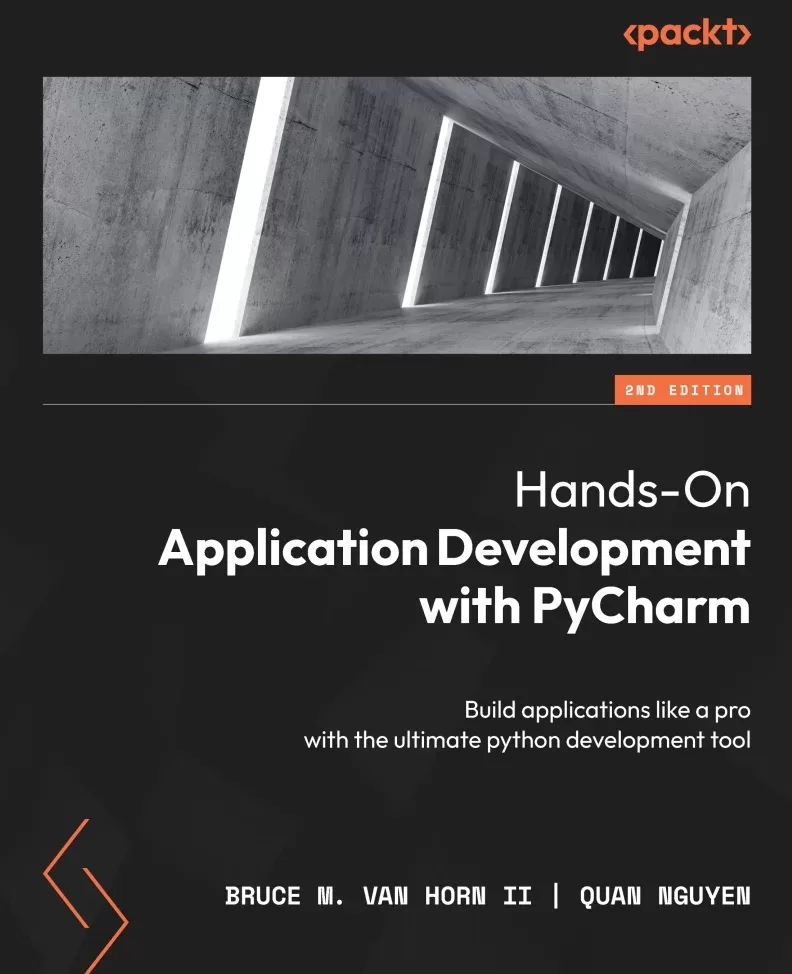
Hands-On Application Development with PyCharm: Build applications like a pro with the ultimate python development tool. 2 Ed
Оглавление⌄
Cover....1 Title Page....2 Copyright and Credits....3 Contributors....5 Table of Contents....8 Preface....18 Part 1: The Basics of PyCharm....26 Introduction to PyCharm – the Most Popular IDE for Python....28 Technical requirements....31 The continued success of Python....32 The philosophy of IDEs....33 PyCharm as a Python IDE....38 Intelligent coding assistance....40 Streamlined programming tools....43 Web development options....50 Scientific computing support....50 Understanding the Professional, Community, and Educational editions....51 Summary....53 Questions....53 Further reading....54 Installing and Configuring PyCharm....56 Technical requirements....57 Downloading PyCharm the traditional way....58 JetBrains Toolbox....59 Installing Toolbox in Windows....60 Installing Toolbox in macOS....60 Installing PyCharm with Toolbox....61 Launching PyCharm using Toolbox....63 Installing an alternate version or uninstalling....63 Updating PyCharm using Toolbox....64 Launching and registering PyCharm....65 Setting up PyCharm....66 Appearance and behavior....68 Working with projects....78 Creating a new project....78 Running a PyCharm project....83 Cloning this book’s code from GitHub....85 Setting up your GitHub account....86 Cloning the book’s repository....87 Summary....88 Questions....90 Further reading....90 Part 2: Improving Your Productivity....92 Customizing Interpreters and Virtual Environments....94 Technical requirements....96 Virtual environments....97 Creating a virtual environment by hand....98 Creating a project in PyCharm (revisited)....100 Using an existing virtual environment....103 Changing the interpreter for a project....105 Activating virtualenv....107 Using the integrated terminal....107 Working with the REPL in the console window....109 Working with third-party package libraries....111 Adding third-party libraries in PyCharm....113 Removing third-party libraries in PyCharm....115 Using a requirements.txt file....116 The new Python Packages window....117 Professional features important to virtual environments....119 Importing projects into PyCharm....120 Importing a project cloned from a repository....123 Dealing with invalid interpreters....125 Working with run configurations....128 PyCharm’s project files....132 Summary....134 Questions....135 Further reading....135 Editing and Formatting with Ease in PyCharm....136 Technical requirements....137 Code analysis, inspection, and suggestion....137 It duzunt assewm yew cna spel....139 It understands your code....140 Postfix code completion....141 Hippie completion....143 Indexing....145 Power Save Mode....146 Customizing code completion....147 Match case....148 Sorting suggestions alphabetically....149 Machine learning assisted completions....150 Showing the documentation popup in [...] ms....151 Parameter info....151 Code analysis and automated fixes....152 Problem detection....153 Syntax errors....156 Duplicated code....156 PEP-8 problems....157 Dead code....157 Method signature mismatches....157 The road to good code is paved with PyCharm’s intentions....158 Refactoring....160 What is refactoring?....160 Refactoring tools in PyCharm....160 Documentation....175 Working with docstrings....176 Summary....181 Questions....182 Further reading....182 Version Control with Git in PyCharm....184 Technical requirements....185 Version control and Git essentials....185 Setting up Git on your computer....187 Setting your default username and email address....187 Generating an SSH key....188 Adding your SSH key to your GitHub account....189 Setting up a repository manually....189 Master versus main branches in GitHub....190 Manually initializing the repository....191 Working with remotes....193 Adding a remote on GitHub....193 The first push....194 Making, committing, and pushing a change....194 Working with Git in the IDE....195 Version control in PyCharm....195 Creating a new project from scratch using VCS tooling in PyCharm....199 Initializing the local Git repository....200 Adding a remote on GitHub....202 Adding project files....204 Adding a .gitignore file....204 Pulling and pushing....208 Branching and merging....210 Creating a branch....211 Switching between branches....211 Merging....212 Viewing the branch diagram....212 Diffs and conflict resolution....213 Viewing diffs....218 Summary....219 Questions....219 Further reading....220 Seamless Testing, Debugging, and Profiling....222 Technical requirements....223 Testing, testing, 1-2-3....223 Unit testing in Python using PyCharm....224 Choosing a test library....226 Adding a bank account class....227 Testing the bank account class....228 Running the tests....230 Fixing the failing tests....232 Testing the fault paths....233 Generating tests automatically....234 Generating the transaction test....235 Working with PyCharm’s debugger....243 Using the debugger to find and fix our test problem....246 Checking test coverage....249 Test coverage output....255 Profiling performance....256 Profiling in PyCharm....256 Comparing performance versus the built-in sum() function....259 Viewing the call graph....260 Navigating using the performance profile....261 Performance cProfile snapshots....261 Summary....262 Questions....263 Further reading....263 Part 3: Web Development in PyCharm....264 Web Development with JavaScript, HTML, and CSS....266 Technical requirements....267 Introduction to HTML, JavaScript, and CSS....267 Writing code with HTML....268 Creating HTML in PyCharm....270 Creating an empty project....270 Previewing web pages....273 Reloading the browser view on save....274 Using the PyCharm HTML preview....275 Configuring the available browsers....275 Navigating structure code with the structure window....276 Adding the CSS....277 Using color selectors....279 Adding JavaScript....280 Adding some JavaScript code....280 Adding the elements to the HTML file....281 Debugging client-side JavaScript....282 Working with Emmet templating....284 HTML project types in PyCharm Professional....285 HTML 5 Boilerplate....285 Previewing and editing graphics with external tools....287 Uploading your site to a server....288 Creating a Bootstrap project....296 Working with modern JavaScript and NodeJS....297 Creating a NodeJS project....297 Creating a React project....297 Other frontend frameworks....298 Summary....299 Questions....299 Building a Dynamic Web Application with Flask....300 Technical requirements....301 Web basics – client-server architecture....302 Exploring the request-response mechanism in HTTP – how clients and servers communicate....304 What is Flask?....306 Request-response handling and routing with Werkzeug....307 Templating with Jinja2....308 A note on naming files and folders....309 Creating a Flask application in PyCharm Professional....310 Creating a dynamic web application....312 Setting up the static parts....312 Running the Flask app....317 Let’s make it look a little better....321 Adding some CSS....323 Making the page dynamic....324 Editor enhancements for working with Flask and Jinja2....327 Summary....328 Further reading....329 Creating a RESTful API with FastAPI....330 Technical requirements....333 There is no REST in a wicked stateless world....333 Creating a FastAPI project in PyCharm Professional....337 Running the FastAPI project....339 Working with PyCharm’s HTTP Requests....342 Examining the details of the return....344 We just generated a new run configuration....347 Using Before launch actions in run configurations....348 Working with HTTP Request environments....353 Let’s get CRUDdier and then get testier!....356 Getting testier....359 Creating the tests....363 Editing and debugging a full stack app by attaching projects....365 Creating a React app in a separate project....365 Attaching the project to your FastAPI project we created earlier....367 Summary....369 Questions....369 Further reading....370 More Full Stack Frameworks – Django and Pyramid....372 Technical requirements....373 What’s all this fuss about Django?....373 Django framework components....375 Creating a Django project....377 Structure of a Django project....378 Initial configuration....379 Running the Django project....380 Creating Django models....382 Performing migrations using manage.py....385 The Django admin interface....389 Creating a superuser and logging in....390 Adding the Author and Book models to the admin interface....392 Creating Django views....394 What’s with the weird Python icon in the template gutter?....397 Run it!....398 Building Pyramid applications with PyCharm....398 Creating a Pyramid project....399 Summary....402 Questions....403 Further reading....403 Understanding Database Management in PyCharm....404 Technical requirements....406 Relational databases in a nutshell....406 Structured Query Language....407 The two halves of SQL....408 Relationships....409 More relational structures....411 Database terminology uses simple English plurals....412 Database tooling in PyCharm....413 Setting up a MySQL database server with Docker....413 Installing and running the MySQL container....414 Stopping and starting the container....415 Connecting to data sources using PyCharm....416 Creating a new database....419 Setting the SQL dialect (this is crucial)....421 Grouping and color coding data sources....422 Database design and manipulation....428 Creating a table....428 Altering existing structures....437 Generating scripts....440 Querying the data source using SQL....442 Ad hoc queries....442 Generating SQL statements....444 Running the query....446 Exporting query results....448 Working with SQL files....449 Summary....450 Further reading....451 Part 4: Data Science with PyCharm....452 Turning On Scientific Mode....454 Technical requirements....455 Creating a scientific project in PyCharm....455 Additional configuration for science projects in PyCharm....458 Markdown plugins....460 Adding images....462 Installing the CSV plugin....463 Installing the cell mode plugin....464 Installing packages....465 Backfill your requirements.txt file....467 Adding some sciency code....467 Toggling scientific mode....469 Understanding the advanced features of PyCharm’s scientific projects....471 The documentation viewer....471 Using code cells in PyCharm....473 Using PyCharm code cells....474 The cell mode plugin....476 Summary....477 Questions....478 Dynamic Data Viewing with SciView and Jupyter....480 Technical requirements....480 Data viewing made easy with PyCharm’s SciView panel....481 Viewing and working with plots....482 Heatmaps and correlational data....484 Viewing and working with data....487 Filtering in the Data tab....491 Understanding IPython and magic commands....495 Installing and setting up IPython....496 Introducing IPython magic commands....498 Leveraging Jupyter notebooks....502 Understanding Jupyter basics....503 The idea of iterative development....503 Jupyter notebooks in PyCharm....505 Creating a notebook and adding our code....505 Documenting with Markdown and LaTeX....507 Adding our plots....509 Executing the cells....509 Odds and ends....513 Summary....515 Questions....515 Building a Data Pipeline in PyCharm....516 Technical requirements....517 Working with datasets....517 Starting with a question....518 Archived user data....519 Tappy data....520 Data collection....522 Downloading from an external source....523 Manually collecting/web scraping....523 Collecting data via third parties....523 Database exports....523 Version control for datasets....524 Using Git Large File Support....524 Data cleansing and preprocessing....529 A toxic data example peripherally involving ninjas....529 Exploratory analysis in PyCharm....530 Data cleansing....538 Exploring the second dataset....543 Refactoring for scale....548 Data analysis and insights....552 Starting the notebook and reading in our processed data....553 Using charts and graphs....554 Machine learning-based insights....559 Scripts versus notebooks in data science....562 Summary....563 Questions....563 Further reading....564 Part 5: Plugins and Conclusion....566 More Possibilities with Plugins....568 Technical requirements....568 Bundled plugins and JetBrains Marketplace....569 The plugins window....569 Bundled plugins....570 JetBrains Marketplace....571 Making your own plugins....571 Requiring plugins for your projects....572 Useful miscellaneous plugins....573 Code with me (and never be lonely again)....577 Remote development....579 Configuring remote development in PyCharm....581 Creating a remote project....587 Let’s try that again....591 Creating a virtual environment on the remote....593 Other considerations....593 Working with Docker....594 The bundled Docker plugin....595 Create the project....595 Add a Docker run configuration....597 Summary....602 Your Next Steps with PyCharm....604 Miscellaneous topics in PyCharm....605 Remote virtual environments....605 Working with HashiCorp Vagrant....606 Tracking your time....612 TODO list....615 Macros....615 Notifications....618 New features in 2023.2....618 Black integration....621 GitLab integration....623 Run anywhere....624 AI Assistant....625 Jupyter Notebook support for Polars....629 Summary and closing remarks....629 Further reading....632 Index....634 Other Books You May Enjoy....1
Описание
Ниже — практический обзор по теме «pycharm».
In the quest to develop robust, professional-grade software with Python and meet tight deadlines, it’s crucial to have the best tools at your disposal. In this second edition of Hands-on Application Development with PyCharm, you’ll learn tips and tricks to work at a speed and proficiency previously reserved only for elite developers.
Regardless of how Python is utilized, whether for general automation scripting, utility creation, web applications, data analytics, machine learning, or business applications, PyCharm offers tooling that simplifies complex tasks and streamlines common ones. To achieve that, you’ll be introduced to PyCharm, the premiere professional integrated development environment for Python programmers among the myriad of IDEs available. In this book, you'll find everything you need to harness PyCharm's full potential and make the most of Pycharm's productivity shortcuts. The book comprehensively covers topics ranging from installation and customization to web development, database management, and data analysis pipeline development helping you become proficient in Python application development in diverse domains.
By the end of this book, you’ll have discovered the remarkable capabilities of PyCharm and how you can achieve a new level of capability and productivity.
What you will learnExplore basic and advanced PyCharm featuresSet up, configure, and customize your Python projects in PyCharmDevelop web applications with Flask, Django, FastAPI, and PyramidDiscover PyCharm's capabilities for database management and data visualizationExplore code automation, debugging, and remote development in PyCharmPerform data science tasks using Jupyter notebooks, NumPy, and pandasWho this book is forThis book is for Python practitioners and learners looking to boost their productivity and proficiency by harnessing the features and capabilities of PyCharm, all while gaining insights into best practices for modern application development. Basic knowledge of Python is required, making the book accessible to both newcomers and experienced Python developers.
Файл доступен для загрузки ниже.
Поделиться
Частые вопросы
Можно ли скачать «Hands-On Application Development with PyCharm: Build applications like a pro with the ultimate python development tool. 2 Ed» бесплатно?
Да, «Hands-On Application Development with PyCharm: Build applications like a pro with the ultimate python development tool. 2 Ed» доступна для бесплатного скачивания на нашем сайте в формате PDF. Ссылка на файл находится на этой странице.
В каком формате и какого размера файл?
Книга предоставляется в формате PDF, размер файла 35,7 МБ.
Кто автор и когда вышла книга?
автор — Nguyen Quan , Van Horn Bruce M. II, издательство Packt Publishing Limited, год выпуска 2023, 652 страниц.
О чём книга «Hands-On Application Development with PyCharm: Build applications like a pro with the ultimate python development tool. 2 Ed»?
In the quest to develop robust, professional-grade software with Python and meet tight deadlines, it’s crucial to have the best tools at your disposal.
Похожие материалы
 Основы программирования на Python
 Python для детей. Самоучитель по программированию
 Python. Сборник упражнений. Введение в язык Python с задачами и решениями
 Структуры данных в Python: начальный курс
 Python за 7 дней. Краткий курс для начинающих
 Python in a Nutshell: A Desktop Quick Reference. 4 Ed
 Python for Microcontrollers: Getting Started with MicroPython
 Programming with MicroPython