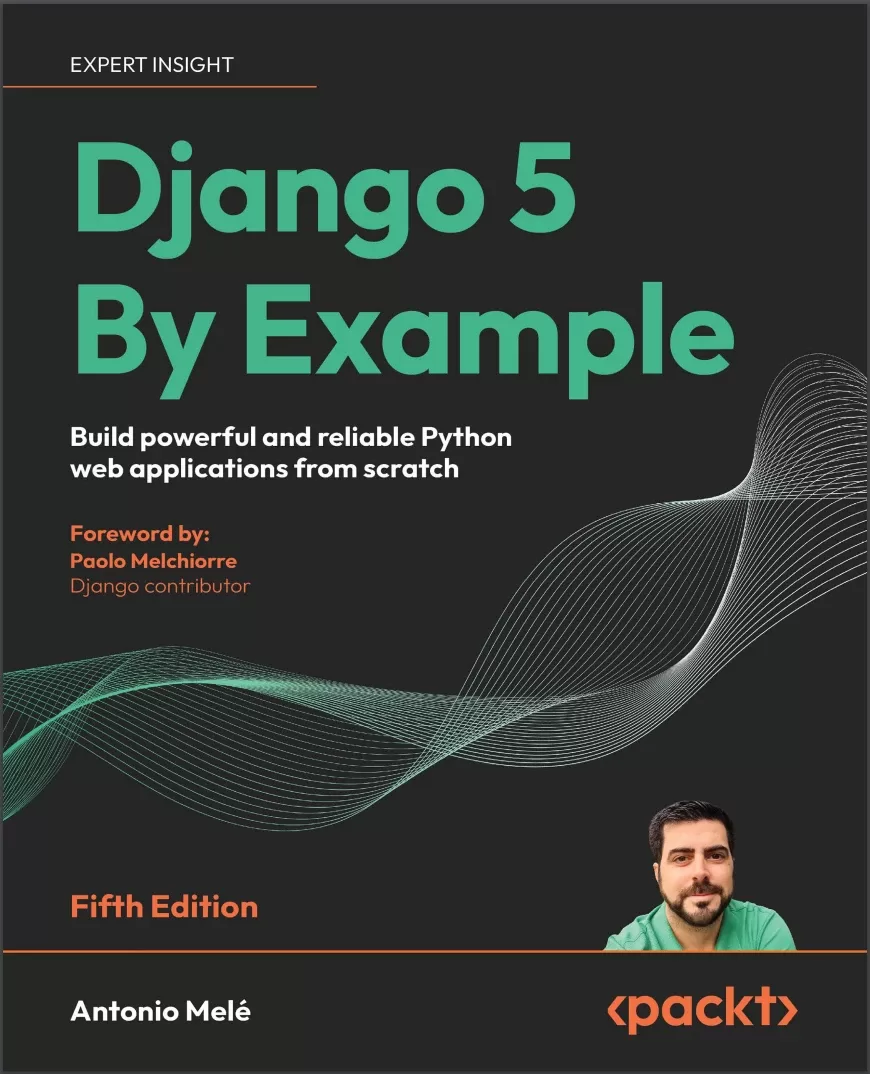
Django 5 By Example: Build powerful and reliable Python web applications from scratch. 5 Ed
Оглавление⌄
Cover....1 Copyright....3 Foreword....5 Contributors....7 Table of Contents....12 Preface....26 Chapter 1: Building a Blog Application....34 Installing Python....35 Creating a Python virtual environment....36 Installing Django....37 Installing Django with pip....37 Django overview....37 Main framework components....38 The Django architecture....38 New features in Django 5....39 Creating your first project....40 Applying initial database migrations....42 Running the development server....43 Project settings....44 Projects and applications....45 Creating an application....46 Creating the blog data models....46 Creating the Post model....47 Adding datetime fields....48 Defining a default sort order....50 Adding a database index....51 Activating the application....52 Adding a status field....52 Adding a many-to-one relationship....55 Creating and applying migrations....56 Creating an administration site for models....59 Creating a superuser....59 The Django administration site....59 Adding models to the administration site....61 Customizing how models are displayed....63 Adding facet counts to filters....65 Working with QuerySets and managers....66 Creating objects....67 Updating objects....68 Retrieving objects....68 Filtering objects....68 Using field lookups....69 Chaining filters....71 Excluding objects....71 Ordering objects....71 Limiting QuerySets....72 Counting objects....72 Checking if an object exists....72 Deleting objects....72 Complex lookups with Q objects....73 When QuerySets are evaluated....73 More on QuerySets....73 Creating model managers....74 Building list and detail views....75 Creating list and detail views ....75 Using the get_object_or_404 shortcut....76 Adding URL patterns for your views....77 Creating templates for your views....79 Creating a base template....79 Creating the post list template....80 Accessing our application....81 Creating the post detail template....82 The request/response cycle....83 Management commands used in this chapter....84 Summary....85 Additional resources....85 Chapter 2: Enhancing Your Blog and Adding Social Features....88 Functional overview....89 Using canonical URLs for models....89 Creating SEO-friendly URLs for posts....92 Modifying the URL patterns....93 Modifying the views....94 Modifying the canonical URL for posts....94 Adding pagination....95 Adding pagination to the post list view....96 Creating a pagination template....96 Handling pagination errors....99 Building class-based views....102 Why use class-based views....103 Using a class-based view to list posts....103 Recommending posts by email....105 Creating forms with Django....106 Handling forms in views....107 Sending emails with Django....109 Working with environment variables....109 Sending emails in views....113 Rendering forms in templates....115 Creating a comment system....119 Creating a model for comments....119 Adding comments to the administration site....121 Creating forms from models....122 Handling ModelForms in views....123 Creating templates for the comment form....125 Adding comments to the post detail view....127 Adding comments to the post detail template....128 Using simplified templates for form rendering....135 Summary....136 Additional resources....137 Chapter 3: Extending Your Blog Application....138 Functional overview....139 Implementing tagging with django-taggit....140 Retrieving posts by similarity....149 Creating custom template tags and filters....155 Implementing custom template tags....156 Creating a simple template tag....156 Creating an inclusion template tag....158 Creating a template tag that returns a QuerySet....160 Implementing custom template filters....162 Creating a template filter to support Markdown syntax....162 Adding a sitemap to the site....167 Creating feeds for blog posts....172 Adding full-text search to the blog....179 Installing Docker....180 Installing PostgreSQL....180 Dumping the existing data....181 Switching the database in the project....182 Loading the data into the new database....184 Simple search lookups....185 Searching against multiple fields....185 Building a search view....186 Stemming and ranking results....189 Stemming and removing stop words in different languages....191 Weighting queries....192 Searching with trigram similarity....193 Summary....195 Expanding your project using AI....195 Additional resources....196 Chapter 4: Building a Social Website....198 Functional overview....199 Creating a social website project....200 Starting the social website project....200 Using the Django authentication framework....201 Creating a login view....202 Using Django’s built-in authentication views....208 Login and logout views....209 Change password views....215 Reset password views....218 User registration and user profiles....226 User registration....227 Extending the user model....234 Installing Pillow and serving media files....235 Creating migrations for the profile model....236 Using a custom user model....242 Summary....242 Additional resources....243 Chapter 5: Implementing Social Authentication....244 Functional overview....245 Technical requirements....245 Using the messages framework....245 Building a custom authentication backend....249 Preventing users from using an existing email address....251 Adding social authentication to your site....253 Running the development server through HTTPS....255 Authentication using Google....258 Creating a profile for users that register with social authentication....266 Summary....268 Additional resources....268 Chapter 6: Sharing Content on Your Website....270 Functional overview....271 Creating an image bookmarking website....271 Building the image model....272 Creating many-to-many relationships....274 Registering the image model in the administration site....275 Posting content from other websites....276 Cleaning form fields....276 Installing the Requests library....277 Overriding the save() method of a ModelForm....277 Building a bookmarklet with JavaScript....282 Creating a detail view for images....295 Creating image thumbnails using easy-thumbnails....297 Adding asynchronous actions with JavaScript....300 Loading JavaScript on the DOM....302 Cross-site request forgery for HTTP requests in JavaScript....303 Performing HTTP requests with JavaScript....304 Adding infinite scroll pagination to the image list....310 Summary....317 Additional resources....317 Chapter 7: Tracking User Actions....318 Functional overview....319 Building a follow system....320 Creating many-to-many relationships with an intermediate model....320 Creating list and detail views for user profiles....323 Adding user follow/unfollow actions with JavaScript....329 Creating an activity stream application....332 Using the contenttypes framework....333 Adding generic relations to your models....334 Avoiding duplicate actions in the activity stream....338 Adding user actions to the activity stream....339 Displaying the activity stream....342 Optimizing QuerySets that involve related objects....343 Using select_related()....343 Using prefetch_related()....344 Creating templates for actions....345 Using signals for denormalizing counts....348 Working with signals....348 Application configuration classes....350 Using Django Debug Toolbar....352 Installing Django Debug Toolbar....353 Django Debug Toolbar panels....356 Django Debug Toolbar commands....359 Counting image views with Redis....360 Installing Redis....360 Using Redis with Python....362 Storing image views in Redis....363 Storing a ranking in Redis....365 Next steps with Redis....368 Summary....369 Expanding your project using AI....369 Additional resources....370 Chapter 8: Building an Online Shop....372 Functional overview....373 Creating an online shop project....374 Creating product catalog models....375 Registering catalog models on the administration site....379 Building catalog views....381 Creating catalog templates....384 Building a shopping cart....389 Using Django sessions....389 Session settings....390 Session expiration....391 Storing shopping carts in sessions....391 Creating shopping cart views....395 Adding items to the cart....395 Building a template to display the cart....398 Adding products to the cart....400 Updating product quantities in the cart....402 Creating a context processor for the current cart....403 Context processors....403 Setting the cart in the request context....404 Registering customer orders....406 Creating order models....407 Including order models in the administration site....409 Creating customer orders....410 Creating asynchronous tasks....416 Working with asynchronous tasks....417 Workers, message queues, and message brokers....417 Using Django with Celery and RabbitMQ....418 Monitoring Celery with Flower....425 Summary....427 Additional resources....427 Chapter 9: Managing Payments and Orders....430 Functional overview....431 Integrating a payment gateway....432 Creating a Stripe account....432 Installing the Stripe Python library....435 Adding Stripe to your project....436 Building the payment process....437 Integrating Stripe Checkout....439 Testing the checkout process....447 Using test credit cards....449 Checking the payment information in the Stripe dashboard....452 Using webhooks to receive payment notifications....455 Creating a webhook endpoint....455 Testing webhook notifications....460 Referencing Stripe payments in orders....463 Going live....467 Exporting orders to CSV files....467 Adding custom actions to the administration site....468 Extending the administration site with custom views....471 Generating PDF invoices dynamically....476 Installing WeasyPrint....477 Creating a PDF template....477 Rendering PDF files....478 Sending PDF files by email....483 Summary....486 Additional resources....486 Chapter 10: Extending Your Shop....488 Functional overview....489 Creating a coupon system....490 Building the coupon model....490 Applying a coupon to the shopping cart....494 Applying coupons to orders....502 Creating coupons for Stripe Checkout....507 Adding coupons to orders on the administration site and to PDF invoices....510 Building a recommendation engine....513 Recommending products based on previous purchases....513 Summary....525 Additional resources....525 Chapter 11: Adding Internationalization to Your Shop....526 Functional overview....527 Internationalization with Django....528 Internationalization and localization settings....528 Internationalization management commands....529 Installing the gettext toolkit....529 How to add translations to a Django project....529 How Django determines the current language....530 Preparing your project for internationalization....530 Translating Python code....532 Standard translations....532 Lazy translations....532 Translations including variables....533 Plural forms in translations....533 Translating your own code....534 Translating templates....538 The {% translate %} template tag....538 The {% blocktranslate %} template tag....538 Translating the shop templates....539 Using the Rosetta translation interface....542 Fuzzy translations....546 URL patterns for internationalization....546 Adding a language prefix to URL patterns....546 Translating URL patterns....547 Allowing users to switch language....552 Translating models with django-parler....553 Installing django-parler....554 Translating model fields....554 Integrating translations into the administration site....557 Creating migrations for model translations....558 Using translations in QuerySets....561 Adapting views for translations....561 Format localization....564 Using django-localflavor to validate form fields....565 Expanding your project using AI....567 Summary....567 Additional resources....568 Chapter 12: Building an E-Learning Platform....570 Functional overview....570 Setting up the e-learning project....571 Serving media files....572 Building the course models....573 Registering the models in the administration site....575 Using fixtures to provide initial data for models....576 Creating models for polymorphic content....579 Using model inheritance....580 Abstract models....580 Multi-table model inheritance....581 Proxy models....582 Creating the Content models....584 Creating custom model fields....587 Adding ordering to Module and Content objects....589 Adding authentication views....593 Adding an authentication system....594 Creating the authentication templates....594 Summary....598 Additional resources....598 Chapter 13: Creating a Content Management System....600 Functional overview....601 Creating a CMS....602 Creating class-based views....602 Using mixins for class-based views....603 Working with groups and permissions....605 Restricting access to class-based views....607 Managing course modules and their contents....614 Using formsets for course modules....614 Adding content to course modules....619 Managing modules and their contents....624 Reordering modules and their contents....629 Using mixins from django-braces....630 Summary....638 Additional resources....639 Chapter 14: Rendering and Caching Content....640 Functional overview....641 Displaying the catalog of courses....642 Adding student registration....647 Creating a student registration view....648 Enrolling in courses....651 Rendering course contents....654 Accessing course contents....654 Rendering different types of content....658 Using the cache framework....661 Available cache backends....661 Installing Memcached....662 Installing the Memcached Docker image....662 Installing the Memcached Python binding....662 Django cache settings....662 Adding Memcached to your project....663 Cache levels....663 Using the low-level cache API....664 Checking cache requests with Django Debug Toolbar....666 Low-level caching based on dynamic data....669 Caching template fragments....670 Caching views....671 Using the per-site cache....672 Using the Redis cache backend....673 Monitoring Redis with Django Redisboard....674 Summary....675 Additional resources....675 Chapter 15: Building an API....678 Functional overview....679 Building a RESTful API....680 Installing Django REST framework....680 Defining serializers....681 Understanding parsers and renderers....682 Building list and detail views....683 Consuming the API....685 Extending serializers....687 Adding additional fields to serializers....687 Implementing serializer method fields....689 Adding pagination to views....690 Building the course serializer....693 Serializing relations....693 Creating nested serializers....694 Creating ViewSets and routers....695 Building custom API views....699 Handling authentication....700 Implementing basic authentication....701 Adding permissions to views....701 Adding additional actions to ViewSets....703 Creating custom permissions....704 Serializing course contents....704 Consuming the RESTful API....707 Summary....710 Additional resources....710 Chapter 16: Building a Chat Server....712 Functional overview....713 Creating a chat application....713 Implementing the chat room view....714 Real-time Django with Channels....717 Asynchronous applications using ASGI....718 The request/response cycle using Channels....719 Installing Channels and Daphne....721 Writing a consumer....723 Routing....724 Implementing the WebSocket client....726 Enabling a channel layer....732 Channels and groups....733 Setting up a channel layer with Redis....733 Updating the consumer to broadcast messages....734 Adding context to the messages....738 Modifying the consumer to be fully asynchronous....742 Persisting messages into the database....744 Creating a model for chat messages....744 Adding the message model to the administration site....746 Storing messages in the database....746 Displaying the chat history....749 Integrating the chat application with existing views....751 Summary....752 Additional resources....752 Chapter 17: Going Live....754 Creating a production environment....755 Managing settings for multiple environments....755 Local environment settings....756 Running the local environment....756 Production environment settings....757 Using Docker Compose....758 Installing Docker Compose via Docker Desktop....758 Creating a Dockerfile....759 Adding the Python requirements....760 Creating a Docker Compose file....761 Configuring the PostgreSQL service....764 Applying database migrations and creating a superuser....767 Configuring the Redis service....767 Serving Django through WSGI and NGINX....769 Using uWSGI....769 Configuring uWSGI....770 Using NGINX....771 Configuring NGINX....772 Using a hostname....775 Serving static and media assets....775 Collecting static files....775 Serving static files with NGINX....776 Securing your site with SSL/TLS....778 Checking your project for production....778 Configuring your Django project for SSL/TLS....779 Creating an SSL/TLS certificate....780 Configuring NGINX to use SSL/TLS....780 Redirecting HTTP traffic over to HTTPS....782 Configuring Daphne for Django Channels....783 Using secure connections for WebSockets....785 Including Daphne in the NGINX configuration....785 Creating a custom middleware....788 Creating subdomain middleware....791 Serving multiple subdomains with NGINX....793 Implementing custom management commands....793 Summary....796 Expanding your project using AI....796 Additional resources....797 Packt Page....800 Other Books You May Enjoy....802 Index....806Описание
Коротко и по делу о том, что важно знать про django.
2025 EDITION: Build four fully functional real-world Django applications with authentication, content management systems, payment processing, REST APIs, and more!
Free with your book: DRM-free PDF version + access to Packt's next-gen Reader*
Key FeaturesUpdated with the latest Django 5.2 features, detailed app planning, improved tooling, and GPT prompts for extending projectsLearn Django essentials, including models, ORM, views, templates, URLs, forms, authentication, signals, and middlewareIntegrate JavaScript, PostgreSQL, Redis, Celery, Docker, and Memcached into your applicationsBook DescriptionIf you want to learn Django by doing, this book is for you.
This 2025 EDITION, fully updated to Django 5.2 LTS, is the fifth edition of the best-selling Django By Example franchise that helps you build real-world web apps. This book will walk you through planning and creation, solving common problems, and implementing best practices using a step-by-step approach.
You’ll cover a wide range of web application development topics through four different projects: a blog application, a social website, an e-commerce application, and an e-learning platform. Pick up what’s new in Django 5 as you build end-to-end Python web apps, follow detailed project plans, and understand the hows and whys of Django.
This is a practical and approachable book that will have you creating web apps quickly.
*Email sign-up and proof of purchase required
If you already use Django, or have in the past, and want to learn best practices and integrate other technologies to scale your applications, then this book is for you too. What you will learnUse various Django modules to solve specific problems using the latest featuresIntegrate third-party Django applications into your projectBuild complex web applications using Redis, Postgres, Celery/RabbitMQ and MemcachedSet up a production environment for your project with Docker ComposeBuild a RESTful API with Django Rest Framework (DRF)Implement advanced functionalities, such as full-text search engines, user activity streams, payment gateways, and recommender enginesBuild real-time asynchronous (ASGI) apps with Django Channels and WebSocketsWho this book is forThis book is for readers with basic Python programming knowledge and programmers transitioning from other web frameworks who wish to learn Django by doing. This book will help you master the most relevant areas of the framework by building practical projects from scratch.
Some previous knowledge of HTML and JavaScript is assumed.
Файл доступен для загрузки ниже.
Поделиться
Частые вопросы
Можно ли скачать «Django 5 By Example: Build powerful and reliable Python web applications from scratch. 5 Ed» бесплатно?
Да, «Django 5 By Example: Build powerful and reliable Python web applications from scratch. 5 Ed» доступна для бесплатного скачивания на нашем сайте в формате PDF. Ссылка на файл находится на этой странице.
В каком формате и какого размера файл?
Книга предоставляется в формате PDF, размер файла 8,8 МБ.
Кто автор и когда вышла книга?
автор — Melé Antonio, издательство Packt Publishing Limited, год выпуска 2024, 821 страниц.
О чём книга «Django 5 By Example: Build powerful and reliable Python web applications from scratch. 5 Ed»?
2025 EDITION: Build four fully functional real-world Django applications with authentication, content management systems, payment processing, REST APIs, and more!Free with your book: DRM-free PDF version + access to Packt's next-gen Reader*
Похожие материалы
 Основы программирования на Python
 Python для детей. Самоучитель по программированию
 Python. Сборник упражнений. Введение в язык Python с задачами и решениями
 Структуры данных в Python: начальный курс
 Python за 7 дней. Краткий курс для начинающих
 Python in a Nutshell: A Desktop Quick Reference. 4 Ed
 Python for Microcontrollers: Getting Started with MicroPython
 Programming with MicroPython