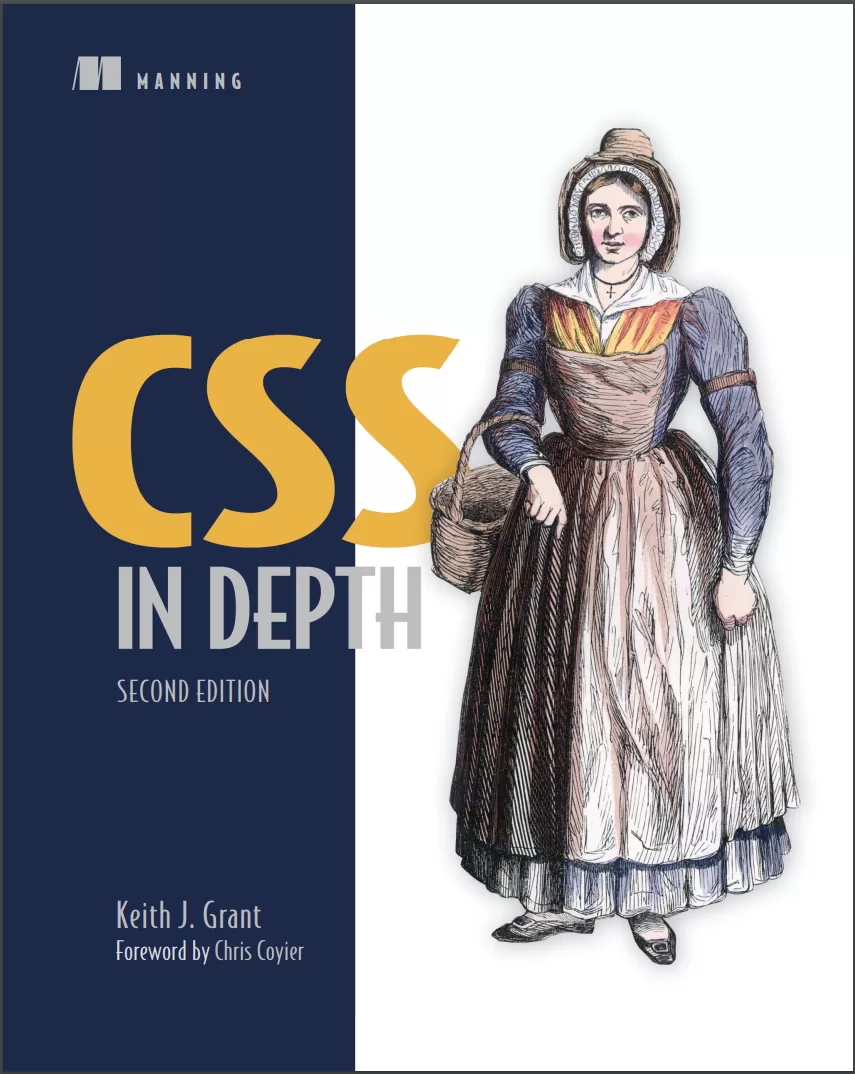
CSS in Depth. 2 Ed
Оглавление⌄
CSS in Depth, Second Edition....1 Praise for the first edition....3 brief contents....7 contents....9 foreword....17 preface....19 acknowledgments....21 about this book....23 Who should read this book?....23 How this book is organized: A roadmap....24 Code conventions and repository....25 liveBook discussion forum....26 Browser versions....27 about the author....28 about the cover illustration....29 Part 1—Reviewing the fundamentals....31 1 Cascade, specificity, and inheritance....33 1.1 The cascade....35 1.1.1 Stylesheet origin....38 1.1.2 Inline styles....41 1.1.3 Selector specificity....41 1.1.4 Source order....46 1.2 Inheritance....49 1.3 Special values....51 1.3.1 The inherit keyword....51 1.3.2 The initial keyword....53 1.3.3 The unset keyword....53 1.3.4 The revert keyword....54 1.4 Shorthand properties....55 1.4.1 Beware shorthands silently overriding other styles....55 1.4.2 Remember the order of shorthand values....56 1.5 Progressive enhancement....59 1.5.1 Using the cascade for progressive enhancement....59 1.5.2 Progressively enhancing selectors....60 1.5.3 Feature queries using @supports()....61 Summary....63 2 Working with relative units....65 2.1 The power of relative units....66 2.1.1 The rise of responsive design....66 2.2 Ems and rems....67 2.2.1 Using ems to define font-size....69 2.2.2 Using rems for font-size....73 2.3 Stop thinking in pixels....74 2.3.1 Setting a sane default font size....75 2.3.2 Making the panel responsive....77 2.3.3 Resizing a single component....78 2.4 Viewport-relative units....80 2.4.1 Selecting from the newer viewport units....82 2.4.2 Using viewport units for font size....84 2.5 Unitless numbers and line-height....85 2.6 Custom properties (aka CSS variables)....87 2.6.1 Changing custom properties dynamically....89 Summary....91 3 Document flow and the box model....92 3.1 Normal document flow....93 3.1.1 Centering content horizontally....95 3.1.2 Using logical properties....97 3.1.3 Adopting useful shorthand logical properties....99 3.2 The box model....100 3.2.1 Avoiding magic numbers....102 3.2.2 Adjusting the box model....103 3.2.3 Using universal border box sizing....104 3.3 Element height....105 3.3.1 Controlling overflow behavior....105 3.3.2 Using alternatives to percentage-based heights....106 3.3.3 Using min-height and max-height....107 3.4 Negative margins....108 3.5 Collapsed margins....109 3.5.1 Collapsing between text....110 3.5.2 Collapsing multiple margins....110 3.5.3 Collapsing outside a container....111 3.6 Spacing elements within a container....113 3.6.1 Considering changing content....115 3.6.2 Creating a more general solution....116 Summary....118 Part 2—Mastering layout....121 4 Flexbox....123 4.1 Flexbox principles....124 4.1.1 Building a basic flexbox menu....127 4.1.2 Adding padding and spacing....128 4.2 Flex item sizes....130 4.2.1 Flex basis....132 4.2.2 Flex grow....132 4.2.3 Flex shrink....134 4.2.4 Some practical examples....135 4.3 Flex direction....136 4.3.1 Changing the flex direction....138 4.3.2 Styling the login form....139 4.4 Alignment, spacing, and other details....140 4.4.1 Understanding flex container properties....144 4.4.2 Understanding flex item properties....146 4.4.3 Using alignment properties....147 Summary....148 5 Grid layout....149 5.1 Building a basic grid....150 5.2 Anatomy of a grid....152 5.2.1 Numbering grid lines....157 5.2.2 Working together with flexbox....158 5.3 Alternate syntaxes....162 5.3.1 Naming grid lines....162 5.3.2 Naming grid areas....164 5.4 Explicit and implicit grid....166 5.4.1 Adding variety....170 5.4.2 Adjusting grid items to fill the grid track....172 5.5 Subgrid....176 5.5.1 Additional options....180 5.6 Alignment properties....180 Summary....182 6 Positioning and stacking contexts....183 6.1 Fixed positioning....184 6.1.1 Creating a modal dialog with fixed positioning....184 6.1.2 Preventing the screen from scrolling while the modal dialog is open....188 6.1.3 Controlling the size of positioned elements....189 6.2 Absolute positioning....190 6.2.1 Absolutely positioning the Close button....190 6.2.2 Positioning a pseudo-element....191 6.3 Relative positioning....192 6.3.1 Creating a dropdown menu....193 6.3.2 Creating a CSS triangle....196 6.4 Stacking contexts and z-index....199 6.4.1 Understanding the rendering process and stacking order....199 6.4.2 Manipulating stacking order with z-index....201 6.4.3 Understanding stacking contexts....202 6.5 Sticky positioning....205 Summary....208 7 Responsive design....209 7.1 Mobile first....210 7.1.1 Creating a mobile menu....218 7.1.2 Adding the viewport meta tag....221 7.2 Media queries....222 7.2.1 Understanding types of media queries....224 7.2.2 Adding breakpoints to the page....227 7.2.3 Adding responsive columns....230 7.3 Fluid layouts....232 7.3.1 Adding styles for a large viewport....233 7.3.2 Dealing with tables....234 7.4 Responsive images....236 7.4.1 Using multiple images for different viewport sizes....236 7.4.2 Using srcset to serve the correct image....237 Summary....238 Part 3—Modern code organization....239 8 Cascade layers and nesting....241 8.1 Manipulating the cascade with layers....242 8.1.1 Defining layers....242 8.1.2 Layer order and priority....246 8.1.3 The revert-layer keyword....249 8.2 A recommended organization for cascade layers....251 8.2.1 Reset layer....251 8.2.2 Theme layer....253 8.2.3 Global layer....254 8.2.4 Layout layer....255 8.2.5 Modules layer....256 8.2.6 Utilities layer....257 8.2.7 Additional layers....258 8.3 The :is() and :where() pseudo-classes....258 8.3.1 More forgiving selectors....259 8.3.2 Manipulating specificity....259 8.4 Nesting....260 8.4.1 Using the nesting selector....261 8.4.2 Understanding the nuances of the nesting selector....263 8.4.3 Nesting media queries and other at-rules....265 Summary....267 9 Modular CSS and scope....268 9.1 Defining modules....269 9.1.1 Modules and global styles....270 9.1.2 A simple module....271 9.1.3 Variations of a module....272 9.1.4 Modules with multiple elements....276 9.2 Modules composed into larger structures....279 9.2.1 Dividing multiple responsibilities among modules....280 9.2.2 Naming modules....284 9.3 CSS scope....286 9.3.1 Scope proximity....288 9.3.2 Scoping limit....291 9.3.3 Implicit scope....294 9.3.4 Scope and layers....295 9.4 Pattern libraries....295 9.4.1 Using a CSS-first workflow....296 9.4.2 Refactoring and breaking changes....297 Summary....298 10 Container queries....300 10.1 A basic example of a container query....301 10.1.1 Using container size queries....304 10.2 A closer look at containers....306 10.2.1 Container types....306 10.2.2 Container names....308 10.2.3 Containers and modular CSS....309 10.3 Container-relative units....310 10.4 Container style queries....313 10.4.1 Decoupling a module from its container....314 10.4.2 Reducing code duplication....315 Summary....319 Part 4—Visual enhancements....321 11 Color and contrast....323 11.1 Communicating with contrast....325 11.1.1 Establishing patterns....326 11.1.2 Implementing the design....327 11.2 Defining color....329 11.2.1 Gamuts and color spaces....336 11.2.2 CSS color notations....338 11.3 Using OKLCH to work with color....343 11.3.1 Switching the stylesheet to OKLCH....345 11.3.2 Naming color variables....346 11.3.3 Selecting new colors for the palette....348 11.3.4 Deriving colors from others on the page....348 11.4 Considering contrast for font colors....353 Summary....355 12 Typography and spacing....356 12.1 Spacing....357 12.1.1 Using ems vs. px....357 12.1.2 Factoring in line height....359 12.1.3 Spacing inline elements....363 12.2 Web fonts....365 12.3 Google fonts....367 12.4 How @font-face works....371 12.4.1 Font formats and fallbacks....372 12.4.2 Multiple variants of the same typeface....373 12.5 Performance considerations....374 12.5.1 The font-display property....376 12.5.2 Variable fonts....378 12.6 Adjusting space for readability....380 12.6.1 Body copy spacing....381 12.6.2 Headings, small elements, and spacing....383 Summary....386 13 Gradients, shadows, and blend modes....387 13.1 Gradients....388 13.1.1 Multiple color stops....390 13.1.2 Color interpolation....393 13.1.3 Radial gradients....396 13.1.4 Conic gradients....398 13.2 Shadows....400 13.2.1 Adding depth with gradients and shadows....400 13.2.2 Creating elements with a flat design....402 13.2.3 Creating buttons with a hybrid look....403 13.3 Blend modes....404 13.3.1 Tinting an image....406 13.3.2 Types of blend modes....407 13.3.3 Adding texture to an image....408 13.3.4 Mix blend modes....410 Summary....411 14 Masks, shapes, and clipping....413 14.1 Filters....414 14.1.1 Types of filters....416 14.1.2 Backdrop filter....417 14.2 Masks....419 14.2.1 Masking with a gradient....421 14.2.2 Masking using luminance....422 14.2.3 Other mask properties....423 14.3 Clipping paths....424 14.3.1 Polygon clipping paths....426 14.3.2 Firefox clip-path tools....427 14.3.3 Other clip-path types....429 14.4 Floats and shapes....429 14.4.1 Floating....430 14.4.2 Defining a shape....434 Summary....438 Part 5—Adding motion....439 15 Transitions....441 15.1 From here to there....442 15.2 Timing functions....445 15.2.1 Custom Bézier curves....446 15.2.2 Steps....449 15.3 Non-animatable properties....450 15.3.1 Properties that cannot be animated....453 15.3.2 Fading in and out....454 15.4 Transitioning to auto height....456 15.5 Transitioning custom properties....458 Summary....460 16 Transforms....461 16.1 Rotate, translate, scale, and skew....462 16.1.1 Changing the transform origin....465 16.1.2 Applying multiple transforms....466 16.1.3 Individual transform properties....466 16.2 Transforms in motion....467 16.2.1 Scaling up the icon....473 16.2.2 Creating “fly in” labels....476 16.2.3 Staggering the transitions....478 16.3 Animation performance....479 16.3.1 Looking at the rendering pipeline....479 16.4 3D transforms....481 16.4.1 Controlling perspective....482 16.4.2 Implementing advanced 3D transforms....485 Summary....487 17 Animations....489 17.1 Keyframes....490 17.2 Animating 3D transforms....493 17.2.1 Building the layout without animations....493 17.2.2 Adding animation to the layout....496 17.3 Animation delay and fill mode....498 17.4 Conveying meaning through animation....501 17.4.1 Responding to user interaction....501 17.4.2 Drawing the user’s attention....505 17.5 Scroll-based timelines....507 17.6 One final piece of advice....509 Summary....509 Appendix A—Selectors reference....511 A.1 Basic selectors....511 A.2 Combinators....511 A.3 Compound selectors....512 A.4 Pseudo-class selectors....512 A.4.1 General-purpose pseudo-classes....512 A.4.2 Selecting based on position among sibling elements....514 A.4.3 Form field pseudo-classes....515 A.5 Pseudo-element selectors....515 A.6 Attribute selectors....516 Appendix B—Preprocessors....518 B.1 Sass....519 B.1.1 Installing Sass....519 B.1.2 Running Sass....520 B.1.3 Understanding important Sass features....520 B.2 PostCSS....528 B.2.1 Autoprefixer....528 B.2.2 cssnano....529 B.3 Lightning CSS....529 index....531 Symbols....531 Numerics....531 A....531 B....532 C....532 D....534 E....534 F....534 G....535 H....536 I....536 J....536 K....536 L....536 M....537 N....538 O....538 P....538 Q....539 R....539 S....540 T....541 U....542 V....542 W....542 Z....542
Описание
В этом материале разберём тему: edition.
Getting good—really good—at CSS means learning everything that CSS is capable of. This totally revised new edition of CSS in Depth expands your CSS skills with the patterns, layouts, and methods you need to deliver truly beautiful front ends.
CSS in Depth has given thousands of web developers the tools and the inspiration to make sites that really pop. In CSS in Depth, Second Edition you will learn how to:Create a web page with layout methodsDevelop essential website components, like dropdown menus and dialog boxesMake your website fully responsive across devicesOrganize your CSS for easy future maintenanceImplement designer mockups with attention to detailUse animations to guide user focusAvoid common CSS pitfallsThe more you know about CSS, the more confident you’ll be at tackling any tricky website design! This second edition is packed with the latest best practices, new CSS language features, and essential advice on how to organize and maintain your CSS codebase.
And as CSS grows and matures, even experienced CSS developers will find a whole new set of skills to catch up on! About the technologyTo deliver truly beautiful frontends, you need to know CSS inside and out. This guide will help you discover everything that CSS is capable of—from the must-knows and brand-new features to the hidden insights you won’t find anywhere else!
Inside, you’ll learn how to build and organize a modular CSS codebase that’s easy to understand, maintain, and reuse. About the bookCSS in Depth, Second Edition, deep dives into the CSS techniques used by the world’s most skilled web developers. This new edition is fully revised to cover the CSS standard’s latest additions, including cascade layers, logical properties, new color functions, subgrid, and container queries.
What's insideVertical centering, margin collapsing, and positioningDropdown menus and modal dialog boxesAnimations to guide user focusAvoiding common CSS pitfallsAbout the readerWritten for web developers who know the basics of CSS and HTML.
Если материал оказался полезен — сохраните страницу.
Поделиться
Частые вопросы
Можно ли скачать «CSS in Depth. 2 Ed» бесплатно?
Да, «CSS in Depth. 2 Ed» доступна для бесплатного скачивания на нашем сайте в формате PDF. Ссылка на файл находится на этой странице.
В каком формате и какого размера файл?
Книга предоставляется в формате PDF, размер файла 10,2 МБ.
Кто автор и когда вышла книга?
автор — Grant Keith J., издательство Manning Publications Co., год выпуска 2024, 545 страниц.
О чём книга «CSS in Depth. 2 Ed»?
Getting good—really good—at CSS means learning everything that CSS is capable of.
Похожие материалы
 HTML and CSS: Visual QuickStart Guide. 9 Ed
 HTML & CSS: Learn The Fundamentals In 7 days
 Шпаргалки для начинающего верстальщика HTML/CSS
 Веб-дизайн для начинающих. HTML, CSS, JavaScript и веб-графика. 5 изд
 HTML, CSS & JavaScript in easy steps. Special Edition
 The Absolute Beginner's Guide to HTML and CSS: A Step-by-Step Guide with Examples and Lab Exercises
 HTML5 + CSS3. Основы современного WEB-дизайна
 Responsive Web Design with HTML5 and CSS: Develop future-proof responsive websites using the latest HTML5 and CSS techniques. 3 Ed