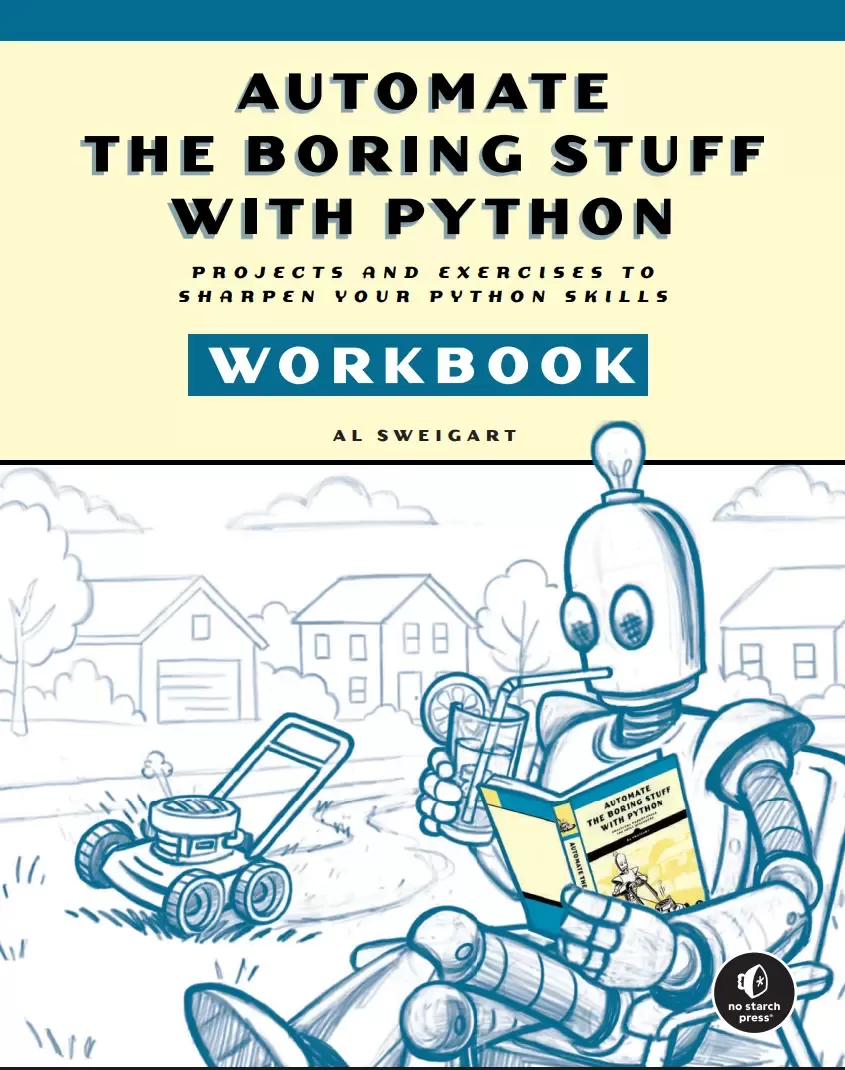
Automate the Boring Stuff with Python Workbook: Projects and Exercises to Sharpen Your Python Skills
Оглавление⌄
Cover....1 Title page....5 About the Author....9 Brief Contents....11 Contents in Detail....13 Acknowledgments....21 Introduction....23 How to Use This Workbook....24 About the Activities....24 A Note for Instructors....26 How to Answer Your Own Questions....26 Continuing Your Programming Journey....27 Chapter 1: Python Basics....29 Practice Questions....30 Entering Expressions into the Interactive Shell....30 The Integer, Floating-Point, and String Data Types....31 String Concatenation and Replication....31 Storing Values in Variables....32 Your First Program....33 How Computers Store Data with Binary Numbers....34 Practice Projects....35 Rectangle Printer....35 Perimeter and Area Calculator....36 Chapter 2: if-else and Flow Control....37 Practice Questions....38 Boolean Values....38 Comparison Operators....38 Boolean Operators....39 Components of Flow Control....39 Flow Control Statements....40 Practice Projects....41 Fixing the Safe Temperature Program....41 Single-Expression Safe Temperature....42 Fizz Buzz....42 Chapter 3: Loops....45 Practice Questions....46 while Loop Statements....46 for Loops and the range() Function....47 Importing Modules....49 Ending a Program Early with sys.exit()....49 Practice Projects....50 Tree Printer....50 Christmas Tree Printer....51 Chapter 4: Functions....53 Practice Questions....54 Creating Functions....54 Arguments and Parameters....54 Return Values and return Statements....55 The None Value....56 The Call Stack....56 Local and Global Scopes....57 Exception Handling....58 Practice Projects....58 Transaction Tracker....58 Arithmetic Functions Without Arithmetic Operators....59 Tick Tock....60 Chapter 5: Debugging....61 Practice Questions....62 Raising Exceptions....62 Assertions....62 Logging....63 Mu’s Debugger....63 Practice Projects....64 Buggy Grade-Average Calculator....64 Zero Division Error....65 Leap Year Calculator....65 Writing Buggy Code on Purpose....66 Chapter 6: Lists....67 Practice Questions....68 The List Data Type....68 Working with Lists....68 Augmented Assignment Operators....69 Methods....70 Short-Circuiting Boolean Operators....71 Sequence Data Types....71 References....72 Practice Projects....72 Pangram Detector....72 Coordinate Directions....73 Chapter 7: Dictionaries and Structuring Data....75 Practice Questions....76 The Dictionary Data Type....76 Model Real-World Things Using Data Structures....77 Nested Dictionaries and Lists....78 Practice Projects....79 Random Weather Data Generator....79 Average-Temperature Analyzer....79 Chess Rook Capture Predictor....80 Chapter 8: Strings and Text Editing....81 Practice Questions....82 Working with Strings....82 F-Strings....83 Useful String Methods....83 Numeric Code Points of Characters....84 Copying and Pasting Strings....84 Practice Projects....85 Word Match Game....85 Diagonal Stripe Scroll Animation....86 mOcKiNg SpOnGeBoB mEmE....87 Chapter 9: Text Pattern Matching with Regular Expressions....89 Practice Questions....90 The Syntax of Regular Expressions....90 Qualifier Syntax: What Characters to Match....91 Quantifier Syntax: How Many Qualifiers to Match....91 Greedy and Non-Greedy Matching....92 Matching at the Start and End of a String....92 Case-Insensitive Matching....92 Substituting Strings....93 Managing Complex Regexes with Verbose Mode....93 Humre: A Module for Human-Readable Regexes....93 Practice Projects....94 Hashtag-Finding Regex....94 Price-Finding Regex....94 Creating a CSV File of PyCon Speakers....94 Laugh Score....95 Word Twister—ordW wisterT....96 Chapter 10: Reading and Writing Files....97 Practice Questions....98 Files and Filepaths....98 The File Reading and Writing Process....99 Saving Variables with the shelve Module....100 Practice Projects....100 Text File Combiner....100 Zigzag File....100 Rock, Paper, Scissors with Saved Games....101 Chapter 11: Organizing Files....103 Practice Questions....104 The shutil Module....104 Walking a Directory Tree....104 Compressing Files with the zipfile Module....105 Practice Projects....106 Duplicate Filename Finder....106 Alphabetized Folders....106 ZIP File Folder Extractor....107 Chapter 12: Designing and Deploying Command Line Programs....109 Practice Questions....110 A Program by Any Other Name....110 Using the Terminal....110 Virtual Environments....111 Installing Python Packages with pip....112 Self-Aware Python Programs....112 Text-Based Program Design....112 Pop-Up Message Boxes with PyMsgBox....113 Deploying Python Programs....114 Compiling Python Programs with PyInstaller....114 Practice Projects....115 Guess the Number with PyMsgBox....115 Timer with PyMsgBox....115 Compiling the Timer and Guess the Number Programs....115 Chapter 13: Web Scraping....117 Practice Questions....118 HTTP and HTTPS....118 Downloading Files from the Web and with the requests Module....118 Accessing a Weather API....119 Understanding HTML....119 Parsing HTML with Beautiful Soup....120 Controlling the Browser with Selenium....120 Controlling the Browser with Playwright....121 Practice Projects....122 Headline Downloader....122 Image Downloader....123 Breadcrumb Follower....123 HTML Chessboard....123 Chapter 14: Excel Spreadsheets....127 Practice Questions....128 Reading Excel Files....128 Writing Excel Documents....128 Setting the Font Style of Cells....129 Formulas....130 Adjusting Rows and Columns....130 Charts....131 Practice Projects....131 Search Term Finder....131 Excel Home Folder Report....131 Chapter 15: Google Sheets....133 Practice Questions....134 Installing and Setting Up EZSheets....134 Spreadsheet Objects....134 Sheet Objects....135 Google Forms....136 Working with Google Sheets Quotas....136 Practice Projects....136 Uploading All Files in a Folder....136 Google Sheets Home Folder Report....137 Chapter 16: SQLite Databases....139 Practice Questions....140 Spreadsheets vs. Databases....140 SQLite vs. Other SQL Databases....140 Creating Databases and Tables....141 CRUD Database Operations....141 Rolling Back Transactions....143 Backing Up Databases....143 Altering and Dropping Tables....143 Joining Multiple Tables with Foreign Keys....144 In-Memory Databases and Backups....144 Practice Projects....145 Monitoring Free Disk Space Levels....145 Database-to-String Converter....146 Chapter 17: PDF and Word Documents....147 Practice Questions....148 PDF Documents....148 Word Documents....149 Practice Projects....150 PDF Document Word Counter....150 Searching All PDFs in a Folder....150 Word Document Logger for Guess the Number....150 Converting Text Files to Word Documents....151 Bolding Words in a Word Document....151 Chapter 18: CSV, JSON, and XML Files....153 Practice Questions....154 The CSV Format....154 Versatile Plaintext Formats....155 Practice Projects....156 Fizz Buzz (CSV)....156 Guess the Number Statistics (CSV)....157 Guess the Number Statistics (JSON)....158 Guess the Number Statistics (XML)....158 Chapter 19: Keeping Time, Scheduling Tasks, and Launching Programs....159 Practice Questions....160 The time Module....160 The datetime Module....160 Launching Other Programs from Python....161 Practice Projects....162 Alarm with Sound....162 Image Opener....163 “Next Holiday” Reporter....163 Chapter 20: Sending Email, Texts, and Push Notifications....165 Practice Questions....166 The Gmail API....166 SMS Email Gateways....166 Push Notifications....167 Practice Projects....168 “Quote of the Day” Email....168 “Quote of the Day” Push Notification....168 Chapter 21: Making Graphs and Manipulating Images....169 Practice Questions....170 Computer Image Fundamentals....170 Manipulating Images with Pillow....170 Drawing on Images....172 Copying and Pasting Images to the Clipboard....173 Creating Graphs with Matplotlib....173 Practice Projects....174 Snowpal Image....174 Rainbow Flag Image Generator....174 Clipboard Image Recorder....175 Chapter 22: Recognizing Text in Images....177 Practice Questions....178 Installing Tesseract and PyTesseract....178 OCR Fundamentals....178 Recognizing Text in Non-English Languages....179 The NAPS2 Scanner Application....179 Practice Projects....180 Searchable Web Comics....180 Enhancing Text in Web Comics....180 Chapter 23: Controlling the Keyboard and Mouse....181 Practice Questions....182 Staying on Track....182 Controlling Mouse Movement....182 Controlling Mouse Interaction....183 Planning Your Mouse Movements....184 Taking Screenshots....184 Image Recognition....184 Getting Window Information....185 Controlling the Keyboard....186 Practice Projects....186 Jackson Pollock Bot....186 Mouse Movement Recorder....187 Mouse Movement Playback....188 Chapter 24: Text-to-Speech and Speech Recognition Engines....189 Practice Questions....190 Text-to-Speech Engine....190 Speech Recognition....190 Creating Subtitle Files....191 Downloading Videos from Websites....192 Practice Projects....192 Knock-Knock Jokes....192 12 Days of Christmas....192 Podcast Word Search....193 Answers....195 Back cover....291
Описание
Ниже — практический обзор по теме «python».
You've seen what Python can do. Now go deeper.
This workbook transforms Al Sweigart’s best-selling guide from a reading experience into a coding experience. Following Automate the Boring Stuff with Python chapter by chapter, this workbook will help you turn concepts into muscle memory through carefully designed exercises, projects, and real Python scripts.
Every concept from Automate is reinforced through carefully sequenced questions, exercises, and projects that help you think like a programmer and prove to yourself that you really get it.
Whether you’re renaming files, scraping websites, converting text to speech, modifying spreadsheets, or sending emails, you’ll build scripts that do real work. At the end of each chapter, you’ll tackle miniprojects that bring everything together. Fun projects like image generators and word games are in the mix too, not just boring stuff.
Every question and project come with a solution at the back of the book, so you’re never stuck.
Inside, you’ll find:
Fill-in-the-blank and short-answer questions that reinforce key conceptsTargeted exercises to build fluency with variables, loops, functions, regular expressions, and moreReal Python scripts to run, tweak, and debugProjects that automate common tasks like organizing files, backing up data, and scheduling programsFull working code for every project so you can check your work and learn by exampleWith over 500,000 copies sold worldwide, Automate the Boring Stuff with Python has become the go-to guide for learning Python. This workbook gives you the structure, feedback, and smart reinforcement to go from reading code to writing it with confidence.
Если материал оказался полезен — сохраните страницу.
Поделиться
Частые вопросы
Можно ли скачать «Automate the Boring Stuff with Python Workbook: Projects and Exercises to Sharpen Your Python Skills» бесплатно?
Да, «Automate the Boring Stuff with Python Workbook: Projects and Exercises to Sharpen Your Python Skills» доступна для бесплатного скачивания на нашем сайте в формате PDF. Ссылка на файл находится на этой странице.
В каком формате и какого размера файл?
Книга предоставляется в формате PDF, размер файла 1,7 МБ.
Кто автор и когда вышла книга?
автор — Sweigart Al, издательство No Starch Press, Inc., год выпуска 2026, 291 страниц.
О чём книга «Automate the Boring Stuff with Python Workbook: Projects and Exercises to Sharpen Your Python Skills»?
You've seen what Python can do.
Похожие материалы
 Основы программирования на Python
 Python для детей. Самоучитель по программированию
 Python. Сборник упражнений. Введение в язык Python с задачами и решениями
 Структуры данных в Python: начальный курс
 Python за 7 дней. Краткий курс для начинающих
 Python in a Nutshell: A Desktop Quick Reference. 4 Ed
 Python for Microcontrollers: Getting Started with MicroPython
 Programming with MicroPython