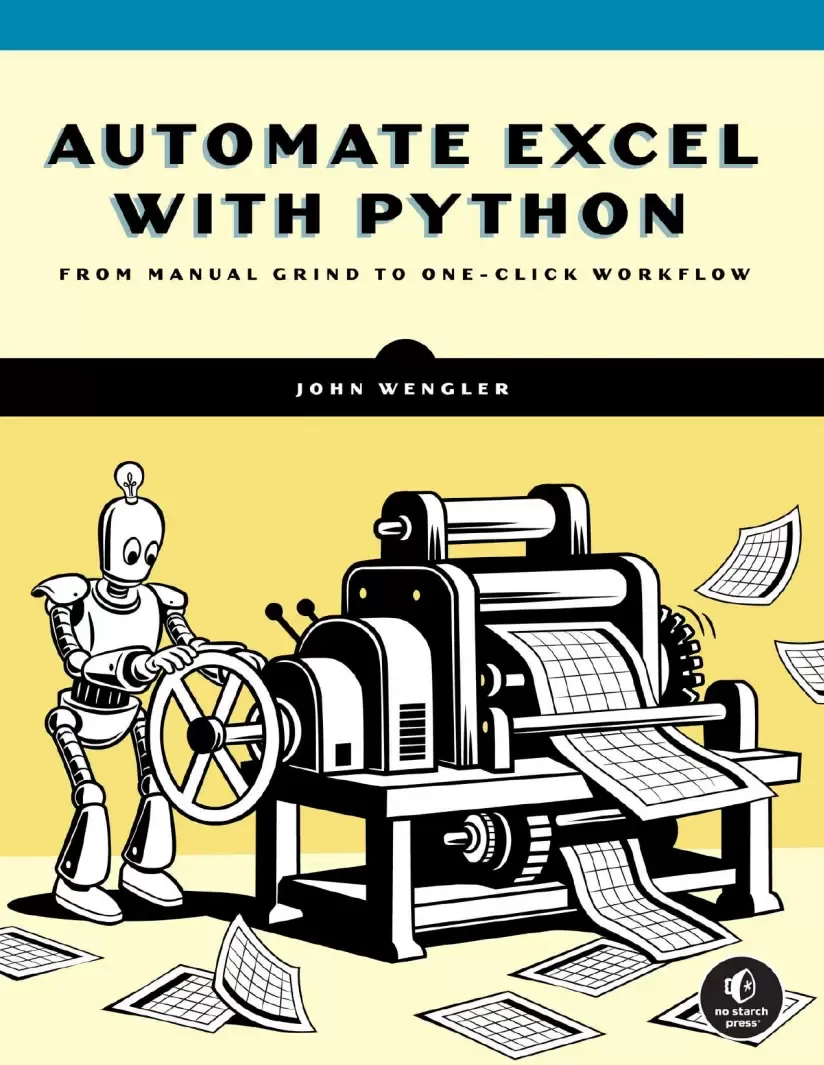
Automate Excel with Python: From Manual Grind to One-Click Workflow
Оглавление⌄
Cover Page....2 Title Page....3 Copyright Page....4 Dedication Page....6 About the Author....7 About the Technical Reviewer....8 BRIEF CONTENTS....9 CONTENTS IN DETAIL....10 ACKNOWLEDGMENTS....21 INTRODUCTION....23 Why This Book?....23 Why Python?....25 How This Book Is Organized....27 Dataframes, Your New Best Friends....31 PART I: FROM SPREADSHEETS TO DATAFRAMES....33 1 GETTING STARTED WITH PYTHON....34 Technical Considerations for Working with Python....34 Python Version....34 Distribution Platform....35 Integrated Development Environment....36 The IDLE Shell: A Simple Interface....36 Spyder: A More Robust Working Environment....38 Summary....40 2 DISPLAYING DATA AND UNDERSTANDING DATA TYPES....43 Printing String Variables and Strings of Strings....44 Data Types....45 Printing Numbers and Numeric Variables....47 Concatenating Different Data Types....49 Learning from Your Mistakes....49 Customizing Functionality with Parameters....52 Printing an Empty Line....53 Escape Characters and Escape Sequences....53 Potential Pitfalls for Python Novices....54 Using Quotation Marks Inconsistently....55 Ignoring Case Sensitivity....57 Not Knowing Your Data....57 Summary....58 3 CREATING AND MANIPULATING DATAFRAMES AND LISTS....61 What Exactly Is a Dataframe?....61 How to Create a Dataframe....62 Importing the pandas Module and Manually Creating a Dataframe....62 Copying a Dataframe....68 Subsetting a Dataframe by Column....68 Common Dataframe Operations....70 Counting Rows Using the len() Function....71 Counting Rows and Columns with the shape Attribute....71 Deleting Rows with a Specific Value....72 Identifying and Dropping Duplicated Rows....73 Concatenating Dataframes....73 Lists: The DNA of Dataframes....78 Creating a List....80 Isolating Unique List Values....81 Appending a Single Item to a List....81 Adding a List to a List....82 Sorting a List....82 Identifying Minimum, Maximum, and Mean List Values....83 Removing a List Element....83 Comparing Lists....84 Creating an Empty Dataframe with a List....84 Converting a Column into a List....85 Another Fragment of Dataframe DNA: The Series Object....85 Summary....87 4 ADDING, MODIFYING, AND CALCULATING COLUMN DATA....90 Defining a Column....90 Changing How Columns Appear in a Dataframe....91 Reordering Columns in a Dataframe....91 Dropping Columns....92 Renaming Columns....94 Sorting Dataframes by Column Values....95 Printing Select Columns....96 Changing Values in Columns....97 Overwriting All Column Values....97 Replacing Particular Values in Dataframes and Target Columns....97 Replacing Substrings....99 Creating New Columns....100 Adding a New Column with a Single Value....100 Duplicating a Column....101 Concatenating Two or More Columns into a New One....102 Math Methods and Operators....103 Applying the sum() Method to a Dataframe Column....104 Returning Average, Maximum, or Minimum Values....104 Calculating Median Values....105 Rounding a Single Column or Full Dataframe....106 Converting to Absolute Values....108 Stringing Together Multiple Methods....109 Storing Calculated Values in a New Column....110 Comparing Values....111 Conditional Logic....112 Controlling Execution Flow with if Logic....113 Iterating Through a List....113 Repeating a Process with the while Loop....114 Iterating Through a Dataframe....115 Replicating SUMIF with the where() Conditional Statement....116 Storing Values Returned from iterrows() in a New Column....117 Storing Conditional Results in a New Column with List Comprehensions....118 Handling Exceptions with a try-except Block....119 Summary....120 5 ACCESSING AND TRANSFORMING INDIVIDUAL CELL VALUES....123 An Overview of Values and Variables....124 Converting Integers, Floats, and Strings....126 Converting Individual Variables....126 Converting an Entire Dataframe Column....128 Converting Objects to Strings....130 Manually Inserting Values with the input() Function....130 Answering a Question and Saving the Answer....131 Selecting a Menu Option....133 Pausing Execution to Review Output....134 Working with NaN Objects....135 Manually Creating NaN Objects....135 Manually Entering NaN Objects into a Dataframe....136 Replacing NaN Objects....137 Slicing Techniques for Strings and Lists....138 Slicing a Single String....139 Slicing Within an Entire Column....140 Slicing a List from a List....142 Pulling a Select Element from a List....144 Indexing Techniques for Dataframes and Series Objects....145 Pulling Values by Index Position....145 Pulling Values by Unique Index Label....147 Targeting Single Values....147 Pulling a Value from a Series....148 Modifying Existing Cells....149 Splitting Techniques....151 Splitting a Single String....152 Handling Inconsistent Delimiters....153 Splitting Columns in a Dataframe....155 Summary....157 6 FILTERING AND DISPLAYING DATAFRAMES....160 A Closer Look at the DataFrame() Method....160 Using Optional Arguments....162 Creating an Empty Dataframe with a Column List....163 Working with Dataframe Indexes....164 Naming and Renaming an Index....165 Renumbering or Resetting an Index....165 Sorting by the Index....167 Moving Values Between the Index and a Column....168 Subsetting Dataframes....169 By Column List....170 By Relative Index Location....174 By Index Label....175 By Matching Values in Columns....178 By Excluding Values in Columns....179 By a Substring Value....179 By Column Labels in a List....180 By Inclusion....181 By Exclusion....181 By Mathematical Condition....181 By NaN Objects....182 Controlling the Appearance of Dataframe Output....183 Printing the First or Last Few Rows....184 Printing Specific Rows....184 Printing the Rightmost Columns....185 Customizing Global Display Settings....186 Working with Dictionary Objects....190 Declaring a Single Dictionary....191 Declaring a List of Dictionaries....192 Accessing and Modifying Dictionary Contents....192 Creating New Dictionary Key-Value Pairs on the Fly....193 Storing Dictionaries in Dataframes....194 Summary....195 PART II: TOOLS TO REPLICATE EXCEL FUNCTIONALITY....197 7 COUNTING AND SUMMING VALUES....198 The value_counts() Method....199 Counting Every Value in a Column....199 Counting Specific Values in a Column....200 Counting a List of Specific Values in a Column....201 Normalizing value_counts() Results....202 The crosstab() Method....204 Creating Basic Cross-Tabulations....204 Performing Math Operations....209 Adding Row and Column Totals....216 Handling Missing Values....217 Normalizing crosstab() Data....219 The pivot_table() Method....222 Breaking Down the Basic Form of pivot_table()....223 Grouping Unique Values....228 Calculating Math Values....228 Handling NaN Objects....230 Organizing Dataframe Values....232 Summary....233 8 MERGING DATAFRAMES....235 The Basics of VLOOKUP and merge()....235 How merge() Handles Orphaned Keys....238 The Full merge() Method Syntax....240 Specifying Join Type....243 Analyzing Merge Results....246 Defining Keys....249 Handling Different Key Column Labels....252 Checking Your Match Expectations....253 Quality Control with the shape Attribute....256 Summary....257 9 FORMATTING AND CALCULATING DATES AND TIMES....261 Introducing the Datetime Module and datetime.now()....261 Creating Datetime Objects....262 Isolating Units of Time as Integers....264 Converting Datetime Objects to Strings....265 Transforming Timestamps....266 Converting a Single Datetime Object to a Custom-Formatted String....270 Isolating Units of Time as Strings....271 Removing Leading Zeros from Single-Digit Time Elements....271 Working with Time Durations: The Timedelta Object....272 Comparing and Calculating Dates and Times....274 Datetime Objects in Dataframes....276 Dataframe Datetime Operations....277 Using Directives to Customize to_datetime() Results....278 Calculating Timedeltas in a New Column....279 Subsetting a Dataframe Using Datetime Objects....280 Summary....281 PART III: WORKFLOW TECHNIQUES....284 10 READING EXCEL FILES INTO DATAFRAMES....285 Creating or Downloading Your Excel Spreadsheet....286 Introducing the read_excel() Method....286 Importing a Specific Tab from a Workbook....288 Importing All Tabs at Once....290 Filtering Source Data....291 Parsing Input Spreadsheets....292 Dealing with More Complex Spreadsheets....294 Setting the Column Labels for Your Dataframe....296 Setting an Excel Column as the Dataframe Index....297 Handling Hard Returns in Excel Data....298 Reading in a CSV File....299 Summary....301 11 SAVING DATAFRAMES TO EXCEL....304 Simple Single-Tab Export....304 Exporting a More Complex Dataframe....306 Designating the Tab Name....308 Excluding the Dataframe Index....309 Freezing the View....310 The Six Steps to Exporting and Formatting Excel Files....311 Step 1: Creating a Writer Object and Excel File....313 Step 2: Adding Multiple Dataframes to One Excel Workbook....315 Step 3: Closing the Writer Object and Excel File....316 Step 4: Creating and Populating the Workbook Object and Excel File....318 Step 5: Formatting the Excel File....319 Step 6: Closing the Workbook Object and Excel File....333 Emailing from Python....335 Sending a Basic Email....335 Converting Dataframes to HTML Code....336 Sending an Email Containing HTML....337 Summary....338 12 THERE AND BACK AGAIN: AN EXCEL–PYTHON–EXCEL WORKFLOW....342 The Scenario....342 Analyzing the Vets Workbook....343 Flowcharting the Manual Process....345 Coding with Modularity....345 Writing and Calling UDFs....346 Defining Required and Optional Parameters....347 Returning One or More Values....348 Saving UDFs in a Separate Script....349 Writing Your First Script: Rolling Over a File....351 Importing Your Favorite Modules....351 Importing the Ducks UDFs....352 Printing a Header....352 Setting Your Dataframe Display Preferences....352 Setting the Date....353 Creating a New File for Todays Date....355 Automating Exception Reports and Data Management Tasks....357 Importing the Vets Workbook Tabs....357 Generating and Sending an Email....358 Automating the Overdue Invoice Process....359 Filtering Todays Appointments....362 Pausing the Programs Execution....362 Automating Daily Appointment Email....363 Recording New Appointments....366 Exporting Dataframes to Excel Tabs....366 Updating and Formatting the Excel File in Spyder....368 Automating Updates in Excel Files....374 Analyzing Trends with Dynamic Pivot Tables....379 Using Spyder as Your Daily Workflow GUI....382 Summary....382 A WORKING WITH FOLDERS, FILES, AND PATHNAMES....384 Pathnames in File Explorer vs. Python....384 Viewing and Changing Your Working Directory....386 Listing the Contents of a Folder....387 Creating a New Directory....388 Checking Whether a Pathname Exists....389 Copying a File....390 Renaming or Moving a File or Folder....391 Deleting a File....392 Deleting Folders....393 File Management Quick Reference....394 B CLEANING UP A MESSY SPREADSHEET....395 Reading a Messy Spreadsheet into a Dataframe....395 Customizing Column Labels....397 Specifying a Column as the Index....398 Dropping a Record by Index Label....398 Sorting by Index Label....399 Splitting Columns: Converting Full Names to First and Last....400 Renaming Columns....401 Reordering Columns....401 Changing a Specific Cell Value....402 Converting Strings to Datetime Objects....402 Exporting the Cleaned-Up Dataframe Back to Excel....403 Formatting the Clean Excel File....404 The Final Product....405 C THE DUCKS MODULE....407 PYTHON QUICK REFERENCE....413 INDEX....417
Описание
В этом материале разберём тему: excel.
Automate Excel with Python bridges the gap between Excel expertise and Python programming without forcing you to start from scratch. This practical guide will help spreadsheet pros save time and boost productivity using beginner Python tools – without having to become a programmer. Unlike other programming guides, it’s specifically designed for Excel users who need more power and automation, not for professional programmers. You’ll learn how Python’s dataframes work like virtual spreadsheets, extending what you already know while automating repetitive tasks. This book focuses on enhancing your existing Excel skills rather than replacing them. You’ll be able to import and export data seamlessly between Excel and Python to integrate coding into your current workflow. Each topic addresses real problems Excel users face, with solutions you can implement immediately. Concise, practical examples throughout will get you up and running quickly. The structure is deliberately flexible. This makes it perfect for solving urgent problems or learning at your own pace. Chapters progress logically but stand independently, so you can jump to exactly what you need without reading everything that came before. You’ll apply the techniques you learn to automate reports, clean messy data, perform complex calculations, and handle large datasets that would overwhelm Excel alone—all while leveraging your existing spreadsheet knowledge.
Если материал оказался полезен — сохраните страницу.
Поделиться
Частые вопросы
Можно ли скачать «Automate Excel with Python: From Manual Grind to One-Click Workflow» бесплатно?
Да, «Automate Excel with Python: From Manual Grind to One-Click Workflow» доступна для бесплатного скачивания на нашем сайте в формате PDF. Ссылка на файл находится на этой странице.
В каком формате и какого размера файл?
Книга предоставляется в формате PDF, размер файла 4,2 МБ.
Кто автор и когда вышла книга?
автор — Wengler John, издательство No Starch Press, Inc., год выпуска 2026, 469 страниц.
О чём книга «Automate Excel with Python: From Manual Grind to One-Click Workflow»?
This practical guide will help spreadsheet pros save time and boost productivity using beginner Python tools – without having to become a programmer.
Похожие материалы
 Основы программирования на Python
 Python для детей. Самоучитель по программированию
 Python. Сборник упражнений. Введение в язык Python с задачами и решениями
 Структуры данных в Python: начальный курс
 Python за 7 дней. Краткий курс для начинающих
 Python in a Nutshell: A Desktop Quick Reference. 4 Ed
 Python for Microcontrollers: Getting Started with MicroPython
 Programming with MicroPython