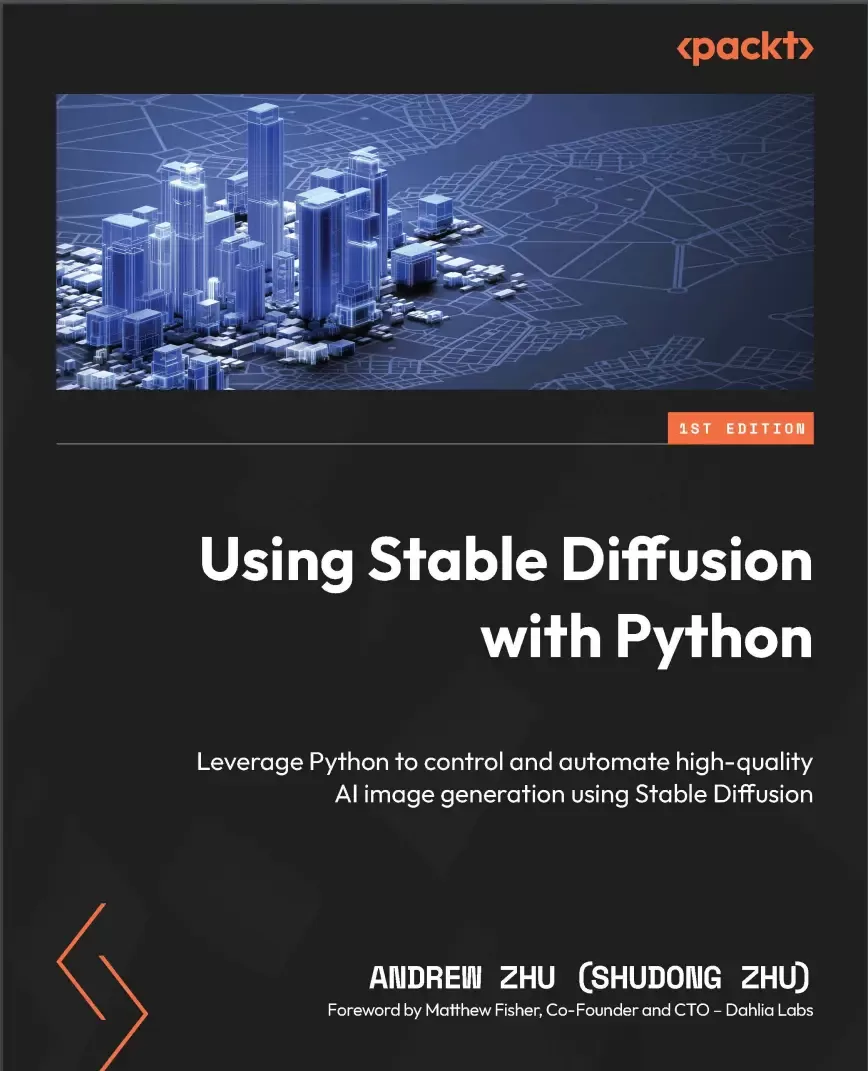
Using Stable Diffusion with Python: Leverage Python to control and automate high-quality AI image generation using Stable Diffusion
Оглавление⌄
Title Page....2 Copyright and Credits....3 Dedication....4 Foreword....5 Contributors....6 Table of Contents....8 Preface....16 Part 1 – A Whirlwind of Stable Diffusion....22 Chapter 1: Introducing Stable Diffusion....24 Evolution of the Diffusion model....26 Before Transformer and Attention....26 Transformer transforms machine learning....27 CLIP from OpenAI makes a big difference....27 Generate images....28 DALL-E 2 and Stable Diffusion....29 Why Stable Diffusion....29 Which Stable Diffusion to use....29 Why this book....30 References....31 Chapter 2: Setting Up the Environment for Stable Diffusion....32 Hardware requirements to run Stable Diffusion....33 GPU....34 System memory....34 Storage....34 Software requirements....34 CUDA installation....34 Installing Python for Windows, Linux, and macOS....36 Installing PyTorch....38 Running a Stable Diffusion pipeline....39 Using Google Colaboratory....40 Using Google Colab to run a Stable Diffusion pipeline....41 Summary....43 References....43 Chapter 3: Generating Images Using Stable Diffusion....44 Logging in to Hugging Face....45 Generating an image....45 Generation seed....46 Sampling scheduler....47 Changing a model....50 Guidance scale....51 Summary....52 References....53 Chapter 4: Understanding the Theory Behind Diffusion Models....54 Understanding the image-to-noise process....55 A more efficient forward diffusion process....59 The noise-to-image training process....61 The noise-to-image sampling process....63 Understanding Classifier Guidance denoising....64 Summary....65 References....65 Chapter 5: Understanding How Stable Diffusion Works....68 Stable Diffusion in latent space....69 Generating latent vectors using diffusers....72 Generating text embeddings using CLIP....75 Initializing time step embeddings....77 Initializing the Stable Diffusion UNet....78 Implementing a text-to-image Stable Diffusion inference pipeline....79 Implementing a text-guided image-to-image Stable Diffusion inference pipeline....83 Summary....84 References....84 Additional reading....85 Chapter 6: Using Stable Diffusion Models....86 Technical requirements....86 Loading the Diffusers model....87 Loading model checkpoints from safetensors and ckpt files....88 Using ckpt and safetensors files with Diffusers....88 Turning off the model safety checker....89 Converting the checkpoint model file to the Diffusers format....90 Using Stable Diffusion XL....91 Summary....95 References....95 Part 2 – Improving Diffusers with Custom Features....98 Chapter 7: Optimizing Performance and VRAM Usage....100 Setting the baseline....100 Optimization solution 1 – using the float16 or bfloat16 data type....101 Optimization solution 2 – enabling VAE tiling....102 Optimization solution 3 – enabling Xformers or using PyTorch 2.0....103 Optimization solution 4 – enabling sequential CPU offload....104 Optimization solution 5 – enabling model CPU offload....106 Optimization solution 6 – Token Merging (ToMe)....107 Summary....108 References....108 Chapter 8: Using Community-Shared LoRAs....110 Technical requirements....111 How does LoRA work?....111 Using LoRA with Diffusers....112 Applying a LoRA weight during loading....114 Diving into the internal structure of LoRA....117 Finding the A and B weight matrix from the LoRA file....118 Finding the corresponding checkpoint model layer name....119 Updating the checkpoint model weights....121 Making a function to load LoRA....122 Why LoRA works....125 Summary....126 References....127 Chapter 9: Using Textual Inversion....128 Diffusers inference using TI....129 How TI works....131 Building a custom TI loader....132 TI in the pt file format....133 TI in bin file format....133 Detailed steps to build a TI loader....134 Putting all of the code together....136 Summary....138 References....139 Chapter 10: Overcoming 77-Token Limitations and Enabling Prompt Weighting....140 Understanding the 77-token limitation....141 Overcoming the 77-tokens limitation....142 Putting all the code together into a function....145 Enabling long prompts with weighting....149 Verifying the work....158 Overcoming the 77-token limitation using community pipelines....159 Summary....161 References....161 Chapter 11: Image Restore and Super-Resolution....162 Understanding the terminologies....163 Upscaling images using Img2img diffusion....164 One-step super-resolution....164 Multiple-step super-resolution....168 A super-resolution result comparison....169 Img-to-Img limitations....170 ControlNet Tile image upscaling....170 Steps to use ControlNet Tile to upscale an image....171 The ControlNet Tile upscaling result....173 Additional ControlNet Tile upscaling samples....174 Summary....179 References....179 Chapter 12: Scheduled Prompt Parsing....180 Technical requirements....180 Using the Compel package....180 Building a custom scheduled prompt pipeline....184 A scheduled prompt parser....184 Filling in the missing steps....187 A Stable Diffusion pipeline supporting scheduled prompts....189 Summary....197 References....197 Part 3 – Advanced Topics....198 Chapter 13: Generating Images with ControlNet....200 What is ControlNet and how is it different?....200 Usage of ControlNet....202 Using multiple ControlNets in one pipeline....206 How ControlNet works....208 Further usage....210 More ControlNets with SD....210 SDXL ControlNets....210 Summary....214 References....215 Chapter 14: Generating Video Using Stable Diffusion....216 Technical requirements....217 The principles of text-to-video generation....217 Practical applications of AnimateDiff....219 Utilizing Motion LoRA to control animation motion....221 Summary....222 References....223 Chapter 15: Generating Image Descriptions Using BLIP-2 and LLaVA....224 Technical requirements....224 BLIP-2 – Bootstrapping Language-Image Pre-training....226 How BLIP-2 works....226 Using BLIP-2 to generate descriptions....227 LLaVA – Large Language and Vision Assistant....228 How LLaVA works....228 Installing LLaVA....229 Using LLaVA to generate image descriptions....229 Summary....232 References....233 Chapter 16: Exploring Stable Diffusion XL....234 What’s new in SDXL?....234 The VAE of the SDXL....235 The UNet of SDXL....236 Two text encoders in SDXL....237 The two-stage design....240 Using SDXL....240 Use SDXL community models....240 Using SDXL image-to-image to enhance an image....241 Using SDXL LoRA models....243 Using SDXL with an unlimited prompt....245 Summary....247 References....247 Chapter 17: Building Optimized Prompts for Stable Diffusion....248 What makes a good prompt?....248 Be clear and specific....249 Be descriptive....251 Using consistent terminology....253 Reference artworks and styles....255 Incorporate negative prompts....256 Iterate and refine....257 Using LLMs to generate better prompts....258 Summary....269 References....269 Part 4 – Building Stable Diffusion into an Application....270 Chapter 18: Applications – Object Editing and Style Transferring....272 Editing images using Stable Diffusion....272 Replacing image background content....273 Removing the image background....276 Object and style transferring....278 Loading up a Stable Diffusion pipeline with IP-Adapter....279 Transferring style....280 Summary....282 References....282 Chapter 19: Generation Data Persistence....284 Exploring and understanding the PNG file structure....284 Saving extra text data in a PNG image file....286 PNG extra data storage limitation....289 Summary....289 References....289 Chapter 20: Creating Interactive User Interfaces....290 Introducing Gradio....291 Getting started with Gradio....291 Gradio fundamentals....294 Gradio Blocks....294 Inputs and outputs....295 Building a progress bar....296 Building a Stable Diffusion text-to-image pipeline with Gradio....297 Summary....300 References....300 Chapter 21: Diffusion Model Transfer Learning....302 Technical requirements....303 Training a neural network model with PyTorch....303 Preparing the training data....304 Preparing for training....304 Training a model....306 Training a model with Hugging Face’s Accelerate....307 Applying Hugging Face’s Accelerate....308 Putting code together....308 Training a model with multiple GPUs using Accelerate....309 Training a Stable Diffusion V1.5 LoRA....313 Defining training hyperparameters....314 Preparing the Stable Diffusion components....316 Loading the training data....317 Defining the training components....321 Training a Stable Diffusion V1.5 LoRA....323 Kicking off the training....328 Verifying the result....328 Summary....330 References....331 Chapter 22: Exploring Beyond Stable Diffusion....332 What sets this AI wave apart....333 The enduring value of mathematics and programming....334 Staying current with AI innovations....335 Cultivating responsible, ethical, private, and secure AI....337 Our evolving relationship with AI....338 Summary....338 References....339 Index....340 Other Books You May Enjoy....349
Описание
Коротко и по делу о том, что важно знать про diffusion.
However, mastering it requires an understanding of the underlying concepts and techniques. Stable Diffusion is a game-changing AI tool for image generation, enabling you to create stunning artwork with code. This book guides you through unlocking the full potential of Stable Diffusion with Python.
You'll learn how to optimize performance, leverage custom models, and integrate community-shared resources like LoRAs, textual inversion, and ControlNet to enhance your creations. Starting with an introduction to Stable Diffusion, you'll explore the theory behind diffusion models, set up your environment, and generate your first image using diffusers. After covering techniques such as face restoration, image upscaling, and image restoration, you'll focus on unlocking prompt limitations, scheduled prompt parsing, and weighted prompts to create a fully customized and industry-level Stable Diffusion application. Finally, you'll gain insights into extracting generation data, ensuring data persistence, and leveraging AI models like BLIP for image description extraction. This book also delves into real-world applications in medical imaging, remote sensing, and photo enhancement.
By the end of this book, you'll be able to use Python to generate and edit images and leverage solutions to build Stable Diffusion apps for your business and users.
What you will learnExplore core concepts and applications of Stable Diffusion and set up your environment for successRefine performance, manage VRAM usage, and leverage community-driven resources like LoRAs and textual inversionHarness the power of ControlNet, IP-Adapter, and other methodologies to generate images with unprecedented control and qualityExplore developments in Stable Diffusion such as video generation using AnimateDiffWrite effective prompts and leverage LLMs to automate the processDiscover how to train a Stable Diffusion LoRA from scratchWho this book is forIf you're looking to gain control over AI image generation, particularly through the diffusion model, this book is for you. Moreover, data scientists, ML engineers, researchers, and Python application developers seeking to create AI image generation applications based on the Stable Diffusion framework can benefit from the insights provided in the book.
На этом основные моменты по теме закрыты.
Поделиться
Частые вопросы
Можно ли скачать «Using Stable Diffusion with Python: Leverage Python to control and automate high-quality AI image generation using Stable Diffusion» бесплатно?
Да, «Using Stable Diffusion with Python: Leverage Python to control and automate high-quality AI image generation using Stable Diffusion» доступна для бесплатного скачивания на нашем сайте в формате PDF. Ссылка на файл находится на этой странице.
В каком формате и какого размера файл?
Книга предоставляется в формате PDF, размер файла 5,5 МБ.
Кто автор и когда вышла книга?
автор — Zhu Andrew, издательство Packt Publishing Limited, год выпуска 2024, 352 страниц.
О чём книга «Using Stable Diffusion with Python: Leverage Python to control and automate high-quality AI image generation using Stable Diffusion»?
Stable Diffusion is a game-changing AI tool for image generation, enabling you to create stunning artwork with code.
Похожие материалы
 GPT студентам
 ChatGPT для саморазвития
 Всё об ИИ чат-боте ChatGPT
 Modern Generative AI with ChatGPT and OpenAI Models
 ChatGPT и Революция Искусственного Интеллекта
 ChatGPT для чайников
 ChatGPT and Bard for Business Automation
 Building AI Applications with ChatGPT APIs: Master ChatGPT, Whisper, and DALL-E APIs by building ten innovative AI projects