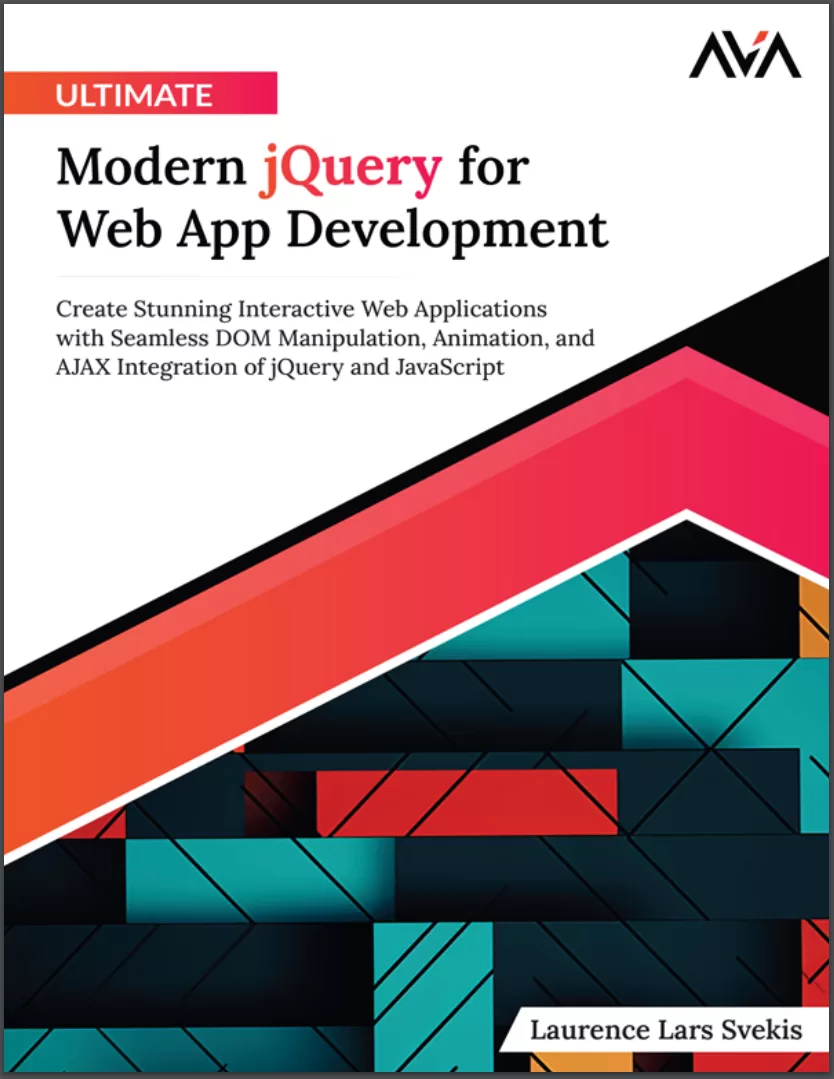
Ultimate Modern jQuery for Web App Development: Create Stunning Interactive Web Applications with Seamless DOM Manipulation, Animation, and AJAX Integration of jQuery and JavaScript
Оглавление⌄
Cover Page....2 Title Page....3 Copyright Page....4 Dedication Page....5 About the Author....6 About the Technical Reviewer....8 Acknowledgements....9 Preface....10 Errata....14 Table of Contents....18 1. Getting Started with jQuery....24 Introduction....24 Structure....24 Brief Overview of jQuery....24 Getting Started using jQuery and How it Works....26 Effortlessly Handle Events....27 Animation and Effects with Ease....27 Compelling Reasons to Choose jQuery....28 Downloading and Adding jQuery to Your HTML....29 Obtaining jQuery....29 Integrating jQuery into Your HTML....29 Verify jQuery Integration....30 Using jQuery with CDN....31 Browser Dev Tools....36 Conclusion....37 2. Selection of Page Elements and DOM Element Selection jQuery....39 Introduction....39 Structure....39 Selection of Page Elements and DOM Element Selection with jQuery....39 Basic Selectors....40 Attribute Selectors....41 Pseudo Selectors....43 DOM Traversal....44 Filtering Elements....46 Chaining Methods....48 Conclusion....50 3. Element Hide and Show Methods and Animation Effects....52 Introduction....52 Structure....52 Hide and Show Methods....52 Exercise: Element hide and Show Methods and Animation effects....54 fadeIn and fadeOut Methods....57 Fading Effects with jQuery Elements....58 slideUp and slideDown Methods....60 Custom Animations with jQuery....63 CSS positioning properties....63 position....63 margin....64 transform....64 z-index....64 Creating Custom Animations with jQuery Exercise....65 Conclusion....69 Multiple Choice Questions....69 Answers....70 4. Manipulating Element Content and Inserting Elements....71 Introduction....71 Structure....71 Manipulating element content with jQuery....71 Appending and prepending content....72 Clearing element content....72 Exercise: Adding new content and elements to the page....73 Inserting elements with jQuery....75 The Power of .after() and .before()....75 Wrapping elements....76 Inserting elements outside of the selected element....76 Advanced techniques....77 Exercise: Clone and update with replace page elements....77 Conclusion....79 Multiple Choice Questions....79 Answers....81 5. DOM Manipulation and Selection....82 Introduction....82 Structure....82 Adding and removing classes with jQuery....82 Understanding classes in HTML....82 Adding classes....83 Removing classes....83 Dynamically creating and modifying elements....84 Creating new elements....84 Modifying elements....85 Removing elements....85 Selecting and manipulating multiple elements....85 Parent elements....86 Child elements....86 Siblings....86 Advanced techniques....87 Cloning elements....87 Replace elements....88 Removing wrapping elements....89 Exercise: Adding, removing, and toggling element classes....90 Conclusion....92 Multiple Choice Questions....93 Answers....93 6. jQuery Dynamic List Project - Interactive Elements....95 Introduction....95 Structure....95 Creating a Dynamic List with jQuery....95 Interactive Elements with jQuery....96 Learning Outcomes....97 Exercise: Create an Interactive List with jQuery....98 Summary....101 Conclusion....101 Points to Remember....102 Multiple Choice Questions....103 Answers....104 7. CSS Properties and Element Attributes....105 Introduction....105 Structure....105 Getting and Setting CSS Properties with jQuery....105 Example: Changing Background Color on Button Click....105 Getting and Setting Element Attributes with jQuery....106 Retrieving and Modifying Element Dimensions with jQuery....108 Example: Toggle CSS Classes on Button Click....108 Exercise: Get the Style Properties of an Element....109 Exercise: Getting and Setting Element Attributes with jQuery....112 Exercise: Get the Dimensions of Page Elements with jQuery Methods....115 Conclusion....117 Multiple Choice Questions....117 Answers....118 8. Traversing Page Elements....119 Introduction....119 Structure....119 Traversing Descendants of Page Elements with jQuery....119 Exercise: Traversing Descendants of Page Elements with jQuery Selection....120 Traversing Ancestors of Page Elements with jQuery....122 Traversing Siblings of Page Elements with jQuery....124 Exercise: Traversing Siblings Page Elements and Other Selections with jQuery....125 Filtering Page Elements to Select them with jQuery....127 Selecting Elements Based on Visibility and State....128 Conclusion....132 Multiple Choice Questions....133 Answers....134 9. jQuery Data and Element Index Method....135 Introduction....135 Structure....135 Saving values into the element object with the jQuery data method....136 jQuery Data Method .data()....136 Saving Values with .data()....136 Retrieving Data....137 Removing Data....137 Exercise data() example....137 Index of Page Element Index Method .index()....140 Using .index()....140 Element Position....141 Exercise: Use the get() method to return the DOM element object....143 Exercise: Make a selection of page elements with jQuery and return the index() value of the selected element....145 Conclusion....148 Multiple Choice Questions....149 Answers....149 10. Handling Events with jQuery....151 Introduction....151 Structure....152 Understanding Event Handling....152 jQuery Event Methods....152 .click()....153 .hover()....154 .submit()....156 .keypress()....157 Mouse Events....159 .hover()....159 .mouseup()....159 .mousedown()....160 .mouseout()....160 .mouseover()....160 .mouseleave()....161 .mouseenter()....161 .mousemove()....162 jQuery mouse moves events listeners and hover events....162 jQuery to listen for keyboard events and get values from the event object....164 jQuery form Events on submit and more....167 Conclusion....170 11. Advanced Event Handling Techniques....171 Introduction....171 Structure....171 Event delegation....171 The .on() method....172 Exercise: Attach events with the on Method with more powerful events....172 Understanding Event Bubbling and Propagation....175 Exercise: jQuery scroll event on Browser Events and Window events....177 Conclusion....180 Multiple Choice Questions....181 Answers....182 12. jQuery AJAX Methods and Callback Options....183 Introduction....183 Structure....183 Introduction to AJAX with jQuery....184 Exercise: AJAX example connects to an external file and loads the contents directly into a page element....185 Exercise: jQuery AJAX method and callback options....187 Streamlined AJAX with Shorthand Methods....190 Callback Options for Handling AJAX Responses....191 Get JSON data with jQuery get method....193 GET shorthand Methods jQuery getScript and getJSON methods....196 Conclusion....198 Multiple Choice Questions....198 Answers....200 Conclusion....201 Multiple Choice Questions....202 Answers....204 Index....205
Описание
Ниже — практический обзор по теме «jquery».
Explore the intricacies of jQuery’s hide, show, and animation methods, revolutionizing your approach to web interactivity. Unlock the Full Potential of jQuery with this comprehensive resource crafted for web developers eager to excel in interactive web design and development.Beginning with an accessible introduction to jQuery syntax and integration, this book gradually immerses you in advanced concepts, including DOM manipulation and dynamic techniques. Delve into manipulating element contents, inserting new elements, and mastering advanced DOM manipulation for dynamic and responsive web interfaces.Engage in practical, hands-on projects, like crafting dynamic lists with interactive elements, to solidify your understanding and apply your skills in real-world scenarios. From event handling intricacies, including event bubbling and propagation, to mastering AJAX methods and callback options for responsive applications, every aspect is thoroughly covered.By the book’s conclusion, you’ll possess a robust foundation in jQuery, equipped with practical experience in AJAX, event handling, and DOM manipulation, ready to conquer the challenges of modern web development with confidence.
На этом основные моменты по теме закрыты.
Поделиться
Частые вопросы
Можно ли скачать «Ultimate Modern jQuery for Web App Development: Create Stunning Interactive Web Applications with Seamless DOM Manipulation, Animation, and AJAX Integration of jQuery and JavaScript» бесплатно?
Да, «Ultimate Modern jQuery for Web App Development: Create Stunning Interactive Web Applications with Seamless DOM Manipulation, Animation, and AJAX Integration of jQuery and JavaScript» доступна для бесплатного скачивания на нашем сайте в формате PDF. Ссылка на файл находится на этой странице.
В каком формате и какого размера файл?
Книга предоставляется в формате PDF, размер файла 1,1 МБ.
Кто автор и когда вышла книга?
автор — Svekis Laurence Lars, издательство Orange Education Pvt Ltd, AVA™, год выпуска 2024, 211 страниц.
О чём книга «Ultimate Modern jQuery for Web App Development: Create Stunning Interactive Web Applications with Seamless DOM Manipulation, Animation, and AJAX Integration of jQuery and JavaScript»?
Unlock the Full Potential of jQuery with this comprehensive resource crafted for web developers eager to excel in interactive web design and development.Beginning with an accessible introduction to jQuery syntax and integration, this book g
Похожие материалы
 JavaScript. Рецепты для разработчиков. 3 изд
 Become A Ninja With Angular
 Mastering jQuery: A Beginner’s Guide
 Professional JavaScript for Web Developers. 5 Ed
 React.js Design Patterns: Learn how to build scalable React apps with ease
 Typescript and JavaScript Coding Made Simple 2 Books in 1: A Beginner’s Guide to Programming
 React. Сборник рецептов. Практические приемы работы с фреймворком React
 JavaScript. Полное руководство: Справочник по самому популярному языку программирования. 7 изд