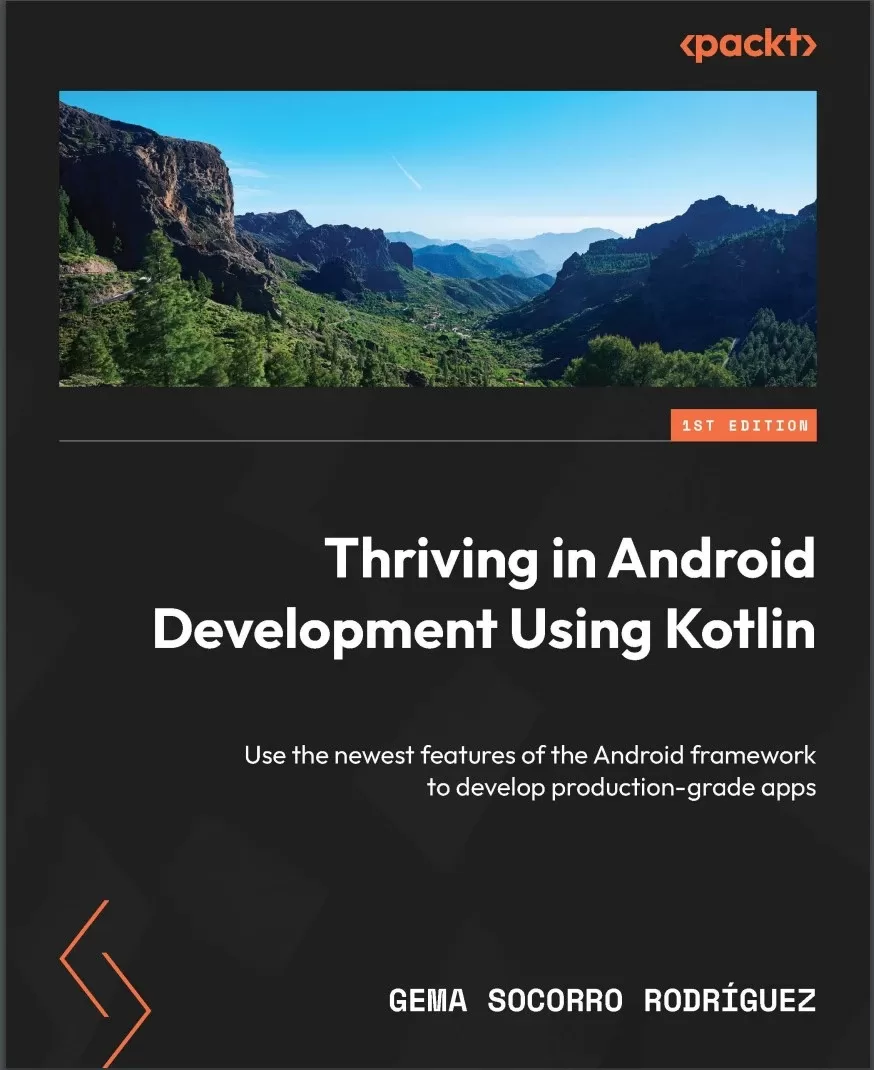
Thriving in Android Development Using Kotlin: Use the newest features of the Android framework to develop production-grade apps
Оглавление⌄
Cover....1 Title Page....2 Copyright and Credits....3 Dedication....4 Contributors....5 Table of Contents....8 Preface....14 Part 1: Creating WhatsPackt, a Messaging App....20 Chapter 1: Building the UI for Your Messaging App....22 Technical requirements....22 Defining the app structure and navigation....25 Modularization....25 Dependency injection....31 Navigation....32 Building the main screen....40 Adding a scaffold to the main screen....41 Adding the TopAppBar composable to the main screen....43 Adding the TabRow composable to the bottom of the main screen....44 Adding a pager....46 Adding the FloatingActionButton composable....48 Creating the conversations list....49 Modeling the conversation....50 Creating the ConversationList composable....53 Building the messages list....56 Modeling the Chat and Message models....56 Creating the MessageItem composable....57 Adding the TopAppBar and BottomRow composables....59 Adding the messages list....61 Summary....64 Chapter 2: Setting Up WhatsPackts Messaging Abilities....66 Technical requirements....67 Using a WebSocket connection....67 Why WebSockets?....67 Integrating WebSockets....69 Implementing WebSocketDataSource....72 Receiving messages in our ViewModel....78 Understanding Clean Architecture implementation....78 Creating our Clean Architecture components....81 Implementing ChatViewModel....85 Handling synchronization and errors....93 Obtaining chat screen initialization data....93 Handling errors in the WebSocket....102 Adding push notifications....104 Setting up Firebase....105 Sending the FCM token to Firebase....106 Preparing the app to receive push notifications....108 Replacing the Websocket with Firestore....113 What is Firestore?....113 Chat data structure....113 Creating a FirestoreMessagesDataSource class....116 Summary....121 Chapter 3: Backing Up Your WhatsPackt Messages....122 Technical requirements....123 Understanding Room....123 Key features of Room....123 Rooms architecture and components....124 Implementing Room in WhatsPackt....126 Adding dependencies....127 Creating the database....127 Creating entity classes....129 Creating DAOs....131 Creating a LocalMessagesDataSource data source....133 Handling two data sources in the MessagesRepository component....134 Getting to know Firebase Storage....136 How Firebase Storage works....137 Setting up Firebase Storage....138 Creating UploadMessagesUseCase....141 Scheduling WorkManager to send backups....141 Introducing the Worker class....142 Configuring the WorkRequest component....143 Creating our Worker instance....145 Setting up the WorkRequest class....146 Using Amazon S3 for storage....148 Integrating the AWS S3 SDK....149 Setting up Amazon Cognito....149 Creating an AWS S3 Storage provider and integrating it into our code....151 Summary....156 Part 2: Creating Packtagram, a Photo Media App....158 Chapter 4: Building the Packtagram UI....160 Technical requirements....161 Setting up Packtagrams modules and dependencies....161 Setting up a version catalog....161 Modularizing our app....164 Getting to know Koin....166 Setting up Koin....167 Creating the stories screen....170 Creating the newsfeed screen and its components....177 Creating the NewsFeed list....180 Creating the PostItem composable....181 Using Retrofit and Moshi to retrieve newsfeed information....191 Adding the Retrofit and Moshi dependencies....192 Creating the data source for the newsfeed....194 Creating the repository....195 Creating the GetTheNewsFeedUseCase....196 Integrating the use case into our ViewModel....198 Implementing pagination in the newsfeed....199 Summary....203 Chapter 5: Creating a Photo Editor Using CameraX....204 Technical requirements....205 Getting to know CameraX....205 The evolution of camera libraries in Android....205 The importance and advantages of CameraX....205 Setting up CameraX....206 Learning about CameraXs core concepts....208 Integrating CameraX into our Packtagram app....216 Setting up the permissions checker with Accompanist....216 Creating our own CameraPreview....221 Adding photo-saving functionality....222 Adding photo-editing functionalities....232 Adding filters....233 Adding a text overlay....235 Using ML to categorize photos and generate hashtags....241 Summary....246 Chapter 6: Adding Video and Editing Functionality to Packtagram....248 Technical requirements....249 Adding video functionality to our app....249 Getting to know FFmpeg....256 The components of FFmpeg....256 Key features of FFmpeg....256 Integrating mobile-ffmpeg into our project....257 Understanding the FFmpeg command-line syntax....258 Advanced syntax and options in FFmpeg....261 Using mobile-ffmpeg to execute FFmpeg commands....265 Adding a caption to the video with FFmpeg....267 Adding a filter to a video with FFmpeg....272 Uploading the video....277 Summary....280 Part 3: Creating Packtflix, a Video Media App....282 Chapter 7: Starting a Video Streaming App and Adding Authentication....284 Technical requirements....285 Creating the apps structure and modules....285 Setting up the dependency injection framework....288 Building the login screen....289 Authenticating the apps users....296 Creating the user model....297 Using Retrofit to get the authorization token....297 Using DataStore to store the token....300 Sending the authorization token in requests....305 Creating your movie list....308 Building the models....308 Building the MoviesScreen composable....309 Making the movie and series detail screen....318 Creating the detail models....318 Building the DetailScreen....319 Summary....328 Chapter 8: Adding Media Playback to Packtflix with ExoPlayer....330 Technical requirements....331 Reviewing Androids media options....331 Learning about the MediaPlayer API....331 Learning about VideoView....334 Understanding the basics of ExoPlayer....336 Exploring ExoPlayers architecture....337 Integrating ExoPlayer into our project....342 Creating the video playback user interface....343 Building PlaybackScreen and its composables....343 Making the controls disappear when playing the content....348 Playing video using ExoPlayer....350 Creating PlaybackActivity....350 Creating PlaybackViewModel....351 Connecting the controls with ExoPlayer....355 Implementing the video controls in PlaybackViewModel....362 Adding subtitles to the video player....365 Summary....368 Chapter 9: Extending Video Playback in Your Packtflix App....370 Technical requirements....370 Getting to know the PiP API....371 PiP requirements....371 Entering and exiting PiP mode programmatically....372 Using PiP to continue playback in the background....373 Implementing PiP....374 Understanding how to add actions to the PiP mode....376 Adding actions to the PiP mode....377 Getting to know MediaRouter....382 Setting up MediaRouter....383 Discovering media routes....384 Connecting to Google Chromecast devices....389 Summary....395 Index....396 Other Books You May Enjoy....1
Описание
Коротко и по делу о том, что важно знать про android.
Build a range of Android applications such as a messaging app, a photo editor, and a video streaming platform that address common real-world issues such as authentication, connecting to synchronous and asynchronous remote sources, rendering complex UIs with Jetpack Compose, and more with seasoned Android GDE, Gema Socorro Rodriguez
Key FeaturesUnderstand complex concepts in a coherent way by solving challenging real-world problems and developing three practical projectsUse the latest features of libraries in Jetpack Compose, Room, CameraX, ExoPlayer, and moreLeverage best practices for UI creation, app structure, data handling, and lifecycle managementPurchase of the print or Kindle book includes a free PDF eBookBook DescriptionFinding resources on creating apps with the Android framework and Kotlin is easy, but discovering content that addresses the common challenges faced by app developers is difficult. This book is designed to bridge that gap and equip you with the skills to tackle everyday problems in Android development.
Next, you'll learn how to process asynchronous messages reactively, render them using Jetpack Compose, and advance to creating and uploading a backup of these messages. You'll get hands on with Android development by building an app similar to WhatsApp. As you progress, you'll develop Packtagram, an app inspired by Instagram, focused on advanced photo-editing capabilities using the latest CameraX libraries. Finally, you'll build your own Netflix-like app, integrating video playback functionality with ExoPlayer for both foreground and background operations, and enabling casting to other devices.
By the end of this book, you'll have crafted three fully functional projects across multiple platforms and gained the expertise to solve the most common challenges in Android development confidently.
This book will also help junior engineers who want to get exposed to complex problems and explore best practices to solve them. What you will learnCreate complex UIs with Jetpack ComposeStructure and modularize apps with a focus on further scalingConnect your app to synchronous and asynchronous remote sourcesStore and cache information and manage the lifecycle of this dataExecute periodic tasks using WorkManagerCapture and edit photos and videos using CameraXAuthenticate your users securelyPlay videos in the foreground and background and cast them to other devicesWho this book is forIf you're a mid-level Android engineer, this book is for you as it will not only teach you how to solve issues that occur in real-world apps but also benefit you in your day-to-day work. A basic understanding of Android and Kotlin concepts such as views, activities, lifecycle, and Kotlin coroutines will be useful to get the most out of this book.
Файл доступен для загрузки ниже.
Поделиться
Частые вопросы
Можно ли скачать «Thriving in Android Development Using Kotlin: Use the newest features of the Android framework to develop production-grade apps» бесплатно?
Да, «Thriving in Android Development Using Kotlin: Use the newest features of the Android framework to develop production-grade apps» доступна для бесплатного скачивания на нашем сайте в формате PDF. Ссылка на файл находится на этой странице.
В каком формате и какого размера файл?
Книга предоставляется в формате PDF, размер файла 2,5 МБ.
Кто автор и когда вышла книга?
автор — Rodríguez Gema Socorro, издательство Packt Publishing Limited, год выпуска 2024, 410 страниц.
О чём книга «Thriving in Android Development Using Kotlin: Use the newest features of the Android framework to develop production-grade apps»?
Build a range of Android applications such as a messaging app, a photo editor, and a video streaming platform that address common real-world issues such as authentication, connecting to synchronous and asynchronous remote sources, rendering
Похожие материалы
 Head First. Программирование для Android на Kotlin. 3 изд
 Pro Kotlin Web Apps from Scratch
 Kotlin And Android: Learn To Architect And Develop Android Apps In The Kotlin Programming Language
 Kotlin. Программирование для профессионалов. 2 изд
 Kotlin: программирование на примерах
 Tiny Android Projects Using Kotlin
 Программирование на Kotlin для Android
 Jetpack Compose 1.3 Essentials: Developing Android Apps with Jetpack Compose 1.3, Android Studio, and Kotlin