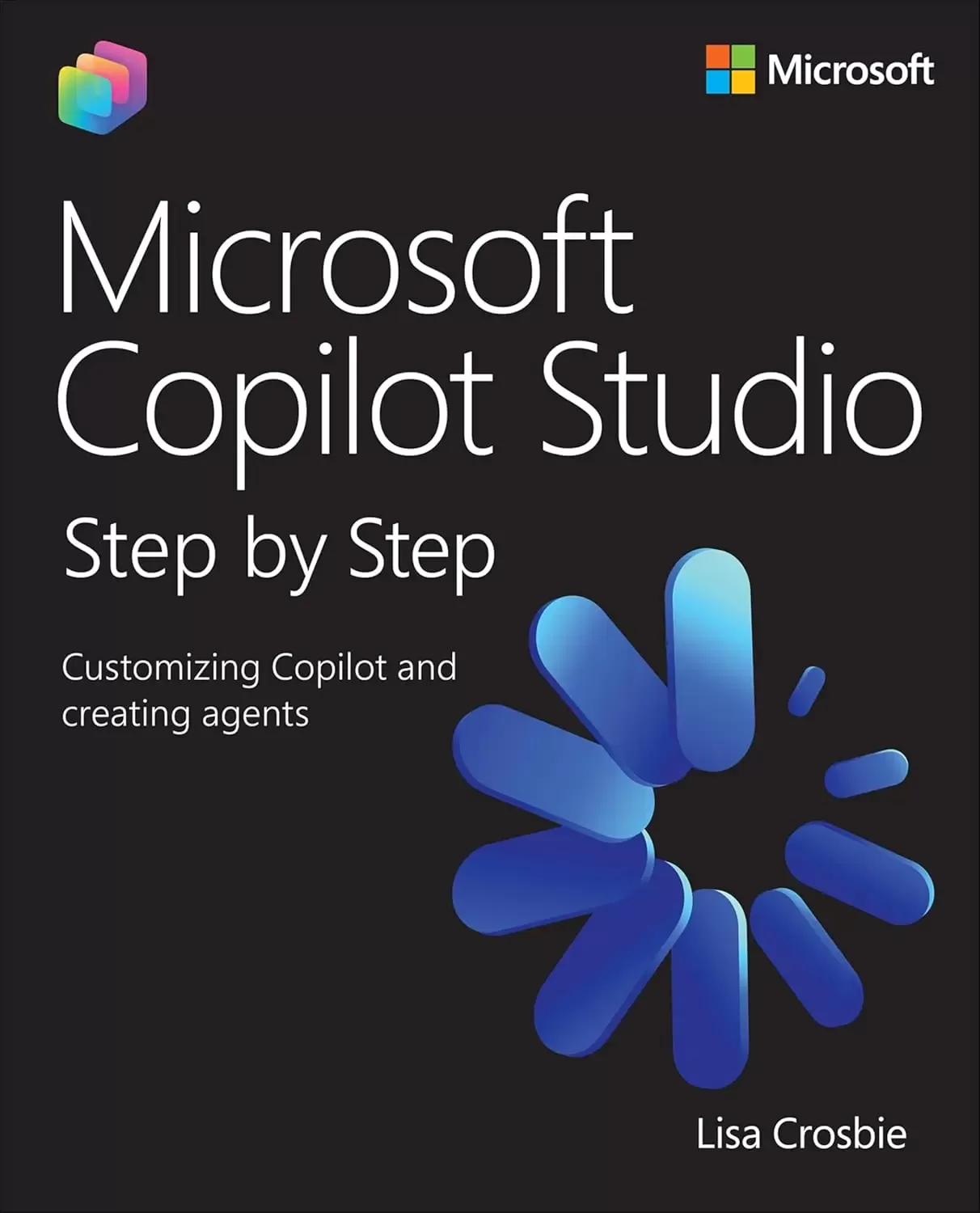
Microsoft Copilot Studio Step by Step: Customizing Copilot and creating agents
Оглавление⌄
Title Page....1 Copyight Page....2 Contents....5 Foreword....17 Acknowledgments....20 About the author....22 Introduction....25 Who this book is for....25 The Step by Step approach....26 Features and conventions....27 Download the practice files....29 Important note about changes to Copilot Studio....29 Errata, updates, and support....30 1. Understanding Copilot Studio and agents....31 Practice files....31 Get started with Copilot Studio....32 What is an agent?....33 Sign up for a Copilot Studio free trial....33 Create an agent in Copilot Studio by describing it....37 Understand the capabilities of Copilot Studio....48 Microsoft’s agent-building toolset....48 Key components of agent architecture....53 Core capabilities of Copilot Studio....55 Explore use cases for Copilot Studio agents....57 Internal agents (for employees)....59 External agents (for customers or suppliers)....62 Success metrics....66 Skills review....67 Practice tasks....68 Get started with Copilot Studio....68 Understand the capabilities of Copilot Studio....69 Explore use cases for Copilot Studio agents....69 2. Designing effective agents....71 Practice files....71 Choose the type of agent....72 Extend Microsoft 365 Copilot or build a stand-alone agent....72 Conversational agents....76 Autonomous agents....77 Multi-agent systems....79 Select the agent’s orchestration model....81 Generative orchestration....82 Classic orchestration....86 Azure CLU integration....95 Design the agent’s capabilities....96 Define the agent’s scope and purpose....97 Give the agent your brand voice....97 Identify the knowledge sources and tools your agent needs....98 Define the logic strategy....102 Identify topics....104 Plan for fallback and escalation....108 Understand and calculate agent costs....111 The capability being invoked....112 The orchestration model used....113 Tenant graph grounding, the channel, and the user license....114 Purchasing message packs for your agent....115 Using the Copilot Studio agent usage estimator....116 Skills review....117 Practice tasks....118 Choose the type of agent....118 Select the agent’s orchestration model....118 Design the agent’s capabilities....119 Understand and calculate agent costs....120 3. Building agents with the lite experience of Copilot Studio....122 Practice files....122 Describe and configure an agent....124 Create an agent by describing it....124 Configure an agent and add knowledge....135 Add capabilities to your agent....150 Edit an existing agent....154 Build an agent from a template....157 Share and manage agents....164 Share an agent with other users....164 Manage agents....170 Skills review....175 Practice tasks....176 Describe and configure an agent....176 Build an agent from a template....177 Share and manage agents....178 4. Building agents in Copilot Studio....179 Practice files....179 Understand environments and solutions....180 Create a new environment....180 Select an environment for your agent in Copilot Studio....186 Work with solutions....188 Configure a new agent....188 Start creating an agent using configuration....189 Set the primary language for the agent....192 Set the agent’s name and icon....194 Write a description and instructions....194 Add suggested prompts....197 Add knowledge....200 Create the agent....200 Manage agent settings....201 Enable deep reasoning....203 Manage the response model and response formatting....203 Edit the primary language and add secondary languages....205 Edit the Conversation Start topic....208 Start with an agent template....214 Install a managed agent....218 Skills review....223 Practice tasks....224 Understand environments and solutions....224 Configure a new agent....224 Manage agent settings....225 Edit the Conversation Start topic....226 Start with an agent template....227 Install a managed agent....227 5. Building autonomous agents....229 Practice files....229 Identify use cases for autonomous agents....230 Autonomous agents versus workflow automation....230 Identify use cases....235 Build an autonomous agent....238 Plan an autonomous agent....238 Create the agent and add knowledge and tools....240 Write instructions....256 Add a trigger....261 Iterate and add additional tools to your agent....269 Use deep reasoning....277 Best practice....283 Publish and monitor an autonomous agent....284 Review the activity....286 Skills review....290 Practice tasks....291 Identify use cases for autonomous agents....291 Build an autonomous agent....292 Publish and monitor an autonomous agent....293 6. Grounding agents in knowledge....295 Practice files....295 Understand how knowledge works in Copilot Studio....296 Set up a “Playground Agent” to use for this chapter....297 General knowledge from the LLM....300 Generative answers and the Conversational boosting topic....308 Content moderation....311 Official knowledge sources....313 Connect to public websites as a knowledge source....317 Website knowledge behavior and limitations....322 Allow the agent to use web search....325 Add files as a knowledge source....328 Upload files....329 Connect to OneDrive or SharePoint files and folders....342 Manage connections....360 Add SharePoint as a knowledge source....364 Tenant graph grounding....365 Connect to a SharePoint site....368 Connect to a SharePoint List....374 Best practice for working with SharePoint as a knowledge source....381 Add real-time connectors to enterprise data....381 Connect to enterprise data using real-time connectors....382 Add Dataverse tables as a knowledge source....390 Best practice for working with Dataverse as a knowledge source....400 Skills review....401 Practice tasks....402 Understand how knowledge works in Copilot Studio....402 Connect to public websites as a knowledge source....403 Add files as a knowledge source....403 Add SharePoint as a knowledge source....404 Add real-time connectors to enterprise data....405 7. Authoring topics....406 Practice files....406 Create and edit topics....407 Create topics from a description and understand triggers....408 Create topics from blank....433 Edit topics using code....439 Use message nodes and adaptive cards....441 Add a message node....441 Add an image to a message....448 Use cards in a message....452 Use other message node features....464 Use questions, variables, and entities....465 Understand variables....465 Add a question node using variables and conditional logic....466 Understand entities....481 Use formulas, logic, and generative answers....490 Use PowerFx formulas....491 Expand the branching logic....499 Understand slot filling and configure skip behavior....509 Add knowledge to a topic....516 Manage topic transitions and internal triggers....523 Redirecting and ending topics and conversations....524 Topic triggers....537 System topics....543 Skills review....545 Practice tasks....546 Create and edit topics....546 Use message nodes and adaptive cards....547 Use questions, variables, and entities....548 Use formulas, logic, and generative answers....548 Manage topic transitions and internal triggers....549 8. Extending agents with tools....551 Practice files....551 Use connectors and REST APIs....552 Add a connector as a tool....553 Add a tool from a REST API....581 Create agent flows....584 Create stand-alone agent flows....586 Create agent flows triggered by an agent....614 Add tools to a topic....632 Use a prompt as a tool....642 Add tools from a Model Context Protocol server....658 Skills review....668 Practice tasks....668 Use connectors and REST APIs....669 Create agent flows....670 Add tools to a topic....672 Use a prompt as a tool....673 Add tools from a Model Context Protocol server....675 9. Designing multi-agent orchestration....677 Practice files....677 Understand multi-agent orchestration....678 When to use child agents....678 When to use connected agents....679 Create and use child agents....680 Connect to existing agents....697 Connect to an existing Copilot Studio agent....697 Connect to other existing agents....704 Skills review....705 Practice tasks....705 Understand multi-agent orchestration....705 Create and use child agents....706 Connect to existing agents....707 10. Publishing and authenticating agents....709 Practice files....709 Understand and select the agent authentication method....710 Publish and test an agent....717 Choose and configure channels....727 Publishing to external channels....728 Publishing to internal channels....730 Skills review....753 Practice tasks....753 Understand and select the agent authentication method....754 Publish and test an agent....754 Choose and configure channels....755 11. Monitoring agent performance....756 Practice files....756 Analyze conversational agent performance....757 Understanding conversational agent metrics....763 Download and view conversation transcripts....776 Download conversation sessions from Copilot Studio....776 Download conversation sessions from Dataverse....779 Analyze autonomous agent performance....785 Understanding autonomous agent metrics....786 Skills review....790 Practice tasks....791 Analyze conversational agent performance....791 Download and view conversation transcripts....791 Analyze autonomous agent performance....792 12. Working with voice and customer engagement systems....793 Practice files....793 Create a voice-enabled agent....795 Understand voice-enabled agent capabilities and settings....795 Configure topics for voice-enabled agents....804 Use knowledge with voice-enabled agents....809 Test a voice-enabled agent using chat....811 Publish to a customer engagement channel and configure escalation....816 Skills review....836 Practice tasks....836 Create a voice-enabled agent....837 Test a voice-enabled agent using chat....837 Publish to a customer engagement channel and configure escalation....837 13. Extending Copilot Studio agents with Azure AI....839 Practice files....839 Create a vector index in Azure AI Search....840 Review or set up Azure prerequisites....841 Import and vectorize your data in Azure AI Search....842 Add Azure AI Search as a knowledge source....852 Bring your own Azure AI Foundry model....862 Select the primary model for your agent....863 Select the response model for your agent....865 Select the model for a prompt tool....867 Skills review....880 Practice tasks....880 Create a vector index in Azure AI Search....881 Add Azure AI Search as a knowledge source....881 Bring your own Azure AI Foundry model....882 A. Build an IT helpdesk agent....884 Practice tasks....885 Set up prerequisite components....885 Create an agent....886 Add a knowledge source....887 Author a simple topic by describing it....888 Add a tool to send a notification to the IT Team....889 Author a topic using branching logic and add a tool....890 Add a tool to create an IT Helpdesk ticket in SharePoint....892 Test your agent: knowledge....894 Test your agent: topics....894 Test your agent: tools....895 Publish your agent to Microsoft 365 Copilot....896 Build a customer support agent....898 Practice tasks....899 Set up prerequisite components....899 Create an agent....900 Edit the agent greeting....901 Add knowledge about the daily specials....901 Add a tool to respond to complaints....902 Add a tool to make recommendations for catering....904 Create a topic for event catering....906 Create an agent flow to call the prompt for event catering....907 Add the agent flow to the Event catering request topic....908 Update the instructions to reference the topic and tool....909 Test the agent....910 Publish your agent to the demo website....910 Index....912
Описание
В этом материале разберём тему: microsoft.
Renowned Microsoft AI authority Lisa Crosbie unveils an essential guide to mastering agent building and business process automation with Microsoft Copilot Studio
The book combines reference material with step-by-step tutorials, making complex AI concepts accessible to low-code makers, consultants, and IT pros. Microsoft Copilot Studio Step by Step: Customizing Copilot and creating agents is the definitive, hands-on guide for professionals seeking to master Microsoft’s low-code agent-building platform. You will learn to design, build, and deploy AI-powered agents that automate workflows, transform business processes, and integrate with Microsoft 365 Copilot and your line of business systems. Through practical scenarios, best practices, and end-to-end examples, this book equips users with the skills to leverage Copilot Studio for organizational value, offering the depth and clarity needed to turn ideas into working solutions, and emerging as the essential resource for this rapidly growing technology.
By reading this book, you will:Understand the foundational concepts and architecture of Microsoft Copilot Studio and AI agentsCreate AI-powered agents using natural language and low-code tools for internal and customer-facing scenariosConfigure autonomous agents with event-driven, scheduled, and data-based triggersGround your agents in organizational knowledge by connecting to multiple data sourcesAuthor structured conversational topics using advanced tools like branching logic and adaptive cardsExtend agent capabilities with connectors, prompts, MCP servers, and workflow automationDesign multi-agent orchestration using child and connected agents to delegate tasks across specialized domainsPublish and authenticate agents across Microsoft 365 Copilot, Teams, websites, and other external channelsMonitor agent performance using built-in analytics to optimize user experienceExpand your solutions with advanced capabilities for integration with voice channels, customer engagement hubs and Azure AI
На этом основные моменты по теме закрыты.
Поделиться
Частые вопросы
Можно ли скачать «Microsoft Copilot Studio Step by Step: Customizing Copilot and creating agents» бесплатно?
Да, «Microsoft Copilot Studio Step by Step: Customizing Copilot and creating agents» доступна для бесплатного скачивания на нашем сайте в формате PDF. Ссылка на файл находится на этой странице.
В каком формате и какого размера файл?
Книга предоставляется в формате PDF, размер файла 14,3 МБ.
Кто автор и когда вышла книга?
автор — Crosbie Lisa, издательство Microsoft Press, год выпуска 2026, 942 страниц.
О чём книга «Microsoft Copilot Studio Step by Step: Customizing Copilot and creating agents»?
Renowned Microsoft AI authority Lisa Crosbie unveils an essential guide to mastering agent building and business process automation with Microsoft Copilot StudioMicrosoft Copilot Studio Step by Step: Customizing Copilot and creating agents
Похожие материалы
 GPT студентам
 ChatGPT для саморазвития
 Всё об ИИ чат-боте ChatGPT
 Modern Generative AI with ChatGPT and OpenAI Models
 ChatGPT и Революция Искусственного Интеллекта
 ChatGPT для чайников
 ChatGPT and Bard for Business Automation
 Building AI Applications with ChatGPT APIs: Master ChatGPT, Whisper, and DALL-E APIs by building ten innovative AI projects