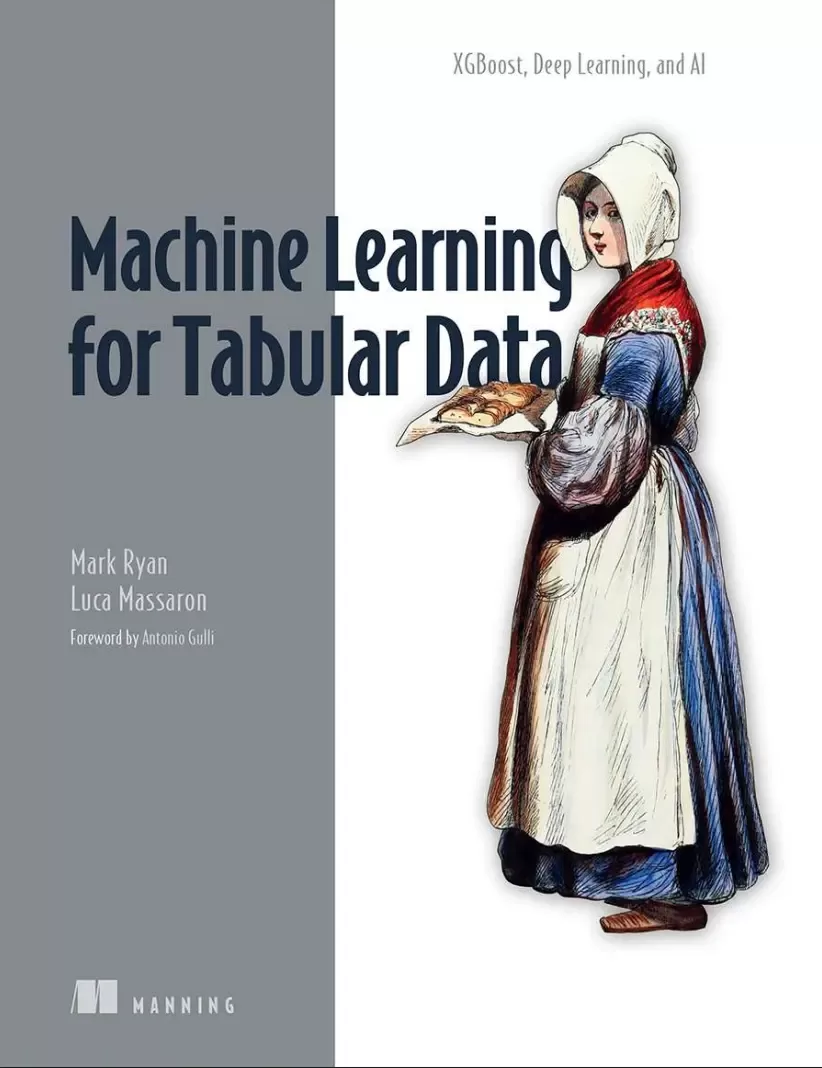
Machine Learning for Tabular Data: XGBoost, Deep Learning, and AI
Оглавление⌄
Machine Learning for Tabular Data....2 Copyright....4 dedication....7 contents....8 front matter....17 foreword....17 preface....18 acknowledgments....19 about this book....20 Who should read this book?....21 How this book is organized: A roadmap....21 About the code....24 liveBook discussion forum....25 about the authors....26 about the cover illustration....27 Part 1. Introducing machine learning for tabular data....29 1 Understanding tabular data....31 1.1 What is tabular data?....31 1.2 The world runs on tabular data....35 1.3 Machine learning vs. deep learning....36 1.4 What makes tabular data different?....40 1.5 Generative AI and tabular data....43 Summary....47 2 Exploring tabular datasets....49 2.1 Row and column characteristics....49 2.1.1 The ideal criteria for tabular rows....51 2.1.2 The ideal criteria for tabular columns....59 2.1.3 Representing rows and columns....64 2.2 Pathologies and remedies....66 2.2.1 Constant or quasi-constant columns....68 2.2.2 Duplicated and highly collinear features....69 2.2.3 Irrelevant features....73 2.2.4 Missing data....74 2.2.5 Rare categories....75 2.2.6 Errors in data....76 2.2.7 Leakage features....76 2.3 Finding external and internal data....78 2.3.1 Using pandas to access data stores....80 2.3.2 Internet data....86 2.3.3 Synthetic data....92 2.4 Exploratory data analysis....97 2.4.1 Loading the Auto MPG example dataset....99 2.4.2 Examining labels, values, distributions....103 2.4.3 Exploring bivariate and multivariate relationships....118 Summary....127 3 Machine learning vs. deep learning....129 3.1 Predicting Airbnb prices in New York City....130 3.1.1 The Airbnb NYC dataset....130 3.1.2 Introduction to the code....134 3.1.3 A deep learning solution using Keras....136 3.1.4 Training features....137 3.1.5 Comparing gradient boosting and deep learning solutions....140 3.1.6 Conclusions....150 3.2 Transparency....153 3.2.1 Explainability....154 3.2.2 Feature importance....159 3.2.3 Conclusions....162 3.3 Efficacy....163 3.3.1 Evaluating performance....163 3.4 Digging Deeper....165 Summary....173 Part 2. Machine learning and gradient boosting for tabular data....175 4 Classical algorithms for tabular data....177 4.1 Introducing Scikit-learn....178 4.1.1 Common features of Scikit-learn packages....180 4.1.2 Common Scikit-learn interface....182 4.1.3 Introduction to Scikit-learn pipelines....188 4.2 Exploring and processing features of the Airbnb NYC dataset....190 4.2.1 Dataset exploration....191 4.2.2 Pipelines preparation....204 4.3 Classical machine learning....207 4.3.1 Linear and logistic regression....211 4.3.2 Regularized methods....219 4.3.3 Logistic regression....226 4.3.4 Generalized linear methods....231 4.3.5 Handling large datasets with stochastic gradient descent....236 4.3.6 Choosing your algorithm....243 Summary....245 5 Decision trees and gradient boosting....249 5.1 Introduction to tree-based methods....249 5.1.1 Bagging and sampling....261 5.1.2 Predicting with random forests....268 5.1.3 Resorting to extremely randomized trees....273 5.2 Gradient boosting....276 5.2.1 How gradient boosting works....279 5.2.2 Extrapolating with gradient boosting....285 5.2.3 Explaining gradient boosting effectiveness....292 5.3 Boosting in Scikit-learn....296 5.3.1 Applying early stopping to avoid overfitting....300 5.4 Using XGBoost....305 5.4.1 XGBoost’s key parameters....308 5.4.2 How XGBoost works....315 5.4.3 Accelerating with histogram splitting....319 5.4.4 Applying early stopping to XGBoost....324 5.5 Introduction to LightGBM....327 5.5.1 How LightGBM grows trees....332 5.5.2 Gaining speed with exclusive feature bundling and gradient-based one-side sampling....334 5.5.3 Applying early stopping to LightGBM....337 5.5.4 Making XGBoost imitate LightGBM....340 5.5.5 How LightGBM inspired Scikit-learn....341 Summary....344 6 Advanced feature processing methods....348 6.1 Processing features....349 6.1.1 Multivariate missing data imputation....351 6.1.2 Handling missing data with GBDTs....357 6.1.3 Target encoding....359 6.1.4 Transforming numerical data....367 6.2 Selecting features....379 6.2.1 Stability selection for linear models....381 6.2.2 Shadow features and Boruta....384 6.2.3 Forward and backward selection....388 6.3 Optimizing hyperparameters....391 6.3.1 Searching systematically....393 6.3.2 Using random trials....396 6.3.3 Reducing the computational burden....399 6.3.4 Extending your search by Bayesian methods....401 6.3.5 Manually setting hyperparameters....408 6.4 Mastering gradient boosting....411 6.4.1 Deciding between XGBoost and LightGBM....411 6.4.2 Exploring tree structures....413 6.4.3 Speeding up by GBDTs and compiling....420 Summary....425 7 An end-to-end example using XGBoost....429 7.1 Preparing and exploring your data....429 7.1.1 Using generative AI to help prepare data....430 7.1.2 Getting and preparing your data....432 7.1.3 Engineering more complex features....445 7.1.4 Finalizing your data....457 7.1.5 Exploring and fixing your data....459 7.1.6 Exploring your target....466 7.2 Building and optimizing your model....470 7.2.1 Preparing a cross-validation strategy....470 7.2.2 Preparing your pipeline....473 7.2.3 Building a baseline model....478 7.2.4 Building a first tentative model....486 7.2.5 Optimizing your model....490 7.2.6 Training the final model....496 7.3 Explaining your model with SHAP....499 Summary....513 Part 3. Deep learning for tabular data....516 8 Getting started with deep learning with tabular data....518 8.1 The deep learning with tabular data stack....519 8.2 PyTorch with fastai....526 8.2.1 Reviewing the key code aspects of the fastai solution....526 8.2.2 Comparing the fastai solution with the Keras solution....537 8.3 PyTorch with TabNet....540 8.3.1 Key code aspects of the TabNet solution....540 8.3.2 Comparing the TabNet solution with the Keras solution....544 8.4 PyTorch with Lightning Flash....545 8.4.1 The key code aspects of the Lightning Flash solution....546 8.4.2 Comparing the Lightning Flash solution with the Keras solution....551 8.5 Overall comparison of the stacks....552 8.6 The stacks we didn’t explore....555 Summary....560 9 Deep learning best practices....562 9.1 Introduction to the Kuala Lumpur real estate dataset....563 9.2 Processing the dataset....570 9.2.1 Processing Bathrooms, Car Parks, Furnishing, Property Type, and Location columns....571 9.2.2 Processing the Price column....573 9.2.3 Processing the Rooms column....575 9.2.4 Processing the Size column....580 9.3 Defining the deep learning model....589 9.3.1 Contrasting the custom layer and Keras preprocessing layer approaches....589 9.3.2 Examining the code for model definition using Keras preprocessing layers....595 9.4 Training the deep learning model....603 9.4.1 Cross-validation in the training process....605 9.4.2 Regularization in the training process....606 9.4.3 Normalization in the training process....607 9.5 Exercising the deep learning model....608 9.5.1 Rationale for exercising the trained model on some new data points....609 9.5.2 Exercising the trained model on some new data points....612 Summary....615 10 Model deployment....617 10.1 A simple web deployment....617 10.1.1 Overview of web deployment....618 10.1.2 The Flask server module....620 10.1.3 The home.html page....624 10.1.4 The show-prediction.html page....630 10.1.5 Exercising the web deployment....631 10.2 Public clouds and machine learning operations....632 10.3 Getting started with Google Cloud....634 10.3.1 Accessing Google Cloud for the first time....634 10.3.2 Creating a Google Cloud project....636 10.3.3 Creating a Google Cloud Storage bucket....638 10.4 Deploying a model in Vertex AI....640 10.4.1 Uploading the model to a Cloud Storage bucket....641 10.4.2 Importing the model to Vertex AI....643 10.4.3 Deploying the model to an endpoint....648 10.4.4 Initial test of the model deployment....652 10.5 Using the Vertex AI deployment with Flask....656 10.5.1 Setting up the Vertex AI SDK....657 10.5.2 Updating the Flask server module to call the endpoint....658 10.5.3 Benefits of deploying a model to an endpoint....661 10.6 Gemini for Google Cloud: Generative AI assistance in Google Cloud....663 10.6.1 Setting up Gemini for Google Cloud....664 10.6.1 Using Gemini for Google Cloud to answer questions about Google Cloud....665 Summary....671 11 Building a machine learning pipeline....672 11.1 Introduction to ML pipelines....672 11.1.1 Three kinds of pipelines....673 11.1.2 Overview of Vertex AI ML pipelines....676 11.2 ML pipeline preparation steps....677 11.2.1 Creating a service account for the ML pipeline....677 11.2.2 Creating a service account key....680 11.2.3 Granting the service account access to the Compute Engine default service account....683 11.2.4 Introduction to Cloud Shell....687 11.2.5 Uploading the service account key....689 11.2.6 Uploading the cleaned-up dataset to a Google Cloud Storage bucket....692 11.2.7 Creating a Vertex AI managed dataset....695 11.3 Defining the ML pipeline....700 11.3.1 Local implementation vs. ML pipeline....701 11.3.2 Introduction to containers....704 11.3.3 Benefits of using containers in an ML pipeline....705 11.3.4 Introduction to adapting code to run in a container....706 11.3.5 Updating the training code to work in a container....708 11.3.6 The pipeline script....711 11.3.7 Testing the model trained in the pipeline....715 11.4 Using generative AI to help create the ML pipeline....718 11.4.1 Using Gemini for Google Cloud to answer questions about the ML pipeline....718 11.4.2 Using Gemini for Google Cloud to generate code for the ML pipeline....723 11.4.3 Using Gemini for Google Cloud to explain code for the ML pipeline....726 11.4.4 Using Gemini for Google Cloud to summarize log entries....729 11.4.5 Tuning a foundation model in Vertex AI....736 Summary....741 12 Blending gradient boosting and deep learning....743 12.1 Review of the gradient boosting solution from chapter 7....746 12.2 Selecting a deep learning solution....754 12.3 Selected deep learning solution to the Tokyo Airbnb problem....756 12.4 Comparing the XGBoost and fastai solutions to the Tokyo Airbnb problem....760 12.5 Ensembling the two solutions to the Tokyo Airbnb problem....765 12.6 Overall comparison of gradient boosting and deep learning....768 Summary....770 Appendix A. Hyperparameters for classical machine learning models....771 Appendix B. K-nearest neighbors and support vector machines....777 B.1 k-NN....778 B.2 SVMs....785 B.3 Using GPUs for machine learning....788 index....793
Описание
Коротко и по делу о том, что важно знать про learning.
Business runs on tabular data in databases, spreadsheets, and logs. Crunch that data using deep learning, gradient boosting, and other machine learning techniques.
Machine Learning for Tabular Data teaches you to train insightful machine learning models on common tabular business data sources such as spreadsheets, databases, and logs. You’ll discover how to use XGBoost and LightGBM on tabular data, optimize deep learning libraries like TensorFlow and PyTorch for tabular data, and use cloud tools like Vertex AI to create an automated MLOps pipeline.
Machine Learning for Tabular Data will teach you how to:Pick the right machine learning approach for your dataApply deep learning to tabular dataDeploy tabular machine learning locally and in the cloudPipelines to automatically train and maintain a modelAbout the technologyMachine learning can accelerate everyday business chores like account reconciliation, demand forecasting, and customer service automation—not to mention more exotic challenges like fraud detection, predictive maintenance, and personalized marketing. This book shows you how to unlock the vital information stored in spreadsheets, ledgers, databases and other tabular data sources using gradient boosting, deep learning, and generative AI.
In it, you’ll explore examples like using XGBoost and Keras to predict short-term rental prices, deploying a local ML model with Python and Flask, and streamlining workflows using large language models (LLMs). About the bookMachine Learning for Tabular Data delivers practical ML techniques to upgrade every stage of the business data analysis pipeline. Along the way, you’ll learn to make your models both more powerful and more explainable.
What's insideMaster XGBoostApply deep learning to tabular dataDeploy models locally and in the cloudBuild pipelines to train and maintain modelsAbout the readerFor readers experienced with Python and the basics of machine learning.
Если материал оказался полезен — сохраните страницу.
Поделиться
Частые вопросы
Можно ли скачать «Machine Learning for Tabular Data: XGBoost, Deep Learning, and AI» бесплатно?
Да, «Machine Learning for Tabular Data: XGBoost, Deep Learning, and AI» доступна для бесплатного скачивания на нашем сайте в формате PDF. Ссылка на файл находится на этой странице.
В каком формате и какого размера файл?
Книга предоставляется в формате PDF, размер файла 8,0 МБ.
Кто автор и когда вышла книга?
автор — Massaron Luca , Ryan Mark, издательство Manning Publications Co., год выпуска 2025, 809 страниц.
О чём книга «Machine Learning for Tabular Data: XGBoost, Deep Learning, and AI»?
Business runs on tabular data in databases, spreadsheets, and logs.
Похожие материалы
 GPT студентам
 ChatGPT для саморазвития
 Всё об ИИ чат-боте ChatGPT
 Modern Generative AI with ChatGPT and OpenAI Models
 ChatGPT и Революция Искусственного Интеллекта
 ChatGPT для чайников
 ChatGPT and Bard for Business Automation
 Building AI Applications with ChatGPT APIs: Master ChatGPT, Whisper, and DALL-E APIs by building ten innovative AI projects