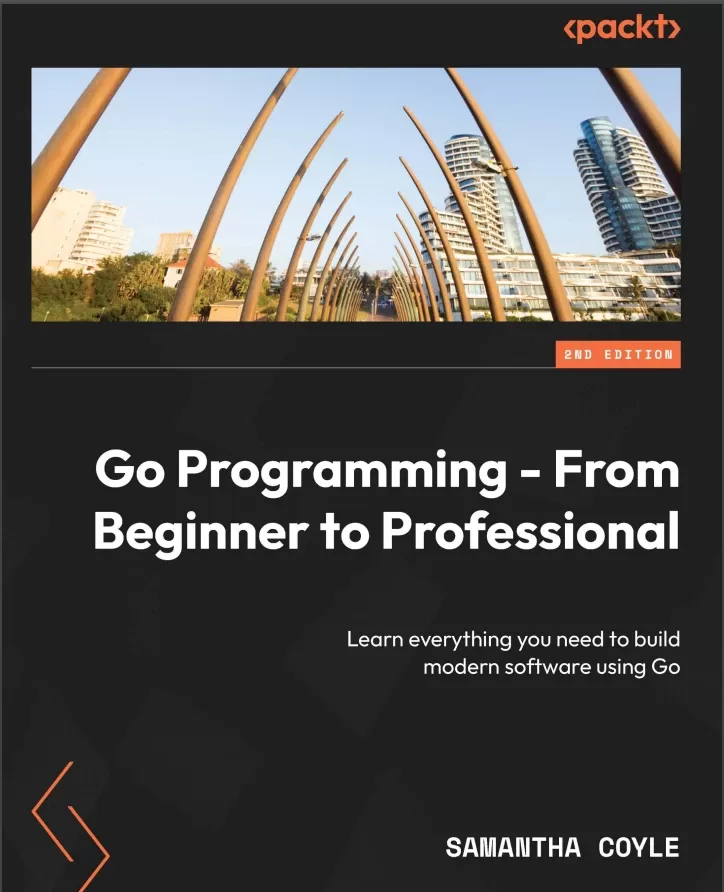
Go Programming - From Beginner to Professional: Learn everything you need to build modern software using Go. 2 ed
Оглавление⌄
Cover....1 Title Page....2 Copyright and Credits....3 Contributors....5 Table of Contents....8 Preface....22 Part 1: Scripts....30 Chapter 1: Variables and Operators....32 Technical requirements....32 Introduction to Go....32 What does Go look like?....33 Exercise 1.01 – using variables, packages, and functions to print stars....39 Activity 1.01 – defining and printing....40 Declaring variables....41 Declaring a variable using var....41 Exercise 1.02 – declaring a variable using var....42 Declaring multiple variables at once with var....43 Exercise 1.03 – declaring multiple variables at once with var....43 Skipping the type or value when declaring variables....44 Exercise 1.04 – skipping the type or value when declaring variables....44 Type inference gone wrong....46 Short variable declaration....46 Exercise 1.05 – implementing a short variable declaration....46 Declaring multiple variables with a short variable declaration....48 Exercise 1.06 – declaring multiple variables from a function....49 Using var to declare multiple variables in one line....50 Non-English variable names....51 Changing the value of a variable....52 Exercise 1.07 – changing the value of a variable....52 Changing multiple values at once....53 Exercise 1.08 – changing multiple values at once....53 Operators....54 Exercise 1.09 – using operators with numbers....55 Shorthand operators....58 Exercise 1.10 – implementing shorthand operators....58 Comparing values....59 Exercise 1.11 – comparing values....60 Zero values....62 Exercise 1.12 – zero values....62 Value versus pointer....64 Getting a pointer....66 Exercise 1.13 – getting a pointer....66 Getting a value from a pointer....67 Exercise 1.14 – getting a value from a pointer....68 Function design with pointers....69 Exercise 1.15 – function design with pointers....70 Activity 1.02 – pointer value swap....72 Constants....72 Exercise 1.16 – constants....73 Enums....76 Activity 1.03 – message bug....79 Activity 1.04 – bad count bug....80 Summary....80 Chapter 2: Command and Control....82 Technical requirements....82 Introduction....82 if statements....83 Exercise 2.01 – a simple if statement....83 if else statements....85 Exercise 2.02 – using an if else statement....85 else if statements....86 Exercise 2.03 – using an else if statement....86 initial if statements....87 Exercise 2.04 – implementing initial if statements....88 Expression switch statements....90 Exercise 2.05 – using a switch statement....91 Exercise 2.06 – switch statements and multiple case values....92 Exercise 2.07 – expressionless switch statements....94 Loops....95 Exercise 2.08 – using a for i loop....96 Exercise 2.09 – looping over arrays and slices....97 range loop....98 Exercise 2.10 – looping over a map....99 Activity 2.01 – looping over map data using range....100 Activity 2.02 – implementing FizzBuzz....101 break and continue....103 Exercise 2.11 – using break and continue to control loops....103 Activity 2.03 – bubble sort....105 goto statements....106 Exercise 2.12 – using goto statements....106 Summary....108 Chapter 3: Core Types....110 Technical requirements....110 Introduction....110 True and false....111 Exercise 3.01 – Program to measure password complexity....112 Numbers....115 Integers....115 Floating-point numbers....117 Exercise 3.02 – Floating-point number accuracy....118 Overflow and wraparound....120 Exercise 3.03 – Triggering number wraparound....120 Big numbers....122 Exercise 3.04 – Big numbers....122 byte....123 Text....124 Rune....125 Exercise 3.05 – Safely looping over a string....128 The nil value....130 Activity 3.01 – Sales tax calculator....130 Activity 3.02 – Loan calculator....131 Summary....132 Chapter 4: Complex Types....134 Technical requirements....134 Introduction....134 Collection types....135 Arrays....135 Exercise 4.01 – Defining an array....136 Comparing arrays....136 Exercise 4.02 – Comparing arrays....137 Initializing arrays using keys....138 Exercise 4.03 – Initializing an array using keys....139 Reading from an array....140 Exercise 4.04 – Reading a single item from an array....140 Writing to an array....141 Exercise 4.05 – Writing to an array....142 Looping over an array....143 Exercise 4.06 – Looping over an array using a “for i” loop....143 Modifying the contents of an array in a loop....145 Exercise 4.07 – Modifying the contents of an array in a loop....145 Activity 4.01 – Filling an array....146 Slices....147 Exercise 4.08 – Working with slices....147 Appending multiple items to a slice....149 Exercise 4.09 – Appending multiple items to a slice....149 Creating slices from slices and arrays....151 Exercise 4.10 – Creating slices from a slice....151 Understanding slice internals....152 Exercise 4.11 – Using make to control the capacity of a slice....153 Background behavior of slices....155 Exercise 4.12 – Controlling internal slice behavior....155 Map fundamentals....159 Exercise 4.13 – Creating, reading, and writing a map....161 Reading from maps....162 Exercise 4.14 – Reading from a map....162 Activity 4.02 – Printing a user’s name based on user input....164 Activity 4.03 – Slicing the week....165 Deleting elements from a map....166 Exercise 4.15 – Deleting an element from a map....166 Activity 4.04 – Removing an element from a slice....167 Simple custom types....168 Exercise 4.16 – Creating a simple custom type....168 Structs....169 Exercise 4.17 – Creating struct types and values....170 Comparing structs to each other....173 Exercise 4.18 – Comparing structs to each other....173 Struct composition using embedding....175 Exercise 4.19 – Struct embedding and initialization....176 Activity 4.05 – Creating a locale checker....178 Type conversions....179 Exercise 4.20 – Numeric type conversions....180 Type assertions and interface{}....181 Exercise 4.21 – Type assertions....182 Type switch....184 Exercise 4.22 – Type switch....184 Activity 4.06 – Type checker....187 Summary....188 Part 2: Components....190 Chapter 5: Functions – Reduce, Reuse, and Recycle....192 Technical requirements....192 Introduction....192 Functions....193 Parts of a function....194 The checkNumbers function....196 Exercise 5.01 – creating a function to print salesperson expectation ratings from the number of items sold....199 Parameters....200 The difference between an argument and a parameter....202 Exercise 5.02 – mapping index values to column headers....203 Function variable scope....205 Return values....207 Exercise 5.03 – creating a checkNumbers function with return values....207 Activity 5.01 – calculating the working hours of employees....208 Naked returns....210 Exercise 5.04 – mapping a CSV index to a column header with return values....212 Variadic functions....214 Exercise 5.05 – summing numbers....217 Anonymous functions....218 Exercise 5.06 – creating an anonymous function to calculate the square root of a number....220 Closures....221 Exercise 5.07 – creating a closure function to decrement a counter....222 Function types....224 Exercise 5.08 – creating various functions to calculate salary....228 defer....229 Activity 5.02 – calculating the payable amount for employees based on working hours....233 Separating similar code....234 Summary....236 Chapter 6: Don’t Panic! Handle Your Errors....238 Technical requirements....238 Introduction....238 What are errors?....239 Syntax errors....240 Runtime errors....241 Exercise 6.01 – runtime errors while adding numbers....241 Semantic errors....243 Exercise 6.02 – a semantic error with walking distance....244 Error handling using other programming languages....245 Error interface type....246 Creating error values....249 Exercise 6.03 – creating an application to calculate pay for the week....250 Panic....254 Exercise 6.04 – Crashing the program on errors using a panic....258 Recover....260 Exercise 6.05 – recovering from a panic....263 Guidelines when working with errors and panics....266 Error wrapping....267 Activity 6.01 – creating a custom error message for a banking application....268 Activity 6.02 – validating a bank customer’s direct deposit submission....268 Activity 6.03 – panic on invalid data submission....269 Activity 6.04 – preventing a panic from crashing the app....270 Summary....271 Chapter 7: Interfaces....272 Technical requirements....272 Introduction....272 Interface....273 Defining an interface....275 Implementing an interface....277 Advantages of implementing interfaces implicitly....278 Exercise 7.01 – implementing an interface....280 Duck typing....282 Polymorphism....283 Empty interface....295 Type assertion and switches....297 Exercise 7.03 – analyzing empty interface{} data....302 Activity 7.01 – calculating pay and performance review....306 any....307 Summary....307 Chapter 8: Generic Algorithm Superpowers....310 Technical requirements....310 Introduction....311 When to use generics?....311 Type parameters....313 Activity 8.01 – a minimum value....314 Type constraints....315 Exercise 8.01 – calculate the maximum value using interfaces....316 Exercise 8.02 – calculate the largest stock of items on a ranch....318 Type inference....320 When to use generics versus interfaces....321 What are some best practices?....321 Summary....322 Part 3: Modules....324 Chapter 9: Using Go Modules to Define a Project....326 Technical requirements....326 Introduction....326 What is a module?....327 Key components when working with Go modules....327 The go.mod file....328 The go.sum file....328 How are modules helpful?....329 Precise and simplified dependency management....329 Versioning and reproducibility....329 Improved collaboration....330 Dependency safety....330 Ease of use while promoting isolation and modularity....330 Exercise 09.01 – creating and using your first module....330 When should you use external modules, and why?....333 Exercise 09.02 – using an external module within our module....333 Consuming multiple modules within a project....335 Activity 9.01 – consuming multiple modules....335 Defining multiple modules within a project....336 Go workspaces....337 Exercise 09.03 – working with workspaces....337 Summary....340 Chapter 10: Packages Keep Projects Manageable....342 Technical requirements....342 Introduction....343 Maintainable....345 Reusable....345 Modular....346 What is a package?....346 Package structure....347 Package naming....348 Package declarations....350 Exported and unexported code....352 Package alias....355 Main package....355 Exercise 10.01 – Creating a package to calculate areas of various shapes....356 The init() function....360 Exercise 10.02 – Loading budget categories....363 Executing multiple init() functions....364 Exercise 10.03 – Assigning payees to budget categories....366 Activity 10.01 – Creating a function to calculate payroll and performance review....367 Summary....368 Chapter 11: Bug-Busting Debugging Skills....370 Technical requirements....370 Introduction....370 Methods for bug-free code....372 Coding incrementally and testing often....372 Writing unit tests....372 Handling all errors....372 Performing logging....373 Formatting using fmt....373 Exercise 11.01 – Working with fmt.Println....373 Formatting using fmt.Printf()....374 Additional options for formatting....378 Exercise 11.02 – Printing decimal, binary, and hex values....381 Basic debugging....382 Printing Go variable types....386 Exercise 11.03 – Printing the Go representation of a variable....387 Logging....389 Logging fatal errors....392 Activity 11.01 – Building a program to validate Social Security Numbers....393 Debugging in live or restricted environments....395 Summary....396 Chapter 12: About Time....398 Technical requirements....398 Introduction....398 Making time....399 Exercise 12.01 – Creating a function to return a timestamp....401 Comparing time....402 Duration calculation....404 Managing time....407 Exercise 12.02 – Duration of execution....408 Formatting time....409 Exercise 12.03 – What is the time in your zone?....412 Activity 12.01 – Formatting a date according to user requirements....413 Activity 12.02 – Enforcing a specific format of date and time....414 Activity 12.03 – Measuring elapsed time....415 Activity 12.04 – Calculating the future date and time....416 Activity 12.05 – Printing the local time in different time zones....416 Summary....417 Part 4: Applications....418 Chapter 13: Programming from the Command Line....420 Technical requirements....420 Introduction....420 Reading arguments....421 Exercise 13.01 – saying hello using a name passed as an argument....421 Using flags to control behavior....422 Exercise 13.02 – using flags to say hello conditionally....423 Streaming large amounts of data in and out of your application....424 Exercise 13.03 – using pipes, stdin, and stdout to apply a Rot13 encoding to a file....425 Exit codes and command line best practices....428 Knowing when to stop by watching for interrupts....429 Starting other commands from your application....430 Exercise 13.04 – creating a stopwatch with a time limit....431 Terminal UIs....432 Exercise 13.05 – creating a wrapper for our Rot13 pipeline....432 go install....436 Summary....437 Chapter 14: File and Systems....440 Technical requirements....440 Introduction....440 Filesystem....441 File permissions....442 Flags and arguments....445 Signals....447 Exercise 14.01 – simulating a cleanup....451 Create and write to files....453 Reading the whole file at once....457 Exercise 14.02 – backing up files....459 CSV....465 Embedding....467 Summary....469 Chapter 15: SQL and Databases....470 Technical requirements....470 Introduction....470 Understanding the database....471 Installing and configuring Postgres SQL....471 Database API and drivers....473 Connecting to databases....474 Creating a new project....475 Creating tables....478 Inserting data....481 Exercise 15.01 – creating a table that holds a series of numbers....483 Retrieving data....485 Updating existing data....488 Deleting data....490 Exercise 15.02 – holding prime numbers in a database....491 Truncating and deleting table....494 Activity 15.01 – holding user data in a table....495 Activity 15.02 – finding the messages of specific users....496 Adding users with GORM....497 Finding Users with GORM....499 Summary....501 Part 5: Building For The Web....502 Chapter 16: Web Servers....504 Technical requirements....504 Introduction....504 How to build a basic server....505 HTTP handler....505 Exercise 16.01 – creating a Hello World server....506 Simple routing....508 Exercise 16.02 – routing our server....509 Handler versus handler function....511 Activity 16.01 – adding a page counter to an HTML page....512 Adding middleware....514 Dynamic content....518 Exercise 16.03 – personalized welcome....518 Templating....520 Exercise 16.04 – templating our pages....522 Static resources....526 Exercise 16.05 – creating a Hello World server using a static file....526 Getting some style....528 Exercise 16.06 – a stylish welcome....529 Getting dynamic....533 Activity 16.02 – external template....534 Embedding external files....535 Summary....537 Chapter 17: Using the Go HTTP Client....540 Technical requirements....540 Introduction....540 The Go HTTP Client and its uses....541 Sending a request to a server....541 Exercise 17.01 – sending a GET request to a web server using the Go HTTP Client....542 Structured data....544 Exercise 17.02 – using the HTTP Client with structured data....545 Activity 17.01 – requesting data from a web server and processing the response....547 Sending data to a server....548 Exercise 17.03 – sending a POST request to a web server using the Go HTTP Client....548 Uploading files in a POST request....551 Exercise 17.04 – uploading a file to a web server via a POST request....551 Custom request headers....555 Exercise 17.05 – using custom headers and options with the Go HTTP Client....555 Activity 17.02 – sending data to a web server and checking whether the data was received using POST and GET....558 Summary....559 Part 6: Professional....560 Chapter 18: Concurrent Work....562 Technical requirements....562 Introduction....562 Goroutines....563 Exercise 18.01 – using concurrent Goroutines....564 WaitGroup....566 Exercise 18.02 – experimenting with WaitGroup....567 Race conditions....569 Atomic operations....570 Exercise 18.03 – an atomic change....571 Invisible concurrency....576 Channels....577 Exercise 18.04 – exchanging greeting messages via channels....579 Exercise 18.05 – two-way message exchange with channels....580 Exercise 18.06 – summing numbers from everywhere....582 Exercise 18.07 – request to Goroutines....584 The importance of concurrency....585 Exercise 18.08 – equally splitting work between Goroutines....586 Concurrency patterns....588 Buffers....588 Exercise 18.09 – notifying when the computation has finished....592 Some more common practices....593 HTTP servers....594 Methods as Goroutines....594 Exercise 18.10 – a structured work....595 Go context package....597 Exercise 18.11 – managing Goroutines with a context....598 Concurrent work with sync.Cond....600 Exercise 18.12 – creating a WIP limited queue....600 The thread-safe map....603 Exercise 18.13 – counting how many times random numbers are between 0 and 9 using sync.Map....603 Summary....605 Chapter 19: Testing....608 Technical requirements....608 Introduction....608 Unit tests....609 Exercise 19.01 – table-driven tests....610 Integration tests....613 Exercise 19.02 – integration test with a database....614 E2E tests....616 HTTP testing....617 Exercise 19.03 – authentication integration with a test server....618 Fuzz testing....620 Benchmarks....621 Test suites....622 Exercise 19.04 – using TestMain to execute several test functions....622 Test report....624 Code coverage....625 Summary....626 Chapter 20: Using Go Tools....628 Technical requirements....628 Introduction....628 The go build tool....629 Exercise 20.01 – using the go build tool....629 The go run tool....630 Exercise 20.02 – using the go run tool....630 The gofmt tool....631 Exercise 20.03 – using the gofmt tool....631 The goimports tool....633 Exercise 20.04 – using the goimports tool....633 The go vet tool....635 Exercise 20.05 – using the go vet tool....635 The Go race detector....637 Exercise 20.06 – using the Go race detector....637 The go doc tool....640 Exercise 20.07 – implementing the go doc tool....640 The go get tool....642 Exercise 20.08 – implementing the go get tool....642 Activity 20.01 – using gofmt, goimport, go vet, and go get to correct a file....643 Summary....645 Chapter 21: Go in the Cloud....646 Technical requirements....646 Introduction....646 Making your app monitorable by systems such as Prometheus....647 Exercise 21.01 – Creating an app with a /healthz endpoint....649 Enabling deep insights through OpenTelemetry....652 Exercise 21.02 – Using OpenTelemetry for queryable logs and tracing....653 Best practices for putting your Go application in a container....658 Exercise 21.03 – Creating a Dockerfile for a Go application....659 Making your app ready to work with orchestrators such as Kubernetes....661 Summary....662 Index....664 Other Books You May Enjoy....677Описание
Коротко и по делу о том, что важно знать про book.
Harness the power of Go through hands-on coding examples, covering basic to advanced topics like modules, database interfacing, RESTful APIs, concurrency, and beyond
Starting with fundamental concepts, this book covers variables, command-line tools, and working with data before delving into advanced concepts, including error handling, interfaces, and generics, harnessing Go's latest features through hands-on exercises. Key FeaturesLeverage Go's standard library through practical examples and simplify development tasks using best practicesMaster effective idiomatic Go syntax, including variables, functions, and loops, to handle dataBuild fully functional web applications with capabilities such as database connectivity and RESTful API creationPurchase of the print or Kindle book includes a free PDF eBookBook DescriptionGo Programming - From Beginner to Professional is a comprehensive guide that takes your proficiency in the Go programming language from novice to expert. Along the way, you'll learn to structure projects using Go modules, manage packages effectively, and master debugging techniques.
Additionally, the book explores web server development, RESTful APIs, and utilizing the Go HTTP client to interact with web applications. As you progress, you'll get to grips with practical application-centric aspects such as command-line programming, file manipulation, and working with SQL databases. Further enhancing your Go skills, you'll learn concurrent programming, testing methodologies, Go tools, and how to deploy applications in the cloud. Throughout the book, you'll uncover Go's hidden gems and gain insights into time manipulation, best practices, and more.
By the end of this book, you'll have worked through practical exercises and activities that'll equip you with the knowledge and skills needed to excel as a proficient Go developer, primed for success in real-world projects.
What you will learnUnderstand the Go syntax and apply it proficiently to handle data and write functionsDebug your Go code to troubleshoot development problemsSafely handle errors and recover from panicsImplement polymorphism using interfaces and gain insight into genericsWork with files and connect to popular external databasesCreate an HTTP client and server and work with a RESTful web APIUse concurrency to design efficient softwareUse Go tools to simplify development and improve your codeWho this book is forDesigned for both complete beginners in Go as well as professionals transitioning from another programming language, this book equips developers with skills needed to build real-world projects and launch their career in Go. With a step-by-step approach, beginners can grasp Go fundamentals even without prior programming experience, and gradually advance to idiomatic Go best practices, exploring the latest features of the language.
Файл доступен для загрузки ниже.
Поделиться
Частые вопросы
Можно ли скачать «Go Programming - From Beginner to Professional: Learn everything you need to build modern software using Go. 2 ed» бесплатно?
Да, «Go Programming - From Beginner to Professional: Learn everything you need to build modern software using Go. 2 ed» доступна для бесплатного скачивания на нашем сайте в формате PDF. Ссылка на файл находится на этой странице.
В каком формате и какого размера файл?
Книга предоставляется в формате PDF, размер файла 5,2 МБ.
Кто автор и когда вышла книга?
автор — Coyle Samantha, издательство Packt Publishing Limited, год выпуска 2024, 680 страниц.
О чём книга «Go Programming - From Beginner to Professional: Learn everything you need to build modern software using Go. 2 ed»?
Harness the power of Go through hands-on coding examples, covering basic to advanced topics like modules, database interfacing, RESTful APIs, concurrency, and beyondKey FeaturesLeverage Go's standard library through practical examples and s
Похожие материалы
 Облачный Go. Создание надежных служб в ненадежных окружениях
 Pro Go. Полное руководство по программированию надежного и эффективного программного обеспечения с использованием Golang
 Learning Go: An Idiomatic Approach to Real-World Go Programming
 Software Development with Go: Cloud-Native Programming using Golang with Linux and Docker
 Efficient Go: Data-Driven Performance Optimization
 Black Hat Go: Программирование для хакеров и пентестеров
 Microservices with Go: Building scalable and reliable microservices with Go
 Concurrency in Go: Tools and Techniques for Developers