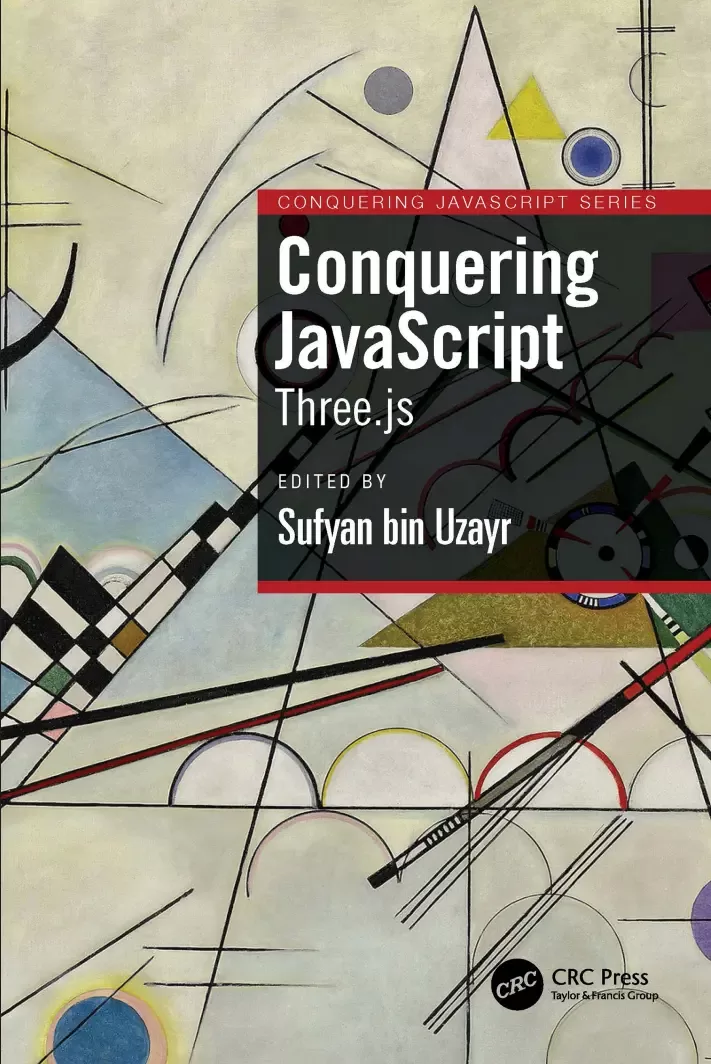
Conquering JavaScript: Three.js
Оглавление⌄
Book title Inner title Copyright Dedicated About the Authors About the Reviewer Acknowledgements Preface Code Bundle and Coloured Images Piracy Table of Contents Chapter 1: tkinter Introduction Introduction Structure Objectives Introduction to tkinter Basic Python GUI program Some standard attributes of Python tkinter GUI Dimensions highlightthickness padX, padY wraplength height underline width Colors activebackground background activeforeground foreground disabledforeground highlightbackground selectbackground selectforeground Fonts By creating a font object By using tuple Anchors Placing widget position when anchor = N Placing widget position when anchor = S Placing widget position when anchor = E Placing widget position when anchor = W Placing widget position when anchor = NE Placing widget position when anchor = NW Placing widget position when anchor = SE Placing widget position when anchor = SW Placing widget position when anchor = CENTER Relief styles Bitmaps Cursors Python tkinter geometry management pack() grid() place() Geometry method in tkinter Conclusion Points to remember Questions Chapter 2: Inbuilt Variable Classes for Python tkinter GUI Widgets Introduction Structure Objectives Inbuilt variable classes StringVar() BooleanVar() IntVar() DoubleVar() GUI creation using classes and objects Conclusion Points to remember Questions Chapter 3: Getting Insights of Button Widgets in tkinter Introduction Structure Objectives tkinter Button Widget Events and bindings event type tkinter Checkbutton widget tkinter Radiobutton widget tkinter OptionMenu widget Conclusion Points of remember Questions Chapter 4: Getting Insights of Input Widgets in tkinter Introduction Structure Objectives tkinter Entry widget Validation in the Entry widget tkinter Scrollbar widget Scrollbar attached to Listbox Scrollbar attached to Text Scrollbar attached to Canvas Scrollbar attached to Entry tkinter Spinbox widget tkinter Scale widget tkinter Text widget tkinter Combobox Widget Conclusion Points to remember Questions Chapter 5: Getting Insights of Display Widgets in tkinter Introduction Structure Objectives tkinter Label Widget tkinter Message Widget tkinter MessageBox Widget showinfo() showwarning() showerror() askquestion() askokcancel() askyesno() askretrycancel() Conclusion Points of remember Questions Chapter 6: Getting Insights of Container Widgets in tkinter Introduction Structure Objectives tkinter Frame Widget tkinter LabelFrame Widget tkinter Tabbed/Notebook Widget tkinter PanedWindow widget tkinter Toplevel widget Conclusion Points of remember Questions Chapter 7: Getting Insights of Item Widgets in tkinter Introduction Structure Objectives tkinter Listbox widget Conclusion Points of remember Questions Chapter 8: Getting Insights of tkinter User Interactive Widgets Introduction Structure Objectives tkinter Menu widget tkinter Menubutton widget tkinter Canvas widget Conclusion Points to remember Questions Chapter 9: Handling File Selection in tkinter Introduction Structure Objectives Handling file selection in tkinter Conclusion Points of remember Questions Chapter 10: Getting Widget Information and Trace in tkinter Introduction Structure Getting widget information Trace in tkinter trace_add() trace_remove() trace_info() Points to remember Questions Chapter 11: UserLogin Project in tkinter GUI Library with sqlite3 Database Introduction Structure Objectives GUI interaction with sqlite3 database Displaying a GUI application Conclusion Points to remember Questions Index Back title
Описание
Ниже — практический обзор по теме «three».
What technology is at the heart of it? Have you ever considered how these visuals and games are shown in a web browser? Of course, employing HTML and CSS alone will not be sufficient. Three.js is a free JavaScript toolkit for displaying images, 3D, and 2D objects in web browsers that enables you to render graphics and 3D objects on a canvas in the web browser using your GPU (Graphics Processing Unit).
The book is a detailed guide that will help developers and coders do more with Three.js. Conquering JavaScript: Three.js helps the reader master the Three.js framework for faster and robust development. It covers the basics in brief, and then moves on to more advanced and detailed exercises to help readers quickly gain the required knowledge.
Key Features:Examines JavaScript specific content, with emphasis on graphics libraries.
Discusses using Three.js for animated graphic creation.
Provides code optimization tips and solutions.
This book is a valuable reference for Three.js developers as well as those involved in game development, mobile apps, progressive applications, and now even desktop apps.
Файл доступен для загрузки ниже.
Поделиться
Частые вопросы
Можно ли скачать «Conquering JavaScript: Three.js» бесплатно?
Да, «Conquering JavaScript: Three.js» доступна для бесплатного скачивания на нашем сайте в формате PDF. Ссылка на файл находится на этой странице.
В каком формате и какого размера файл?
Книга предоставляется в формате PDF, размер файла 1,3 МБ.
Кто автор и когда вышла книга?
автор — Bin Uzayr Sufyan, издательство CRC Press is an imprint of Taylor & Francis Group, LLC, год выпуска 2024, 212 страниц.
О чём книга «Conquering JavaScript: Three.js»?
Have you ever considered how these visuals and games are shown in a web browser?
Похожие материалы
 JavaScript. Рецепты для разработчиков. 3 изд
 Become A Ninja With Angular
 Mastering jQuery: A Beginner’s Guide
 Professional JavaScript for Web Developers. 5 Ed
 React.js Design Patterns: Learn how to build scalable React apps with ease
 Typescript and JavaScript Coding Made Simple 2 Books in 1: A Beginner’s Guide to Programming
 React. Сборник рецептов. Практические приемы работы с фреймворком React
 JavaScript. Полное руководство: Справочник по самому популярному языку программирования. 7 изд